Audio Source Separation Explained: Techniques and Workflows
You've got a live recording with a great vocal take, but the guitar bleeds into every phrase. Or a podcast guest sounds clear until traffic, room noise, and a barking dog crowd the same moment. The mix is a single file, yet your edit needs one sound at a time.
Audio source separation tackles that problem by estimating the individual elements inside a recording and delivering them as separate audio outputs. It isn't just a vocal remover. The same idea can help a producer extract a piano line, an editor isolate a sound effect, or a researcher find an animal call inside an environmental recording.
Why Isolating Sound Matters
A finished mix is convenient for listening, but it's difficult to edit. Once vocals, drums, ambience, and room reflections have been combined, changing one element usually affects the others. A producer may want to lower a harsh guitar without touching the singer. A filmmaker may need the sound of applause without carrying the original dialogue into a new cut.
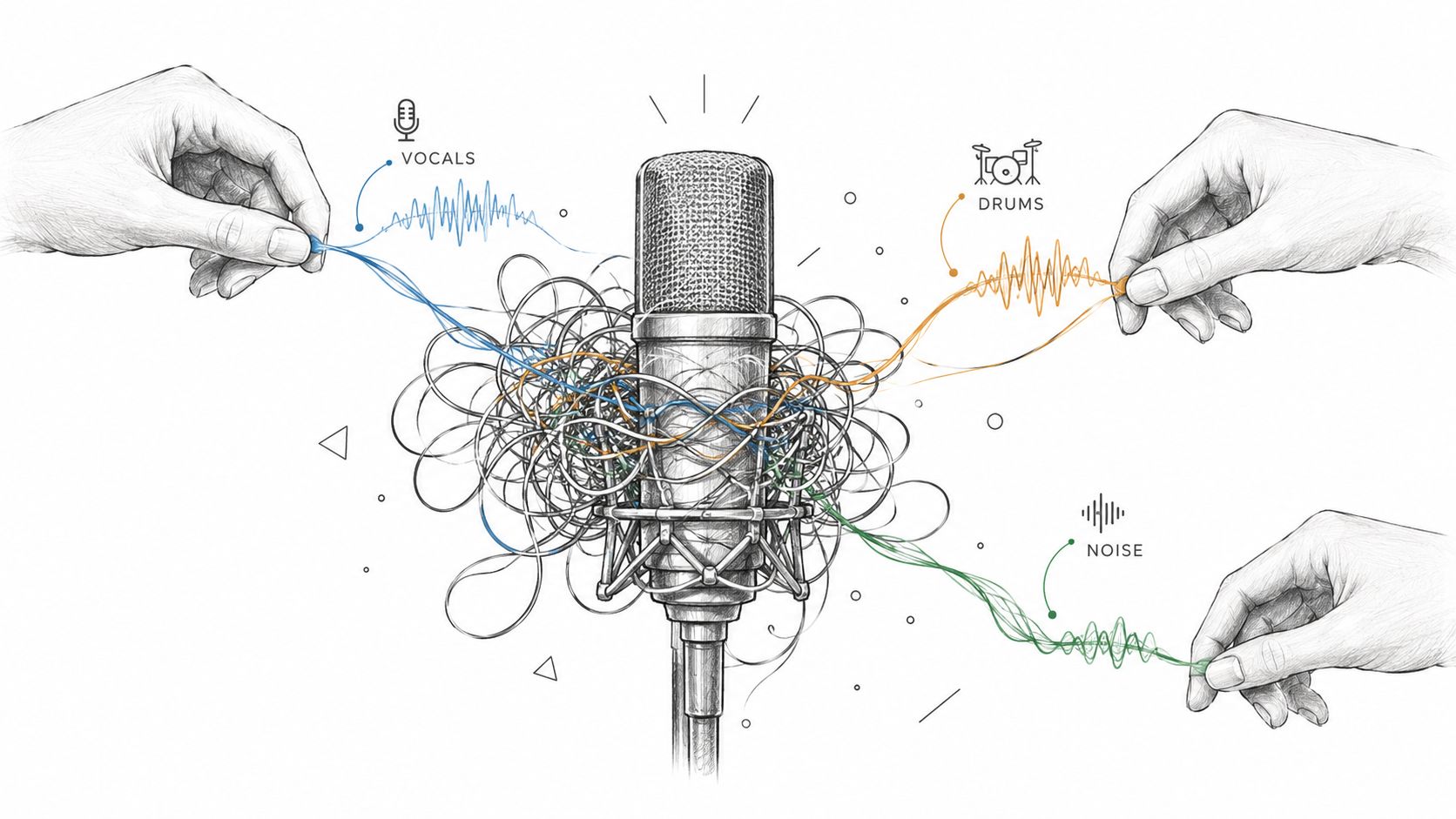
The practical value is control. A podcaster can work on speech more precisely when background material is reduced to a separate remainder. A musician can study a bass performance, build a rehearsal track, or inspect how an arrangement works without needing the original multitrack session. A video editor can search for a particular event instead of treating the whole soundtrack as one inseparable layer.
One recording, several editorial goals
Consider a concert video. The source file contains a singer, cymbals, electric guitar, audience reaction, and venue ambience. A fixed stem separator might offer vocals, drums, bass, and other instruments. That can be useful, but it doesn't answer every editorial question. You may want the crowd cheering during a chorus, the guitar solo during a specific passage, or the room tone between songs.
The same distinction matters outside music. A dialogue editor might care about a passing siren, keyboard typing, or a door closing. These sounds don't belong neatly to the familiar music-stem categories, yet they can determine whether a scene feels believable.
Practical rule: Separate audio for a specific editing decision, then judge the result in context. An isolated stem isn't automatically a finished production asset.
The field became important because creators increasingly need targeted control from imperfect source files. Separation won't recreate an original multitrack recording perfectly, but it can turn a frustrating all-in-one mix into material you can inspect, edit, balance, and reuse.
What Is Audio Source Separation
A producer receives a stereo concert mix with vocals, guitar, cymbals, audience noise, and room ambience. The original multitrack session is unavailable, yet the producer needs the guitar alone for a remix. Audio source separation estimates the individual sounds inside that combined recording, turning one mixed signal into usable target and remainder signals.
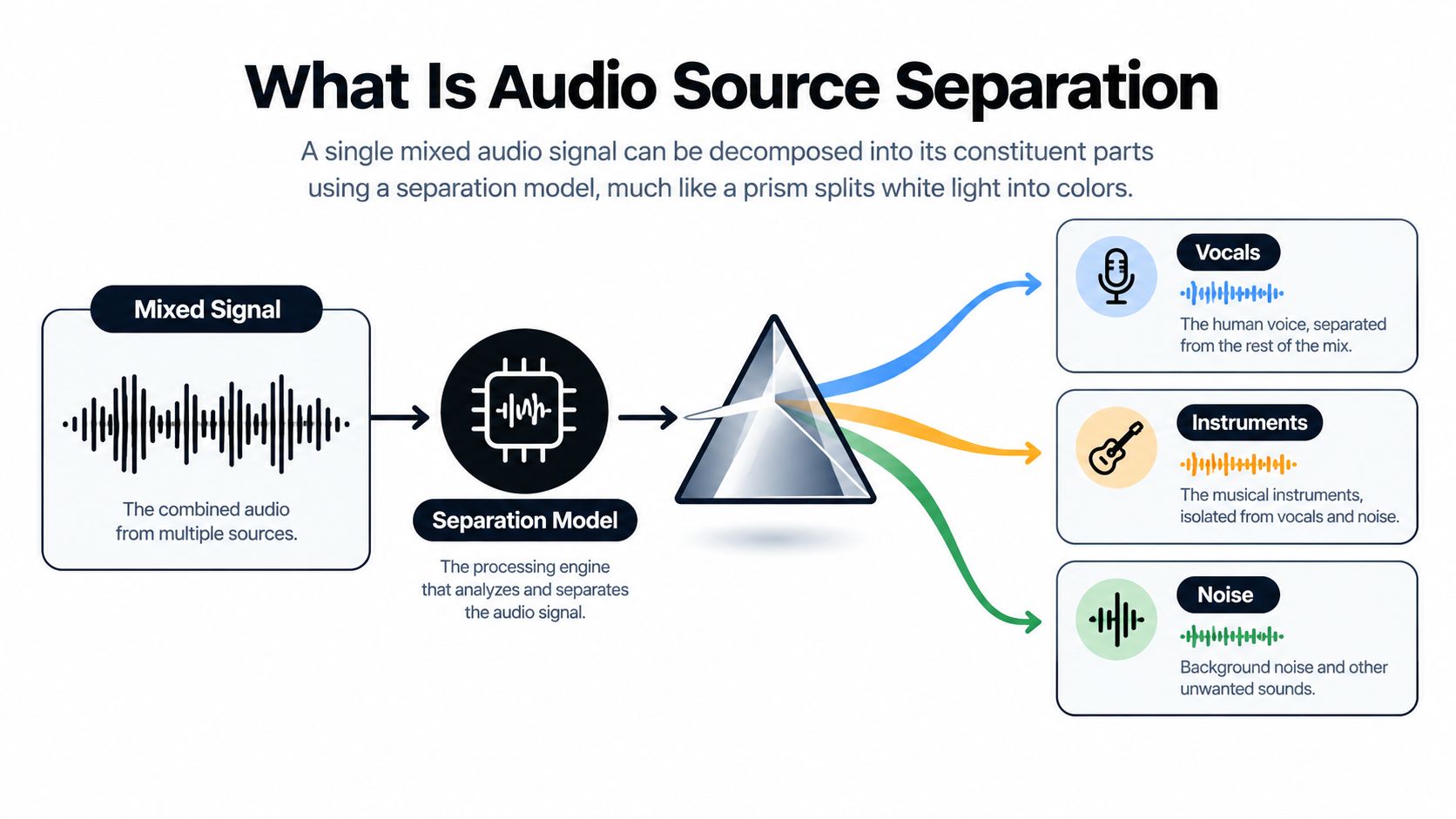
A typical system follows four steps:
- Input the mixture. It receives audio containing several sources, often playing at the same time.
- Analyze patterns. It examines timing, frequency content, harmonics, transients, and the wider acoustic context.
- Estimate the target. It predicts which parts of the signal match the requested sound.
- Create outputs. It provides the target and, in many workflows, the remaining audio.
The word estimate sets the right expectation. A finished mix carries no labels identifying which waveform belongs to a snare, voice, or barking dog. The system infers those assignments from patterns that overlap and may be partly hidden.
From fixed stems to flexible targets
Traditional music tools usually offer predetermined stems such as vocals, drums, bass, and other instruments. Those outputs work well for karaoke, remixing, and practice tracks, but they limit the request to categories the system already knows.
Modern research is moving toward open-vocabulary, prompt-based separation. A user can describe a target in plain language, such as “piano melody,” “crowd cheering,” or “dog barking,” instead of selecting only a standard stem. The 2025 SAM Audio research paper describes a unified approach using text, visual, and temporal prompts across general sound, speech, music, and instrument separation (the 2025 SAM Audio research paper).
That changes the central question from “Can this tool remove vocals?” to “Can it find the sound needed for this edit?” The answer may involve an arbitrary event, such as a siren in dialogue, applause in a broadcast, or a specific instrument in a dense arrangement.
Source separation also differs from physical sound isolation. Separation reconstructs an estimated signal from a recording, while isolation concerns how sound is contained or kept apart in an environment. This guide to sound isolation and its practical meaning explains that distinction.
Traditional Methods vs AI-Powered Separation
Traditional separation methods treat the mixture primarily as a mathematical signal. Spectral subtraction estimates unwanted energy and subtracts it. Filter banks divide sound into frequency regions, allowing an engineer or algorithm to emphasize some bands and reduce others.
These methods still have a place. If the unwanted material occupies a predictable frequency range and changes little over time, a filter can be transparent and efficient. A steady electrical hum, for example, is a more manageable target than a guitar and voice sharing the same harmonics.
The weakness appears when sources overlap. Vocals don't occupy one fixed band, and drums spread energy across a broad range. Removing a frequency region can therefore remove useful material along with the target, producing a thin vocal, hollow ambience, or metallic residue. A producer working with phase relationships should also understand how phase cancellation affects audio, because destructive interference can change what remains even when the source frequencies appear similar.
Different assumptions, different results
AI-powered systems use neural networks trained to recognize recurring structures in audio. Rather than applying one general subtraction rule, a model can learn that a vocal has changing phonetic patterns, a drum hit has a characteristic transient, and a sustained instrument has evolving harmonic relationships. It then estimates a target based on the combination of these cues.
| Approach | How it works | Where it fits | Main difficulty |
|---|---|---|---|
| Spectral subtraction | Removes an estimated noise profile | Stable, relatively predictable noise | Overlapping content can be removed too |
| Filter banks | Splits audio into mathematical frequency bands | Focused tonal or band-limited tasks | Sources rarely stay in separate bands |
| Neural separation | Learns patterns from examples and predicts target content | Complex mixtures and varied sources | Performance depends on the recording and model |
| Prompt-based separation | Conditions the model on a natural-language target | Arbitrary sounds and event-specific editing | Ambiguous or overlapping targets remain difficult |
The advantage of AI isn't that it ignores signal processing. It combines signal analysis with learned representations of how sounds behave. That makes it better suited to mixtures where the desired element and the interference occupy the same acoustic space.
Why “clean” doesn't mean untouched
A neural separator may preserve more of the target than a simple filter, but it can still introduce musical noise, swirls, missing transients, or faint remnants of other sources. The result may sound excellent under headphones and less convincing when exposed in a sparse arrangement. Conversely, a stem with some residue may work perfectly in a dense remix.
The right comparison is therefore practical, not ideological. Traditional tools remain valuable for predictable problems and surgical cleanup. AI separation offers a more adaptable route when the target is defined by its learned sound pattern rather than by a narrow frequency range.
How Separation Quality Is Measured
A separation system can look impressive in a waveform and still leave audible residue. Engineers therefore compare its output with a known reference using Signal-to-Distortion Ratio, or SDR. The measure summarizes unwanted error relative to the target source. A higher SDR usually means the reconstruction is closer under that test setup.
One listening study found BSS Eval SDR to be the strongest candidate among the measures it compared. In that study, SDR above 17 dB generally matched at least a “Good” separation rating, while results above 22 dB aligned with “Excellent” ratings (the listening-test paper on SDR and perceived separation quality). For a practical overview of measurement concepts, see how speaker measurements are interpreted.
Those thresholds provide a useful common scale, but they cannot replace listening. A modest numerical change may matter if a vocal sounds less smeared or dialogue becomes easier to understand. The audible result depends on the source, the mix, the listener, and the stem's intended use.
The benchmark can miss the workflow
Reference-based tests know the original isolated source. An editor may have only a compressed interview, a noisy location recording, or a video soundtrack containing reflections and changing background events. The test and the production task are therefore measuring different situations.
Perceived quality also changes across mixtures and stems. A 2025 paper reported that current systems can exceed 9 dB SDR on MUSDB18-HQ while remaining sensitive to inference overlap and deployment details (research on perceptual errors in music separation). A high score does not guarantee that an arbitrary sound, such as cheering or a dog bark, will survive cleanly in a real recording.
For producers, the useful test is task-based:
- Does the vocal remain usable in a remix?
- Can the editor lower traffic without damaging consonants?
- Does extracted crowd sound blend naturally into another scene?
- Can a researcher identify an animal call without confusing artifacts with evidence?
Listen to the isolated output, the remainder, and both together. Check quiet passages, sharp transients, sustained notes, and overlaps with other sources. A score helps compare systems. The workflow determines whether the result is usable.
Using Isolate Audio for Prompt-Based Separation
A prompt-based workflow starts with a target description rather than a fixed stem menu. With Isolate Audio, you upload an audio or video file, describe the sound in plain English, and receive two outputs: the requested element and the remainder. The platform supports common formats including MP3, WAV, FLAC, M4A, OGG, MP4, and WebM.

A practical workflow
1. Choose the clearest source file. Start with the highest-quality version you have. A compressed upload can still be useful, but artifacts already present in the mixture may become more noticeable after separation.
2. Describe one target. Use a concrete phrase such as “lead vocal,” “piano melody,” “crowd cheering,” or “dog barking.” Avoid combining unrelated requests in one prompt. If you need several sounds, run separate passes and assess each result independently.
3. Select a quality setting. Best, Balanced, and Fast presets let you trade processing preference against output quality. For a dense arrangement with several overlapping sources, Precision Mode is intended for more demanding separation work.
4. Review both outputs. The isolated file tells you whether the target is present. The remainder tells you what the model removed and whether useful material was taken with it. Many production mistakes happen when users listen only to the target and overlook damage in the background.
5. Download and place the result in context. Bring the files into a digital audio workstation or video editor. Match levels, check timing, and compare against the original. A stem that sounds strange alone may sit naturally in a full mix, while an apparently clean stem may reveal problems once solo instruments are exposed.
Prompt wording works best when it identifies the sound by role, identity, and context. “Female lead vocal in the chorus” is more specific than “voice.” “Audience cheering after the goal” supplies timing and event context. Temporal precision can help when the same type of sound appears repeatedly but only one occurrence matters.
The output isn't a magically recovered multitrack. It's a model-generated estimate designed for an editing purpose. Use fades, light equalization, spectral repair, and manual muting where needed, and keep the original file untouched so you can return to it.
Real-World Applications Across Industries
A producer receives a stereo demo with no session files. With source separation, they can request the vocal, bass, or a particular instrument part, then audition a new arrangement around the extracted material. A DJ might isolate a memorable vocal phrase, while a teacher can reduce accompaniment to create practice material.
Podcast editors face a different challenge. An interview recorded beside a road may contain speech, engines, wind, and occasional horns. Isolating a described background event helps the editor identify what competes with the dialogue and decide whether to reduce, replace, or preserve it.
Video editors often need sounds that do not fit conventional music stems. A scene may require a cleaner door slam, crowd reaction, distant siren, or room ambience for continuity. Prompt-based isolation lets the editor search for those events within the soundtrack instead of rebuilding the scene from scratch.
Research and field recordings
Bioacoustics researchers handle recordings that mix weather, insects, water, birds, mammals, and human activity. Their target may be one specific animal call, rather than a fixed category such as vocals or other instruments. Separation can support inspection and annotation, but artifacts require careful review. The unprocessed recording should remain the primary evidence.
The broader shift is from music-only categories toward general sound-event isolation. Recent work evaluates separation across VGGSound, AudioCaps, MUSIC, and ESC-50, reflecting interest in speech, music, and environmental sounds rather than familiar band stems.
Real recordings rarely fit software menus. A creator may want “the cheering,” “the footsteps,” or “the dog behind the interview.” Open-vocabulary prompts match the tool to how people describe what they hear, extending separation beyond fixed vocal, drums, and bass outputs. Each request still depends on how clearly the target differs from overlapping sounds, reverberation, and background noise.
Common Misconceptions About AI Separation
A higher SDR score guarantees a better result. SDR helps compare systems, but it cannot predict whether a stem will work in a real edit. Artifacts, timing, the target's role, and the surrounding mix all affect the result. Research has reported models exceeding 9 dB SDR on MUSDB18-HQ, while also finding sensitivity to inference overlap and deployment choices (the 2025 perceptual study).
Separation reconstructs the original session. It estimates sources from a combined recording. Shared harmonics, reverberation, compression, and masking may leave traces of one sound in another. Use the output as an editable approximation, not as a substitute for the original multitrack files.
Prompting makes every sound easy. A description can request arbitrary sounds, from a crowd cheer to a barking dog, but overlapping events still challenge the model. “Background noise” may combine unrelated sounds, and “the second guitar” may resemble another guitar playing similar material.
The isolated file should sound perfect in solo. Solo playback reveals artifacts that may be inaudible in context. Check the stem alone and in the full mix. The practical test is whether it improves the edit, not whether it matches a source that was never recorded separately.
Getting Started with Source Separation
Start with a clear production problem. If you're a musician, choose a mix where you need a rehearsal part or want to study an arrangement. If you're a podcaster, identify the specific interference that makes dialogue harder to edit. If you're a video editor, select a scene where one sound needs to be reduced, reused, or replaced.
Use the simplest target description that distinguishes the sound. “Lead vocal” works when one singer is obvious. A more contextual prompt can help when the recording contains several similar events. Request one target at a time, compare the isolated output with the remainder, and keep notes about which settings work for different material.
A reliable first pass
- Preserve the original. Never overwrite the source recording.
- Upload the cleanest available file. Avoid adding another generation of lossy compression before processing.
- Name the target precisely. Describe the sound you intend to edit, not the result you hope to achieve.
- Test the output in context. Check both solo and full-mix playback.
- Finish with conventional tools. Use level automation, fades, equalization, and repair only after separation.
The key lesson is that audio source separation has grown beyond vocal removal. Its history includes classical signal-processing methods, deep learning, benchmark datasets such as MUSDB18, and newer systems that accept descriptions of arbitrary sounds. The field still needs stronger perceptual evaluation for messy, heterogeneous recordings, so careful listening remains part of the engineering process.
Whether you're extracting a musical part, cleaning dialogue, isolating a sound effect, or examining an animal call, define the target before choosing the tool. That one habit prevents vague prompts, unrealistic expectations, and unnecessary processing.
Isolate Audio lets you upload an audio or video recording, describe the sound you want in plain English, and download both the isolated element and the remainder. Try it for a vocal, instrument, dialogue track, crowd reaction, or background event by visiting Isolate Audio.