How to Find the Beat of a Song: Step-by-Step Methods
You've loaded a track, dragged a loop beside it, and the drums won't line up. Or you're trying to dance along, but your feet keep switching between the bass and the hi-hat. Finding a tempo is quick. Finding a pulse you can use takes a little more listening.
The practical answer to how to find the beat of a song is to tap a steady pulse, identify how the accents group, then check that your choice holds beyond the opening. A BPM reading is a starting point, not permission to start cutting.
Tap Out the Tempo in Fifteen Seconds
Start playback where the arrangement settles into a groove. Skip an atmospheric introduction or a dramatic fill for now. Listen for the recurring pulse you could clap along with, rather than trying to follow every sound.
Your tapping should continue evenly while the instruments change around it. A rapid hi-hat pattern, busy vocal, or rolling bass line can distract you into counting notes instead of beats.
Count the Pulse, Not the Arrangement
Human beat perception is strongest at intervals of roughly 400 to 1,200 milliseconds, with a preferred average near 600 milliseconds, or about 100 BPM, according to the beat-perception study hosted by PubMed Central. That preference helps explain why a relaxed pulse may feel immediately convincing even when another rhythmic level would work better for mixing.
Use a timer and keep your hand moving before you begin counting:
- Quick estimate: Count taps for 15 seconds, then multiply by 4.
- Longer check: Count taps for 30 seconds, then multiply by 2.
- Worked example: 33 taps in 15 seconds gives approximately 132 BPM.
Tap counts converted to BPM
| Taps in 15 seconds | BPM (×4) | Taps in 30 seconds | BPM (×2) |
|---|---|---|---|
| 19 | 76 | 38 | 76 |
| 25 | 100 | 50 | 100 |
| 30 | 120 | 60 | 120 |
| 33 | 132 | 66 | 132 |
These are arithmetic conversions, not separate measurements of the song. Starting or stopping between taps makes a short count approximate, so don't treat the result as an exact editing tempo.
Choose a Useful Listening Anchor
Follow whichever repeating element makes the pulse easiest to hear: kick, snare, bass, or chord changes. Don't insist on hearing a kick on every beat.
If you're also preparing a live drum setup, Custom Bass Drum Head's guide on how to design a kick drum head covers the visual side of that instrument. Keep that separate from this listening task: identify the kick by its sound and recurring placement.
Finish with the longer counting method and compare your results. If they disagree noticeably, repeat the count without chasing the melody.
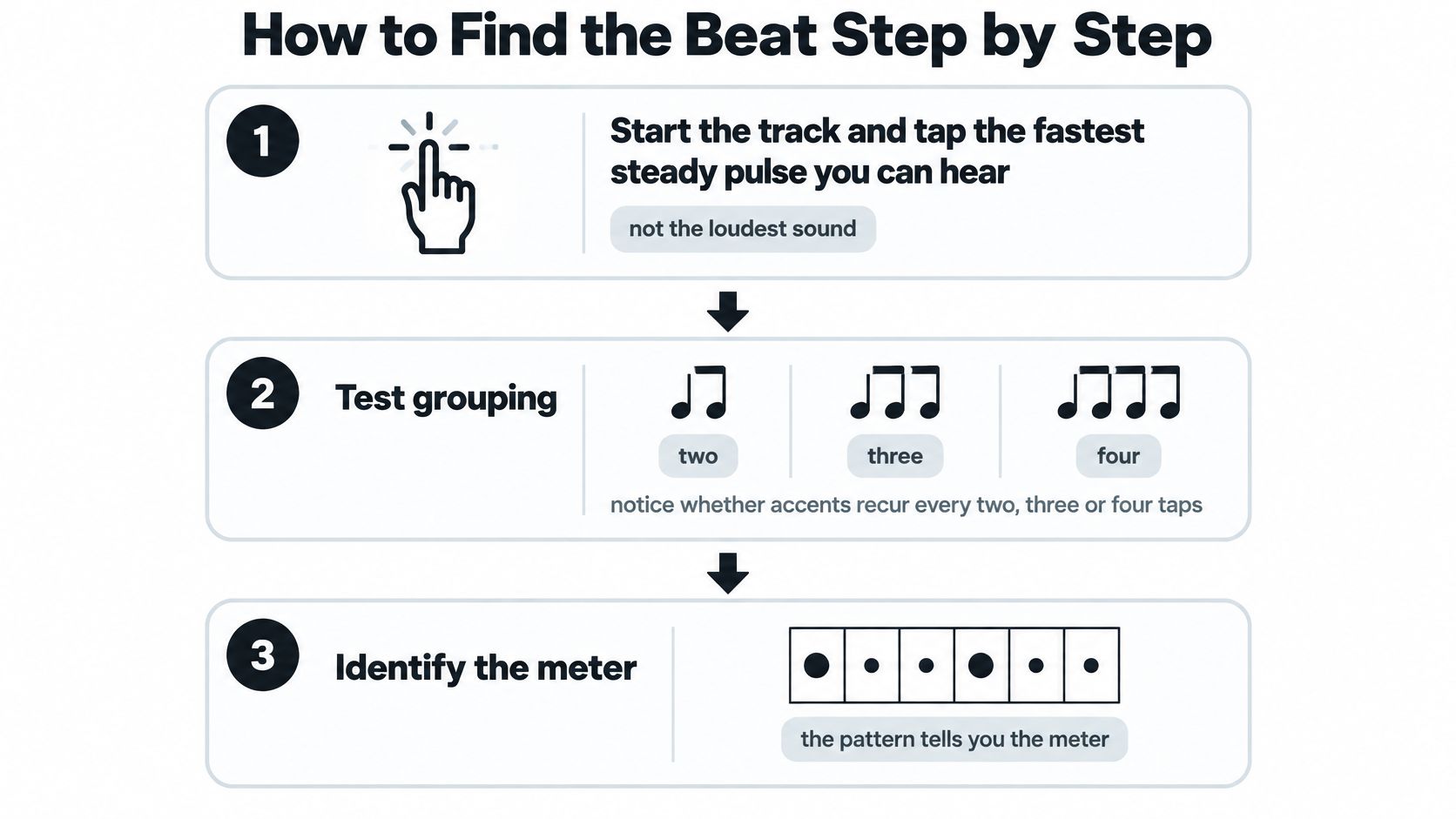
How to Find the Beat Step by Step
Beat and meter answer different questions. The beat tells you when to tap; meter tells you how those taps form a repeating pattern of stronger and weaker positions.
Use this visual sequence to separate the pulse from its grouping.
Build the Count by Ear
Start with a steady candidate pulse. Play a settled section and tap the fastest regular pulse you can comfortably follow, not the loudest isolated sound. Treat it as a candidate, because a regular subdivision can sound convincing before you examine the larger pattern.
Listen for repeating accents. Test whether the music groups naturally into pairs, threes, or fours. In a common 4/4 count, the first beat usually feels strongest and the third may carry secondary emphasis, consistent with the distinction between beat and meter examined in the experimental rhythm-tracking study.
Adjust the level of your tapping. If the motion feels frantic, keep every other tap; if it feels disconnected, add an evenly spaced tap between the existing ones. You're checking which level supports the groove rather than choosing whichever count is easiest on your hand.
Match your count to the musical pattern. Listen across the kick, snare, bass, and chords instead of following a single instrument blindly. A syncopated bass note can arrive between beats while your foot continues marking the underlying pulse.
Locate the downbeat. Listen for the beginning of a repeating musical idea, then test whether your count starts there naturally. A chord change, returning bass pattern, or resolution after a fill can help, but don't assume the first vocal syllable marks the bar's beginning.
Mark your candidate. Put a marker in your digital audio workstation, or DAW, at the chosen bar start and save the provisional tempo. Keeping a clear reference lets you compare later sections without reconstructing your original decision.
Test the Count Without Chasing Notes
If the grouping remains unclear, use this explanation of meter in music to distinguish the pulse from the bar pattern. Don't force the song into your preferred count just because it looks tidier on screen.
Listening test: Keep tapping through a fill. If you follow every extra drum hit, you're tracking the decoration rather than maintaining the beat.
For a movement-focused approach, try the dance timing tips from Danza Academy, from Danza Academy of Social Dance. Practice a small weight shift or foot tap before attempting choreography.
Use the video as another listening exercise, then return to your own track.
A useful result feels physically consistent: your foot stays with the groove through the verse without repeated corrections.
Choosing a DAW or BPM Tool
Tap tempo is the quickest option when the track is already playing. Use your DAW's tempo-entry control while listening, then audition a metronome against the recording. It's convenient for matching a loop, but your tapping accuracy still limits the result.
Choose other tools by what you need to inspect: a tempo number, visible attack points, or an instrument buried inside the mix. More automation isn't automatically more useful.
Beat-finding methods compared
| Method | Best for | Watch for |
|---|---|---|
| Manual tap tempo | Live entry and quick checks | Off by a few BPM if taps drift |
| DAW transient or warp analysis | Clear drum breaks and loops | Can misread syncopated accents |
| Online BPM finder | Fast single-file estimate | Check for half- or double-time readings |
| Compare two tools | Confirming a reading | Disagreement means check the pulse by ear |
| Isolate the drums or bass first | Dense or vocal-heavy mixes | Needs a separation step before analysis |
Match the Tool to the Job
For a clear drum break, inspect transient markers in a DAW such as Ableton Live or REAPER. Transients show where attacks occur, which helps you place boundaries precisely. They don't tell you which attacks deserve beat markers.
Keep automatic warping separate from analysis. If the DAW stretches the recording immediately, you may end up judging an altered performance instead of checking the original timing. Preserve an unwarped copy while investigating.
For a single-file estimate, a browser-based option such as our free BPM & Key Finder avoids building a session just to get a candidate tempo. Use that convenience for triage, not as a substitute for listening to the intended edit point.
Compare Independent Checks
I'd compare a manual tap result with an automatic estimate before spending time adjusting detector settings. Agreement is useful, but two matching displays still aren't proof that the downbeat is correctly placed.
For a muddy mix, change what you're analyzing before changing every parameter. A separated drum or bass layer can make the timing easier to inspect, although separation artifacts may blur individual attacks. Use the clearer layer to establish the pattern, then audition against the original.
A waveform marker identifies an event. You still have to decide whether that event belongs on the beat.
Fixing Beat Detection That Goes Wrong
The detector returns a number, but the metronome sounds wrong. Or the grid matches the opening and misses the drums after the chorus. Don't assume the file needs more volume or a sharper kick.
A tracker can make a confident prediction from the wrong rhythmic pattern. Expressive timing requires a different response from a mistaken pulse level.
This is the familiar mismatch to watch for: a convincing display that doesn't match the performance.
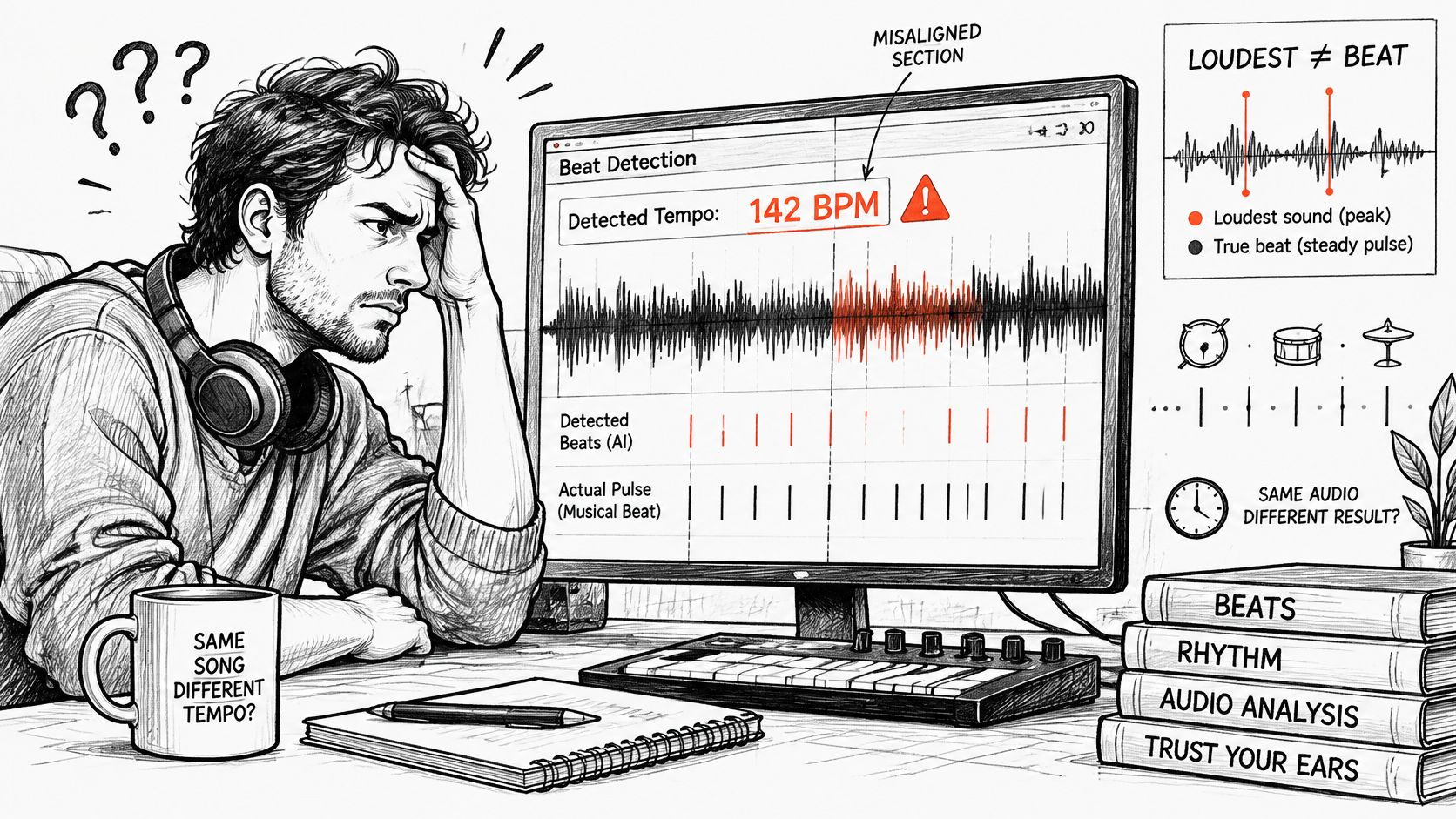
Diagnose the Mismatch Before Changing Settings
A technical analysis of beat-tracking errors identifies tempo instability as a major problem and describes an evaluation where a 55 BPM minimum forced double-tempo predictions for 21% of tracks in that dataset; lowering the minimum to 30 BPM corrected those cases. That's a detector-range problem, not evidence that the performers played faster.
Beat detection problems, causes and fixes
| Symptom | Likely cause | Fix |
|---|---|---|
| Tempo drifts after the first chorus | Live or rubato performance | Mark beats section by section |
| Reading is half or double the feel | Octave ambiguity | Test both and keep the one you can dance to |
| Slow song reads as double tempo | Tracker minimum set too high | Lower the minimum range to around 30 BPM |
| Hi-hat or vocal read as the beat | Loud non-kick transients | Isolate drums or bass before analysis |
| Grid misses the kick on a noisy recording | Noise and compression blur onsets | Separate the pulse source, then re-check |
Change the Listening Source
For vocal-heavy music, concentrate on the accompaniment rather than consonants and syllables. For syncopated percussion, keep the steady count through offbeat accents. For rubato passages, follow the changing timing instead of trying to make a fixed metronome fit.
Swing needs particular care. Don't move every offbeat note onto an evenly spaced grid just because the display makes that easy. Check the main pulse separately from the placement of notes between beats.
At Isolate Audio, you describe the target sound in plain English, such as a drum pattern or bass line. Upload the recording, describe what you want to hear separately, and download the isolated sound and the remainder.
Listen to both outputs. If an attack sounds smeared in the isolated layer, use the original to place the marker. Separation is a listening aid, not a timing authority.
Verify the Beat and Decide Before Editing
A usable beat map needs more than a plausible tempo. You need the right pulse, a reliable starting point, and enough evidence that your editing grid follows the recording where you plan to work.
The distinction matters: tempo estimation assigns a dominant BPM value, while beat tracking estimates a sequence of beat times, as described in the Applied Sciences paper on tempo estimation and beat tracking. Its practical implication is to validate your choice over 16 to 32 beats, identify the downbeat, and compare contrasting sections rather than trusting one display value.
Run the Closing Checklist
Check sustained alignment. Begin at your marked reference and let the recording play against the grid without restarting it whenever something sounds loose. Listen for whether the mismatch grows gradually, remains a constant offset, or appears only around a particular transition.
Sample the arrangement. Repeat the check in a verse, chorus, and bridge or breakdown. A clean opening doesn't establish the timing of a later live section, and a sparse breakdown may conceal the pulse that becomes obvious when the drums return.
Confirm the downbeat placement. Start playback before your proposed edit point and listen into it. The loop should begin where the musical pattern begins, not merely at a nearby strong waveform peak.
Confirm the grouping. Count through the end of a phrase and its return. If your bar starts keep landing in awkward places, reconsider the meter or the starting position before adjusting the tempo.
Audition the intended use. Bring in the actual loop, second track, or dance movement you need to match. A count can be internally consistent yet still be the wrong rhythmic level for that task.
Don't evaluate everything with the metronome turned up. Lower it until you can hear both the reference click and the performance clearly. Then mute it briefly and check whether you maintain the same pulse.
Separate Offset From Drift
A constant offset calls for moving the reference position, not changing the BPM. If each click stays the same distance from the intended beat, slide the grid's starting point while preserving its spacing.
A growing mismatch calls for a tempo adjustment or a local tempo map. If the alignment changes around expressive passages, place markers around those passages and inspect the timing between them. Avoid stretching the entire recording to repair a local problem.
Editing rule: Preserve the performance until you've decided whether you want to follow its timing or deliberately change it.
For a remix, that decision determines whether your added parts follow the original groove or the original gets conformed to a new one. If you intend to alter the performance, use a deliberate workflow to change the tempo of a song, keeping an untouched version available for comparison.
Video editors should mark phrase entrances as well as individual beats. Encore Film And Music Studio's guide on how to storyboard music videos is useful when turning those musical landmarks into planned shots rather than cutting mechanically on every pulse.
Lock the tempo when alignment holds through the sections you need. Mark beats locally when the performance drifts. If the checks disagree, audition the alternative pulse level before committing to edits.
Save the verified BPM, meter, and downbeat marker in the project. Label any section that needs its own timing map so the next session starts with an editing reference, not another guess.
If the pulse is buried, visit Isolate Audio to separate the drum or bass part using a plain-English description. Download the isolated sound and the remainder, count against the clearer layer, then verify your beat markers against the original before editing.