MP3 vs OGG The Definitive Guide for Audio Creators
Trying to decide between MP3 and OGG? It boils down to a pretty simple choice. If you need a file that will play on absolutely everything, no questions asked, MP3 is your go-to. But if your goal is to get better-sounding audio while keeping file sizes small—especially for streaming or archiving—OGG is technically the smarter pick.
Defining the Core Differences
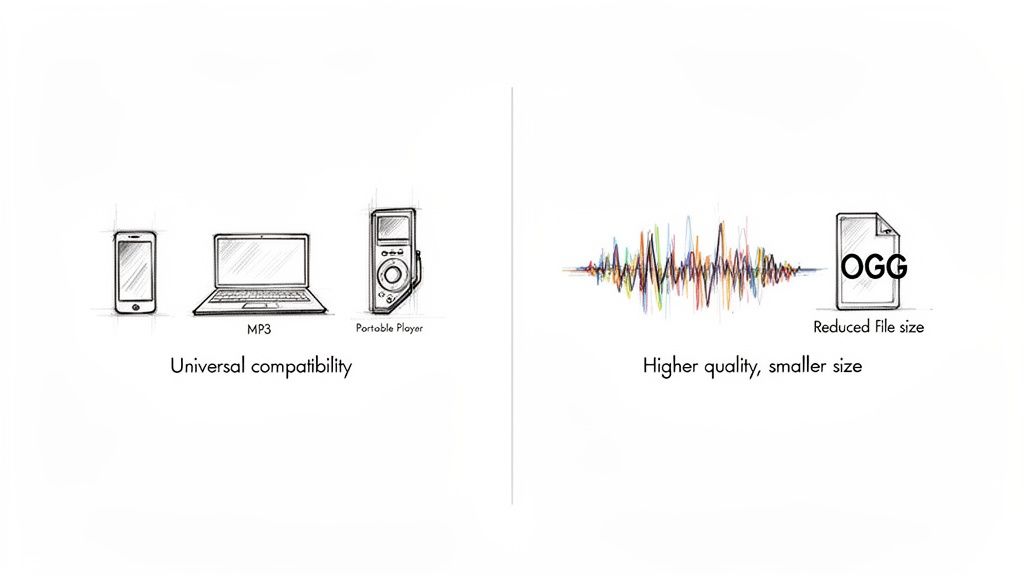
Before we get into a side-by-side comparison, let's be clear on what these formats actually are. Both use lossy compression, a clever technique that reduces file size by getting rid of audio data our ears are least likely to miss. This is what makes music files small enough to easily store, share, and stream.
The key is how they do it. MP3 (short for MPEG-1 Audio Layer III) has been around since the early '90s. Its compression method was groundbreaking back then, but technology has moved on, and it's less efficient than what's available today.
OGG, developed by the Xiph.Org Foundation, is a bit different. It’s actually a container format, and for audio, it’s almost always paired with the Vorbis codec. Vorbis was built from the ground up to be a superior, open-source, and patent-free replacement for MP3. Its more modern compression engine can deliver noticeably better audio quality at the same file size.
Decision Matrix: MP3 vs. OGG
This whole debate really comes down to a trade-off: do you need maximum reach or peak technical performance? Use this table for a quick recommendation based on your primary need.
| Choose This Format... | ...If Your Priority Is |
|---|---|
| MP3 | Maximum compatibility, universal playback, podcast distribution, and simple sharing. |
| OGG | Higher quality at the same bitrate, smaller file sizes, web streaming, and open-source projects. |
The right choice becomes clear once you know what matters most for your specific project.
The core of the MP3 vs. OGG debate is a classic battle: MP3’s unmatched legacy of compatibility versus OGG’s superior compression efficiency. Your choice depends entirely on whether you prioritize reaching the widest possible audience or delivering the best possible audio quality within a specific file size.
For creators using a tool like Isolate Audio, this decision has real-world consequences for your workflow. While the platform handles both formats just fine, knowing the difference helps you get better results. For instance, uploading a high-quality OGG file can lead to slightly cleaner stems during separation. On the other hand, a universally compatible MP3 is perfect for quickly sharing the final mix with collaborators.
This guide will walk you through these nuances so you can make the right call every time.
A Tale of Two Codecs: The History Behind MP3 and OGG

To really get why we're even having the MP3 vs. OGG conversation, we need to jump back to the early 1990s. This is when the Fraunhofer Society developed MPEG-1 Audio Layer III—what we all know as MP3. It was a breakthrough, compressing audio into files small enough to be practical for the limited storage and slow internet of the era.
MP3’s timing was perfect. It arrived just as the internet was taking off, and it quickly became the de facto standard for digital music. For a whole generation, MP3 was digital audio, building a market dominance that’s still hard to shake today.
The Open-Source Challenger Appears
MP3 was great, but it was also a proprietary, patent-encumbered format. In response, the Xiph.Org Foundation launched OGG Vorbis in 2000 as a completely open-source and patent-free alternative. The mission was clear: create a format that was technically better, offering higher fidelity at similar or even smaller file sizes, and make it free for everyone to use.
OGG Vorbis definitely found its champions. The open-source community and discerning audiophiles were quick to adopt it, recognizing its superior quality, especially at lower bitrates. But prying the world's fingers off MP3 was a whole different challenge. The infrastructure was already built.
The core conflict here is really about timing. MP3 got there first and became the standard when hardware was slow and storage was precious. It created a massive, entrenched ecosystem that a technically superior but late-arriving format like OGG just couldn't easily break into.
Why Early Hardware Sealed MP3’s Fate
MP3's secret weapon for long-term success was its low computational overhead. The first wave of digital audio players—think early iPods and their competitors—had very little processing power to spare. MP3 decoding was light and efficient, a make-or-break feature when every ounce of performance mattered.
OGG, on the other hand, used more sophisticated compression that demanded more from the hardware. For many manufacturers, including Apple, this was a deal-breaker. By famously leaving OGG support out of the iPod, Apple effectively locked millions of people into the MP3 ecosystem, cementing its position for years.
This history isn't just trivia; it directly impacts creators today. Back in the day, MP3’s patent-backed compatibility was the engine that powered the entire digital music scene. Services like Napster, which attracted over 80 million users by 2001, were built on MP3. That early adoption ensured nearly every device could play it. Even now, OGG struggles to match that universal reach, which is a crucial detail to remember when picking a format. You can find more historical context on the market adoption and technical specs in this Gumlet.com guide.
For anyone using a tool like Isolate Audio, this legacy is still relevant. If you upload an MP3, you know it's going to work everywhere. But if you start with an OGG file, you might get a cleaner, higher-quality source for stem separation. The choice between MP3 and OGG isn't just technical—it's a decision rooted in decades of digital audio history.
A Technical Deep Dive into Audio Compression
To really get to the bottom of the MP3 vs. OGG debate, we have to pop the hood and see how their compression engines work. Both formats rely on something called psychoacoustic models to make files smaller. Think of this as a clever way of throwing out audio data your ears probably won't miss anyway, like sounds that are too quiet to hear or frequencies completely buried by louder ones.
The catch is, the models they use come from very different eras. MP3’s algorithm was a breakthrough in the early 1990s, but it's pretty dated by today’s standards. It chops audio into fixed-size blocks for analysis, which can sometimes create noticeable glitches or "artifacts," especially with complex music or at lower bitrates.
OGG Vorbis, however, was designed later with a more flexible, modern philosophy. It uses a far more sophisticated psychoacoustic model and a different type of math (the Modified Discrete Cosine Transform) that’s just better at handling a wide range of sounds without introducing the same harsh artifacts you might hear in a low-quality MP3.
Constant vs. Variable Bitrate Encoding
One of the biggest technical divides is how these formats manage bitrate—the amount of data used for each second of audio. This is where you run into Constant Bitrate (CBR) and Variable Bitrate (VBR).
Constant Bitrate (CBR): With a CBR MP3, every single second of the track uses the exact same amount of data. This applies whether it’s dead silence or a massive orchestral hit. While predictable, it’s terribly inefficient. You end up wasting data on simple parts and starving complex sections that need more detail.
Variable Bitrate (VBR): VBR is the smarter way to do things. The encoder gives more bits to the complex, detailed parts of the song and fewer bits to the simple or silent parts. Both formats can do VBR, but OGG's implementation is on another level.
OGG Vorbis was built from the ground up with VBR as its native, default state. Its encoding engine is inherently more efficient at shifting bits around on the fly. This leads to a much better balance of quality and file size compared to MP3’s VBR, which feels more like a feature tacked onto an old CBR framework.
What does this mean for your ears? It means an OGG file at an average of 192kbps will almost always sound better than an MP3 at the same average bitrate. The OGG encoder simply makes better decisions on how to spend its "data budget," saving the details that an MP3 might throw away.
Visualizing the Difference with Spectrograms
The technical edge of OGG becomes crystal clear when you look at a spectrogram—a graph that shows you all the frequencies in a sound over time. At lower bitrates, the old MP3 compression model gets very aggressive with a knife, chopping off high-frequency information to save space.
This image shows frequencies on the vertical axis and time on the horizontal axis. Brighter colors mean louder sounds.
If you were to compare spectrograms of the same song encoded at 128kbps in both formats, you’d likely see the MP3 version has a hard, brick-wall cutoff right around 16 kHz. The OGG file, in contrast, would probably keep much more information all the way up to 18-20 kHz. That extra range is where the "air" and shimmer in cymbals, hi-hats, and vocals live.
Core Technical Specifications
Laying out the core specs side-by-side really highlights the differences in their design philosophy. OGG’s modern architecture gives it a distinct advantage in a few key places.
Let's break down the foundational differences in their design and performance.
Technical Specification: MP3 vs. OGG Vorbis
This table offers a direct comparison of the core technical attributes that define how MP3 and OGG Vorbis handle audio data.
| Attribute | MP3 (MPEG-1 Audio Layer III) | OGG (Vorbis Codec) |
|---|---|---|
| Psychoacoustic Model | Older, less efficient model using fixed data blocks. | Modern, more advanced model with variable block sizes. |
| Primary Encoding | Originally designed for Constant Bitrate (CBR). | Designed primarily for Variable Bitrate (VBR). |
| Typical Bitrates | 32 kbps to 320 kbps. | 45 kbps to 500 kbps (with wider effective range). |
| Frequency Response | Often has a hard cutoff around 16 kHz at lower bitrates. | Retains higher frequencies more effectively across bitrates. |
| Channel Support | Mono, Stereo. | Mono, Stereo, and native multichannel (e.g., 5.1 surround). |
| Licensing | Historically patent-encumbered (patents now expired). | Completely open-source and patent-free from day one. |
Ultimately, while both formats compress audio, OGG just does it more effectively. It consistently delivers higher perceived quality for a given file size, especially in that popular mid-range of 128kbps to 192kbps. This technical advantage makes it a powerful choice whenever audio fidelity is more important than absolute, universal compatibility.
Choosing the Right Format for Your Project
So, we've dug into the technical weeds, but what does this all mean for your actual work? The MP3 vs. OGG debate isn't about which format is "better" in a vacuum; it's about which one is the right tool for the job you need to do right now. The best choice for a musician sending a demo is totally different from what a podcaster needs for their weekly episode.
It all boils down to a simple trade-off: do you need it to work everywhere, or do you need the best possible quality for the smallest file size?

As you can see, your end goal is what truly drives the decision. Let's break this down by a few common creative roles.
Guidance for Musicians and Producers
For musicians, your format choice shifts depending on where you are in the creative process. When it's time to get your music heard—sending a demo to a blogger, a venue, or an A&R rep—MP3 is the undisputed champion. Why? Because it just works. You can't risk your big break getting stopped by a "file not supported" error. Compatibility is king here.
But when you're in the studio, sharing stems for a remix or archiving a final master, the tables turn. In these cases, OGG is the superior choice. Its smarter compression gives you higher fidelity at a lower file size, preserving the subtle details—the shimmer on a cymbal, the depth of a bassline—that can get lost in an MP3. This is especially true if you're preparing files for stem separation, where a cleaner, more detailed source always yields better results. For more on this, explore some of these detailed use cases for musicians.
Key Takeaway for Musicians: Use MP3 for sharing and promotion to guarantee playback everywhere. Switch to OGG for archiving and sharing high-quality production files where every sonic detail matters.
Recommendations for Podcasters
When it comes to podcasting, one thing matters above all else: reach. You want your show to be accessible to everyone, everywhere, on every device imaginable. That’s why MP3 remains the unshakable industry standard. Every single podcast app, from Apple Podcasts to Spotify, and every smart speaker or ancient media player knows exactly what to do with an MP3.
Sure, OGG's smaller file sizes are tempting. They could mean lower hosting bills and faster downloads for your listeners. But that benefit comes with a massive risk. If even a small fraction of your audience can't play your file, you've created a dead end. That’s a potential subscriber lost forever. For 99% of podcasters, the slight savings aren't worth sacrificing universal access.
- Choose MP3 if: Your goal is maximum distribution and ensuring any listener on any platform can hit play without a second thought.
- Consider OGG only if: You have total control over the listening environment—think an internal corporate podcast hosted on a platform you know supports OGG.
Advice for Video Editors and Content Creators
For video editors, the audio format is part of a bigger puzzle. If you're embedding audio into a video container like an MP4, the video codec usually handles the compatibility side of things. But when you need to send an audio draft or a folder of sound effects to a client for review, the musician's rule applies: MP3 is the safest bet for universal playback.
The story changes when you’re working on web-native content. If you're building a website with HTML5 audio or developing a game, OGG becomes a much more attractive option. Modern browsers have fantastic OGG support, and its excellent quality-to-size ratio is perfect for delivering rich sound without slowing down load times. Game developers especially love OGG for its potent mix of quality, small file size, and royalty-free licensing.
Ultimately, picking a winner in the MP3 vs. OGG matchup is all about context. Figure out your top priority—is it flawless compatibility or efficient quality?—and the right choice will become obvious for every project you tackle.
How to Optimize Uploads for Audio Separation Tools
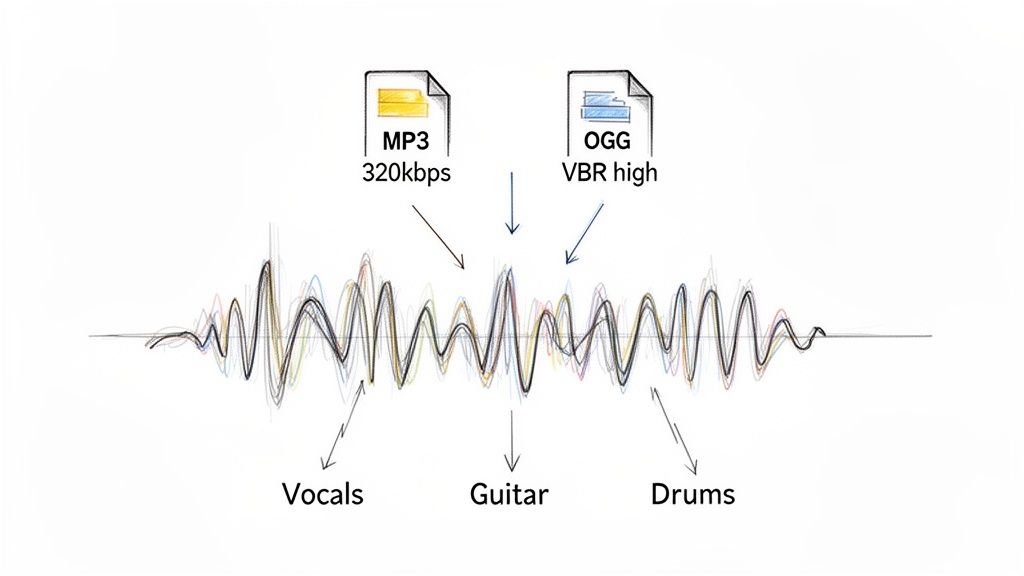
When you feed a track into an AI tool like Isolate Audio, the quality of your source file is the single biggest factor determining the quality of the final stems. The old adage holds true: garbage in, garbage out. A better source file simply gives the AI more data to work with, leading to cleaner, more accurate results.
Now, this doesn't mean you have to hunt down a lossless file every single time. The right choice between MP3 and OGG really comes down to what you're trying to isolate and just how much detail the AI needs to find it.
Matching Your Format to the Task
For big, obvious sounds, a high-quality MP3 is usually all you need. If you're just pulling the main vocal from a pop track or separating a punchy drum kit from a simple bassline, a 320kbps CBR MP3 has more than enough information for the AI to lock onto those elements. The core data is dense enough that the most prominent parts of the mix are preserved just fine.
But the game changes when you're trying to extract something delicate or complex. Imagine trying to isolate a subtle acoustic guitar fingerpicking pattern buried under a full band, or lifting the faint sound of rain from a field recording. These sounds live in the tiny details and upper frequencies—the exact places MP3 compression tends to cut corners.
For intricate audio separation, an OGG file is hands-down the better choice. Its more intelligent VBR encoding holds onto the nuanced high-frequency data and sharp transient details that an MP3 might smear or discard. This gives the AI a much richer, more accurate blueprint to work from.
What this means for you is cleaner separations with fewer weird artifacts, especially when you're trying to pull out those complex, hard-to-reach sounds.
Practical Upload Recommendations
To really get the most out of the tool, a little prep work before you upload can make a night-and-day difference. Here are a few solid guidelines based on your source audio.
For Simple, Clear Elements: Isolating prominent vocals, a lead synth, or a driving beat? A high-bitrate MP3 (256kbps or 320kbps) is a perfectly reliable and convenient option.
For Complex or Subtle Sounds: If your goal is to extract layered background vocals, delicate cymbal work, or a quiet string section, go with a high-quality VBR OGG file (quality setting 8 or higher). This ensures the AI gets the maximum amount of sonic detail to do its job properly.
For Low-Quality Sources: Sometimes, all you have is a low-bitrate MP3, like 128kbps. The AI can still give it a shot, but you should expect some artifacts. The separation will be less clean simply because critical audio data was already lost forever in the original compression. In these cases, it's worth checking out how to extract audio from video, as you might find a higher quality audio stream embedded in a video file.
The bottom line is to always start with the best possible source file you can get your hands on. But when you have the choice, a well-encoded OGG gives you a clear technical edge that translates directly into cleaner, more professional-sounding audio separations.
So, When Do You Actually Use MP3 vs. OGG?
After digging into the tech and real-world performance, the choice between MP3 and OGG really boils down to what you're trying to achieve. There's no single "best" format here. It’s all about context and making a simple trade-off: do you need universal reach or technical efficiency?
Think of it this way: is it more important that your file plays absolutely everywhere, or that it sounds as good as possible for its size? Answering that one question will almost always lead you to the right format for the job.
Choose MP3 for Maximum Compatibility
Let's be clear: MP3 is the most compatible audio format on the planet. Its long history means you can be confident it will play on just about anything, from a dusty old media player to the newest smart device.
You should always reach for MP3 in a few key situations:
- Public Distribution: If you're releasing a podcast, sending out a newsletter with an audio file, or distributing music promos, MP3 is the safe bet. You can't afford to have a potential listener struggle to open your file.
- Client Previews: Sending a work-in-progress to a client? They might not be the most tech-savvy person. An MP3 eliminates any potential playback headaches on their end.
- Legacy Systems: When you have to work with older hardware or software, MP3 is often the only reliable option.
In these cases, MP3’s universal acceptance is its killer feature. It's the most reliable choice for making sure anyone, anywhere, can just press play.
Choose OGG for Quality and Efficiency
When your top priority is getting the best possible sound quality at a specific file size, OGG (specifically with the Vorbis codec) is the way to go. Its compression is just more modern and efficient, which means it holds onto more of the original sonic detail—especially in the high frequencies where MP3 can struggle.
Consider OGG for projects like these:
- Web Streaming and Gaming: OGG's fantastic quality-to-size ratio is a huge advantage for web audio and game development. It helps deliver rich, immersive sound without slowing everything down with long load times.
- Archiving Masters: If you're storing high-quality versions of your own tracks, an OGG file will give you better fidelity than an MP3 of the same size. It’s a smarter way to preserve your work.
- Source Files for Audio Tools: For a platform like Isolate Audio, feeding it a high-quality VBR OGG file is a game-changer. The AI gets more detailed information to work with, which directly translates into cleaner, more accurate stem separations.
Ultimately, MP3 is your universal adapter—it fits every socket. OGG is the high-performance tool you grab when precision and quality really matter. The best format is simply the one that aligns with your end goal.
Common Questions About Audio Formats
Even with all the technical details laid out, a few practical questions always seem to pop up when it's time to actually choose a format. Let's tackle some of the most common queries I hear about MP3 and OGG to clear up any lingering confusion.
If I Convert an MP3 to OGG, Will it Sound Better?
No, definitely not. It’s a classic misconception. People hear that OGG is a “better” format and assume converting to it will magically improve their audio. In reality, it does the exact opposite.
Converting from one lossy format (like MP3) to another (like OGG) is what we call transcoding, and it always degrades quality. Imagine making a photocopy of a photocopy—each generation gets a little bit fuzzier. The new OGG file will carry all the compression artifacts from the original MP3 and then add a fresh layer of its own.
Always, always encode your files from a lossless master like WAV or FLAC. That’s the only way to get the best quality out of any format.
Is OGG Actually Supported on Major Platforms?
Yes, OGG has carved out a solid niche for itself, especially on platforms that prioritize streaming efficiency and quality. Spotify is the most famous example; they've used the OGG Vorbis codec for years to deliver high-quality audio streams without massive data usage.
While MP3 still holds the title for universal, out-of-the-box compatibility on every device imaginable (looking at you, older Apple hardware), OGG is far from obscure. It's well-supported across the modern web, in most desktop media players, and is a big player in the video game industry.
The takeaway is simple: MP3 is the go-to for maximum offline compatibility. OGG is a proven, professional standard for modern web and streaming applications.
Which Format Should I Use for My Podcast?
For 99% of podcasters, the answer is still MP3. It’s the undisputed champion for one simple reason: universal access. Your number one goal is for anyone, on any device, to be able to hit play without a single hiccup. MP3 guarantees that.
The smaller file sizes of OGG are tempting, I get it. They can help with hosting costs and download speeds. But the risk just isn't worth it. If even a tiny fraction of your audience can't play the file because their app or device doesn't support OGG, you've lost them. Stick with MP3 to ensure a smooth, frustration-free experience for every listener.
Can a Person Really Hear the Difference Between a High-Quality MP3 and OGG?
Ah, the million-dollar question. The honest answer is… it depends. For most people listening on standard earbuds or laptop speakers, a high-bitrate 320kbps MP3 and a high-quality VBR OGG file are going to sound pretty much identical.
The differences really start to emerge under more critical listening conditions:
- On High-End Gear: If you're using good studio monitors or a nice pair of headphones, you might start to notice OGG retains a bit more sparkle and clarity in the high frequencies. Things like cymbals and hi-hats can sound a touch crisper and less "smeared."
- At Lower Bitrates: This is where OGG's superior compression really shines. A 128kbps OGG file will sound noticeably better than a 128kbps MP3 nearly every time. The MP3 at that rate often sounds muffled and riddled with watery artifacts.
If you're interested in going deeper into how audio formats affect your work from start to finish, feel free to explore our other guides in our audio articles section.
Ultimately, whether you can hear the difference comes down to your ears, your playback equipment, and the bitrate you're working with.
Ready to hear the difference for yourself? Upload your best MP3 or OGG file to Isolate Audio and experience how a high-quality source file leads to cleaner, more accurate stem separations. Isolate vocals, drums, or any instrument with precision and hear every detail. Try Isolate Audio for free today!
Article created using Outrank