Non-Destructive Editing: A Practical Guide for Creators
A destructive edit usually announces itself at the worst possible time. You've spent hours shaping a vocal, cleaning an interview, or building a sample arrangement, then discover that the only usable version of a source clip was permanently cut, muted, or overwritten. Undo may no longer reach the decision, and the original recording may be buried in an old session, if it exists at all.
Non-destructive editing prevents that particular failure by separating the source recording from the decisions made about it. That protection is valuable, but it isn't the whole solution. A reversible project can still become impossible to understand, difficult to collaborate on, or impossible to reproduce accurately months later.
The Moment of Panic in Your DAW
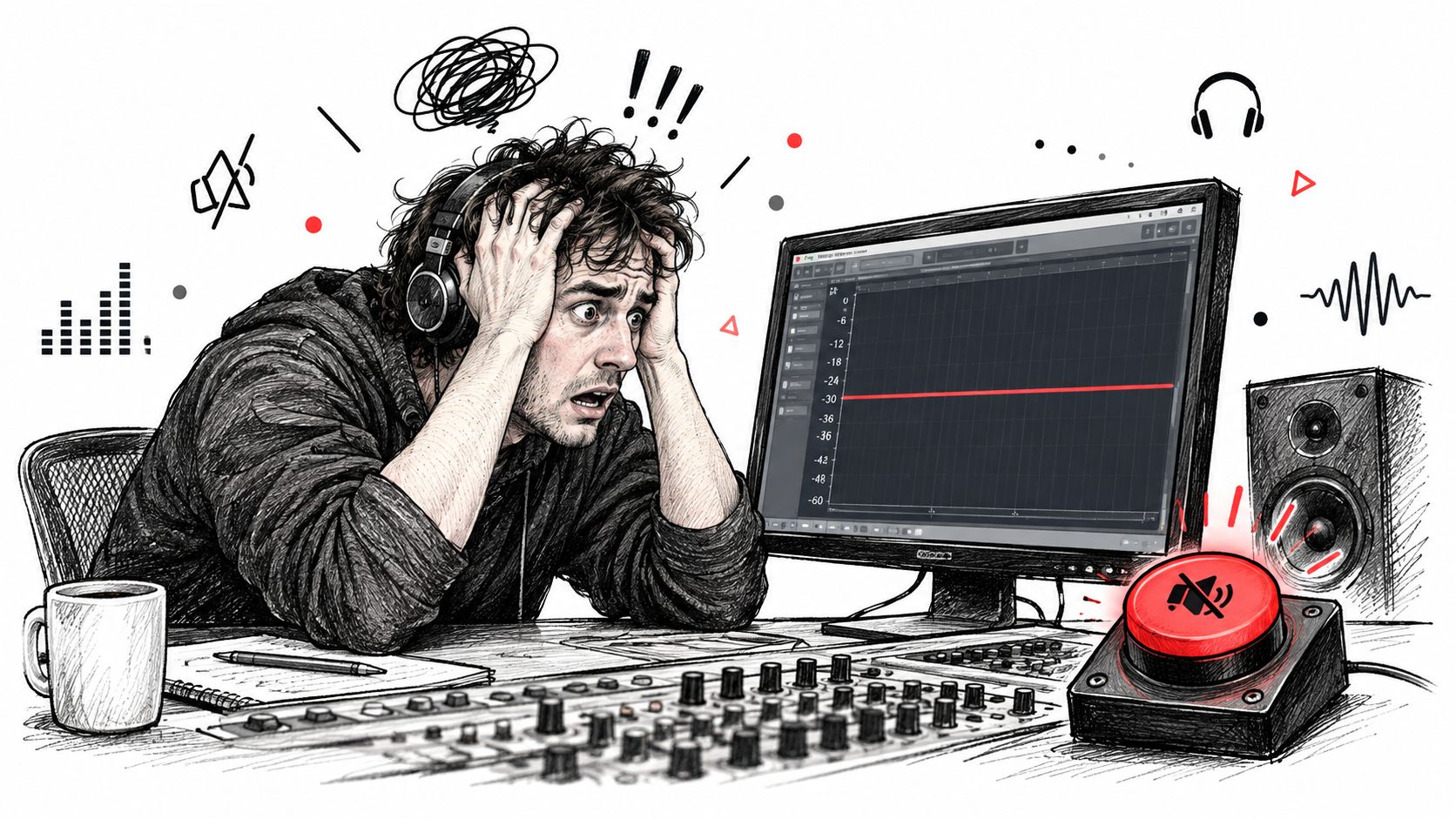
You're deep into a mix. The vocal sits correctly, the breaths are controlled, and the background noise is finally tolerable. Then you notice a problem in the chorus. You cut a section, consolidate the clip, and continue working. Later, you decide the original entrance was better, but the unedited phrase has disappeared from the session.
That's the panic familiar to anyone who has worked with destructive audio tools. The problem isn't only that one edit is permanent. It's that every decision made afterward can move you farther away from the point where recovery was possible. Rebuilding a missing vocal phrase or searching through unlabelled exports can cost more time than the original edit.
Why tape made commitment unavoidable
Tape-based workflows treated the recording as a physical object. Cutting, splicing, or recording over a section changed the source itself, so experimentation carried a direct risk of permanent damage. The shift to digital audio workstations changed that relationship by separating the original audio data from the way the software displays and edits it.
The historical transition accelerated in the early 1990s. Digidesign released the first version of Pro Tools in 1991, initially supporting four 16-bit tracks, and by the late 1990s digital audio workstations were widely operating on personal computers, as documented in MIT's course materials on the history of digital audio.
That development turned an edit from a physical alteration into a reversible instruction. A clip could be trimmed, moved, processed, or hidden without forcing the operator to discard the source. For a practical introduction to applying this approach in a working DAW, learn how to use Reaper and pay attention to the difference between changing a clip's presentation and rewriting its underlying file.
Practical rule: If you might change your mind, don't make the source carry the decision.
Non-destructive editing is therefore more than an undo feature. It's a form of professional insurance for creative assets. It protects the original take while giving you room to compare alternate arrangements, vocal treatments, dialogue edits, and sound-design choices. The protection only works, however, if you preserve the source and the decision history separately.
How Non-Destructive Editing Actually Works
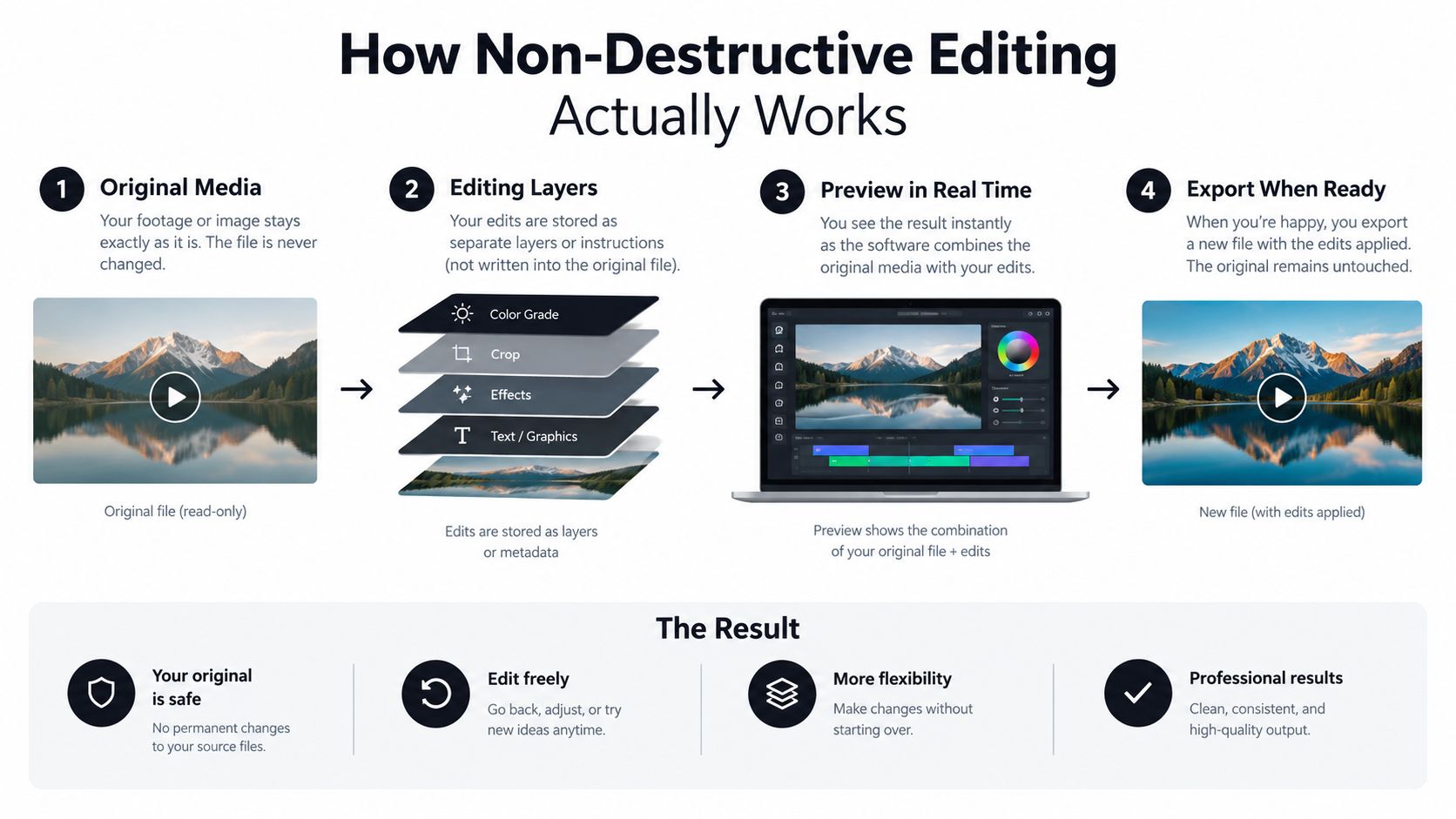
A DAW doesn't need to rewrite every audio sample when you trim a clip or move it on the timeline. Instead, it can remember which part of the source to play, where to place it, and what operations to apply during playback. The project behaves less like a modified recording and more like a set of instructions for reconstructing a result.
Think of an audio library and a playlist. The playlist can select a song, start it at a chosen point, change its order, and apply playback preferences without changing the audio file in the library. A non-destructive session uses a similar separation, although its instructions are much more precise.
The role of an edit decision list
Non-destructive audio editing stores references to source-file sections, timeline positions, fades, gain, panning, and related operations rather than rewriting the original samples. An Edit Decision List, or EDL, can represent those choices so playback reconstructs the result by joining selected source intervals in sequence, as described in this technical paper on sound-file editing and audio decision lists.
That architecture explains why you can change a trim without degrading the master. The session records a different boundary. It doesn't need to manufacture a new original file every time you move an edit point.
The same logic applies to many familiar operations:
- Trimming: The project changes the start and end references, while the material outside the visible range remains available.
- Reordering: The timeline points to source regions in a new sequence, rather than physically rearranging the recording.
- Fades: The project stores a transition and its parameters, leaving the samples intact.
- Gain and panning: Playback applies level and position instructions to the selected material.
- Alternate treatments: Different chains or settings can be tested against the same source without replacing it.
The part that still creates risk
Non-destructive doesn't mean that every action is harmless. If you render over the only copy of a source, delete the source folder, apply processing to an exported master, or lose the project's media references, the editable relationship can still break. The DAW protects decisions only when the source, session, and links remain available.
The project file also may not contain every dependency. Plug-ins, impulse responses, external samples, media paths, and application-specific settings can affect what you hear. A guide to how to use a non-linear editor is useful for understanding the broader editorial principle, but audio teams still need to inspect the details of their own session format and delivery requirements.
Good practice starts with three separate objects:
- Original media, kept read-only or otherwise protected from casual replacement.
- Editorial decisions, stored in the DAW project, EDL, XML, or another transferable representation.
- Rendered outputs, created for review or delivery and clearly marked as derived files.
That separation gives you flexibility without confusing a temporary render with a preserved source.
Destructive vs Non-Destructive Workflows
Destructive editing can feel faster because it commits immediately. You process a file, save the result, and move on without managing several layers of clips or settings. That simplicity can be appropriate for a disposable preview or a deliberately finalized delivery file.
The cost appears when the decision changes. A destructive workflow asks you to recover the previous state from an undo history, backup, duplicate export, or memory. If none of those exists, the decision is no longer editorial. It's permanent.
The following comparison captures the practical trade-off:
Workflow Comparison
| Criterion | Destructive Editing | Non-Destructive Editing |
|---|---|---|
| Source protection | The working file may be overwritten or permanently altered. | The original media remains separate from timeline decisions. |
| Trims and cuts | Removed material may need to be recovered from another file. | Hidden or excluded material can remain available to restore. |
| Processing | Effects may be printed directly into the file. | Processing can remain adjustable in the project or be rendered as a derivative. |
| Experimentation | Each new direction may require a duplicate or fresh export. | Alternatives can reference the same source with different decisions. |
| Storage clarity | Fewer visible project layers can look simpler. | More files and versions require deliberate naming and structure. |
| Collaboration | A teammate may not know which altered file is authoritative. | Branches and source references can clarify the editorial state, if documented. |
| Reproducibility | The final file may hide how the result was made. | The project can preserve decisions, but only if dependencies and parameters are archived. |
| Delivery speed | A quick committed render may be convenient for a short-lived task. | Setup takes more care, especially before a project is shared or archived. |
Choosing the right commitment point
The strongest approach isn't to treat destructive editing as forbidden. It's to reserve commitment for a clearly defined stage. A temporary reference file can be printed when you need smooth playback or a simple review copy, provided the original and the editable project remain intact.
Nonlinear digital video systems established the wider post-production model by allowing editors to revise sequences, recall variations, and change decisions without rebuilding the entire program from source media. The history of systems including CMX 600, EMC2, Avid/1, and Avid Media Composer is documented in this overview of nonlinear editing.
The practical distinction is straightforward. Destructive editing commits the medium. Non-destructive editing commits a decision while preserving the medium. The latter gives you more options, but it also creates more responsibility for naming, storage, and verification.
Building a Safe Audio Isolation Pipeline
Audio separation introduces a useful test of non-destructive thinking. You may want a vocal, a spoken response, a percussion part, or a specific environmental sound, but the separation itself is a transformation. Treating the generated file as a new master can hide the relationship between the result and the recording that produced it.
A safer pipeline treats every isolated stem as a derived render. The original recording stays untouched, the separation settings are recorded, and the output is brought into the DAW as a new, clearly connected asset.
Start with protected source media
Copy the source into a controlled project folder. Keep the original filename, format, channel information, and any available time reference. Don't use an isolated export as a replacement for this file.
Create a source record before processing. Note the original filename, target sound, date, chosen quality preset, precision setting, and output format. For a research or legal workflow, also preserve a checksum or equivalent file identity record.
Upload a copy for separation. The upload should be treated as an input to a process, not as permission to discard the recording. If the source contains sync-critical material, retain its timing reference when importing the result into your session.
Keep the outputs connected
A dual-output separation workflow is more useful than an isolated file alone because it can preserve both the requested element and the remainder. Import both into the DAW, align them against the original, and check whether the combined result behaves as expected for the intended use.
A platform such as Isolate Audio can take a plain-language description of the target sound and produce an isolated element alongside a remainder track. For a practical explanation of the underlying task, see audio source separation, then document the prompt and processing choices beside the resulting files.
Use the stem as a referenceable layer
Bring the isolated output into a new track rather than replacing the original. Label it with the target, processing state, and date. If you create several versions, distinguish them by meaningful settings rather than vague names such as “new,” “final,” or “final2.”
For example, a session might contain:
Interview_Original.wavInterview_Target_guest_voice_Balanced.wavInterview_Remainder_Balanced.wavInterview_Target_guest_voice_Precision.wav
The exact names matter less than the information they preserve. Anyone reopening the session should know what each file contains without auditioning every export.
Proxy workflows use lightweight derivatives for interactive editing while keeping the timeline associated with camera or master media for final conform and export. The same principle applies here. A preview or processed stem can make editing easier, but the source and the decision record must remain available so you can change a quality or precision choice without destructively reprocessing the original, as explained in this guide to proxy editing workflows.
Before delivery, mute or bypass the original and derived tracks in different combinations. Confirm sync, listen for artifacts at edit points, and render from the documented session rather than from an ambiguously named standalone file. That final check turns separation from a one-off conversion into a recoverable part of the production chain.
Managing Organization and Collaboration
A non-destructive session can preserve every original while still becoming impossible to manage. In a growing project, editors may generate several valid stems, treatments, and review mixes. The risk shifts from accidental overwriting to uncertainty: nobody knows which version was reviewed, approved, superseded, or assigned to the current cut.
A reversible workflow therefore needs a shared editorial vocabulary. “Final” describes an intention, not a usable state. Labels should identify the asset, the process applied to it, and its approval status. That language becomes more important as projects move between editors, producers, clients, and researchers.
Separate source, candidates, and approvals
Use a folder structure that gives each role a clear place:
- Source: Original recordings and camera or master media. Keep these unchanged.
- Working: Editable sessions, temporary renders, and current experiments.
- Candidates: Alternate stems, mixes, dialogue treatments, and review exports.
- Approved: Deliverables that passed the defined review stage.
- Archive: The session, source references, documentation, and final outputs.
This arrangement does not replace version control. It gives a small team a shared map and reduces the chance that an approved deliverable will be mistaken for an editable source. It also exposes a scaling problem early: more branches create more coordination work, even when every branch remains technically reversible.
A user study of semantic audio tools found that tested systems could support rough edits but lacked re-ordering and labeling features, a limitation discussed in research on semantic audio editing. The same issue appears in ordinary DAW sessions. Reversibility preserves alternatives, but it does not rank them or explain which one a collaborator should use.
Make labels carry editorial meaning
Build filenames from consistent fields such as the asset, target, treatment, preset, and state. A producer or engineer should be able to scan a folder without opening every file. Use branch labels such as:
candidatereviewapprovedsuperseded
Add a short provenance note in the DAW session or project manifest. Record who made the change, which source it used, why the version exists, and what decision replaced it. Small projects do not need elaborate bureaucracy, but they do need enough context to prevent duplicated work or approval of the wrong branch. For more approaches to collaboration in music production, align these labels with the team's review process.
Coordination rule: A reversible file without a readable label is recoverable technically, but not operationally.
Keep review copies beside the editable project rather than substituting them for it. A rendered WAV or video makes client approval convenient, while the session retains the decisions needed for revision. Mark the accepted branch clearly, and retain superseded alternatives only when their archival value justifies the added organizational burden.
The Reproducibility Trap
Many editors assume a project is safe because the original file still exists. That assumption confuses reversibility with reproducibility.
Reversibility means you can change or undo a decision in the current environment. Reproducibility means another render can recreate the intended result later, with the same source, parameters, software behavior, and output interpretation. A session may satisfy the first condition while failing the second.
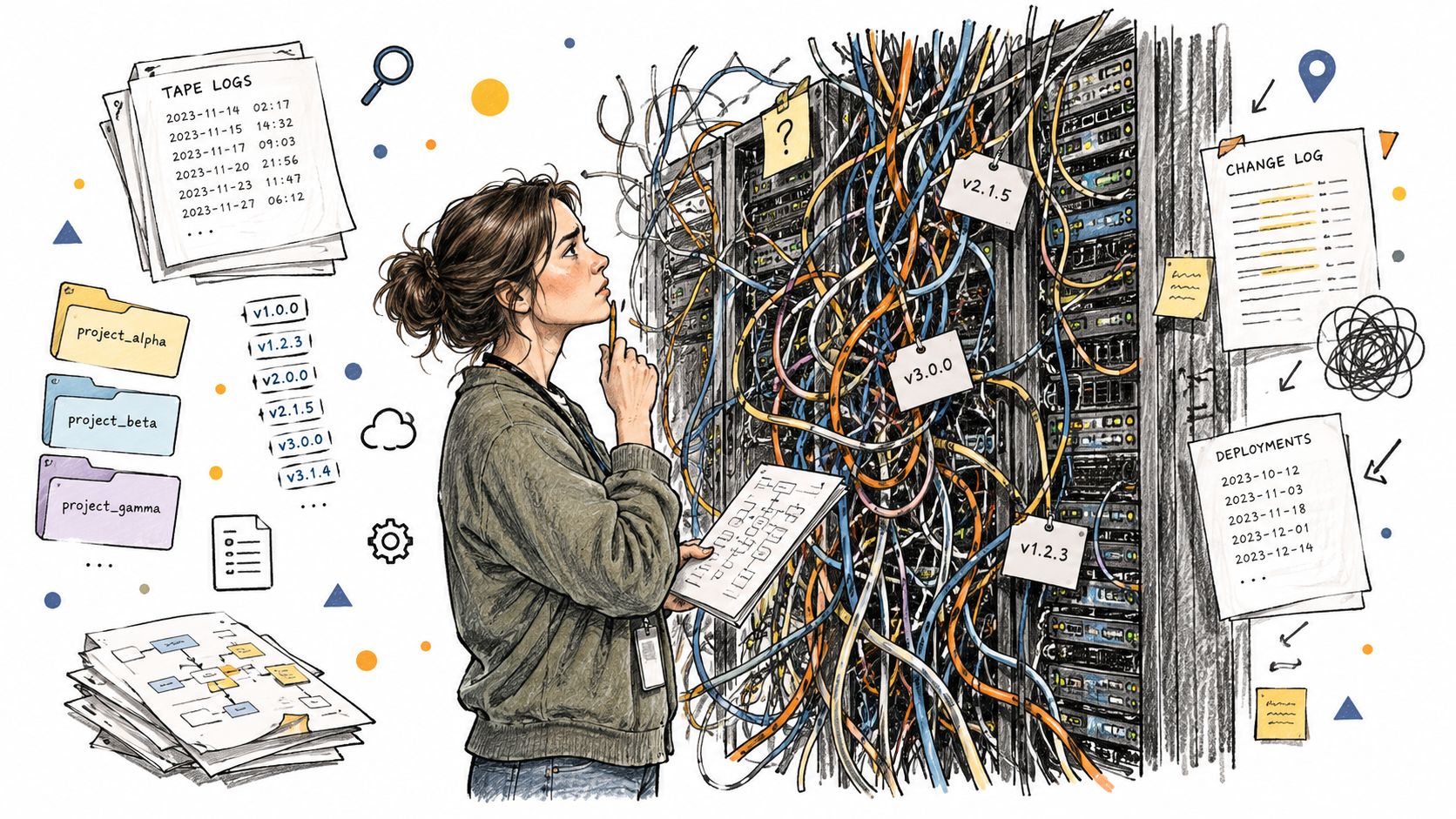
Software updates can change processing behavior. A missing plug-in can replace a chain with silence or an error. A moved media folder can break references. A separation model or quality setting can produce a different result even when the prompt looks identical. Retaining the source protects the input, but it doesn't guarantee that a later render will match the first one.
Build a project manifest
A reproducible archive should identify more than the audio files. For each important edit or generated render, preserve:
- Source identity: Original filename, location, channel configuration, and checksum.
- Editorial history: Clip boundaries, timeline positions, fades, gain, panning, and other decisions.
- Processing details: Plug-ins, versions, presets, prompts, model or processing version, and precision settings.
- Environment: DAW version, sample-rate context, time-code information, and required dependencies.
- Output identity: Render format, date, and checksum for the delivered result.
Research-grade workflows place particular importance on deterministic processing, sample-accurate histories, metadata propagation, and headless automation. Those requirements are discussed in this technical discussion of efficiency and reproducible audio workflows.
Test the archive instead of trusting it
An archive isn't complete because the folder copied successfully. Open the project on a separate workstation or in a clean environment when the work matters. Relink media, inspect missing dependencies, render a short verification output, and compare it with the recorded result.
This matters in bioacoustics, journalism, legal review, and collaborative post-production because traceability can matter more than convenience. A clean source file is valuable, but an auditable chain from source to decision to output is what lets another person understand and verify the work.
Best Practices for Long-Term Safety
Set up non-destructive editing as the default, not as a rescue plan. Keep original media in a protected source folder, work from copies, and use DAW features that preserve clip boundaries, effects, and processing decisions. Render previews when needed, but label them as derivatives.
Use a naming convention that answers four questions: what is it, what was done to it, which version is it, and what is its approval state? Store the project file with its media references, plug-in notes, processing parameters, and an exported EDL, XML, or other interoperable decision record when the project may need migration.
Before archiving, run this short check:
- Source: Can you identify and open the untouched recording?
- Links: Can the project find every required media file?
- Decisions: Are trims, effects, prompts, and settings documented?
- Versions: Can a collaborator distinguish candidates from approved outputs?
- Verification: Can you render the project and compare the result with the delivery copy?
Teams managing large collections should also think about searchable metadata, provenance, and consistent asset descriptions. Guidance on how to manage content libraries with metadata offers a useful framework for applying those principles beyond a single DAW session.
Isolate Audio lets you describe a target sound in plain language, generate an isolated track and remainder track, and keep those outputs alongside the untouched recording as derived assets. Visit Isolate Audio to test a separation workflow that preserves the source while giving you documented alternatives for editing, review, and future reprocessing.