Practice Track Explained: What It Is and How to Use One
The piece is learned. The notes sit under your fingers, the rhythm holds steady at home, and then you sit down to play it with other people and something's missing. There's no bass line pushing the harmony forward, no hi-hat marking time, no chordal wash behind the melody. Hiring three musicians to sit in your living room every evening isn't realistic.
A practice track is the practical substitute, and it's a tool most players already own without knowing how to use it well. Pressing play on a recording and hoping something sticks is not the same as rehearsing with a track built for the job.
What follows is a working musician's guide to the whole idea: what a practice track is, which version suits which rehearsal goal, how to build one from a recording you already have, and the honest limits of the whole approach.
What a Practice Track Is
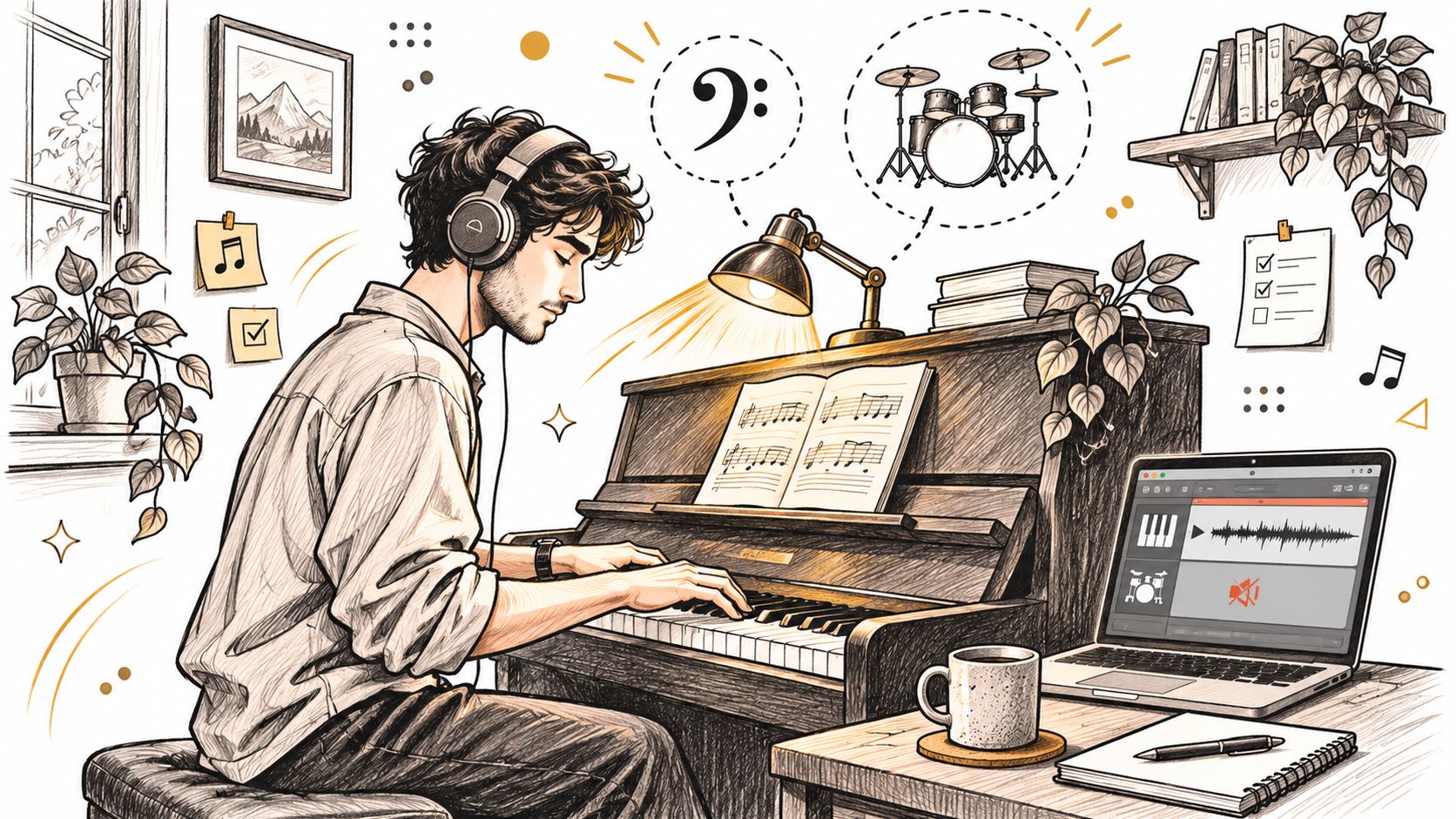
A pianist working through a jazz standard at home needs two things the sheet music can't give: a bass line to anchor the harmony and a drummer to hold the time. That's the exact situation a practice track solves. A practice track is a recording with one part deliberately left out, so the player supplies that missing part while the rest of the ensemble keeps playing. Bass, drums and chords are all there. Your line isn't. You fill it in.
The closest everyday comparison is a band that never tires. It doesn't drag in the third chorus, doesn't ask to run the bridge again, and doesn't get bored of the same eight bars at half speed. You decide when it starts, how fast it goes, and how many times it repeats.
That idea has a longer commercial history than most players expect. It reaches back to 1950, when Irv Kratka founded Music Minus One in the United States and released vinyl records of professional rhythm sections with the lead instrument omitted, as the documented history of backing tracks records. Jamey Aebersold's Play-A-Long series arrived in 1967, pairing instructional books with professional rhythm sections and helping make play-along material a standard tool in jazz education. Karaoke then pushed vocal accompaniment into the Japanese market in the early 1970s, MIDI and digital sequencers let players build their own tracks at home through the 1980s and 1990s, and online video and streaming now put genre-specific jam tracks within reach of anyone with a browser.
Different decades, same job. Every version of the format supplies harmonic and rhythmic support for rehearsal, improvisation and performance. The delivery changed from vinyl to file. The function never did.
Choosing the Version That Matches Your Goal
Practice is where the hours go. A study of 2,559 music students reported an average of 17 hours of practice a week and a mean daily session of 2 hours and 40 minutes, according to the UCL analysis of practice time by instrument group. The spread across instruments is wide: pianists, keyboard players, organists and harpists averaged roughly 32 hours 45 minutes weekly, string players 28 hours 10 minutes, brass players 18 hours 50 minutes and woodwind players 18 hours 10 minutes.
That spread matters. Many instruments can't supply harmony on their own, which is precisely why accompaniment earns its place in a session. A saxophonist running scales against a chord progression hears the function of each note instead of guessing at it. A cellist playing a line against a piano part learns intonation in context rather than in isolation. The same analysis found 12% of students practiced an hour or less on practice days while 11% practiced four hours or more, so whatever you set up has to work for a twenty-minute gap and for a long afternoon.
The audience for this is broad. In 2024, 16.3 million people aged six and over in Germany, 21.1% of that population, made music in their free time, according to the German amateur music-making survey summarized by High Noon Audio.
Matching the version to the job
| Version | What stays in the mix | Best for | Watch for |
|---|---|---|---|
| Full accompaniment | Harmony, bass, drums and comping, with your part removed | Learning phrasing, style and performance feel | Dense mixes can hide your own intonation |
| Rhythm section only | Drums, bass and chordal comping | Improvising over changes and keeping time | Missing harmony if your instrument depends on it |
| Click or metronome guide | Pulse only | Exposing timing errors in fast passages | Sounds unmusical and gives no style cues |
| Drum or percussion bed | Drums and percussion | Groove and pulse without harmony | Not enough support for pitch or chord work |
| Reduced or gapped track | Accompaniment with silent bars for your entries | Entries and independence in ensemble parts | Cuts must land exactly on bar lines |
Read the table by your weakest skill, not your favourite sound.
The rule that saves the most time: start with the version that exposes the thing you're worst at. If your time drifts, the click will feel unpleasant for a week and useful for a month. If your phrasing is shallow, the full accompaniment hands you style a metronome never will.
Before you load anything, spend five minutes on how to find the beat of a song, because a loop that starts half a beat late teaches you a rhythmic error you then have to unlearn.
Ready-Made Tracks or Your Own Version
Two sources, two sets of tradeoffs. A ready-made track comes from a catalogue somebody else built: a rhythm section recorded in a studio, a jam track for a standard, a play-along volume for a method book. The underlying idea is the one Music Minus One and the Play-A-Long series built their catalogues on, so you're buying into a very well-worn path.
Ready-made wins when the arrangement matches what you have to learn, and it saves setup time. It also can't be changed. The key is the key, the tempo is the tempo, and if your ensemble cuts the last chorus, the track doesn't know.
A custom track starts from a recording you already have and removes the part you want to play. That's the right call when the piece in front of you is the one you need: an arrangement your band uses, a song from your own collection, a passage you need slower and without a doubled instrument in the way.
- Check the catalogue first. If a ready-made track exists in the exact key, tempo and arrangement, use it. Setup time you don't spend is practice time you keep.
- Build custom when anything differs. A different key, a shorter form, a missing instrument or a tempo nobody has recorded means a ready-made version will teach you the wrong shape of the piece.
- Pick a clean source before you separate anything. If the part you want out sits buried under three other instruments, find a clearer recording rather than asking any tool to perform a miracle on mud.
The tradeoffs run in opposite directions. Ready-made tracks cost money and stay fixed. Custom tracks are built from material you own, but their quality depends entirely on the source recording, and the removed part can leave bleed behind that makes you play against a ghost.
The source recording matters more than the tool. A clean stereo file separates well. A phone recording from the back of a loud room doesn't, no matter what you run it through.
Building a Practice Track from a Recording
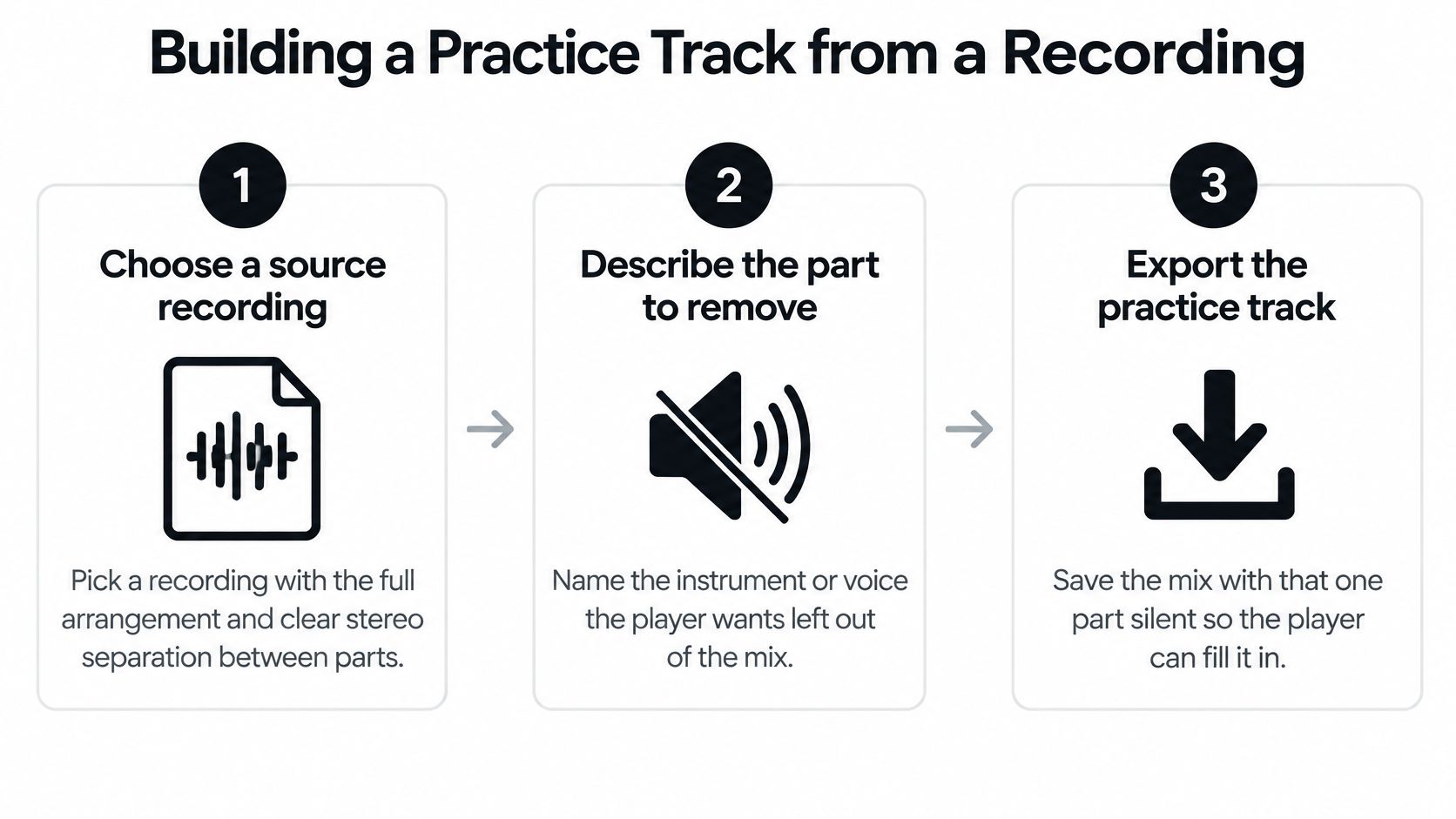
You've chosen the version. Building it takes six steps, and each one protects something you'd otherwise fix later by ear.
- Choose a source recording with the full arrangement and clear separation between parts across the stereo field. Separation is what the removal works from.
- Describe the part to remove in plain English. With Isolate Audio you type the sound you want gone, such as "Piano melody" or "bass line", instead of picking from a fixed list of categories.
- Separate the file into two outputs. The isolated target and the remainder. That remainder becomes your practice bed, and it takes three moves: upload your audio, describe the sound you want to isolate, then download your tracks.
- Listen to the remainder for bleed. Ghost traces of the removed part make you play against the wrong note. Overlapping sources need Precision Mode, the higher-accuracy setting, rather than a second attempt at the same settings.
- Set the reference you chose earlier. Full accompaniment, rhythmic layer only, or a metronomic guide.
- Export a bed with a steady tempo and loop points that land on bar lines. Check that the loop opens and closes where the bar does, so the track doesn't shift when it repeats.
A click that drifts from the bar lines teaches bad timing, and timing is not a detail. In an experiment on musical coordination, larger differences between performers' spontaneous rates produced larger timing asynchronies, while aligned auditory feedback produced smaller onset discrepancies and greater mutual adaptation, as the research on auditory feedback and synchronization describes. A reliable pulse is easier to follow than a wobbly one.
If you want the technical background on how a mix gets pulled apart into components, how musical components get isolated walks through the mechanics. Guitarists following these same steps, for instance, can work from isolate guitar from song to build a bed with the guitar part missing. The finished bed will hold a steadier pulse than any group you sit in with, which is exactly why it is useful for learning the notes, and exactly why it will not teach you to follow a drummer who rushes.
Slowing Down with Tempo Steps and Loops
Slow practice is the norm rather than a beginner's crutch. A 2022 study of musicians found slow practice was reported by 99.45% of classical musicians and 89.12% of non-classical musicians, with technical goals more common than expressive ones, as the research on slow practice and cognitive load sets out. The mechanism is plain: less demand frees attention for the feedback coming back from your ears and your hands.
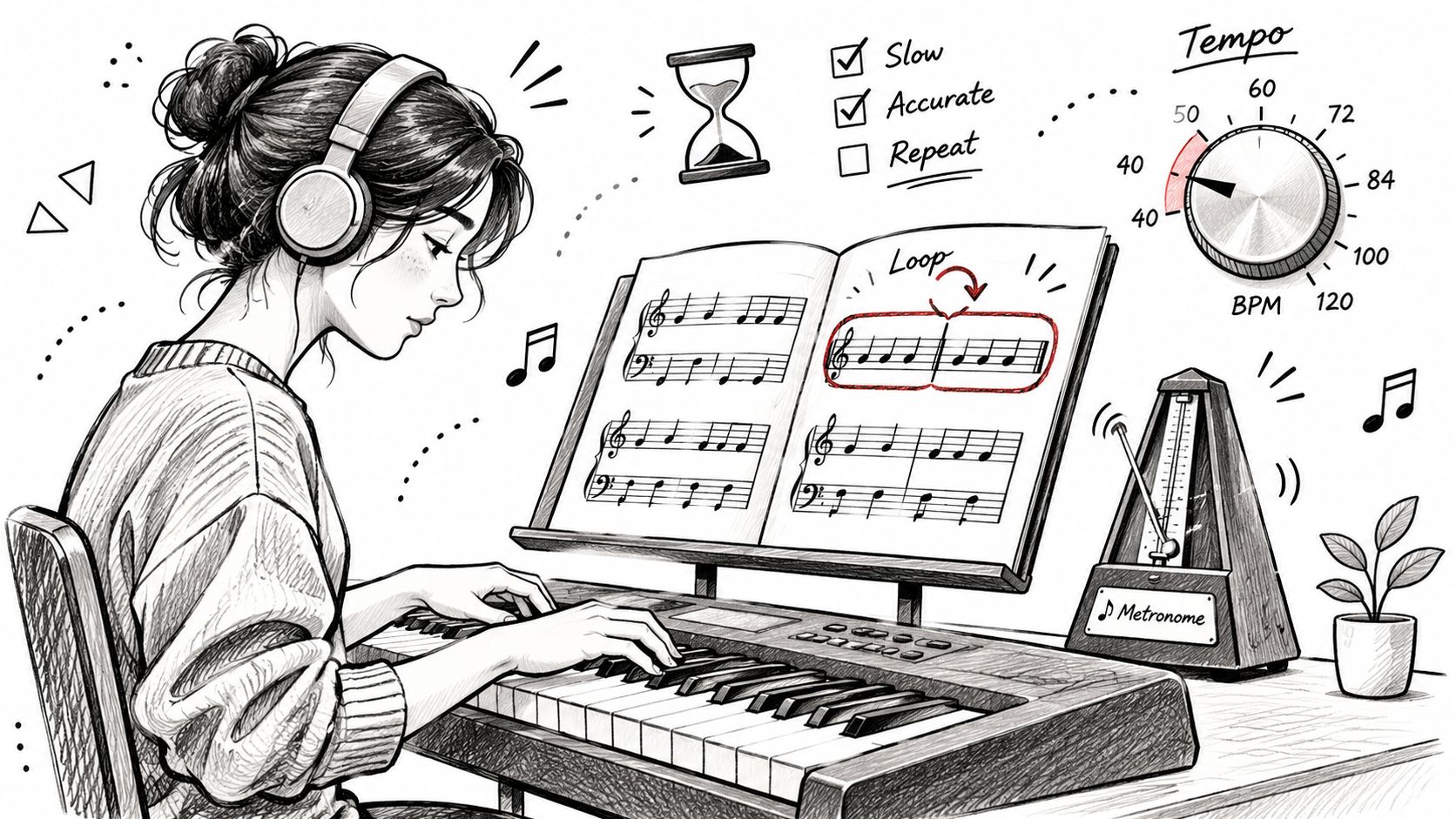
A practice track earns its keep when it exports at several tempos instead of looping at one. Here's a working map for a piece whose performance tempo is 120 BPM.
| Tempo share | Practice focus |
|---|---|
| 50% (60 BPM) | Fingering, articulation and note accuracy |
| 70% (84 BPM) | Pronunciation and rhythmic placement |
| 85% (102 BPM) | Near-performance accuracy with control |
| 100% (120 BPM) | Final run with the full arrangement |
The routine that makes this work is boring on purpose. Loop a four-bar section of your separated bed, start at the lowest tempo, record each attempt, and climb one step only after several accurate runs in a row. Slow movement isn't automatically easier to control, so a recorded attempt or a metronome gives you an objective check that your ear, busy with everything else, will miss.
Move up on evidence, not on feeling. Three clean runs in a row is the signal. One lucky pass is not.
If the bed won't loop cleanly at 50% or 85% with the pitch unchanged, re-export it before you practice rather than fighting a bad file. Changing the tempo of a song without pitch damage is a solvable problem, and it's the version you'll keep coming back to.
Where a Practice Track Falls Short
A track can be note-perfect and still leave you stranded in rehearsal. The gap is transfer. Practicing against a backing track can speed up pulse and style work compared with reading notation alone: the beat is handed to you, the stylistic gestures are already played, and the tempo never argues back. A backing track works like a band that never tires and never changes its mind. That steadiness is the comfort and the limit at once.
The trade-off is predictability. A prerecorded accompaniment does the same thing every time, and live musicians do not. Eye contact, count-ins, phrasing and tempo shift from one performance to the next. A player who has only ever rehearsed against a fixed recording can freeze when the pianist takes the bridge slower than expected.
- Use a stable full accompaniment for initial learning. Consistency is an asset while the notes are still new.
- Move to reduced or isolated parts for independence. Fewer supports means you carry more of the time yourself.
- Introduce controlled variation before performance. Tempo fluctuations, alternate count-ins, dynamic shifts and sections with no accompaniment at all.
Consistency and readiness pull in different directions. Treat them as two separate tools rather than expecting one backing track to do both jobs.
Access is the other gap. Players who need screen menus, voice commands or tactile feedback to work comfortably can find music software hard to enter at all, and cost adds another barrier. Among 118 musical-interface users surveyed in 2025, 10.17% identified as living with a disability or access requirement, citing difficult menus, absent voice control and insufficient tactile feedback, according to the Frontiers research on accessible music interfaces.
"High-quality" shouldn't mean maximally complex. A less crowded track with clearly separated parts, adjustable tempo and pitch, and short loopable sections often teaches faster than a dense mix you can't hear into.
Build Your First Practice Track Today
Build one this week from a piece you can already play. Not the hardest thing on your stand. The one you know well enough to hear in your head when the room is silent.
- Pick a recording you have the right to use and name the missing part. A file you own, a rehearsal recording your group made, anything you're allowed to work from.
- Sign up free and upload. You can start for free with easy signup, then upload your audio and describe what you want to isolate.
- Describe the target in plain English. Lead vocal, bass line, piano melody. No category menu, no guessing which preset fits.
- Switch on Precision Mode when the mix is crowded. Precision Mode enables enhanced accuracy for complex audio with overlapping sounds, which is exactly the case where a block chord sits under the melody you're removing.
- Use the Best preset for the cleanest practice bed. The three presets are Best for studio quality, Balanced for everyday use and Fast for quick results, and the bed is the one place where clean matters most.
- Export at several tempos with tight loops, then test it. Play your part, record the attempt, and compare it with the original. The recording tells you what your ear won't.
For longer or lossless work, the Pro plan adds WAV and FLAC output, files up to 30 minutes and a priority processing queue. If you're building a wider practice routine alongside your tracks, the LunaBloom AI blog has more on structuring deliberate practice.
Success looks like this: the bed is clean, it loops without a gap, and you can play the passage three times in a row at performance tempo without the recording dragging you or you dragging it.
Isolate Audio is built for exactly this job: upload a recording, describe the part you want left out in plain English, and download both the isolated sound and the remainder you'll play along with. That remainder is your practice bed, ready at whatever tempo and length your session needs. Start free at Isolate Audio and have your first track ready this evening.