Precision Benefits: A Guide to Audio Separation Accuracy
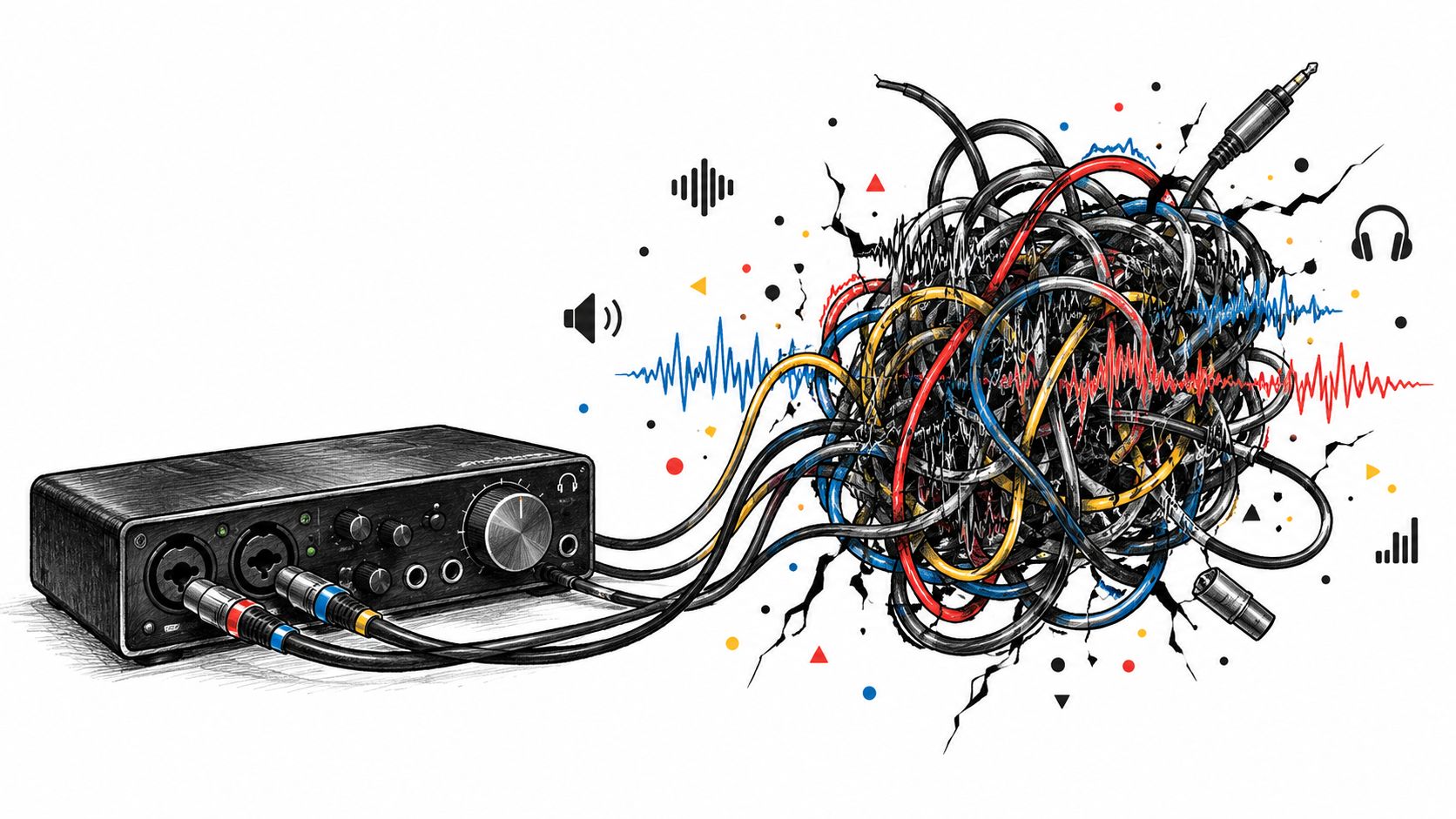
You've got a vocal buried under cymbals, synths, room reflections, and a guitar amp that seems to occupy every useful frequency. The first separation sounds promising until the solo arrives. Then the vocal carries a metallic halo, the guitar stem contains fragments of consonants, and the percussion track has been shaved into a brittle approximation of itself.
That result isn't always a software failure. Often, it's the predictable cost of asking a fast process to make difficult decisions with limited analysis. The practical precision benefits appear when the source is crowded, the target matters, and a little bleed will create more work later than a slower, more careful pass would have taken.
When Standard Separation Hits a Wall
The problem usually reveals itself after the first export. A standard separation can pull the broad shape of a vocal from a relatively open mix, but dense arrangements are less cooperative. A singer standing beside a distorted guitar amp shares harmonics with the guitar. Cymbals overlap with synth brightness. Room reflections imitate parts of the original performance.
You solo the vocal stem and hear the lyric, but also a faint wash of snare, guitar fizz, and high-frequency pumping. You solo the instrumental remainder and discover missing syllables. The algorithm has made a reasonable guess about where each sound belongs, but reasonable isn't the same as clean.
Why simple tracks survive
Fast processing works well when the target has a distinctive acoustic identity. A spoken voice over a quiet bed, a drum recording with limited melodic content, or a single instrument against restrained accompaniment gives the model useful separation cues. The target occupies a recognizable pattern, and fewer competing sources demand attention.
The trouble starts when several sources occupy the same time and frequency region. Broad filtering can't decide whether a transient belongs to a snare, a guitar pick, or a consonant. A model that prioritizes speed may preserve the dominant source while treating ambiguous detail as expendable.
That's why a result can sound clean in a quick preview and fall apart when you listen closely. You're not just judging loudness. You're judging whether the stem retains the target's attacks, tails, pitch movement, and texture without importing material from its neighbors.
The point where patience pays
Precision processing makes sense when you're preparing a stem for a client, rebuilding an arrangement, cleaning dialogue for a finished edit, or analyzing a recording where small details carry meaning. It won't reconstruct information that the original mix completely masked, but it can make more careful decisions about ambiguous material.
Practical rule: If you'll process the extracted stem again, audition it in context before accepting a fast pass.
For a useful technical overview of the underlying task, see this guide to audio source separation. The important distinction is simple: standard processing aims to produce a usable answer quickly, while a precision setting spends more computation on the difficult parts of the answer.
Understanding What Precision Mode Actually Is
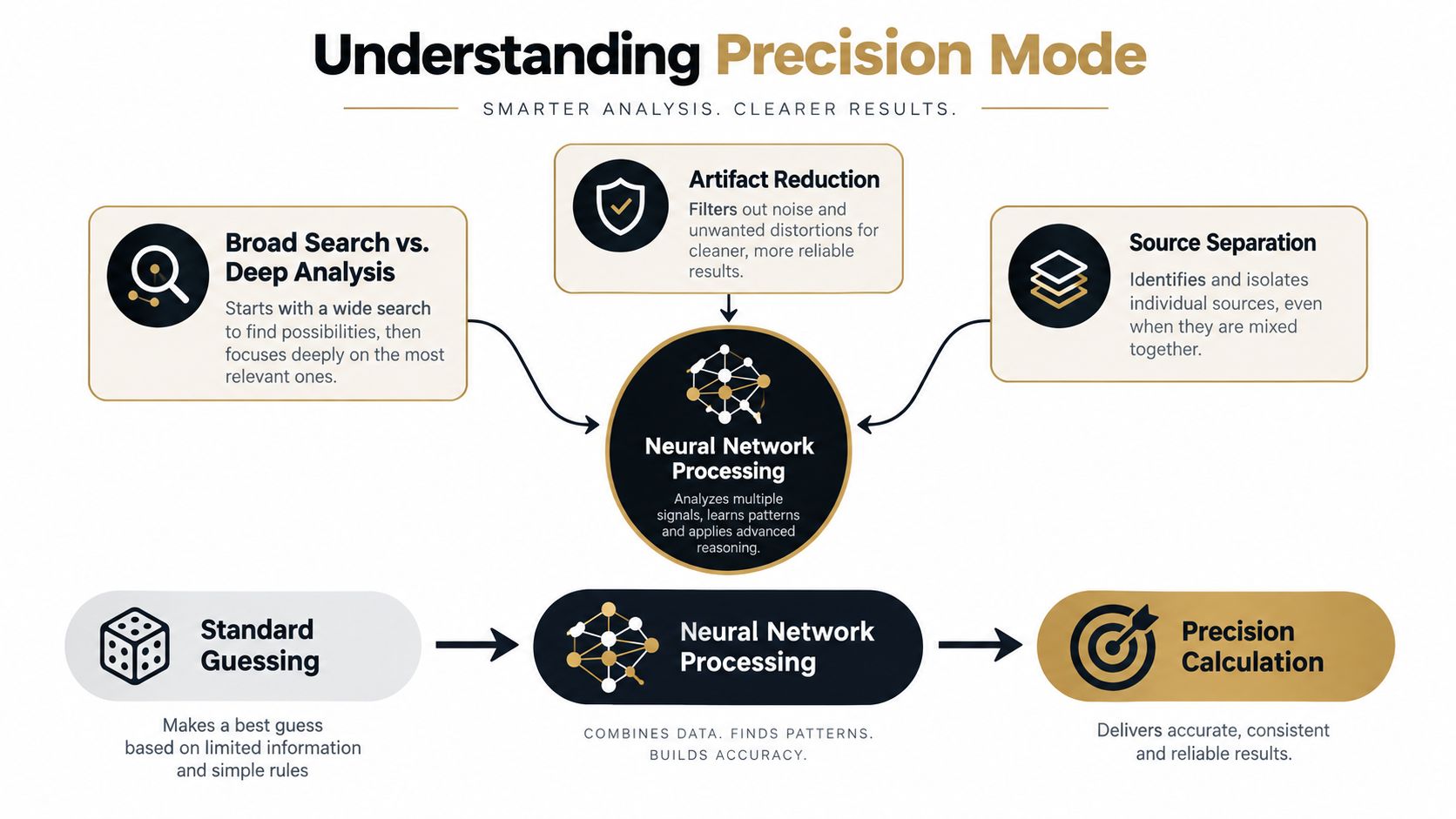
Precision mode isn't a volume boost, a brighter equalizer, or a cosmetic “enhance” button. It changes how much computational attention the system can devote to reconstructing the target and the remainder of the recording.
A useful analogy is distance. From the back of a stadium, you can identify groups of people, but individual faces and interactions blur together. Moving closer gives you more detail. In audio terms, standard processing may recognize the broad category of a vocal or instrument, while a more precise pass examines fine spectral movement, timing, harmonics, and the relationship between overlapping sources.
More analysis, fewer careless guesses
The listener usually notices precision through what disappears. There may be less musical noise, fewer watery modulation artifacts, and less cross-contamination between the isolated element and the remainder. Transients can feel more stable because the model isn't smoothing every uncertain event into a generic texture.
This is closely related to a broader principle in measurement. A review in eLife on measurement precision and statistical power explains that better precision can improve the ability to detect real effects, produce more accurate effect-size estimates, and reduce measurement noise without relying only on a larger sample. Audio separation has a different objective, but the practical lesson carries over: cleaner information gives downstream decisions a stronger foundation.
Precision also has a computational cost. Microsoft Research testing of precision scaling in neural networks found that a low-precision configuration for voice activity detection reduced processing time by up to 30×, taking one per-sample operation from 138 ms to 4.6 ms, while the reported classification impact stayed below 3.14% in the relevant settings. The same work reported a 9.54% lower error rate than a WebRTC voice activity detector in one comparison, and a speech-enhancement configuration improved signal-to-noise ratio by 10.33 while delivering the stated processing reduction. These results come from a specific signal-processing study, not a guarantee for every separation tool, but they demonstrate why engineering teams must balance numerical detail against speed. (Microsoft Research study)
What the model cannot fix
Precision doesn't create a clean recording from missing evidence. If the vocal and guitar are perfectly masked by the same distortion, or if a source is barely present in the mix, the model still has to infer part of the result. More computation can reduce avoidable artifacts, but it can't guarantee an authentic isolated performance.
That distinction matters when comparing tools. A practical AIMVG Noisee review can help you think about noise-processing capabilities separately from source separation. Noise reduction and separation overlap, but they solve different problems. Removing a steady hiss is not the same as deciding whether a harmonic belongs to a vocal, guitar, or synthesizer.
Navigating the Quality Presets in Isolate Audio
Quality presets are easier to use when you treat them as workflow decisions rather than permanent quality rankings. Fast is for exploration. Balanced is for routine work. Best is for material where the output will be heard, edited, measured, or delivered.
The interface presents those choices as a practical hierarchy. Start with the target description, upload the source, and select the preset that matches the decision you're trying to make. If you're only checking whether the requested sound is present, you don't need the same treatment you'd choose for a final stem.

A useful preset routine
Fast suits rough editing and rapid prototyping. Use it to locate a phrase, test whether a prompt identifies the right event, or decide whether a project is worth deeper processing.
Balanced is the sensible starting point for everyday dialogue cleanup, practice tracks, and content edits. It gives you an early read on the likely quality without committing every file to the most demanding treatment.
Best belongs on difficult material and final candidates. Choose it when overlapping sources, dense arrangements, or delicate transients make the ordinary result unreliable.
If the standard high-quality pass still leaves obvious bleed, enable Precision Mode rather than repeatedly exporting the same setting and hoping the result changes. Listen to the target stem and the remainder separately, then audition both in the original context. A stem can sound impressive in isolation while causing an obvious hole or artifact when returned to the mix.
Match the setting to the next action
Your next action should determine the preset. A video editor searching for a clean crowd reaction may need a quick usable result. A producer rebuilding a vocal arrangement needs to inspect breaths, consonants, vibrato, and reverb tails. A researcher working with environmental recordings needs to preserve distinctions that a casual listener might ignore.
The same principle applies across creative tools. If you're comparing workflows for visual projects, a resource on a text-to-video generator online offers a parallel lesson: start with the output requirement, then choose the processing depth that supports it. Don't spend the longest render on a draft whose only purpose is to answer a basic question.
Measuring the Real Difference in Output Quality
Labels help you choose a starting point, but your ears should make the final decision. The clearest precision benefits often appear in the spaces between sounds: the edge of a snare, the decay of a room, the breath before a phrase, or the quiet gap around a bird call.
Start with the target stem. Listen for bleed, especially material that follows the rhythm of another source. A vocal extraction may contain a faint hi-hat pattern. A piano stem may carry vocal sibilance. A dialogue track may retain music that rises whenever the speaker pauses. These are not merely tonal imperfections. They reveal that the separation boundary is moving with the wrong source.
Then listen for musical noise. This sounds like fluttering, chirping, watery movement, or granular smearing around sustained notes. It often becomes more noticeable when you compress or brighten the extracted stem. Precision can reduce these artifacts by making more discriminating reconstruction decisions, though difficult recordings can still produce them.
Use metrics as evidence, not decoration
Objective measures help when your ears are tired or when you need to compare several exports. In source separation, the BSS Eval framework breaks error into target distortion, interference, and artifacts, then uses SDR, SIR, and SAR to quantify those components in decibels. One benchmark reported FastICA at 53.51 ± 0.07 dB SDR, 53.52 ± 0.07 dB SIR, and 79.58 ± 0.00 dB SAR, above the cited 20 dB high-quality SDR threshold. Those values belong to that benchmark and shouldn't be presented as a universal outcome for every model. (BSS Eval benchmark study)
The useful interpretation is practical. SDR helps describe overall separation quality. SIR focuses on interference from competing sources. SAR reflects artifacts introduced during extraction. A higher score can support a technical conclusion, but it doesn't replace checking whether the stem still sounds natural in the intended arrangement.
For noisy recordings, compare the target against the remainder and inspect the transitions. A better result should preserve the target's attacks without leaving conspicuous holes in the remainder. For a refresher on the relationship between desired signal and unwanted content, use this explanation of signal-to-noise ratio.
A short listening protocol
- Solo the target. Note bleed, modulation, missing consonants, and unnatural tails.
- Solo the remainder. Listen for holes, rhythmic pumping, and pieces of the target that were removed incorrectly.
- Restore the mix. Check whether the extraction changes the arrangement's balance or creates a hollow space.
- Process the stem lightly. Compression and equalization reveal artifacts that may be hidden in the raw export.
Strategic Use Cases for Demanding Projects
Precision is valuable when the cost of a wrong decision exceeds the cost of waiting. That equation changes by project.
A bioacoustics researcher examining a forest recording may care about narrow frequency differences, overlapping calls, and the timing of brief events. Removing or altering a small detail can affect classification or later interpretation. The question isn't whether the extracted track sounds pleasant. It's whether the processing preserves evidence.
A forensic audio analyst faces a different version of the same problem. Speech intelligibility, event timing, and contamination from background material can affect review. The output may be used to guide further analysis, so an attractive but heavily processed stem is less useful than a transparent one with known limitations.
Mastering engineers, remixers, and restoration specialists also have little tolerance for smear. A vocal stem that sounds acceptable in headphones may expose swishing after saturation, or may lose the transient detail needed to rebuild a drum pattern. Precision earns its place when the file is becoming an input to another serious process.
When to Choose Precision Mode
| Project Type | Critical Factor | Recommended Preset |
|---|---|---|
| Rough social clip edit | Speed and basic intelligibility | Fast or Balanced |
| Podcast dialogue cleanup | Natural speech and manageable room noise | Balanced |
| Remix or vocal reconstruction | Low bleed and preserved musical detail | Best with Precision Mode when needed |
| Mastering or restoration | Transients, tonal continuity, and artifact control | Best with Precision Mode |
| Forensic audio review | Traceable detail and minimal contamination | Best with Precision Mode |
| Bioacoustics analysis | Preservation of subtle calls and frequency content | Best with Precision Mode |
A decision test that holds up
Ask four questions before selecting the highest setting:
- Will another person hear the output? Client delivery raises the quality threshold.
- Will you process the stem again? Compression, distortion, and EQ expose hidden defects.
- Does the target overlap a competing source? Shared harmonics and simultaneous events favor deeper analysis.
- Can you afford to repeat the work? A fast exploratory pass is sensible when the project is still uncertain.
A 2025 study of television broadcast monitoring highlights another reason to prioritize precision at the labeling stage. It defines precision as true positives divided by true positives plus false positives, making it the relevant measure when the goal is to capture only the desired content in a time-based stream. In practical workflows, fewer false positives mean less irrelevant material to review, edit, or index. (television broadcast monitoring study)
Mastering the Speed Versus Fidelity Trade-off
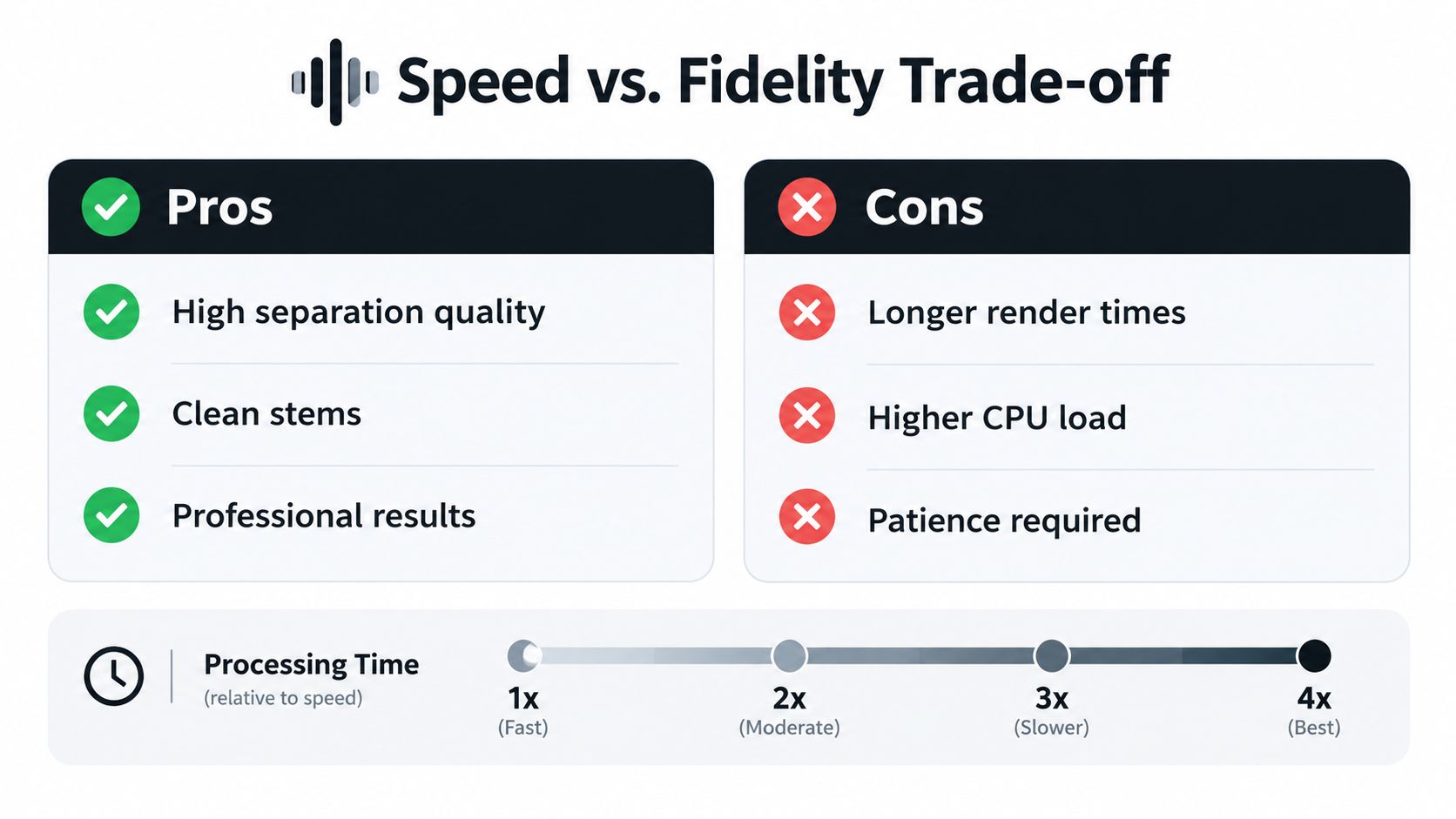
The temptation is to select the highest setting for everything. That approach sounds safe, but it wastes time on files that don't need forensic attention and can make a busy production queue harder to manage. The better workflow is staged. Use speed to answer simple questions, then spend deeper processing on the files that survive that first check.
A podcaster might run a fast or balanced pass to determine whether a guest's voice can be separated from music. If the dialogue is clear enough for a short social clip, there's no reason to treat it like a restoration job. If the same interview is becoming a long-form episode, however, artifacts may become tiring over time, and a cleaner pass can justify the extra wait.
A musician should be stricter. A rough vocal extraction can help locate harmonies or test a remix, but a final stem needs to survive solo listening, processing, and reintegration. If the first pass produces obvious bleed around cymbals or guitar, repeating the same quick setting won't solve the underlying ambiguity.
A staged workflow saves more than it compromises
Use this sequence for client work:
- Preview quickly. Confirm that the prompt, file, and target are correct.
- Inspect the difficult passage. Don't judge the entire recording only by its easiest section.
- Identify the failure. Separate bleed, musical noise, missing detail, and tonal damage.
- Escalate selectively. Apply Precision Mode to the files where the problem affects the deliverable.
- Compare in context. Keep the more accurate version only if it improves the actual edit or mix.
Cloud processing removes the need to maintain a powerful local workstation for the separation itself, but it doesn't remove the practical costs. You still manage upload time, queue time, plan limits, review time, and the possibility of another export. A higher setting is worthwhile when it prevents manual cleanup, not just because its label sounds more professional.
A reliable production habit: Spend the first pass answering a question. Spend the final pass protecting the deliverable.
The trade-off also changes with the source. A clean voiceover over a quiet bed may need little intervention. A live recording with crowd noise, room reflections, and overlapping instruments deserves more scrutiny. A scientific or archival file should be judged by preservation and repeatability, not by whether it sounds dramatically louder or brighter.
For real-time applications, the constraint is even sharper. A process designed for immediate monitoring cannot spend unlimited computation on every frame, so you may need to accept a less complete separation during capture and perform a deeper pass afterward. This overview of real-time audio processing is useful when deciding whether the output is for live feedback or final delivery.
Precision benefits are easiest to justify when they protect something specific: a consonant, a transient, a bird call, a forensic event, or a stem that will receive heavy processing. If you can name the detail you're trying to preserve and the artifact you're trying to remove, the preset decision becomes practical rather than promotional.
Isolate Audio lets you describe a target sound in plain English, separate it from audio or video, and choose among Fast, Balanced, Best, and Precision Mode workflows for more demanding material. Upload a difficult mix, test a quick pass first, and visit Isolate Audio when the final stem needs closer attention to bleed, artifacts, and source detail.