Software to Isolate Vocals: A 2026 Comparison Guide
The most popular advice on vocal isolation is wrong. It tells you to compare tools like they're all doing the same job, then rank them by who spits out a vocal stem fastest.
That's lazy advice.
If your source is a clean stereo song and all you want is a rough acapella, sure, almost any decent separator will get you something usable. But most real work isn't that neat. You're dealing with layered harmonies, crowd bleed, phone recordings, livestream rips, archival transfers, voice-over on top of music, or a chorus where the “vocal stem” includes everything you were trying to avoid.
That's why software to isolate vocals in 2026 shouldn't be judged as a simple vocals-versus-everything-else category. The question is much more practical: can the tool identify the thing you mean when you say “vocals,” and can it do it on ugly, messy audio?
Here's the short version. If you want free, local, benchmark-friendly stem separation, use Demucs-class tools. If you want restoration-style repair inside a broader post workflow, iZotope RX still earns its place. If you want to target sounds the way humans describe them, not the way old stem taxonomies force them, use a language-driven tool. That's where this category is headed, and pretending otherwise is outdated.
Why Most Vocal Isolation Tools Look the Same (But Aren't)
Every vocal remover page looks identical. Upload file. Click “separate.” Download vocals and the backing track. That uniform front end fools people into thinking the underlying software is interchangeable.
It isn't.
The category is commercially real now, not some hobbyist corner of audio forums. One market estimate put the global vocal remover segment at USD 382 million in 2025, projecting USD 684 million by 2034 with an 8.9% CAGR. Another estimate put it at USD 542.71 million in 2025 and USD 989.62 million by 2032. The same market coverage reported that cloud-based SaaS represented about 65.0% of deployments in 2025, compared with about 35.0% for on-premise software, which tells you browser-first workflows now dominate this category, not old-school local installs (vocal remover market estimates).
Same interface, different assumptions
Most tools still assume a fixed problem. They assume your file is a music mix. They assume “vocals” means one broad bucket. They assume the result you want is a standard two-way split.
That works until it doesn't.
A DJ set with MC chatter over mastered tracks breaks that assumption. So does a documentary interview with music under the dialogue. So does a stacked pop chorus where the lead, doubles, harmonies, and ad-libs all occupy the same space.
Practical rule: If a tool can only think in fixed stem buckets, you'll spend the rest of the session cleaning up what its categories got wrong.
The real dividing line in 2026
The useful distinction now isn't “online versus desktop” or “free versus paid.” It's fixed-stem separation versus target-driven separation.
Fixed-stem tools give you whatever lands inside pre-labeled buckets like vocals, drums, bass, and other. That's fine for remix prep and casual practice tracks. It's not fine when you need “the lead only,” “the whispered line,” or “the backing harmonies in the chorus but not the ad-libs.”
Recent research is pushing beyond category-locked separation toward language-queried audio separation. NTT reported 2025 work on “collision-less and balanced sampling for language-queried audio source separation,” and Meta's 2025 SAM Audio work describes a foundation model that can separate sources described by text, visual masks, or temporal spans across speech, music, and general sounds (language-queried separation research overview).
That matters because users don't think in stem taxonomies. They think in requests. “Pull the crowd chanting.” “Grab the lead line at the end.” “Keep the interview voice, lose the room wash.”
If you choose software to isolate vocals without asking how it defines the target, you're not comparing tools. You're comparing landing pages.
How Vocal Isolation Software Actually Works
The tech stack matters because each generation of vocal isolation software fails in its own way. If you know the failure mode, you'll stop expecting miracles from the wrong tool.
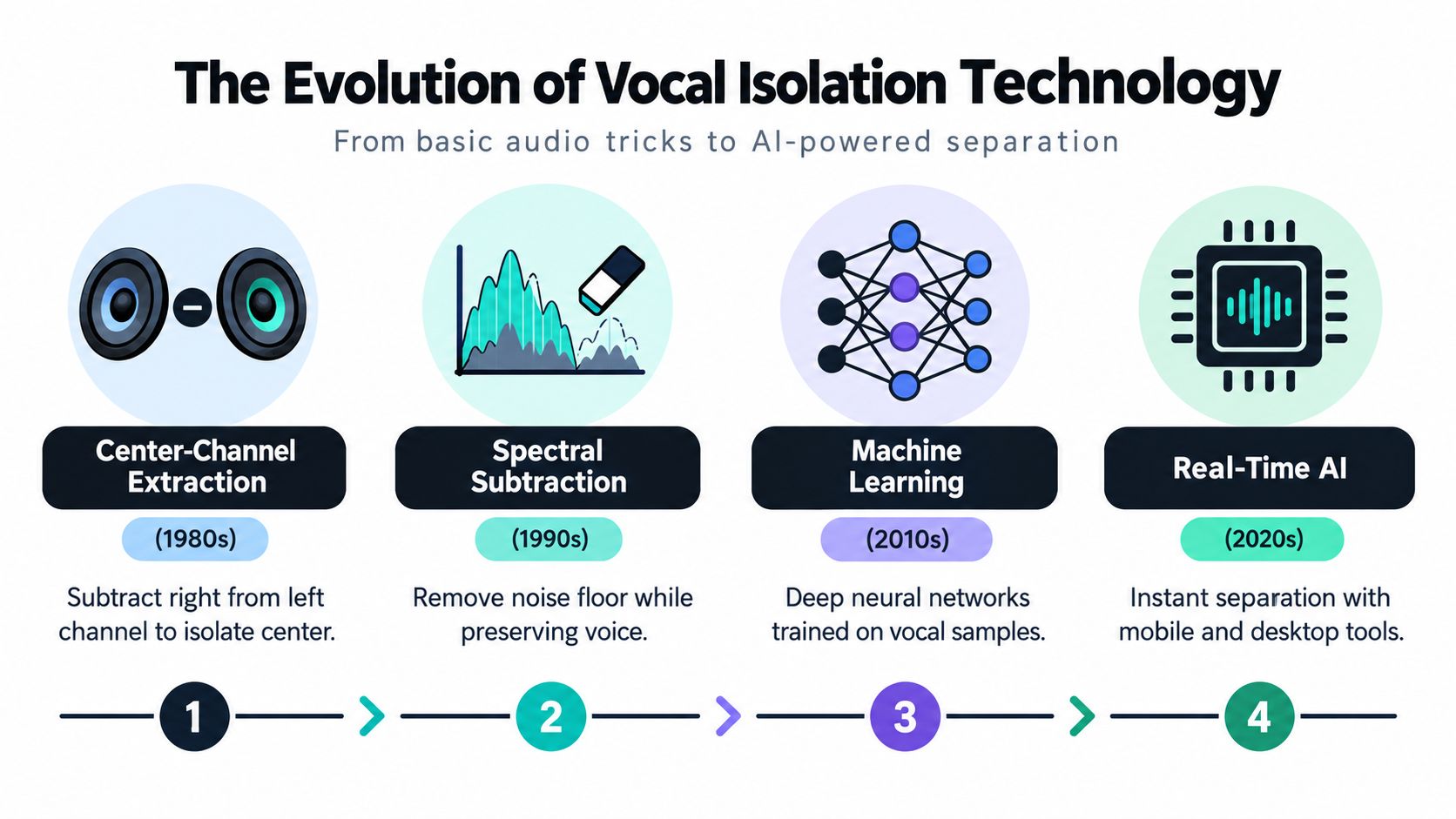
The field itself is old. Academic work on source separation describes it as “well researched”, with earlier systems dominated by methods like principal component analysis, independent component analysis, and non-negative matrix factorization. That same review explains that deep learning only started lifting performance and reducing processing time in the last few years (historical review of audio source separation).
The old tricks still exist
The cheapest class of vocal removers still leans on stereo assumptions. Center-channel extraction tries to cancel anything shared equally between left and right. If the lead vocal sits dead center, you can suppress or isolate it reasonably well.
That approach falls apart fast. Mono recordings, live captures, wide vocal effects, and dense masters don't cooperate.
Then came spectral methods. These work in frequency bands instead of simple left-right subtraction. They can be useful for rough cleanup, but they don't “understand” a vocal. They carve energy and hope what remains is close enough.
Modern separators actually learn the target
Neural separators changed the game because they learn patterns from paired mixtures and stems. Instead of assuming where a vocal lives, they infer what makes a vocal distinct from accompaniment across time, frequency, and phase.
That's why open-source systems like Demucs and MDX-style models became so popular. On MUSDB18-HQ benchmark reporting, htdemucs_ft reached a median vocal SDR of 9.19 dB, compared with 9.04 dB for mdx_extra_q and 8.53 dB for the base htdemucs model. The benchmark notes that SDR was computed with the museval BSS Eval v4 reference implementation on 1-second windows, which makes those results directly comparable (MUSDB18-HQ separator benchmark reporting).
Those numbers are useful, but don't worship them. SDR tells you something about benchmark quality. It doesn't tell you whether the model pulled the exact vocal layer you wanted from a chaotic real-world file.
For a deeper look at current removal workflows, this breakdown of an audio removal tool guide is useful if you're comparing prompt-based isolation against older category-based separation.
Why this matters outside music
A lot of readers coming to this topic aren't making karaoke tracks. They're cleaning interviews, restoring event footage, or separating dialogue from a rough production mix. If that's you, the “upload song, download acapella” framing is too narrow.
For teams handling event media at scale, workflow matters almost as much as separation quality. If you're wrangling mixed media from multiple contributors, the operational side of how to collect event photos becomes relevant because audio cleanup usually lands inside a larger ingest and sorting process, not a one-off stem export.
The big point is simple. Old DSP methods are fast and dumb. Modern neural separators are far better, but still category-bound most of the time. Language-driven systems add a human layer on top: they let you ask for the sound you mean, not the stem label the model happens to expose.
The Core Features That Separate the Best Tools
Most comparison lists obsess over “AI” as if that alone tells you anything. It doesn't. You should evaluate software to isolate vocals using a handful of features that predict whether it will survive real sessions.
Here's the table I'd use.
| Feature | What to Look For | Why It Matters | Isolate Audio |
|---|---|---|---|
| Query interface | Natural-language targeting, not just a vocals/instrumental button | Real files need more precision than fixed buckets | Supports plain-English prompts for target sounds |
| Separation quality | Clean target focus with manageable bleed and artifacts | Bad isolation wastes time in repair afterward | Offers quality presets and Precision Mode for harder material |
| Processing options | Speed modes plus a higher-effort mode for difficult files | You won't want the same trade-off on every job | Fast, Balanced, Best, plus Precision Mode |
| Format support | Audio and video uploads, plus lossless export where needed | Editors and producers rarely live in one format | Supports common audio and video formats |
| Output flexibility | Two useful outputs: extracted target and remainder | Many workflows need the leftover bed as much as the isolated part | Returns isolated element and the remainder |
Query interface matters more than people admit
This is the biggest separator now. A tool that only offers “vocals” forces you into its definition of the source. A tool that accepts plain-language requests lets you define the target in context.
That means the software can fit the job instead of making the job fit the software.
One option in this category is Isolate Audio, which lets users upload audio or video, describe the target sound in plain English, and receive two outputs: the isolated element and the remainder. That's materially different from a standard four-stem split because the request can be narrower than “vocals.”
Benchmark scores matter, but only in the right lane
If you care about raw source-separation quality on standard music sets, open models still deserve respect. The best benchmark score in your list can be a good sign that the underlying separator is competent.
But benchmark competence isn't the same as workflow fit.
A vocal SDR edge on MUSDB18-HQ doesn't help much if your actual job is “isolate only the interviewer from a noisy panel recording” or “pull the chorus harmony but leave the lead behind.” Fixed-stem systems weren't built for that level of targeting.
Better benchmark numbers help when the task matches the benchmark. They help a lot less when your source file doesn't.
Speed, deployment, and export options decide daily usability
The wrong deployment model will annoy you more than slightly worse fidelity. Cloud tools are convenient and now mainstream in this segment, as the earlier market split showed. But some users still need local control for sensitive material.
Check for these before you commit:
- Mode control: Can you choose between fast previewing and slower, cleaner rendering?
- Format flexibility: Can it ingest the files you already have, including video when needed?
- Useful outputs: Do you get only a vocal file, or also the remainder track that editors often need?
- Batch sanity: Can the tool handle repeated work without turning each file into a separate micro-project?
That's the checklist. Not glossy demos. Not fake side-by-side marketing. Not a giant button that says “AI.”
Isolate Audio vs Traditional Stem Separators
People usually get confused. They compare a prompt-driven isolator against Demucs or Spleeter as if one is supposed to replace the other in every situation.
That's the wrong frame.
Traditional stem separators are category machines. They sort audio into pre-decided bins. Prompt-driven tools are target machines. They try to extract the thing you described. Sometimes those overlap. Often they don't.
| Criterion | Isolate Audio | Demucs / Spleeter | iZotope RX |
|---|---|---|---|
| Target specificity | Natural-language target requests for specific sounds or vocal layers | Fixed stem categories and preset outputs | Repair-oriented modules, less about open-ended target descriptions |
| Audio fidelity on busy mixes | Depends heavily on prompt quality and source complexity | Strong for standard music stem tasks | Strong for surgical cleanup tasks inside restoration workflows |
| Processing style | Cloud workflow with selectable quality modes | Local or self-hosted workflows depending on setup | Desktop post-production workflow |
| Export model | Isolated target plus remainder | Multiple stem buckets | Clip- and module-based repair/export workflow |
| Learning curve | Low if you think in plain-English requests | Moderate if you're comfortable with model choices and file handling | Higher if you're not already in RX-style restoration work |
| Best fit | Specific extraction from mixed real-world audio | Remixing, practice tracks, broad music stem splitting | Dialogue cleanup, restoration, forensic-style edits |
Where traditional tools still win
Demucs-class models still make a lot of sense for producers who want a broad stem split and don't mind working locally. They're mature, flexible, and tied to benchmark culture in a way many engineers trust. If your request is “give me vocals, drums, bass, and other,” this is still a good lane.
iZotope RX wins a different battle. It's not mainly a stem-separation tool. It's a cleanup environment. If you're repairing a damaged spoken-word recording, RX often belongs in the chain whether or not you used a separator first.
If you want background on how AI stem workflows differ from older approaches, this explainer on AI stem separation gives the broad picture without pretending every file behaves like a studio multitrack.
Where prompt-driven separation changes the game
The advantage is specificity.
A fixed separator can hand you a “vocal stem,” but that stem may include doubles, harmonies, reverb tails, crowd singalong, and bits of synth that sat in the same space. A language-driven tool lets you ask for the intended target more directly. That's closer to how editors, producers, and researchers think.
Here's my blunt take:
- Choose Demucs or similar when you want broad music stems and you're happy to sort the mess out afterward.
- Choose RX when the main job is repair, not extraction.
- Choose a prompt-based isolator when the target is narrower than a classic stem label.
If your brief contains the words “just the lead,” “only that phrase,” or “not the background voices,” fixed-stem tools are already the wrong tool class.
That doesn't mean prompt-based systems are magic. On ugly audio, they can still smear transients, leave bleed, or miss ambiguous layers. But they at least aim at the right problem.
Matching Software to Real Creator Workflows
Tool choice gets easier when you stop asking which software is “best” and start asking which failure you can afford.
The podcaster cleaning interviews
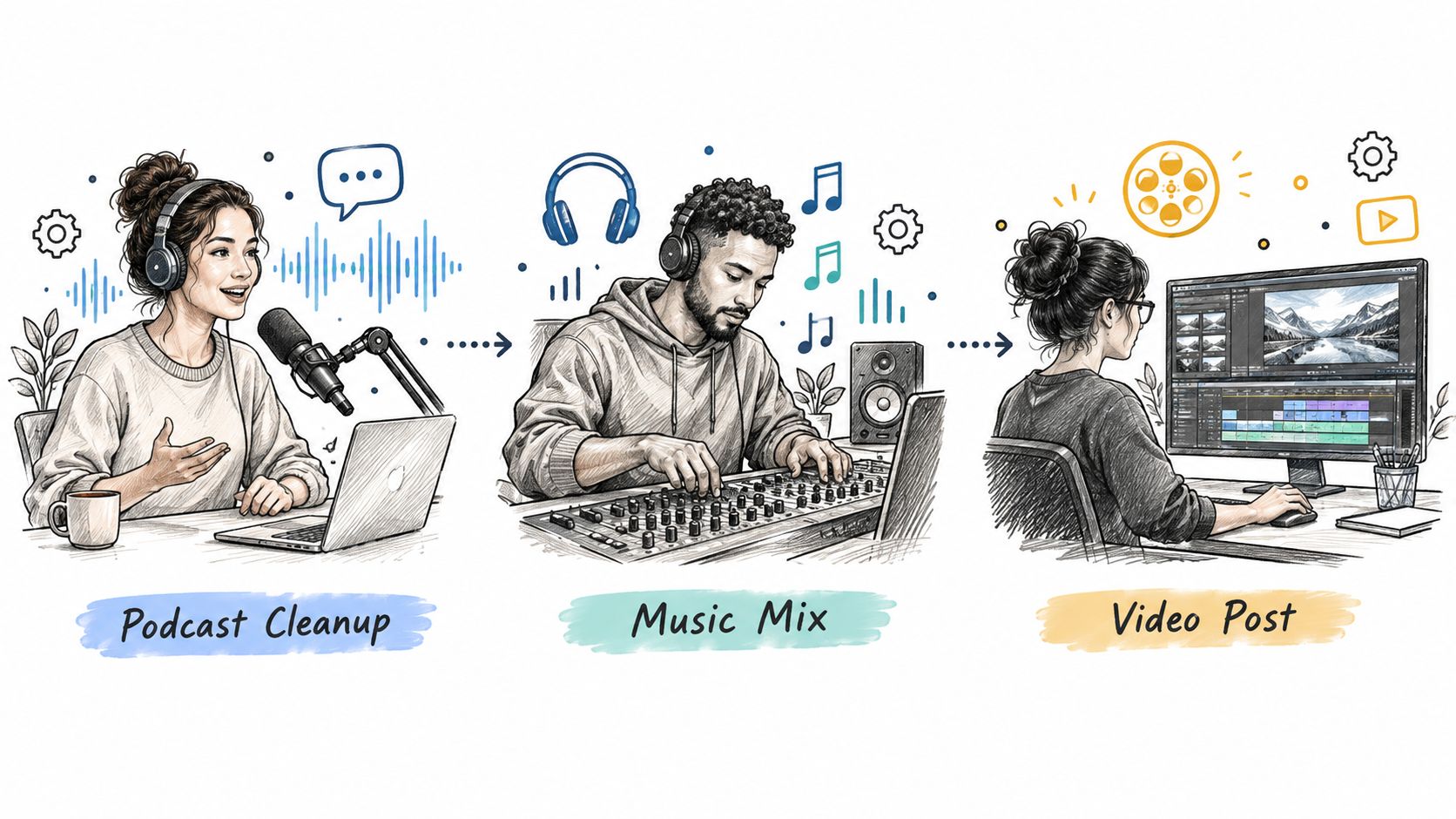
A podcaster usually doesn't want a “vocal stem.” They want clean dialogue. Those are not the same thing.
A generic stem separator may pull speech into a vocal bucket, but it often leaves room tone, music bleed, and other human sounds tangled in the result. A prompt-based isolator is better suited when the ask is closer to “keep the spoken dialogue and lose the rest.”
The wrong tool here creates a nasty failure mode: speech that's technically isolated but still too dirty to publish without a second repair pass.
The remixer pulling a hook
Producers often need less than they say they need. They ask for “the vocals,” but what they really want is the hook, the lead phrase, or one section they can flip.
That's where target specificity matters. If the chorus has doubles and harmonies, a broad vocal stem can be too crowded. A more directed request gives you a better starting point.
For creators publishing clips afterward, the separated audio often ends up back inside a visual edit. If that's your flow, this guide to a complete audio-to-video workflow is useful because separation only solves one part of the post chain.
The researcher with ugly recordings
Researchers, archivists, and field recordists have different priorities. They need reproducibility, broad format support, and outputs they can document. They're often working on material that was never recorded with separation in mind.
A language-driven workflow helps because the target may not even be “vocals” in the music sense. It might be one speaker in a noisy room, one animal call behind human activity, or one recurring source inside a cluttered environment.
For creators and teams working across music, podcasting, and post, these content creator audio isolation use cases line up closely with the kinds of mixed-source files that break ordinary stem splitters.
The mistake across all three workflows is the same. People buy software to isolate vocals based on clean demo songs, then throw it at real production mess and wonder why it falls apart.
When to Prioritize Speed, Quality, or Flexibility
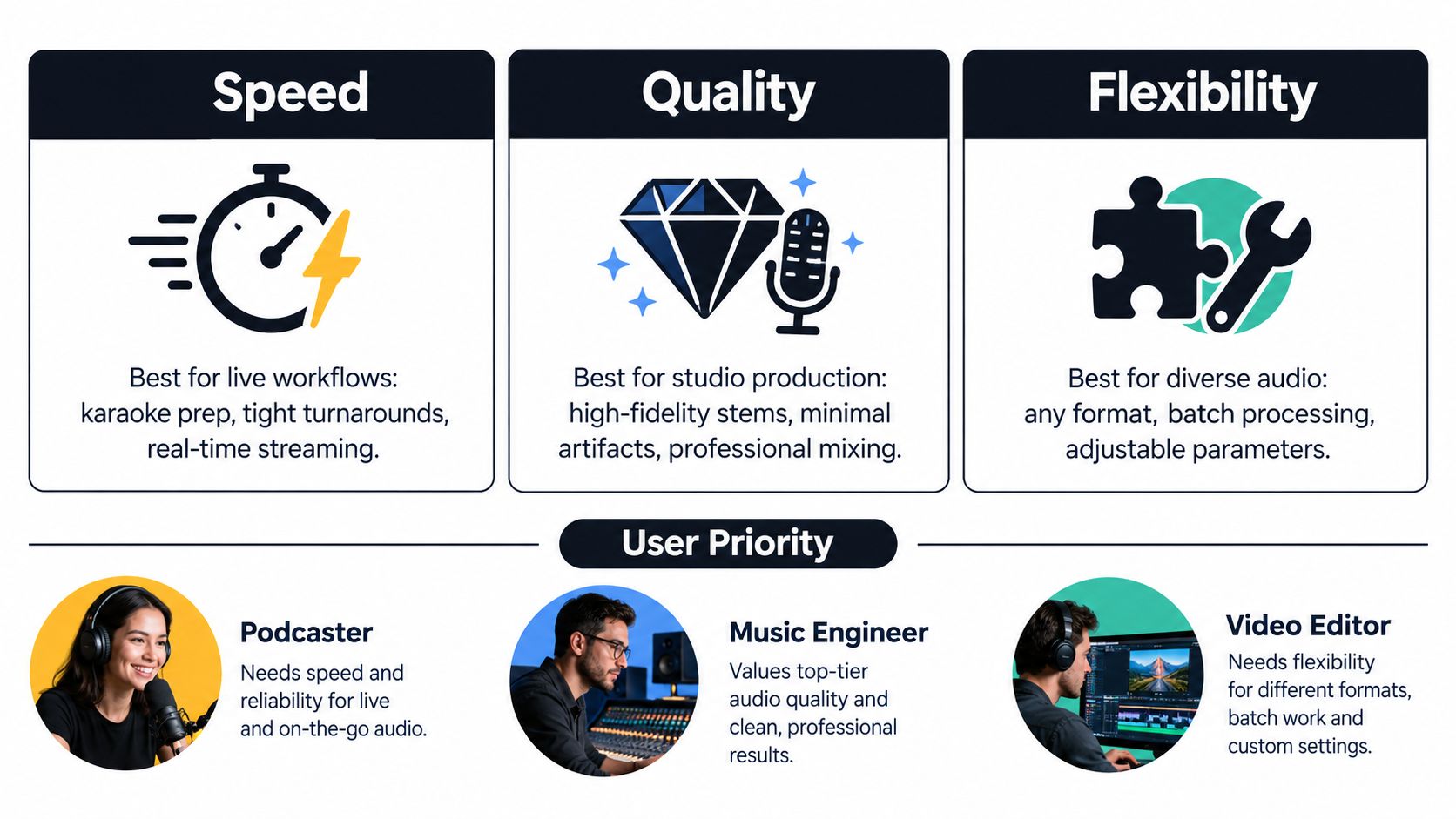
You're not picking one universal winner. You're choosing which trade-off matters most for the job in front of you.
Pick speed when iteration matters more than perfection
Speed wins in karaoke prep, social clips, live-adjacent production, and rough creative exploration. You need an answer quickly so you can decide whether the file is worth more effort.
In that situation, a fast cloud workflow or lighter local separator makes sense. Don't waste time chasing artifact-free output for a file that may only live for one draft round.
Pick quality when the output is the deliverable
If the isolated vocal is going into a release, a paid client job, or a final edit, quality outranks convenience. You'll hear every swish, phasey consonant, and smeared reverb tail once the stem sits exposed in a mix.
Recent work in the field points in the same direction. A 2025 study notes source separation has flourished since the mid-1990s, while later work reports that pretrained one-step models can be repurposed for multi-step separation without extra training. Separate 2025 conference work on singing-vocal extraction also notes that higher-quality separated vocals can improve downstream lyrics-alignment tasks, which is a good proxy for why fidelity matters in serious workflows (research summary on robustness and workflow efficiency).
Pick flexibility when the source is unpredictable
This is the underrated one. Flexibility matters when you're not always separating polished songs. It matters when files come from phones, cameras, field recorders, interviews, livestream captures, and old archives.
Use flexibility as your top priority when:
- The target changes: One file needs lead vocal, the next needs crowd noise removed, the next needs a single speaker.
- The input changes: You're moving across music, speech, ambience, and video-derived audio.
- The source is messy: Overlap, noise, room reflections, and bad balance make fixed categories less reliable.
Don't optimize for the wrong axis. A benchmark-minded producer can tolerate a slower render. A news editor on deadline can't. A researcher dealing with inconsistent source material usually needs adaptability more than a tiny edge on a music benchmark.
That's the whole buying decision in plain terms. Speed for turnaround. Quality for final deliverables. Flexibility for unpredictable reality.
Choosing the Right Vocal Isolation Tool for Your Needs
You can make this decision without reading another bloated roundup.
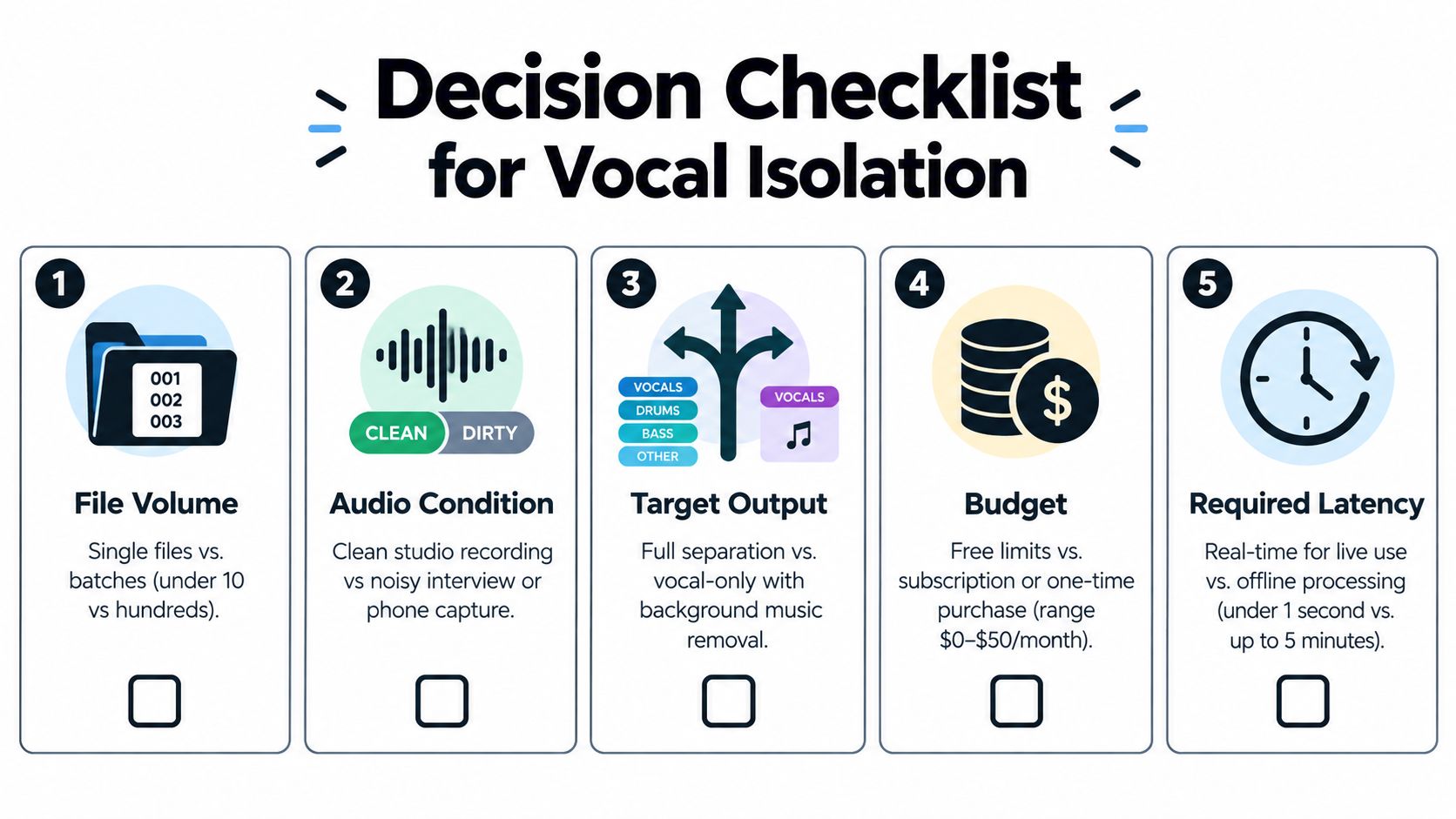
Start with five questions.
- What volume are you processing? One song, a weekly batch, or a large archive.
- How ugly is the source? Clean studio mix, live capture, interview, field recording, or phone audio.
- What exactly do you need back? Full stems, one isolated target, or dialogue cleanup.
- How much control do you want? One-button convenience or deeper tuning.
- How much latency can you tolerate? Instant preview, a few minutes offline, or longer if the result is cleaner.
My straight recommendations
For a podcast editor, use a tool class that targets spoken dialogue rather than generic music vocals. If the recording is messy, prompt-driven isolation makes more sense than a broad stem split.
For a bedroom producer or remixer, start with a traditional separator if you want standard stems. Switch to a language-driven tool when request is narrower than “all vocals.”
For a researcher or archivist, choose flexibility first. You're less likely to benefit from fixed stem categories, and more likely to need descriptive targeting and reproducible exports.
The highest benchmark score rarely wins the session. The tool that isolates the right source from the recording you actually have wins.
The category is heading somewhere useful. Expect tighter natural-language control, better handling of crowded mixes, and faster inference on smaller devices. The old vocals-versus-other framing won't disappear, but it's already too limited for the work many people need done.
If you remember one thing, make it this: software to isolate vocals is no longer just about removing singing from a song. It's about finding the exact source you mean inside imperfect audio. Pick the tool that understands that brief.
If you're dealing with files where “vocals” isn't specific enough, Isolate Audio offers a prompt-based way to pull out a described sound and return both the isolated element and the remainder. That makes it a practical option when you need more than a standard vocal stem, especially on mixed audio and video sources.