Stems Music Definition: What Stems Are and How to Use Them
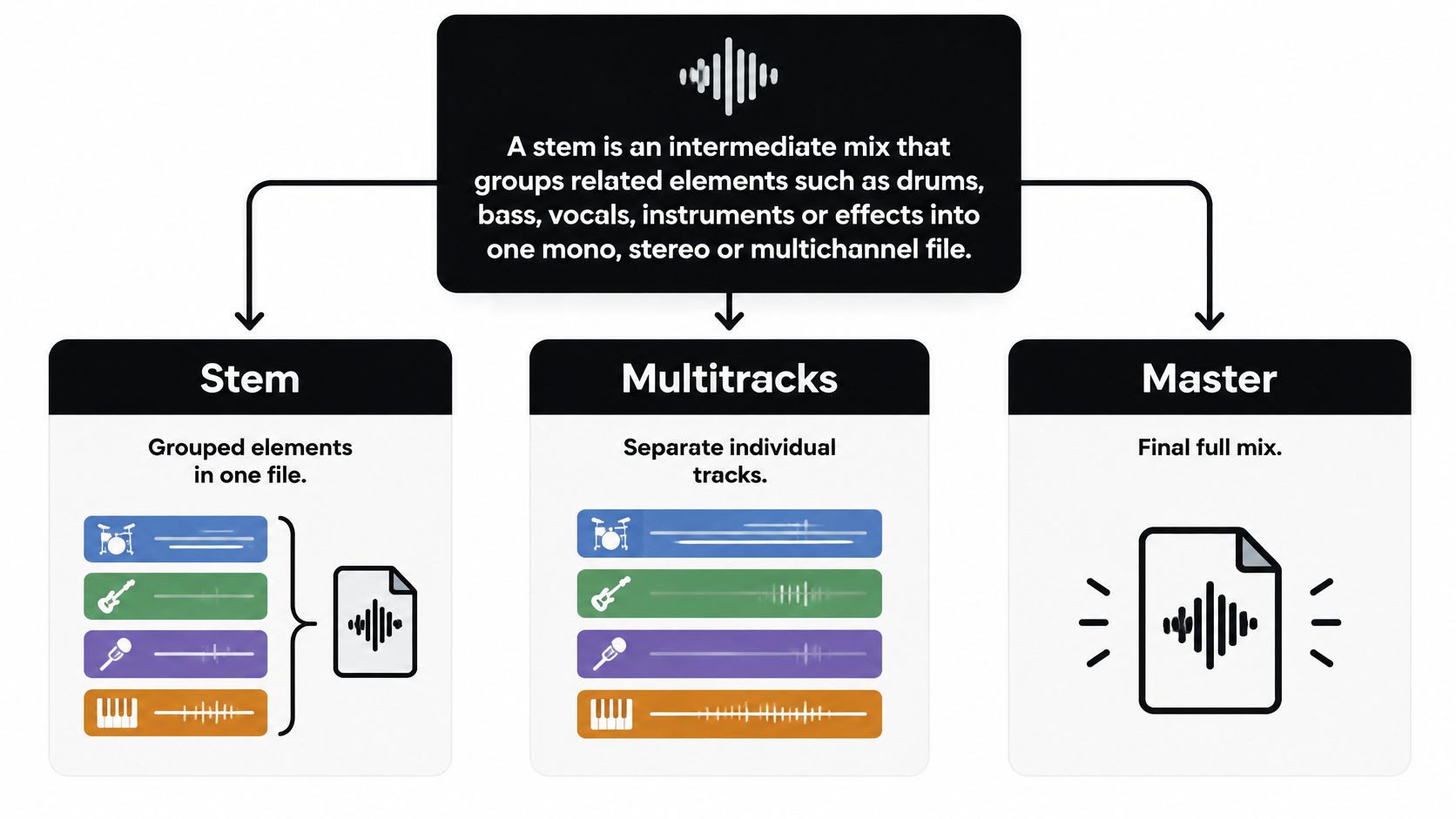
A stem is an intermediate mix that groups related elements, such as drums, bass, vocals, or effects, into one mono, stereo, or multichannel file. A working delivery is usually about four to eight of those grouped files, not dozens of raw recordings and not one finished stereo master.
You already have a stereo bounce, so why can't you lift the vocal and call the result a stem? That shortcut is where most stems music definition explainers go fuzzy. A production stem is a group the mixer chose to print. A multitrack is every microphone and instrument still separate. An AI-isolated element is an estimate pulled from a finished mix. Rights and quality limits are different for each, and the file format won't tell you which one you hold.
What a Stem Is and How It Differs From Multitracks and Masters
Think of a stem as a sauce base. The cook has already combined and seasoned the ingredients, so you can loosen it or add heat without chopping every vegetable again. In the studio, that base is drums, bass, vocals, instruments, or effects, printed as one file with the processing, volume, panning, and effects that belong to that group.
A stem is not a single recording track, because one file often holds many sources. It is not the finished stereo master, because everything outside the group is missing, and master-bus processing is usually left off. It is not "the piano" unless someone exported the piano as its own group.
What the file actually keeps
The Audio Engineering Society technical document on mix stems states that a mix stem does not contain every element of the master mix, but it preserves the relevant audio, processing, volume, panning, and effects associated with the featured elements. A multitrack session may contain dozens of separate microphone or instrument recordings. Stems fold those into submixes you can still move as families. When you combine a complete set at the intended levels, you can recreate the production, although the match depends on whether master-bus processing was printed. A mastering engineer, filmmaker, or licensee can then raise a vocal group or tuck a drum group without reopening the session. Alternate mixes, sync, remixing, localization, and post-production all use that middle layer.
Vocuno's guide to stems notes that a typical stem-mastering delivery may contain approximately four to eight grouped files, rather than one stereo mix or a pile of individual tracks. That count is the practical size of a production stem set.
Five formats on the same test
| Format | What It Contains | Editable Later | Typical Files |
|---|---|---|---|
| Multitrack session | Individual recordings, one per microphone or instrument | Yes, source by source | Dozens of tracks |
| Production stem | Grouped submixes such as drums, bass, vocals, and music | Yes, group by group | About 4 to 8 files |
| Remix-pack stem | Supplied groups such as vocals and instruments, cleared for limited use | Only inside the written license | One labelled set per song |
| Stereo master | Finished full mix with master-bus processing included | Only overall edits | 1 stereo file |
| AI-isolated element | Estimated target and remainder from a finished mix | Limited, with bleed and artifacts | 2 files: target and remainder |
A multitrack session stays fully editable source by source. You can replace one snare mic without touching the room mics. A production stem trades that detail for speed. You edit the drum family, not each mic. A remix-pack stem looks the same on disk, but the license, not the waveform, decides whether you may release a new arrangement. The stereo master is one finished file. Master-bus EQ, compression, and limiting are already in it, so no element can move alone. The AI-isolated element is the row people mislabel as a stem. Software estimates a target and a remainder from a completed mix. Bleed follows how much the sources overlap, and the file does not carry the session's internal balance.
A three-part test
Run this on any file before you build a workflow around it.
- One whole group: drums together, or vocals together, with their own processing. That is a stem.
- Every element at once: the full song, including the master chain. That is a master.
- One raw recording: a single mic or instrument, still ungrouped. That is a multitrack.
Practical rule: If you can't name the group the file was printed from, don't treat it as a production stem.
Stem File Formats and Specs Explained
The container decides whether an engineer can master from the file or only preview it. Match the row to the job, then keep every stem in the set on that same choice.
| Format | Type | Typical Specification | Best For |
|---|---|---|---|
| WAV | Uncompressed PCM | 24-bit, 44.1 or 48 kHz | Handoff to mixing and mastering engineers |
| AIFF | Uncompressed PCM | 24-bit, 44.1 or 48 kHz | Apple-centred studio workflows |
| FLAC | Lossless compressed | Same bit depth as the source | Archiving and sharing without quality loss |
| MP3 | Lossy compressed | 320 kbps for review copies | Previews and quick review, not mastering |
| Multichannel WAV | Uncompressed PCM, multichannel | 5.1 or 7.1 channel maps | Film and game delivery |
| Dolby Atmos stems | Object and bed channels | Immersive renderer format | Immersive mixes |
Uncompressed handoff files
WAV is the default you send to a mix or mastering engineer. Uncompressed PCM at 24-bit and 44.1 or 48 kHz keeps transients and leaves headroom for later processing. AIFF is the same kind of PCM in a wrapper that sits more naturally in Apple-centred rooms running Logic. Either one is a safe print if the whole set shares one rate, one bit depth, and one channel layout.
If you are choosing between wrappers and compression, a clear comparison of lossless audio file formats will show why PCM and true lossless files survive a second bounce, while a preview codec does not.
Compressed and immersive deliveries
FLAC is lossless but smaller. It keeps the source bit depth, so it is a good archive and a fair way to share a full set without email limits eating the quality. MP3 at 320 kbps is for a quick listen on a phone or a rough approval. Lossy encoding throws away detail you can't put back, so it should never be the file a mastering engineer prints from.
Multichannel WAV in a 5.1 or 7.1 layout is for picture. The channel map has to match the edit, or the dialogue lands in the wrong speaker. Dolby Atmos stems carry object and bed channels. They only make sense in a session with a compatible renderer, because a normal stereo import will not place those objects.
Send WAV or FLAC to engineers, and reserve MP3 for review. Sample-rate matching, start-point alignment, and file names are set-level rules, and they belong with the export steps rather than with the codec itself.
How to Build and Export a Correct Stem Set
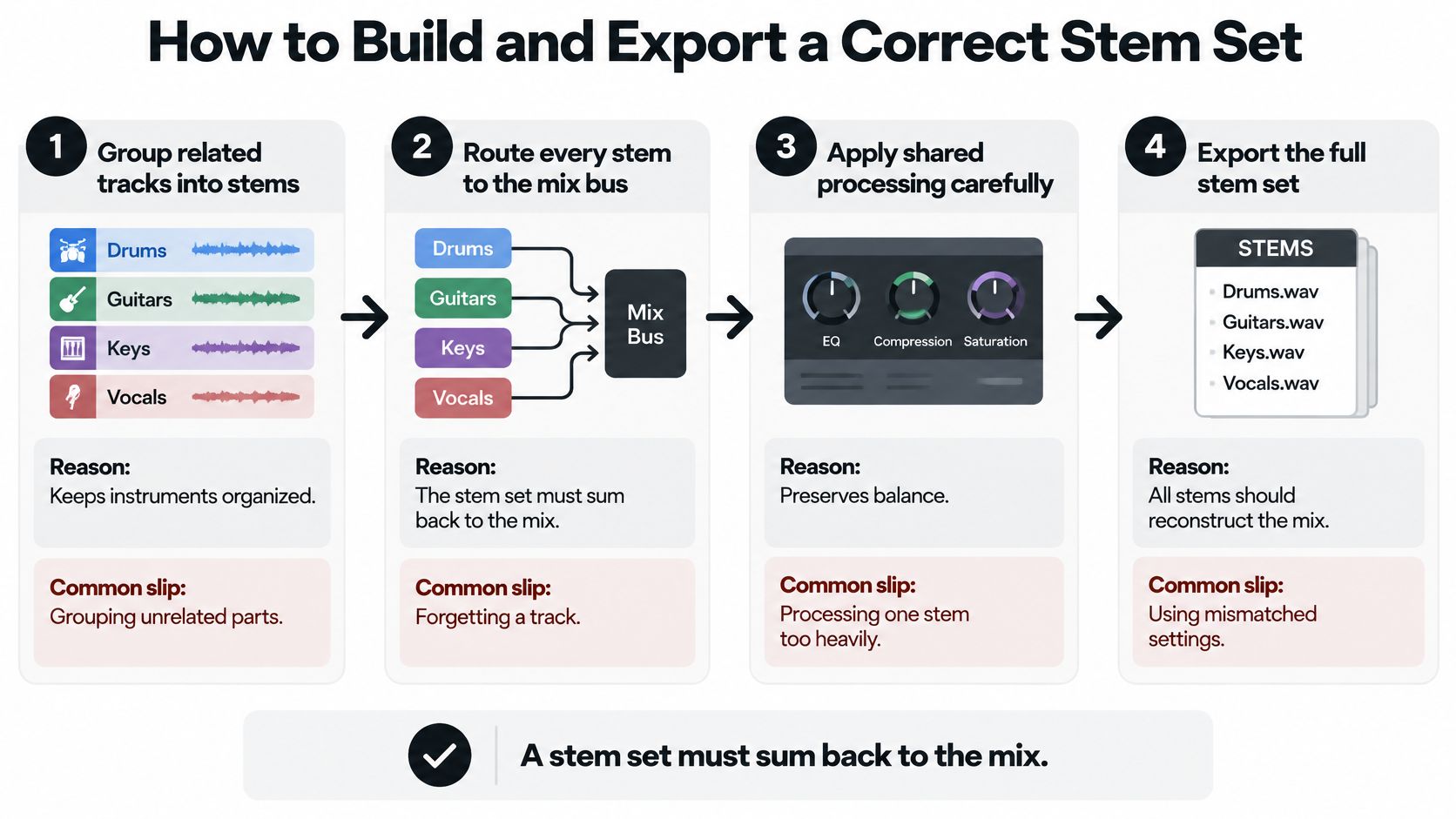
A stem set has one job. Played together at unity, it should sum back to the mix. Every step below protects that sum, and each one has a slip that breaks it.
Print the groups
- Group related tracks onto buses for drums, bass, vocals, instruments, and effects. Each bus becomes one stem, so a later engineer can move a family without hunting channels. The slip is a track left on the master with no bus. It vanishes from every stem and the sum comes up thin.
- Leave the master limiter off the stem print. Shared tone that defines the record can stay on the group, but a limiter or clipper on the master, or a limiter parked on one group only, stops the stems from adding up to the mix you approved. The slip is "I'll just leave the chain on so it sounds finished." It will sound finished, and it won't sum.
Export so nothing drifts
- Start every stem at bar one and export the full session length, including tails. Silence at the top is the alignment. The slip is bouncing from the first note of that instrument. A vocal that enters in the second chorus then lands late in every other session.
- Export every stem at the same sample rate, bit depth, and channel layout, using WAV or FLAC. The slip is one 44.1 kHz file in a 48 kHz set. The DAW resamples it, and transients soften in a way you won't notice until the snare feels dull next to the master.
- Mute and solo each group and confirm it holds only its own elements. The slip is a hidden send or a return still routed into the wrong bus. Reverb from the vocal then lives inside the music stem, and you can't pull it back.
Prove the sum
- Sum the stems at unity gain and compare that bounce with the stereo master. Small level differences from master-bus processing are normal. A missing hat, a doubled bass, or a vocal that is 6 dB hot is not. The slip is skipping the compare because the individual files "sound fine."
- Name files with numbers and group names, such as
01 Drums,02 Bass,03 Vocals. Vague names likeAudio 14andfinal bounce 2hide a sync error until someone else imports them out of order.
Load the full set into an empty session, line every file to the same start, and press play with faders at unity. Success means the summed stems match the master, apart from those small differences caused by processing you deliberately left off the print.
Using Stems for Mixing, Remixing and Mastering
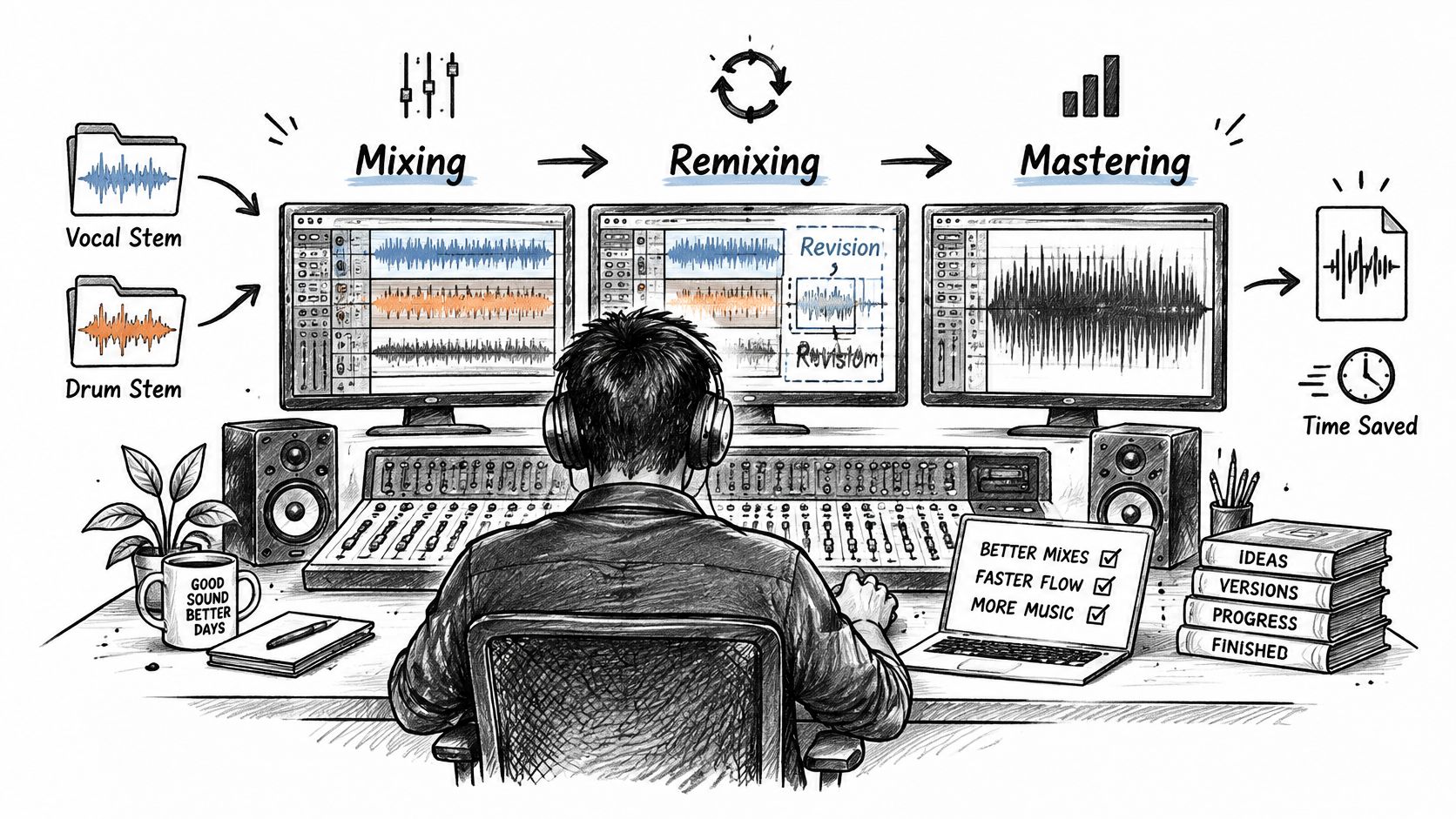
Say a three-minute indie single comes back from the label with one note. The vocal is a little hot for the radio edit. With stems, the mix engineer drops the vocal group by about 2 dB and leaves the music stem where it was. Nobody reopens forty tracks, and the printed reverb on the vocal stays in proportion. That is the everyday mix use. A revision touches a group, not the whole session.
Mastering and new arrangements
In mastering, the engineer works on a few broad groups and can ease the vocal family while the producer's balance inside that family stays put. The Dataintelo 2025 market research report estimated the global music-mastering-services market at USD 1.32 billion in 2024, which is one reason labels still ask for stem deliveries instead of a single bounce. If you are deciding whether a song needs another mix pass or a stem master, a practical walkthrough of mixing and mastering shows where each job starts and stops.
Remixers take the vocal and instrument groups from a pack and build a new arrangement around them. Contests often ship the record this way, so the remixer never sees the original session. The vocal stem carries the producer's tuning, compression, and delays. The new track has to be written to that printed vocal, not to a dry guide.
Picture, practice, and release copies
Film and sync editors need a music-only mix, a dialogue-forward balance, or a multichannel layout that locks to picture. A band stem and a vocal stem let an editor duck music under a line without asking for a new mix from scratch. Practice tracks work the same way. A guitarist mutes the lead-guitar stem and plays along, while drums and bass stay in time.
Labels and platforms usually want a version without vocals and an acapella next to the master. A pack for a remix contest or a sync bid should go out as a labelled set with the license attached, so the receiver can see which groups are cleared and for what use. Musicians cutting vertical clips can pair those cleared groups with short-form video tools for musicians when the picture has to follow the same sections as the audio.
A short walkthrough of printing and checking a stem session makes the sum-back test easier to hear than a checklist alone.
Match the job to the person holding the files. Producers use stems for mix fixes and mastering handoff. Remixers use them to write a new arrangement. Editors use them against picture. Players use them to practice. If your file can't move as a whole group, you are in a different workflow.
Extracting Stems From a Finished Mix and Its Limits
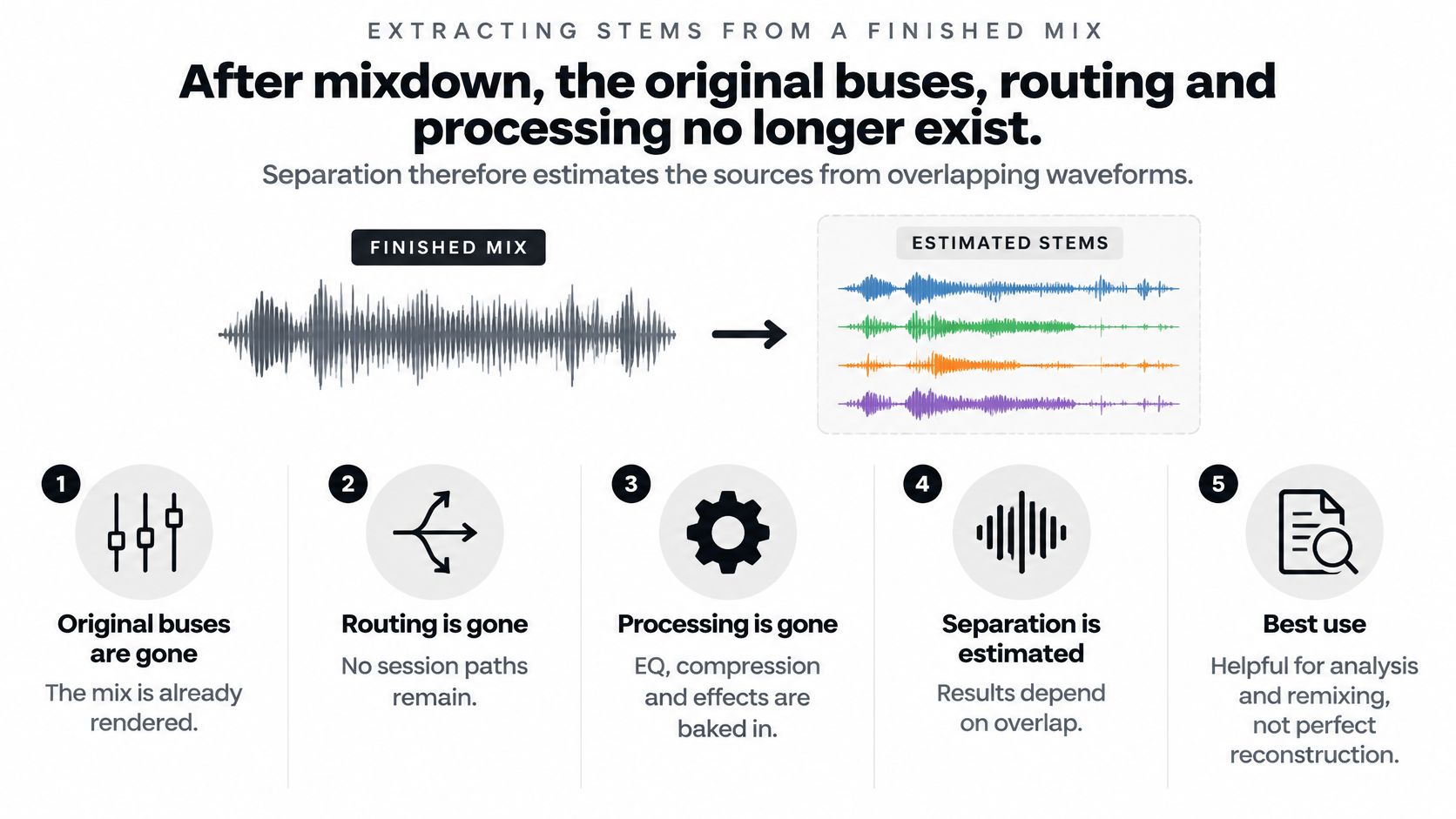
After mixdown, the original buses, routing, and processing no longer exist as separate paths. Separation software estimates sources from overlapping waveforms. It does not reopen the session, and it can't recover a bus that was never printed.
Why the split leaks
Inside a real session, you route related tracks to buses and bounce those buses as aligned files. At unity gain, those prints are meant to rebuild the mix. A finished stereo master doesn't carry that routing. As Production Expert's explanation of stems describes, bleed, masking, reverberation, distortion, and phase interactions limit perfect isolation, because the separator is guessing latent sources.
The failure is sharpest when sources share frequency and time. Vocal harmonics sit on top of guitars. Kick energy sits on top of bass. Several combinations of those sources can explain the same samples, so the model has to pick one. Shared energy then shows up as bleed in one output, or the separator steals a transient from both and both files sound softer. Reverb and distortion make the guess worse, because the effect is no longer a separate return. It is baked into every sample that carried it.
A checklist you can run on the result
Judge the files against the input, not against how silent the "other" stem looks.
- Keep the original sample rate, channel layout, loudness, and exact duration. A resampled or trimmed file won't line up for a null test.
- Sum the isolated target with the remainder and compare that sum to the input. A good split should come back close to the song you started with.
- Listen for residual artifacts. Chirps, watery vocal tails, and ghost notes usually mean incomplete cancellation.
- Listen for smeared tone or lost transients. That pattern means shared content was stripped from both outputs.
- Score intelligibility, transients, stereo image, and musical timing. A valid featured element still sounds like the part, in time, in its place in the image.
- Reject a result that looks clean only because too much was removed. Hollow drums and a vocal with no body are not a cleaner stem. They are a damaged one.
An extracted element can be good enough for practice or a rough edit. It is rarely a clean stand-in for a stem the producer printed from the session.
Confirm Usage Rights Before You Use Any Stem
A WAV file is possession, not permission. Nothing in the bit depth tells you whether you may post the remix, sync it, or sell it.
Remixing or sampling can require permission from the owner of the master recording and from the owners of the composition. A supplied stem can touch both layers at once. The Music Administration guide to derivative works is a useful starting point for how those two copyrights sit on a new arrangement. Stems are not automatically royalty-free. A contest pack may allow personal experiments and still forbid a public release or a monetized upload.
Before you use a file, confirm each of these in the license, not in the filename.
- Personal experimentation: private sketches and learning bounces.
- Public release: posting the new mix where other people can hear it.
- Monetization: ads, streams, or sales.
- Synchronization: pairing the audio with picture.
- Redistribution: handing the stem files themselves to someone else.
Rules differ by jurisdiction, so the license packed with that specific set is the document to read. "Royalty-free," "licensed," "personal use," and "derivative-work permission" are not interchangeable.
Fabric's definition of a stem draws the line people skip. An isolated vocal, piano melody, or crowd sound taken from a finished stereo mix is usually not a true stem. A production stem is an intentionally rendered submix. An extracted element is an estimate, and it can still hold bleed, reverberation, phase artifacts, or pieces of other sources. More split categories do not mean you recovered the producer's session. A target plus a remainder is the honest output.
If you need to separate a sound from a recording you are allowed to process, we do it in three steps. You upload the audio, you describe the sound in plain English, such as "Piano melody" or "crowd noise," and you download the tracks. Each separation returns two files, the isolated sound and the remainder, and you can use one, both, or combine them. We accept MP3, WAV, FLAC, M4A, OGG, and MP4, and Pro plans include lossless output. Check the license first, then test the split on a copy. If the recording isn't yours to sample, start with how to sample music legally. The same caution applies when the stem ends up under a picture. A practical guide to using music in AI videos legally covers why a cleared audio file can still be the wrong license once it is locked to video.
Isolate Audio separates a sound you describe in plain English from a finished recording and gives you both the isolated element and the remainder, so you can hear what extraction can and can't recover. That two-file result is a practical way to test a vocal, a melody, or a noise bed without pretending you hold the original session stems. When you are ready to try it on a file you have rights to use, visit Isolate Audio.