What Are Stems Your Complete Guide to Audio Production
In the world of audio production, you’ll hear the term “stems” thrown around a lot. So, what are they? Simply put, stems are stereo recordings of grouped audio tracks. Think of them as sub-mixes. Instead of one final song file, you get separate files for the drums, bass, vocals, synths, and so on.
This gives you a ton of control over the song's core elements, far more than you'd get from a single stereo file, but without the overwhelming complexity of every single raw track.
Stems, Multitracks, and Mixes: What’s the Difference?
To really get a feel for stems, it helps to understand where they sit in the grand scheme of a recording project. Let’s use a simple analogy: baking a cake.
The final, delicious cake fresh out of the oven? That's your finished stereo mix—one complete, unified product that you can't really take apart. The individual raw ingredients—the flour, sugar, eggs, and vanilla extract—are the multitracks. These are every single microphone and instrument recording from the original session, giving you absolute control over every tiny detail.
Stems are the perfect middle ground. They’re like having your dry ingredients pre-mixed in one bowl and your wet ingredients pre-mixed in another. Each is a combined group, but they remain separate from each other. This strikes a powerful balance between simplicity and creative control.
At its core, the difference is all about control versus convenience. Multitracks give you maximum control, the final mix offers maximum convenience, and stems provide that sweet spot in the middle for practical, creative flexibility.
To make this crystal clear, let's break it down in a table.
Stems vs. Multitracks vs. Mix: A Quick Comparison
| Concept | Definition | Analogy | Primary Use Case |
|---|---|---|---|
| Multitracks | Every individual audio file from a recording session (e.g., kick drum, snare top, lead vocal). | The raw ingredients (flour, sugar, eggs). | Original production, detailed mixing, and engineering from scratch. |
| Stems | Stereo audio files of grouped tracks (e.g., all drums, all vocals, all synths). | The pre-mixed dry and wet ingredients. | Remixing, live performance backing tracks, film post-production. |
| Mix | A single stereo audio file combining all multitracks and stems. | The finished, baked cake. | Final listening for consumers (e.g., on Spotify, CD, radio). |
Seeing them side-by-side like this really highlights how each format serves a different purpose in the audio lifecycle.
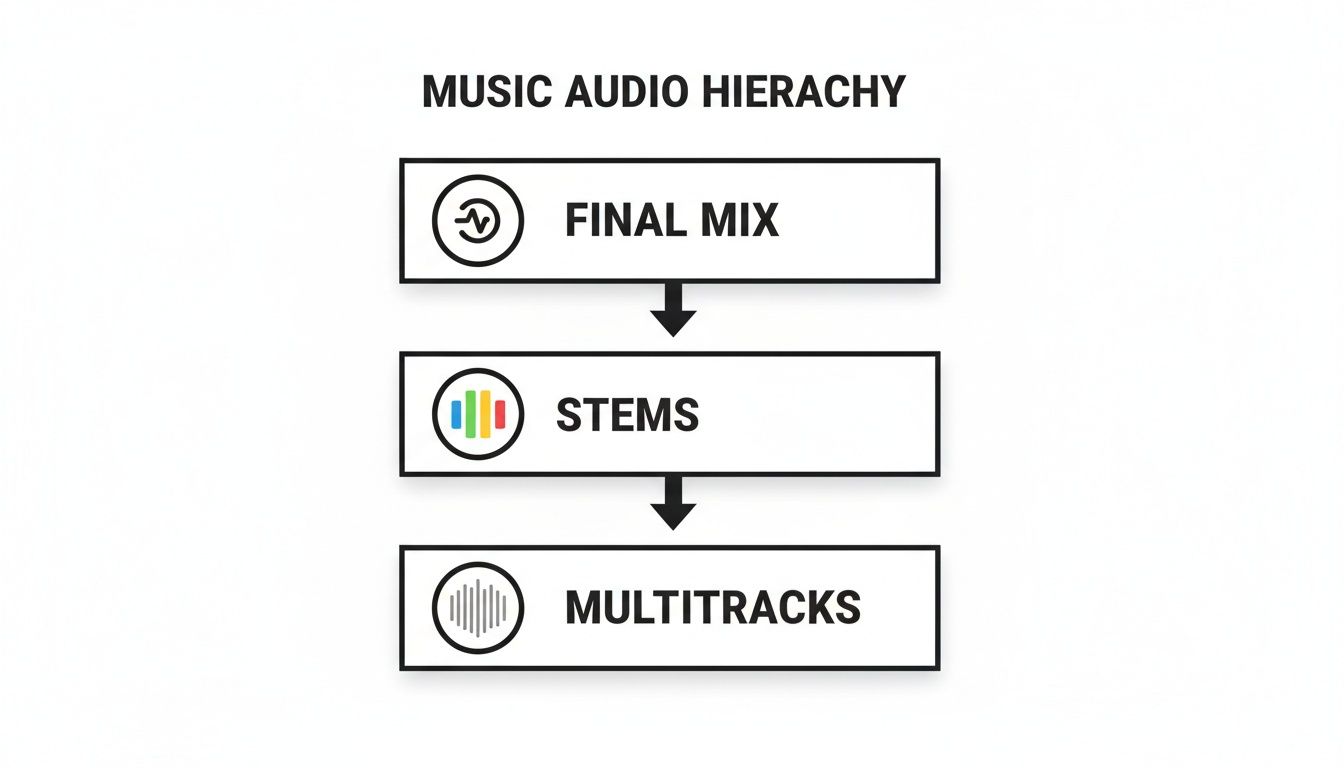
A Visual Breakdown of the Audio Hierarchy
This flowchart perfectly illustrates how these layers build on each other. You start with the raw multitracks, combine them into stems, and then bring the stems together to create the final mix.
So, why does any of this matter for you? Because understanding this structure is the key to unlocking a whole new world of creative possibilities. With a good set of stems, you can:
- Create killer remixes: Grab just the vocals from a track and build an entirely new song around them. Or maybe you just want that iconic bassline. Easy.
- Prep for live shows: Use the drum, bass, and synth stems as your backing track while you play guitar and sing live on top.
- Clean up audio for content: Need to lower the background music in a podcast interview without touching the dialogue? If you have them as separate stems, it’s a simple volume adjustment.
This layered approach empowers creators to deconstruct and reimagine audio without needing access to the massive, and often messy, original project file. It’s a foundational concept that drives countless modern audio workflows.
The Evolution from Analog Roots to Digital Workflows
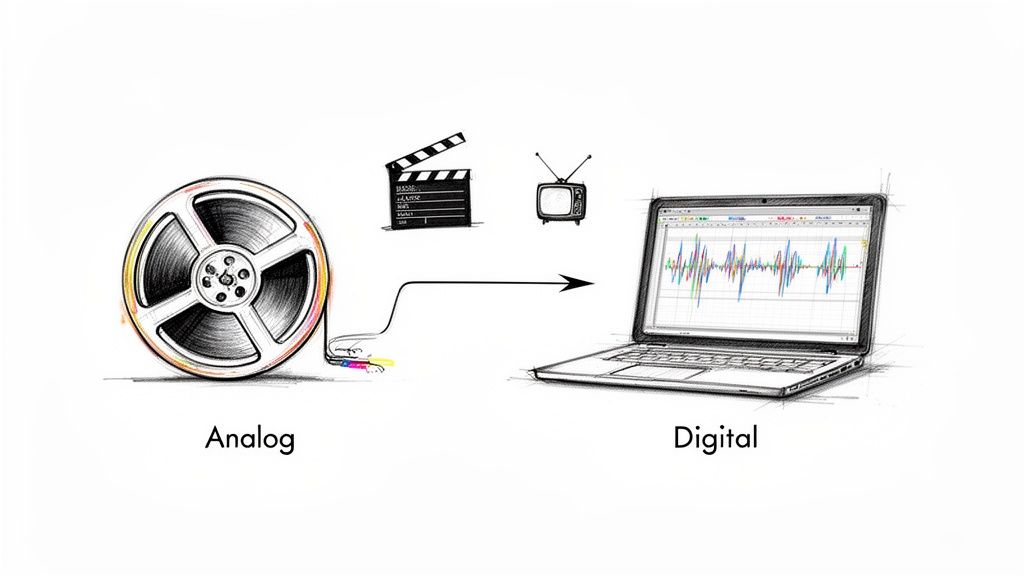
To really get why stems are such a big deal, you have to look back at where they came from. The whole idea wasn't cooked up in some high-tech recording studio; it was born out of pure necessity in the old-school, analog days of film, TV, and advertising. Before digital editors existed, engineers were wrangling massive, complicated multitrack tapes.
Think about a movie scene where the dialogue, sound effects, and score are all perfectly balanced. Now, imagine the director pops in at the last minute and says, "You know, the music in that one part is a little too loud." Just going back to the original multitrack tape to tweak one tiny thing was a monstrously slow and expensive headache.
This is the exact problem that gave rise to stems.
The Problem Solvers of Post-Production
Engineers got smart and started creating grouped submixes—what we now call stems—for each major audio category. Instead of one giant master tape, they’d deliver a few separate tapes: one for all the dialogue, another for music, and a third for sound effects. It sounds simple, but this was a game-changer for efficiency.
With these individual stems, a post-production mixer could quickly rebalance the final audio without ever needing to reopen the original, complex session. This workflow quickly became the industry standard, saving countless hours and giving creators the flexibility they desperately needed in the final crunch.
The core idea behind stems has always been about combining control with convenience. It allowed for significant adjustments without demanding a complete remix from scratch.
Fast forward to the 1990s, and studios began shifting from analog tape to software. The practice of using stems came right along with them, getting baked directly into Digital Audio Workstations (DAWs). What began as a physical workaround on tape machines became a fundamental feature in the digital world.
This evolution cemented stems as a go-to tool, which you can see in the industry’s growth. The global DAW market, valued around USD 3.90 billion recently, is expected to climb to USD 9.13 billion by 2035. It's a clear sign of how central digital tools—and the workflows they enable, like using stems—have become. You can read more about the digital audio workstation market growth and its future.
From Necessity to Creative Power
This history lesson shows that stems are more than just a file type; they're a clever solution to a problem that’s been around for decades. They started as a practical fix for the high-stakes, linear world of film and broadcast.
Today, that same principle of flexible control has been adopted by everyone—music producers, DJs, podcasters, and all sorts of content creators. What was once a specialized technique for post-production engineers is now a powerful creative tool for anyone, opening up brand new ways to remix, perform, and perfect audio.
How Creators Use Stems in the Real World
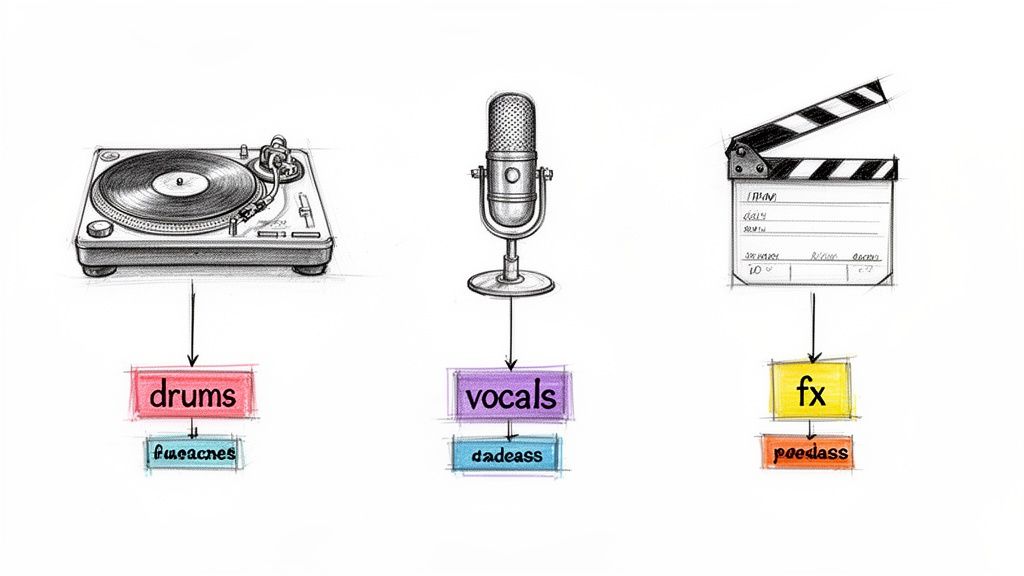
It’s one thing to know what stems are in theory, but seeing how they’re used in practice is where their real power becomes obvious. For creators in almost every audio-related field, stems have become an indispensable part of the toolkit, hitting that sweet spot between total control and practical convenience.
Let’s take a look at how the pros put them to work, from massive festival stages to quiet editing suites.
Music Production and Live Performance
For DJs and producers, stems are the ultimate creative playground. They offer a kind of surgical control that a final stereo mix just can't provide.
Imagine you want to craft an acoustic remix of a high-energy dance track. With the vocal stem, you can lift the singer's performance clean out of the original and build a completely fresh instrumental arrangement beneath it. Or maybe you want to grab the punchy drum groove from an old funk record and drop it into a modern hip-hop beat—stems make that possible.
Live performance is another area where stems have changed the game. A band might use them to flesh out their on-stage sound, running backing vocal stems or complex synth layers through the PA system. This allows a three-piece group to sound just as massive as they do on their studio album, without having to hire a dozen extra musicians for the tour.
Stems give artists the ability to deconstruct a song into its core components. This makes it possible to reimagine, remix, and adapt music in ways that were once only possible with full access to the original multitrack session.
This flexibility is a huge part of what fuels the modern creator economy. The global audio streaming market, recently valued at USD 43.7 billion, is expected to soar to USD 115.3 billion by 2030. In this environment, stems are the raw ingredients for the remixes, mashups, and karaoke tracks that drive engagement. You can find more detail in this report on the booming audio streaming market.
Audio for Video and Podcasts
When you move into the world of visual media, having clean, controllable audio isn't just a nice-to-have; it's essential. Stems give filmmakers, editors, and podcasters the precision they need to build the perfect sonic environment.
Think about a film scene. An editor might receive the musical score as a set of stems. If a powerful drum beat is suddenly stepping on an important line of dialogue, they don't have to turn down the entire score. They can just dip the volume of the drum stem, keeping the emotional weight of the strings and piano while making sure the dialogue cuts through perfectly.
The same logic applies to podcasting and audio dramas. A producer can use stems to expertly balance intro music, spoken-word interviews, and sound effects.
- Dialogue Stem: This keeps all the spoken parts isolated, making it easy to clean up noise and ensure every word is crystal clear.
- Music Stem: The background music level can be ducked under the dialogue and brought back up during transitions.
- SFX Stem: Sound effects can be placed precisely without interfering with the music or vocals.
This kind of separation is the secret to a polished, professional-sounding final product where every element has its own space. For DJs and producers who want to go deeper, our guide on how stems can transform your creative process is a great next step.
How to Create and Extract Audio Stems
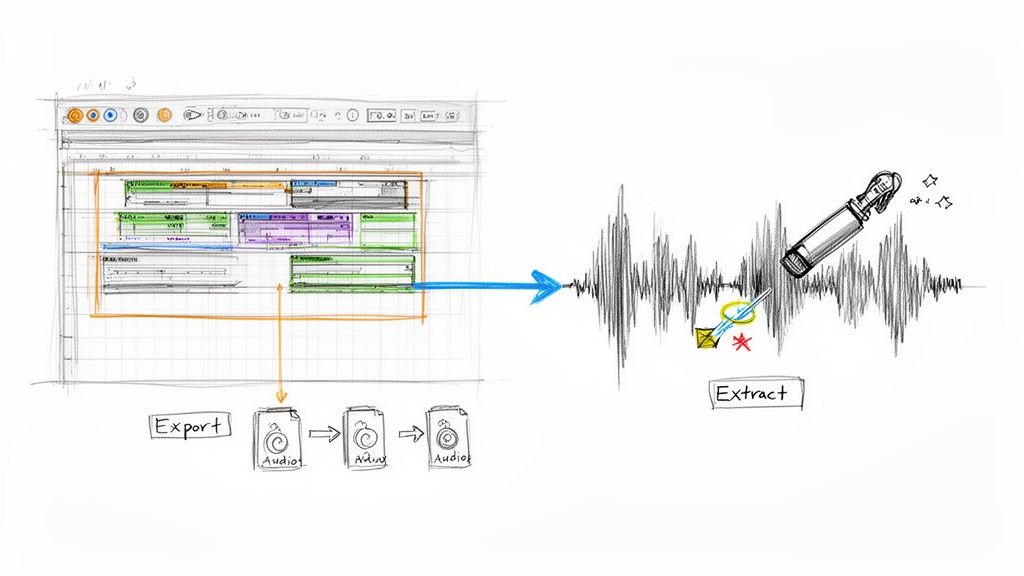
Knowing what stems are is one thing, but getting your hands on them is another challenge entirely. Thankfully, there are two primary ways to go about it. The path you take really just depends on your starting point—are you working with an original project file, or do you only have the final, mixed-down audio track?
One route is the classic, old-school method for artists and producers who have the multitrack session right in front of them. The other relies on some pretty amazing new technology that lets just about anyone pull apart a finished song. Let's look at how both work.
Exporting Stems from a DAW
If you’re the one who created the music, you’re in the driver’s seat. Working from the original multitrack session in a Digital Audio Workstation (DAW) like Ableton Live, Logic Pro, or FL Studio makes creating stems a simple export job. The whole idea is to bundle similar tracks together and print them out as new audio files.
Here’s how that usually plays out:
Group Your Tracks: First, get organized. You’ll want to create logical groups for your instruments. For instance, route your kick, snare, hi-hats, and cymbals to a single "Drums" bus. Do the same for all your vocals, bass tracks, synths, and so on.
Solo and Export: Now, you just go down the line. Solo one group at a time—just the drums, for example—and export that as a single, high-quality audio file. WAV or AIFF are the go-to formats for this. The crucial detail here is to make sure every exported stem starts at the very beginning of the song's timeline. This ensures they all line up perfectly later.
Verify and Name: Give each file a quick listen to make sure it sounds right. Proper naming is a lifesaver, especially if you're collaborating. A clear convention like "SongTitle_Drums_120bpm.wav" avoids any confusion down the road.
This is the gold standard. It gives you the absolute cleanest, highest-fidelity stems possible because you're creating them directly from the source recordings, with no weird artifacts from digital separation.
Extracting Stems with AI Tools
But what if you don't have the original project file? Maybe you want to remix a track you love or isolate an instrument for practice. This is where AI tools have completely changed the game, essentially letting you "unbake the cake" by splitting a final stereo mix back into its ingredients.
AI stem separation models are trained to listen to a finished song and identify the unique sonic fingerprints of different instruments—like vocals, drums, or bass—and then intelligently pull them apart into separate files.
This technology has come a long way, fast. Early tools were pretty basic, giving you vocals, drums, bass, and a catch-all "other" track. Today’s AI is a whole lot smarter. The newest platforms use incredibly sophisticated algorithms that can find and isolate almost any sound you can imagine.
For anyone needing to grab a specific sound from a piece of audio, an AI-powered audio extractor is a massive help. You're no longer stuck with a generic instrumental. Instead, you can pull out just the piano part or surgically remove a distracting background noise. This opens up a whole new world for remixing, sampling, and audio cleanup that was once unthinkable without the original project files.
The Future of Stems: AI and Natural Language
In just a few short years, the very idea of what a "stem" is has been completely turned on its head, mostly thanks to some incredible leaps in artificial intelligence. Not long ago, AI stem separation was a neat trick, but a limited one. You could feed it a finished track and get back maybe four or five buckets of sound: vocals, drums, bass, and that infamous catch-all, "other."
While that was a huge step forward, it still forced us into a very rigid box. This old method basically just mimicked how an engineer might deliver stems for a remix project, but it often fell short of what creators actually needed. What if you didn't want the whole drum kit, just the sizzle of the hi-hats? Or what if you needed to pull out a specific synth pad that was buried deep in a dense mix? The older tools just couldn't get that specific.
A New Era of Sonic Precision
Today's AI platforms are tearing up the old rulebook. Instead of being stuck with those fixed categories, the newest tools are built on a much more powerful and intuitive idea: if you can describe it, you can isolate it. This is where natural language processing changes the game, turning the incredibly complex task of audio separation into something as simple as typing a sentence.
Forget clicking a "vocals" button. Now, you can just type what you want in plain English.
- "Isolate the acoustic guitar strumming"
- "Remove the police siren in the background"
- "Extract the lead saxophone melody"
This shift fundamentally redefines what a stem can be. It's no longer just a broad instrumental group, but any specific sound element you can identify within a recording. This kind of surgical control unlocks a universe of creative options that were pure science fiction until very recently.
We've moved from separating predetermined parts to targeting specific sonic events. A stem can now be anything from a single finger snap to a complex synth texture—defined entirely by what the user wants to achieve.
How Natural Language Unlocks Creativity
This new way of working has massive implications for anyone who works with audio. For a music producer, it means you can finally grab that one subtle background harmony from a classic soul track and build an entirely new song around it. Our guide on creating instrumental versions of popular songs touches on some of the cool things this makes possible. For a filmmaker, it means pulling distracting crowd noise from on-location dialogue without making the actors' voices sound processed or unnatural.
The move from fixed categories to separable sound elements is picking up speed. The professional audio market—which covers everything from massive concert PAs to broadcast systems—is projected to grow from USD 13.26 billion to USD 17.82 billion by 2031. In a market that large and diverse, the demand for tools that can surgically pull specific sounds out of a final mix is absolutely huge. You can find more insights on the growth of the global professional audio market.
This technology isn't just an incremental upgrade; it's a fundamental change in how we think about and interact with recorded sound. It makes incredibly advanced audio manipulation accessible to everyone, not just seasoned engineers. The future of stems isn't about adding more buttons and menus—it's about removing limitations.
Common Questions About Audio Stems
As you start wrapping your head around what stems are and how they work, a few practical questions always seem to pop up. It's totally normal. Getting a handle on the technical details, legal lines you can't cross, and what to expect quality-wise is crucial for using them confidently.
Think of this section as your go-to FAQ, where we'll tackle the most common things creators ask about working with stems. We'll cut through the confusion to help you avoid rookie mistakes and make smart choices.
What File Format Should I Use for Stems?
This one's a big deal, because your choice of file format directly impacts the audio quality you have to work with. If you're doing anything professional—mixing, mastering, remixing, you name it—uncompressed file formats are the only way to go.
- WAV (Waveform Audio File Format): This is the industry standard for high-quality audio, especially on Windows, but it's universally supported. It’s a perfect, lossless copy of the sound.
- AIFF (Audio Interchange File Format): Think of this as Apple's version of WAV. It's also uncompressed and lossless. Honestly, for professional work, either WAV or AIFF is a fantastic choice.
Now, what if you need to email some files and storage space is tight? You can use compressed formats, but you're making a trade-off. A high-quality 320kbps MP3 might be fine for sending a quick preview, but it’s a “lossy” format—meaning audio data gets thrown away forever to shrink the file size. A much better compromise is FLAC (Free Lossless Audio Codec), which cleverly reduces file size without tossing out any of the original audio quality.
Key Takeaway: Always, always create and work with your stems in a lossless format like WAV or AIFF. You can always export a smaller, compressed version later if you need to, but you can never add back quality once it's gone.
Is It Legal to Use Stems from a Copyrighted Song?
This is a massive one, and getting it wrong can land you in serious trouble. The short answer is: it completely depends on what you do with them.
If you're just pulling stems from a copyrighted song for your own private use—say, to practice your guitar part, study the arrangement, or make a personal mashup that never leaves your hard drive—you're generally in the clear. Most people would consider this fair use for personal education.
But the second you decide to share that work with the world, the game changes entirely. Releasing a remix on Spotify, uploading it to YouTube, or using it in any project that you might make money from requires legal permission from the original copyright holders. That usually means getting licenses from two different parties: the music publisher (who owns the song's composition) and the record label (who owns the master recording).
Don't skip this step. Releasing music with uncleared samples is copyright infringement, plain and simple. It can lead to your track being taken down, your channel getting strikes, or even expensive lawsuits. Always clear your samples before you publish.
How Good Is AI Stem Separation Quality?
AI-powered stem separation has gotten ridiculously good over the last few years, but it's not magic. The results can be shockingly clean, but how good they are really depends on the complexity of the original song.
For a sparse track, like just a singer and an acoustic guitar, an AI tool can often deliver near-perfect separations with almost no weird sounds or artifacts. But throw it a dense, messy rock track or a heavily layered electronic song where instruments are all fighting for the same frequencies, and you might run into some "bleeding." That's when you hear faint bits of one instrument in another's stem.
Modern AI is getting smarter about handling these tough situations all the time, but it's good to have realistic expectations. While the tech is incredibly powerful, it might not give you a 100% flawless, studio-perfect isolation on every single song. The cleaner and more well-defined the original mix is, the better your AI-generated stems will be.
What Is the Difference Between Stems and MIDI?
This is a classic point of confusion, but the distinction is actually pretty simple. The easiest way to remember it is that stems are audio, while MIDI is data.
- Stems are the actual sound recordings. A piano stem is a WAV or MP3 file that contains the recorded sound waves of someone playing the piano. You can press play and hear it, but you can't go in and change the individual notes that were performed.
- MIDI (Musical Instrument Digital Interface) isn't sound at all. It's a set of instructions. A MIDI file is like sheet music for a computer, telling a synthesizer or virtual instrument which notes to play, when to play them, how loud, and for how long.
So, to put it another way, stems capture the recorded sound of a performance, while MIDI captures the performance information itself.
Ready to unlock a new level of creative control over your audio? With Isolate Audio, you can extract any sound from any track using simple, natural language. Stop being limited by generic categories and start isolating exactly what you need. Try it for free today and hear the difference for yourself. Learn more at https://isolate.audio.