A Creator's Guide to Audio Separation Software
At its core, audio separation software is a tool that takes a finished audio file and digitally pulls it apart, letting you get your hands on the individual ingredients. The classic analogy is trying to un-bake a cake—it gives you a way to pull the flour or sugar back out after it’s already been mixed. This technology gives you the power to edit individual sounds that were once permanently locked together in a final mix.
Unlocking Creative Freedom in Your Audio
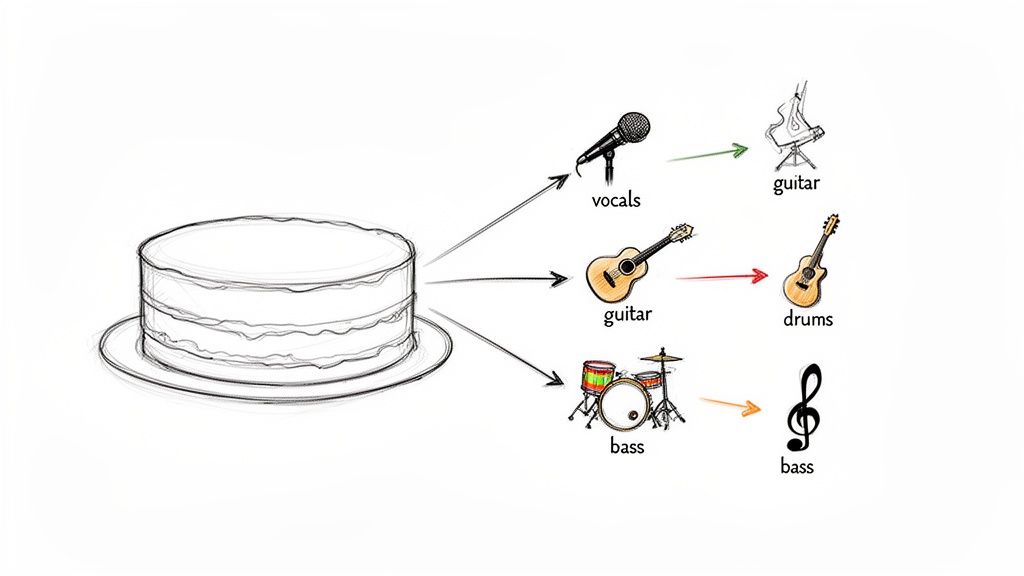
Think about trying to adjust the volume of just the lead guitar in your favorite song. Once that track is mixed down into a single file—like an MP3 or WAV—all the parts are flattened into one waveform. The vocals, drums, bass, and guitar are all tangled up. Traditionally, tweaking one of those sounds without messing up the others was simply impossible.
This is the exact problem audio separation software was built to solve.
The software works like an incredibly smart filter. It’s trained to recognize the unique sonic fingerprints of different instruments and voices within a complex mix. By analyzing things like frequency, timing, and other acoustic clues, it can surgically lift one element out while leaving the rest of the track behind. It’s a complete game-changer compared to the old way of doing things.
What Audio Separation Software Can Do for You
This technology solves very real, practical problems for anyone who works with sound. It's not just a niche tool; it provides clear solutions to common creative hurdles across many fields.
| Creative Field | Common Problem | Practical Solution |
|---|---|---|
| Musicians & DJs | Need a vocal-only track for a remix or a clean drum loop to sample, but only have the final song. | Isolate a perfect acapella or grab that punchy drum break from any mixed-down track. |
| Podcasters | An important interview is ruined by a loud siren, a barking dog, or distracting cafe chatter in the background. | Surgically remove the specific background noise while keeping the guest's voice clean and clear. |
| Video Editors | Dialogue in a scene is drowned out by loud background music, or a cool sound effect is needed for another clip. | Lower the volume of the score without affecting the actors' voices or extract a specific sound effect for reuse. |
As you can see, the applications are incredibly broad, offering new workflows and fixing problems that used to require a complete re-recording.
The real magic of this software is the freedom it gives you. It turns a static, unchangeable audio file into a flexible collection of editable parts, often called "stems."
This newfound ability to dissect and rebuild audio brings professional-level workflows to everyone. What once required access to the original multitrack recordings from a high-end studio is now doable with just a few clicks. It gives any creator the power to manipulate sound with a precision that was unimaginable just a few years ago.
You can dive deeper into how these individual audio tracks work in our guide on what audio stems are. By breaking down these technical barriers, audio separation tools let you focus on what really matters: bringing your creative vision to life.
How AI Is Changing the Audio Separation Game
For years, editing a finished audio track felt more like wrestling than finessing. We were stuck with rigid, predefined tools. To get a feel for the old way, picture yourself sorting a big bowl of mixed fruit. Traditional audio separation was like having just three baskets: one for "vocals," one for "drums," and one for "bass." You could sort the big stuff, but what if you needed to pull out just the strawberries? They'd be lost in the mix, probably in an "everything else" basket.
This old method is called STEM separation, where a full mix is broken down into these broad, predetermined groups. While it was a step up at the time, it was always a clumsy solution. It couldn't tell the difference between a lead singer and background harmonies, or a grand piano and an acoustic guitar, because they often live in the same frequency range and just get mashed together.
The Old Guard: Why Traditional STEM Files Fall Short
Traditional STEMs were an improvement, but they never offered true creative freedom. Their biggest problem? They’re completely defined by whoever made them in the first place. If a producer exports a track with a single "instrumental" stem, you're never going to be able to separate the synth from the strings later on. It's a done deal.
This created a few persistent headaches for audio pros:
- No Flexibility: You were completely stuck with the categories you were given. Isolating a specific sound that wasn't already in its own stem was impossible.
- Source File Dependency: Unless you had the original multitrack project files straight from the studio, creating your own custom stems was a non-starter. All you had was the final, glued-together audio.
- Messy Separation: It was common for sounds to "bleed" into other stems. You’d solo the vocal track and still hear the faint ghost of a guitar, or catch a snare hit bleeding into the bass track.
For decades, these roadblocks meant that real audio surgery was only for the elite few with access to original studio recordings. For everyone else, the final mix was a locked box.
A New Way of Listening: How AI Models Work
Modern audio separation software has completely flipped the script. It’s not sorting audio into fixed baskets anymore. It's more like having a personal assistant with superhuman hearing who understands plain English. You can now ask it to "find only the acoustic guitar melody," and it will listen to the entire track, identify the unique sonic fingerprint of that instrument, and lift it out with shocking precision.
How is this possible? It all comes down to AI models trained on colossal libraries of sound. These systems have learned to recognize the distinct textures and characteristics of almost any instrument, voice, or sound effect you can think of. They don't just look at frequency charts; they understand context, timbre, and all the subtle quirks that make a sound unique. This deep learning approach is what allows an AI to hear the difference between a hi-hat and a shaker, even when they're playing at the exact same time.
AI-powered tools shatter the rigid "vocal, bass, drums" mold. They give you the power to target any sound source in a mix, just by describing it.
This move from fixed categories to descriptive, natural language commands is the heart of the whole thing. Instead of being boxed in by a tool's presets, your own creativity is the only limit. You can finally isolate that one background harmony, strip out keyboard clicks from an interview, or even extract the subtle sound of rain from a movie scene.
The Power of Simply Asking for What You Want
The entire user experience has been transformed. With AI-driven audio separation software, the workflow is refreshingly direct. Gone are the days of fiddling with complex EQs or phase cancellation tricks that rarely gave you clean results.
Instead, the process is as simple as this:
- Upload Your File: Start with any standard audio or video file—an MP3, WAV, or MP4 will do.
- Describe the Sound: Type a simple, clear text prompt. Think "isolate the male lead vocal" or "remove the police siren."
- Let the AI Do the Heavy Lifting: The software analyzes the file, identifies the sound you described, and splits it into two new tracks: the isolated sound and everything else.
This approach delivers a level of precision that was pure science fiction just a few years ago. For example, the latest AI audio models can separate sounds with incredible accuracy, even in dense and noisy recordings. The AI can tell the difference between multiple speakers in a podcast or pick out a faint cello part buried deep in an orchestral mix. This fine-grained control is what sets modern tools apart, opening up a whole new world for audio post-production and creative sound design.
Real-World Workflows for Creators
Knowing the theory behind audio separation is one thing, but seeing it in action is where the magic really happens. The abstract idea of "isolating sound" becomes incredibly concrete when you apply it to the daily grind that creators know all too well. Whether you're a musician trying to craft the perfect remix, a podcaster wrestling with noisy recordings, or a filmmaker polishing dialogue, these real-world workflows show just how powerful this tech can be.
The leap from old-school, fixed-basket stem separation to today’s intelligent, AI-driven tools has unlocked a whole new world of creative possibilities. This diagram helps visualize that shift—we've moved from rigid, predefined categories to a far more flexible and intuitive analysis.
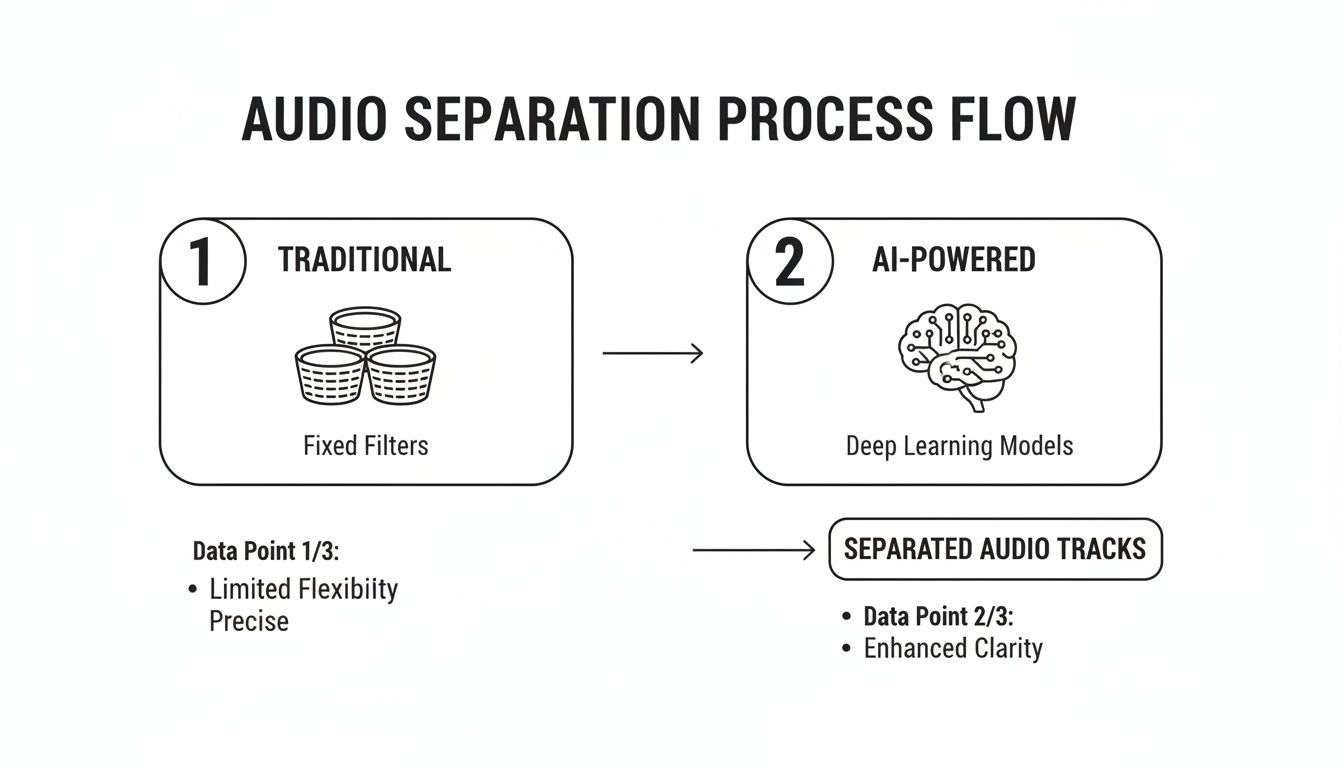
As you can see, the AI approach ditches the old constraints, giving you a granular and targeted way to separate sound based on what you actually need to accomplish.
Workflows for Musicians and DJs
For anyone making music, getting your hands on individual song elements is the holy grail of creativity. Audio separation software tears down the walls that once required access to original studio master tapes, putting a staggering amount of power right at your fingertips.
A classic example is creating an acapella for a remix. In the past, this meant spending hours hunting for official vocal-only tracks, which were often rare or simply didn't exist. Now, the process couldn't be more straightforward.
- Upload the Full Song: Start with a high-quality audio file (a WAV or FLAC is ideal) of the track you want to work with.
- Use a Clear Prompt: Type in a simple command like, "isolate the lead vocal."
- Download the Acapella: The software gets to work and spits out a clean vocal track, ready to drop into your Digital Audio Workstation (DAW) and build a new instrumental around.
This exact same workflow applies to making instrumental versions for karaoke nights or practice sessions. Just type "remove all vocals" and you’ve got a perfect backing track. DJs can also pull out drum loops, basslines, or synth melodies from any song to create one-of-a-kind live edits, turning their entire music library into a modular toolkit.
Cleaning Up Audio for Podcasters
Podcasters and interviewers are constantly battling less-than-perfect recording environments, especially when dealing with remote guests. A great conversation can easily be torpedoed by distracting background noise. Modern audio separation software offers a surgical-grade solution.
Let's say a guest's audio is littered with the clatter of them typing on a loud mechanical keyboard. A traditional noise reduction filter might just muffle the entire track, but an AI tool can pinpoint the exact problem.
The workflow here is all about precision. Instead of using a blunt noise filter, you’re using a scalpel to remove only the unwanted sound, preserving the quality and richness of the speaker's voice.
A podcaster can upload the interview's audio or video file and simply type "remove keyboard clicking." The AI identifies that sharp, percussive sound and cleanly subtracts it from the recording, leaving the dialogue crisp and professional. This works for a massive range of common audio headaches.
- Common Distractions to Remove:
- Barking dogs or crying babies
- Loud air conditioning units or electrical hums
- Traffic noise and sirens from an open window
- Cafe chatter or background music
This capability saves countless hours in post-production and can rescue interviews that would have been completely unusable in the past.
Enhancing Sound for Video Editors
For video editors and filmmakers, sound design is every bit as crucial as the visuals. Clear dialogue and impactful sound effects are what sell a story. AI audio separation gives you an elegant way to solve some of the most common audio challenges in post-production.
Picture a scene where critical dialogue is being drowned out by a dramatic music score. In the past, you were stuck—turning down the music meant turning down the actors' voices, too. Not anymore. Now, you can isolate each element.
The process is simple:
- Upload the Scene's Audio: Export the mixed audio track from your video editing timeline.
- Isolate the Dialogue: Use a prompt like "isolate all spoken dialogue."
- Isolate the Music: Run it again with "isolate the background music."
Suddenly, you have separate dialogue and music stems. You can bring them back into your video editor and have total control, allowing you to lower the music's volume during important lines without touching the vocal clarity. This technique, known as "ducking," is now possible even on a fully mixed track. You can also pull out unique sound effects—like the crunch of footsteps on gravel or a specific door creak—to use elsewhere in your project.
The demand for these tools is exploding. The AI Audio Processing Software market was valued at USD 3.8 billion in 2023 and is on track to hit USD 18 billion by 2033. This growth just goes to show how essential these tools are becoming for creators everywhere.
Ultimately, these workflows prove that modern audio separation software is much more than a technical utility; it's a creative partner. You can see more examples of how these techniques apply to your own work by exploring these use cases for content creators.
Getting Professional Quality Results
Having a powerful audio separation tool is a great start, but it's only half the battle. To really get incredible results, you have to pair the technology with the right technique.
Think of it like a pro photographer. They don't just point and shoot; they understand lighting, composition, and how to coax the best possible image out of their camera. The same mindset applies here. A few simple tweaks to your workflow can make a night-and-day difference in the clarity and quality of your separated audio.
Start with a High-Quality Source File
This is the golden rule, and it's non-negotiable: garbage in, garbage out. The quality of your starting file puts a hard ceiling on the quality of your final stems.
If you feed the software a heavily compressed, low-bitrate MP3, it's already working with one hand tied behind its back. MP3s save space by strategically throwing away audio information that the human ear might not easily notice. But an AI model needs to see the whole picture to do its job properly. When data is missing, the AI is forced to guess, and those guesses often lead to weird artifacts and that dreaded "watery" sound.
For the cleanest, most professional separation, always start with a lossless audio format if you can get your hands on one.
- Best Choices (Lossless):
- WAV: This is the gold standard. It’s an uncompressed format that contains every single bit of the original audio data.
- FLAC: A fantastic alternative that uses clever compression to reduce file size without discarding any information. It's completely lossless.
- Acceptable (High-Bitrate Lossy):
- 320kbps MP3 or AAC: If a lossless file is absolutely unavailable, a high-quality compressed file is your next best bet. It contains significantly more data than a low-quality stream or a sketchy download.
By starting with a WAV or FLAC, you're giving the audio separation software a complete, detailed blueprint to work from. This is the single biggest factor in achieving a precise, clean result.
Master the Art of the Text Prompt
With modern AI tools, your text prompt is your steering wheel. A vague, one-word command will get you somewhere, but specificity is what separates a decent result from a professional one. The AI is like a highly skilled (but very literal) assistant—it will do exactly what you ask, so be crystal clear about what you want.
For example, just typing "vocals" prompts the AI to grab anything that sounds like a human voice. That could include the lead singer, all the background harmonies, and even some ad-libs. But what if you only wanted the main vocal?
A descriptive prompt acts like a laser, targeting the exact sound you need with surgical accuracy. Instead of a general instruction, give the AI specific, contextual clues to guide its work.
Moving from a simple term to a more detailed phrase can improve accuracy in a huge way.
| Simple Prompt (Good) | Descriptive Prompt (Better) |
|---|---|
vocals |
isolate the lead female vocal |
guitar |
extract the distorted electric guitar solo |
noise |
remove the sound of wind blowing |
drums |
isolate the kick drum and snare only |
This kind of detail helps the model tell the difference between similar sounds in a busy mix, like trying to pull a cello out from right next to a viola.
Balance Speed with Precision
Most advanced audio separators give you a choice between different processing modes, usually a trade-off between speed and quality. Knowing when to use each one is key to a smooth and efficient workflow.
A "Fast" or "Balanced" setting is perfect for quick auditions, trying out ideas, or just seeing what's in a track. You get a good-enough result in a fraction of the time, which is great for creative exploration.
However, when it's time for the final mixdown or you need the absolute cleanest separation for a client project, always switch to the "Best" or "Precision" mode. This setting throws more computing power and smarter algorithms at the problem, drastically reducing any bleed between stems or unwanted artifacts. It'll take longer to process, but the jump in quality is absolutely worth the wait for any final export.
A Practical Walkthrough of Modern AI Tools
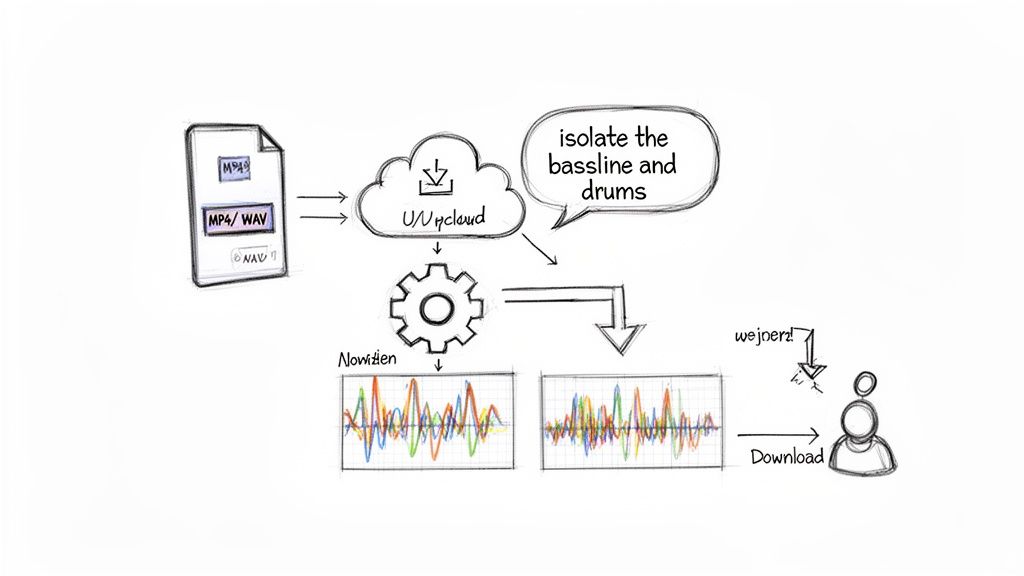
Theory is one thing, but seeing how audio separation software works in the real world is where it really clicks. So let's step through the process on a modern, cloud-based platform like Isolate Audio. These tools make incredibly sophisticated AI accessible to anyone, no complex software installation required.
The whole experience is designed to be as straightforward as possible, getting rid of the technical hurdles that used to make audio editing feel so intimidating. It all starts with one simple action.
Step 1: Uploading Your Source File
First things first, you need to get your media into the system. Modern platforms are built to be flexible, so they accept a huge range of common audio and video formats. You're not stuck with just professional-grade WAV files; you can just as easily use:
- MP4 video files straight from your phone or camera.
- WAV or FLAC files if you need the absolute highest quality.
- M4A or OGG files from different audio recorders.
- MP3 files for quick and easy separations.
This versatility is a game-changer. Whether you're a podcaster working with a Zoom recording or a musician trying to grab the audio from a YouTube video, the tool can handle it. And because all the intense processing happens in the cloud, it doesn't matter how powerful your computer is—the heavy lifting is done remotely.
Step 2: Writing Your Natural Language Prompt
This is where the magic really happens. Instead of fumbling with confusing menus or trying to dial in the right EQ settings, you just tell the software what you want in plain English. This natural language approach turns a technical chore into a simple request.
Let's say you have a full song and want to make a backing track to practice with. You could just type a command like, 'isolate the bassline and drums.' The AI gets to work, analyzing the entire file to identify the unique sonic fingerprints of those instruments and pull them out.
The big idea here is to swap technical know-how for creative intent. You don't need to be an audio engineer who understands frequency bands; you just need to know what you want to hear.
This opens up a ton of creative possibilities. You could ask it to "remove the lead vocal," "extract the acoustic guitar," or even something abstract like "isolate the sound of rain." The quality of the result really comes down to how clearly you can describe what you're after, putting you in the director's chair.
Step 3: Interpreting and Using Your Results
After a bit of processing time, the platform gives you your results. But you don't just get a single file. You usually get two separate audio tracks, which gives you a ton of creative flexibility:
- The Isolated Sound: This is a clean track containing only what you asked for—in our example, the bass and drums. It's a perfect stem, ready to be used.
- The Remaining Audio: This second track has everything else from the original file except for what you isolated. So, you'd get the vocals, guitars, and synths, but with the bass and drums cleanly removed.
This two-track system is incredibly powerful. The isolated part is perfect for sampling, remixing, or just studying a specific instrument. The "leftovers" track is fantastic for making karaoke versions, instrumental backing tracks, or even removing background noise from dialogue.
Scaling to Meet Different Needs
This simple workflow is just the beginning. Most modern audio separation platforms offer different tiers to support everyone from hobbyists to huge companies.
Someone just messing around might use a free plan to test a few files. As their needs get more serious, they might jump to a professional tier that offers unlimited high-quality separations, longer file uploads, and faster processing. For developers and businesses, an API lets them plug this powerful separation tech directly into their own apps and workflows, building custom tools on top of the AI.
This scalable approach mirrors the industry's explosive growth. The Audio AI Tools market was valued at USD 1,046 million in 2024 and is on track to hit USD 2,260 million by 2034. That's a clear sign of just how much demand there is for these kinds of accessible, powerful creative tools. You can dive deeper into these numbers in this in-depth audio AI tools report.
How to Pick the Right Audio Separation Tool
With a sea of options out there, trying to pick the right audio separation software can feel overwhelming. But it doesn't have to be. Forget the endless feature comparisons for a moment and focus on what really matters: your creative goals. The best tool for you is the one that fits your specific needs like a glove.
First things first, think about how precise you need to be. Are you a DJ who needs to pull out the vocals, bass, and drums for a live remix? Or are you a sound editor trying to surgically remove a single car horn from a crucial line of dialogue? A traditional stem separator will get you those broad categories, no problem. But for those tricky, specific sounds, you'll need the power of a modern AI tool.
Think About Your Workflow
Next, consider your actual day-to-day process. Does a web-based tool you can access from anywhere sound better than a dedicated plugin you have to install in your DAW? A cloud platform is fantastic because it does all the heavy lifting on its own servers, meaning you don't need a beast of a computer and can work from any machine.
It really all comes down to one question: Do you need a tool that just sorts audio into a few predefined buckets, or one that actually understands what you want to do when you describe it?
Finally, you have to think about speed and cost. If you're just playing around or need a quick demo, a free or standard-quality option will probably do the trick. But for professional work where every detail counts, investing in a tool with a high-fidelity precision mode and support for lossless audio files is a must.
Here are a few questions to guide your decision:
- What am I trying to isolate? Am I grabbing basic stems or hunting for very specific, unique sounds?
- How good does it need to sound? Is a quick preview okay, or do I need a perfect, lossless file for a final mix?
- Where do I get my work done? Am I always at my main workstation, or do I need the flexibility of a cloud-based app?
- What’s my budget? Am I just experimenting for free, or do I need the reliability of a professional subscription?
Answering these questions will help you zero in on an audio separation software that truly fits your projects. For a deeper dive, check out our guide to the best stem separation software on the market. In the end, though, modern AI-powered tools offer the most creative freedom, making them an incredible choice for anyone serious about sound.
Got Questions? We've Got Answers
If you're wondering how audio separation software fits into a real-world workflow, you're not alone. Here are some of the most common questions we hear from creators just like you.
Can You Really Isolate Any Sound Perfectly?
Even with today's incredible AI, "perfect" is a high bar, especially when you're working with a really busy or complex mix. You might occasionally notice small digital artifacts, like a faint "watery" texture or a tiny bit of bleed-through from another instrument.
The good news? Starting with a high-quality source file and kicking the tool into a "Precision" mode can get you remarkably close to a flawless separation.
How Is This Different from Just Using Noise Reduction?
It's a great question, and the difference is all about precision. Think of noise reduction as a broad filter—it's designed to dial down persistent, general background noise like tape hiss, a fan, or an electrical hum.
Audio separation, on the other hand, is like a surgical scalpel. It lets you go in and extract a specific element—a single voice, a bassline, or even an unwanted siren—while leaving everything else in the mix completely intact.
Here's a simple way to think about it: noise reduction quiets the entire room's background chatter, while audio separation picks one person's voice out of that crowd.
Do I Need a Super-Powerful Computer to Do This?
Not anymore, and that’s one of the biggest changes in recent years. Older desktop software definitely demanded a lot of processing power, but modern, cloud-based audio separation software does all the heavy lifting on powerful remote servers.
This means you can get professional-grade results from just about any device with an internet connection, without bringing your own machine to a crawl. It’s this accessibility that has really opened the door for more creators to use this tech.
Today, these tools are becoming standard in professional studios, often alongside Digital Audio Workstations (DAWs). In fact, the global DAW market is on track to hit USD 8,851.3 million by 2033, and over 70% of studios are already using AI for tasks like vocal isolation. You can read more about the growth of the DAW market to see where things are headed.
Is It Legal to Separate Stems from Copyrighted Songs?
This is a bit of a gray area and really comes down to what you plan to do with the separated audio.
If you're using it for personal practice (like learning a guitar part), educational purposes, or private critique, you're generally in the clear under "fair use" guidelines. But if you take stems from a famous track and use them in a song you release commercially, that's copyright infringement unless you have explicit permission. When in doubt, always think about the source and your intent.
Ready to hear the future of audio editing for yourself? Isolate Audio lets you pull any sound from your audio or video files using simple text prompts. Give it a try for free and see what you can create.