How to Separate Vocals from a Song A Practical Guide
Whether you're a DJ looking to craft the perfect mashup, a producer on the hunt for a clean acapella, or a musician creating a backing track for your next gig, knowing how to separate vocals from a song is a game-changing skill. The most straightforward and effective way to do this today is with AI-powered tools that get the job done in just a few clicks.
Why You Might Need to Separate Vocals from a Song
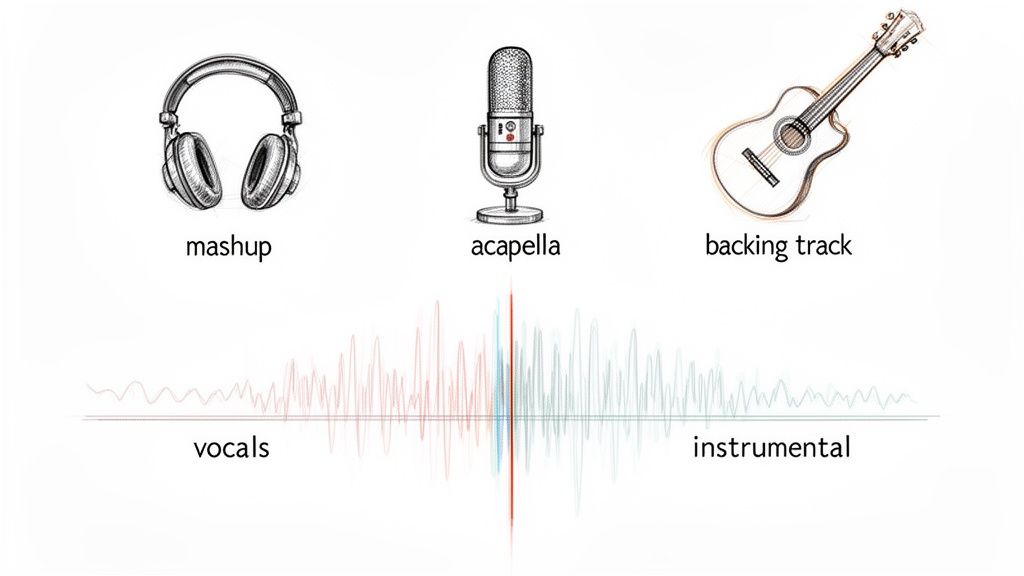
Being able to pull a finished song apart opens up a whole new world of creative options. What used to be a tedious, highly technical task for seasoned audio engineers is now something anyone can tackle. Modern tools often deliver cleaner, more impressive results than the old-school techniques you'd find in a Digital Audio Workstation (DAW).
In this guide, we'll cover both worlds. We’ll start with the fast and high-quality AI approach and then explore some classic studio tricks to give you a complete toolkit. You'll walk away knowing exactly which method is right for your project and how to get the cleanest vocal separation possible.
The New Wave: AI in Audio Production
The demand for easy-to-use audio editing tools has gone through the roof. It's no surprise that the AI audio separation market—the tech behind pulling vocals from a track—has exploded. The global market value shot from $1.37 billion to a projected $1.78 billion in just one year. That's a staggering 30.0% compound annual growth rate (CAGR), a trend you can read more about on EIN News.
This growth makes sense. Creators are always looking for new ways to make their mark, and isolated audio stems are the building blocks for that kind of innovation.
An acapella—the isolated vocal track—can be the heart of a killer remix. In the same way, a clean instrumental makes the perfect backing track for singers, live performers, or even karaoke nights.
Common Creative Use Cases
Thinking about why you'd separate vocals can spark some fantastic ideas for your next project. Here are a few real-world scenarios where this skill is invaluable:
- For DJs and Producers: You can create one-of-a-kind mashups and bootleg remixes by laying the vocals from one song over the instrumental of another.
- For Musicians and Singers: Generate high-quality backing tracks from your favorite songs to practice with or use in live performances.
- For Video Editors and Podcasters: Clean up dialogue by removing background music from a field recording, or replace a copyrighted song without having to re-record the voiceover.
- For Music Students: Isolate a professional vocalist's performance to study their phrasing, harmonies, and delivery without any instrumental distraction.
The main idea is control. By isolating the different parts of a song, you're in the driver's seat.
Vocal Separation Methods at a Glance
Before we jump into the step-by-step instructions, it helps to see the big picture. Here’s a quick breakdown of the main approaches you can take.
| Method | Best For | Ease of Use | Typical Quality |
|---|---|---|---|
| AI-Powered Tools | Speed, convenience, and high-quality results for remixes, mashups, and backing tracks. | Very Easy | High |
| DAW Phase Inversion | Quick-and-dirty instrumental creation when you have both the full mix and the instrumental version. | Intermediate | Variable |
| DAW Spectral Editing | Precision work for removing small vocal artifacts or cleaning up specific frequencies. | Hard | High (with expertise) |
| Dedicated Plugins | Integrating stem separation directly into a professional DAW workflow for mixing and production. | Easy to Intermediate | Good to High |
As you can see, AI tools have a clear edge in simplicity and quality for most everyday tasks. But for those who love getting their hands dirty in a DAW, the traditional methods still have their place.
Using AI for Fast and Clean Vocal Isolation
Artificial intelligence has completely changed the game for vocal separation. What used to be a tedious, technical chore reserved for audio engineers is now something anyone can do with surprisingly good results. Modern AI tools make it possible to get professional-sounding acapellas without ever touching a complex piece of software. The entire process is built for speed and simplicity.
Platforms like Isolate Audio have taken this a step further. Instead of fiddling with settings, you just tell the AI what you want in plain English. You upload a song, type a command, and it does the work. This natural language approach is a massive leap forward.
Here’s a look at the Isolate Audio interface. Notice how clean it is—just a drag-and-drop area and a text box. No intimidating sliders or knobs.
This design makes the powerful tech underneath feel intuitive right from the start.
The Power of Natural Language Prompts
This is where AI really shines. You aren't just limited to generic stems like "vocals" or "drums." You can get incredibly specific with a simple text command, giving you a level of control that was impossible just a few years ago.
Here are a few real-world examples of what you can do:
"isolate the main female vocal""remove the background choir""extract just the lead singer's ad-libs""separate the harmonizing vocals from the primary melody"
This kind of precision is a lifesaver for complex tracks. Imagine you're working with a live recording. A prompt like "remove the crowd noise but keep the lead vocal" can clean up the audio in a way that would take hours of painstaking manual work.
The trick is to think like a human, not a machine. Describe the sound you want as if you were asking another person to find it. The more descriptive you are, the better the AI can figure out what you mean and deliver an accurate result.
Choosing the Right Quality Settings
After you've uploaded your file and written your prompt, most AI tools will give you a few processing options. These settings are all about balancing speed with accuracy, so picking the right one comes down to what you need for your project.
- Fast Mode: This is your go-to for quick auditions. If you just need a rough separation to see if a remix idea has legs, this mode will get you an answer in no time.
- Balanced Mode: For most situations, this is the sweet spot. It provides a great mix of speed and quality, delivering a clean acapella from a standard pop song or a well-mixed track with very few artifacts. It’s the workhorse setting.
- Precision Mode: When you’re up against a really tough track—maybe something with heavy reverb, dense vocal harmonies, or instruments clashing in the same frequency range—this is the mode you want. It crunches more data and performs a deeper analysis, giving you the cleanest possible separation.
Honestly, if you're serious about making a high-quality remix or backing track, I'd recommend starting with Precision Mode. The extra few minutes of processing time are well worth it for a far better final product. If you want to see how different tools stack up, this guide on the best stem separation software is a great resource.
Exporting for Maximum Quality
Once the AI has worked its magic, you'll have your isolated vocal (the acapella) and the instrumental. The last step is exporting these files, and the format you choose here is critical for preserving all that hard-won quality.
My advice? Always choose a lossless format. It makes a huge difference.
Here’s a quick breakdown of the common options:
| Format | Type | Best For | Why It's a Good Choice |
|---|---|---|---|
| WAV | Lossless | Professional production, archiving | This is the industry standard. It preserves 100% of the original audio data, so you lose absolutely nothing in the process. |
| FLAC | Lossless | High-quality storage, archiving | You get the exact same quality as WAV, but the file size is smaller thanks to some clever compression. Perfect for saving space. |
| MP3 | Lossy | Sharing, streaming, quick previews | A compressed format that throws away some audio data to save space. It's fine for a quick listen, but not for serious production. |
By exporting to WAV or FLAC, you guarantee that the clean acapella you created stays that way. This gives you pristine source material for whatever you have planned next, whether it’s a club-ready remix or a polished karaoke track.
Classic Studio Tricks for Vocal Separation in a DAW
Before AI came along and started doing the heavy lifting, producers and engineers had a few clever tricks up their sleeves for isolating vocals. These old-school methods, done right inside a Digital Audio Workstation (DAW), are a bit more hands-on, but they're built on the fundamental physics of sound.
Honestly, learning these techniques is like learning to drive a stick shift. You might not use it every day, but it gives you a much deeper understanding of what’s happening under the hood. It forces you to listen critically and can sometimes yield surprisingly good results.
The Magic of Phase Cancellation
The most famous of these manual techniques is phase cancellation, sometimes called the "instrumental trick." The concept is beautifully simple: if you take two identical sound waves and flip one of them upside down (inverting its phase), they cancel each other out. The result? Silence.
To make this work, you need two very specific files:
- The original, fully mixed song.
- The official instrumental version of that exact same song.
And I mean exact. The timing, the mix, the mastering—everything but the vocals has to be a perfect match. If they aren't, the trick just falls apart.
At its core, you're using the instrumental track to surgically remove itself from the full mix. What's left behind is, in theory, just the vocal. It’s an elegant solution when you have the perfect ingredients.
Setting Up Phase Inversion in Your DAW
Pulling this off in a DAW like Ableton Live, Logic Pro, or FL Studio is pretty straightforward. First, you’ll drop both the full mix and the instrumental into your project, each on its own audio track.
The next step is absolutely critical: you have to align them perfectly. Zoom way in on the waveforms and nudge one of them until they line up, sample for sample. Even the tiniest misalignment will create a weird, phasey mess instead of a clean cancellation.
Once they're locked in, you just need to invert the phase on one of the tracks. Most DAWs have a utility plugin or a simple button on the channel strip for this—look for the "Ø" symbol. Hit play, and if everything is aligned, the music should vanish, leaving you with the acapella.
When Phase Cancellation Fails
In a perfect world, this would give you a pristine vocal every time. But reality often gets in the way. Here are a few reasons it might not work out:
- Mastering Differences: If the instrumental and the full song were mastered separately (which happens more than you'd think), their dynamics and EQ won't match, leaving behind instrumental "ghosts."
- Timing Misalignment: As I mentioned, even a sub-millisecond offset will kill the effect.
- Unique Reverb/Effects: Sometimes, the reverb or delay from the vocals is also present in the instrumental mix. Since those effects are on both tracks, they won't cancel out properly.
This manual process really puts the evolution of DAWs into perspective. The Digital Audio Workstation market is currently valued at $3.90 billion and is expected to reach $9.13 billion within the next ten years. A huge part of that growth is fueled by AI, with 58% of producers now using AI plugins for tasks just like this one.
The image below shows just how much simpler the modern approach has become.
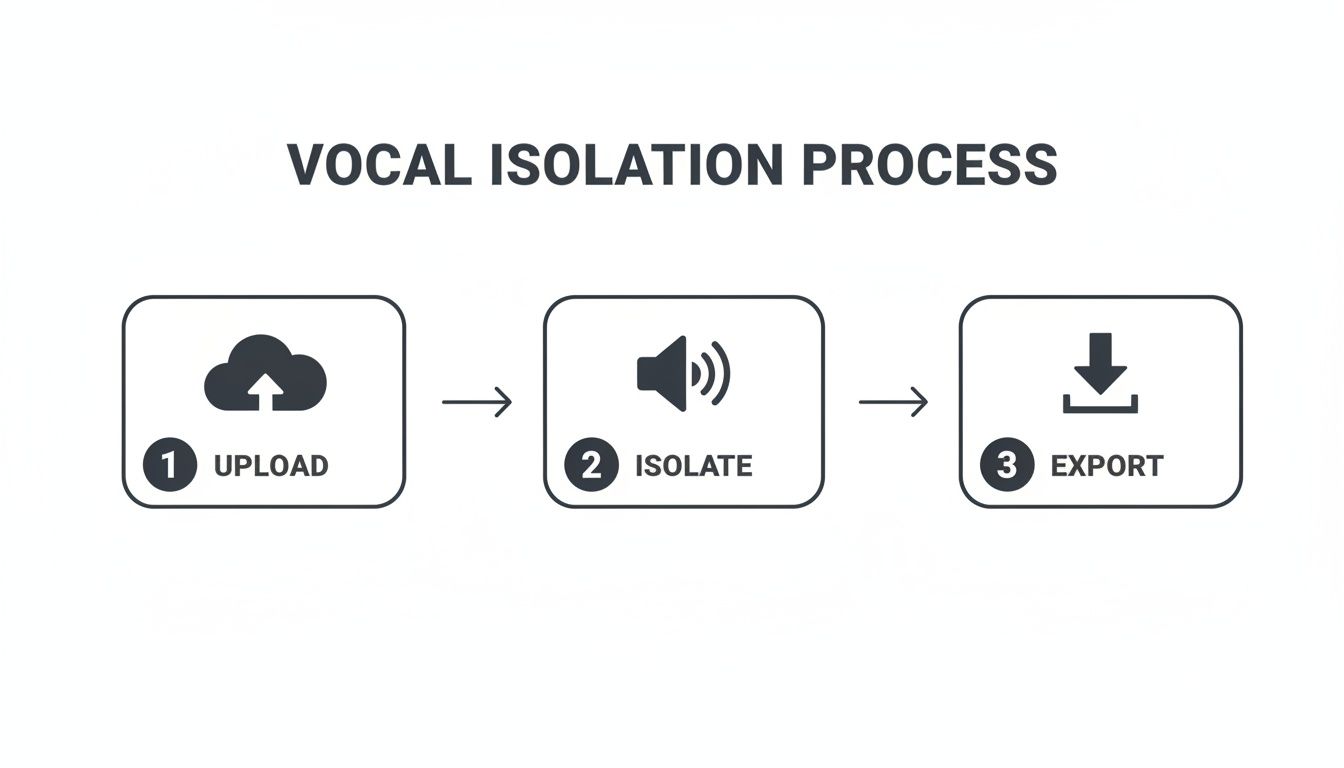
With modern tools, the whole process is boiled down to a few clicks—a far cry from the painstaking manual alignment of phase cancellation.
Going Deeper with Spectral Editing
For those who really want to get their hands dirty, there's spectral editing. This is a far more advanced technique that lets you visualize sound as a spectrogram, displaying frequencies over time. It’s less like mixing and more like performing surgery on an audio file with Photoshop's healing brush.
The gold standard for this is a tool like iZotope RX. Inside a spectrogram, you can actually see the vocals as distinct harmonic lines and shapes against the backdrop of the instruments. With a trained eye, you can identify these vocal elements and literally paint them out of the recording.
This is not a quick process. It takes an incredible amount of patience, a good ear, and a steady hand. You’ll often start by cleaning up the low-end with a high-pass filter—you can learn more about that in our guide on using an audio high-pass filter. While it's painstaking work, spectral editing offers a level of precision that no other method can match, making it the go-to for audio restoration experts when every detail matters.
Weaving Vocal Remover Plugins Into Your Workflow
For anyone who lives and breathes inside a Digital Audio Workstation (DAW), efficiency isn't just a goal—it's a necessity. Online tools are great for a quick turnaround, but what if you need to separate vocals from a song without ever breaking your creative flow? This is where vocal remover plugins really shine, giving you a powerful blend of smart AI and hands-on control right inside your project.
Think about it. Instead of the usual upload-wait-download routine, these plugins work directly on an audio track in your session. This is a massive workflow boost. You can instantly hear how the separated vocal sounds against your new beat or bassline and make changes on the fly.
The Best Tools for the Job
The market for these plugins has exploded, but a few names keep popping up for a reason: they just work. Tools like iZotope RX's Music Rebalance and Waves' Clarity Vx are industry workhorses, built on algorithms trained to intelligently pick out vocal frequencies with stunning accuracy.
Most of these plugins give you a surprisingly simple set of controls:
- A main Vocal Fader to turn the voice up or down.
- Similar faders for the other parts of the track—bass, drums, and instruments.
- A Sensitivity or Separation knob to fine-tune how aggressively the AI splits everything apart.
With this setup, you can do so much more than just rip a vocal. Maybe you're working on a remix and just need to tuck the original vocal down by 2-3 dB to make space for a new synth melody. With a plugin, that's a one-knob adjustment, no new files needed.
The biggest win with plugins is that they're non-destructive. You can tweak, bypass, or even automate the effect to your heart's content, and your original audio file remains untouched. For professional work where clients are constantly asking for revisions, that kind of flexibility is priceless.
A Practical Plugin Workflow in Action
Using a vocal remover plugin is no different from adding your favorite reverb or EQ. You just drop it as an insert on the audio track with the full song, and you're ready to go. From there, the process is simple, but the creative possibilities are huge.
Let’s say you’re building a remix and only want the vocals from the chorus. Instead of processing the whole three-minute track, just slice out the chorus, move it to its own track, and apply the plugin there. It's cleaner, saves a ton of CPU, and keeps your project organized.
For some next-level control, try using automation. You can literally draw in commands telling the plugin what to do and when. For instance, you could have the vocals at full blast during the verses, then automate the plugin to completely pull them out for a dramatic instrumental break. You're essentially creating a custom backing track in real-time, a level of control that standalone tools just can't match.
Plugins vs. Standalone AI Tools: Which to Choose?
So, when do you reach for a plugin versus an online tool like Isolate Audio? It all boils down to what you're trying to accomplish. Neither is "better"—they're just built for different tasks.
| Feature | Plugin-Based Workflow | Standalone AI Tool (like Isolate Audio) |
|---|---|---|
| Integration | Seamless; works right inside your DAW project. | External; involves uploading and downloading. |
| Speed | Instant, real-time feedback and tweaking. | A few minutes for the AI to process the file. |
| Control | Granular control over parameters and automation. | Simple, prompt-based commands for quick results. |
| Use Case | Perfect for producers doing detailed mixing. | Ideal for DJs or creators needing a fast acapella. |
At the end of the day, plugins offer unbeatable integration for anyone who spends their time in a DAW. They’re built for producers who need to hear their changes in the context of the entire project, making them an essential part of any modern studio toolkit.
So, What Can You Actually Do With Separated Vocals?
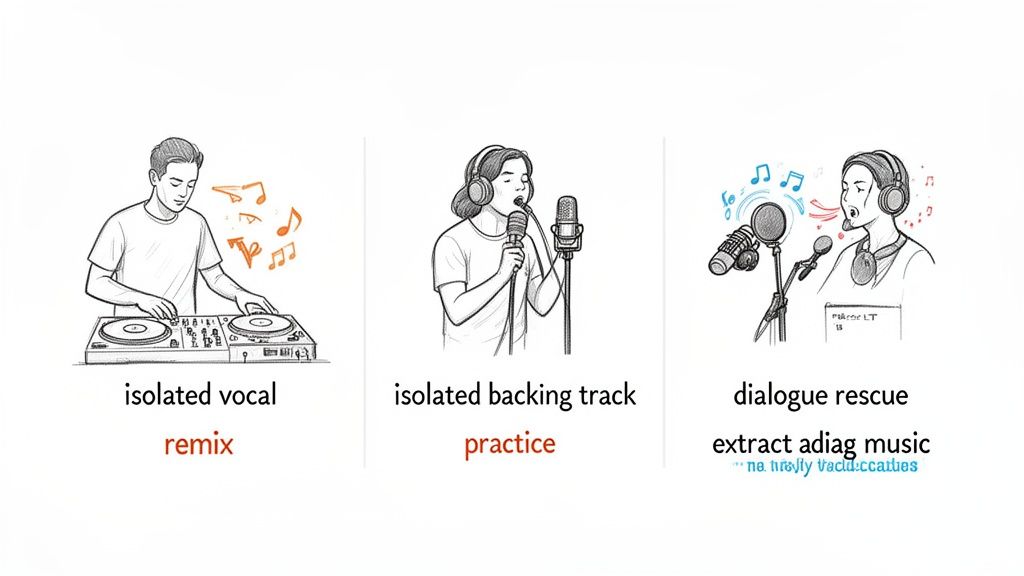
Now that you know how to separate vocals from a song, a whole new world of creative projects opens up. Getting your hands on a clean acapella and a crisp instrumental is just the first step. The real fun begins when you start using these separated stems in your own work.
From the DJ booth to the film editing suite, having isolated audio can solve a ton of creative and technical headaches. These techniques aren't just for high-end studios anymore; they're powerful tools that let creators of all stripes remix, repair, and completely reimagine audio.
Remixing and Music Production
For DJs and producers, a high-quality acapella is pure gold. It’s the secret sauce for crafting those bootleg remixes and mashups that set a dance floor on fire. Imagine dropping the iconic vocal from a classic soul track over a driving, modern house beat—that’s the heart and soul of remix culture.
The workflow is pretty straightforward:
- First, pull the vocal from your source track, getting it as clean as possible.
- Next, drag that acapella into your DAW project.
- Then, start building a new song around it—your own drums, basslines, and synth melodies.
This method gives you total creative control. You're free to change the tempo, pitch-shift the vocal to fit a new key, or even chop it into tiny pieces to create entirely new hooks.
Practice and Performance for Musicians
Singers and instrumentalists can get a massive amount of value from separated audio, too. A clean instrumental, with the original lead vocal completely removed, becomes the perfect backing track for practice or even live gigs. It’s like having a pro studio band on call 24/7.
For singers, this is an incredible tool for honing your craft. Singing along with the original instrumental helps you lock in your timing, pitch, and delivery without the original vocalist in your ear. It’s the closest you can get to a real performance environment right in your own room.
You can dive deeper into how vocal separation helps artists by checking out these use cases for musicians. Whether you're prepping for an audition or getting ready for a show, a solid backing track is a huge confidence booster.
Dialogue Rescue for Video and Film
This isn't just about music. For anyone working with video—from podcasters to filmmakers—audio quality is paramount. It’s a classic nightmare scenario: you capture the perfect interview or a critical line of dialogue, only to realize later that it’s drowned out by loud, copyrighted background music.
In the past, that footage might have been a complete loss. Now, you can use vocal separation to save it. By isolating the speech, you can effectively dial down or remove the distracting music, preserving the dialogue you worked so hard to get. This trick has saved countless projects from expensive reshoots or tedious ADR (Automated Dialogue Replacement) sessions.
This is a game-changer for video editors. AI-powered audio tools are completely overhauling creative workflows. In fact, the market for these tools is projected to explode from $1.55 billion to $5.68 billion in just five years. Considering that 500 hours of video are uploaded to YouTube every minute, tools that can cut down the time spent on dialogue cleanup by up to 50% are invaluable.
Beyond the Obvious Creative Uses
The potential for audio separation is constantly growing and finding its way into unexpected fields. Researchers in bioacoustics, for instance, use it to isolate specific animal calls from noisy field recordings to better study communication patterns. Language learners can pull dialogue from foreign films to get a clearer sense of pronunciation and intonation. These examples show that the ability to deconstruct audio is a powerful problem-solving skill with benefits across dozens of industries.
Got Questions About Vocal Separation? We've Got Answers.
Jumping into vocal separation for the first time usually brings up a few key questions. Whether you're a pro producer or just messing around with a remix idea, knowing what the tech can (and can't) do is crucial for getting the results you want. Let's clear up some of the most common queries.
Can I Really Get a Perfect, Studio-Quality Acapella from Any Song?
Honestly, it all comes down to the source material. While today's AI is seriously impressive, the original mix is the biggest variable in the equation. A perfect, clean acapella is absolutely possible, but not always guaranteed.
Think about it: if a song has dense layers of instruments, tons of reverb washing over the vocals, or a lead vocal that's buried deep in the mix, any separation tool is going to have a tougher time. You might end up with little audio artifacts—faint wisps of a synth pad or ghostly cymbal trails that were sonically "stuck" to the vocal frequencies.
On the other hand, with most modern, well-mixed tracks where the vocal sits clearly out front, the results can be stunningly clean. For those tougher cases, advanced tools like Isolate Audio’s Precision Mode are built to dig deeper and can often pull a clean vocal out of a surprisingly crowded mix.
My rule of thumb is this: the better the ingredients, the better the final dish. A high-quality, lossless audio file with a prominent vocal gives the AI the best possible shot at delivering a pristine acapella.
Is It Legal to Use Vocals I’ve Separated from a Copyrighted Song?
This is a big one, and you absolutely need to get it right. Simply separating vocals for your own private use—like making a backing track to practice singing over or just studying how a vocal was produced—is generally fine. That's your own personal lab work.
The legal trouble starts the moment you share it. If you plan to release a remix, post a cover on YouTube using the official instrumental, or use that separated vocal in any public or commercial project, you must get permission from the copyright holders. That usually means tracking down both the record label and the music publisher.
Without clearing the proper licenses, you're looking at copyright infringement. That can lead to your track being taken down, getting strikes against your accounts, or even legal action. When in doubt, always play it safe and get legal advice before you publish anything.
What's the Best Audio Format to Use for Vocal Separation?
Easy answer: always start with the highest quality file you can get your hands on. That means using a lossless audio format.
Here’s a quick breakdown of why it matters so much:
- Lossless Formats (WAV, FLAC, AIFF): These files contain 100% of the original audio information. Nothing is thrown away. This gives the separation algorithm a complete picture to work with, making it far easier to accurately tell the difference between the vocal and everything else.
- Lossy Formats (MP3, M4A, OGG): These formats shrink the file size by permanently deleting audio data the compression algorithm thinks you won't hear. This can introduce artifacts and fuzzy the lines between sounds, sometimes leaving you with a slightly muddy or less defined acapella.
Sure, today's AI can do a decent job with an MP3, but feeding it a crisp, uncompressed WAV or FLAC file will always give you a noticeably better result.
Do I Need the Instrumental Version of a Track to Isolate the Vocals?
Not anymore, and this is a total game-changer. Back in the day, the only real method was phase cancellation, which absolutely required you to have a perfectly lined-up official instrumental. Good luck finding one for most songs.
Modern AI-powered tools have made that whole process obsolete. They don't need the instrumental because their algorithms have been trained on mountains of music to recognize what a voice sounds like, what a drum sounds like, and what a bass sounds like. The AI just listens to the full mix and intelligently untangles all the different elements on its own.
This is a massive leap forward. It means you can work with pretty much any song ever recorded, whether an instrumental was ever released or not. The creative possibilities are endless.
Ready to pull apart your favorite tracks with unmatched precision? With Isolate Audio, you can extract any sound from a song using simple text commands. Just describe what you want—from the lead vocal to the background harmonies—and let our AI do the rest.
Try Isolate Audio for free and hear the difference for yourself.