Song with Vocals Only: What It Is and How to Get One
The chorus ends, the singer holds the last note, and you need that line by itself. The released song is all you have: drums, bass, synths, and effects already summed into one stereo file. A bootleg acapella sounds watery. Consonants smear. A hi-hat still ticks through the quiet bars. Run the same song through a separator and the held note turns glassy.
A vocals-only song is a recording in which only voices are heard, sung or spoken. Pulling that voice out of a finished mix is an estimate, not a recovery of a track that was never saved on its own. Even a model built only for singing voice leaves audible distortion behind. How much of that you can live with depends on the job in front of you.
A song with vocals only covers several production targets, and each one has its own quality bar. A karaoke bed, a short phrase for a remix, and a clean line under a montage do not pass or fail on the same checks. Isolation quality sits on the technical side of a separate line. A clean file says nothing about whether you may publish it. Permission is its own check, and it comes after the sound is right, not instead of it.
What a Vocals-Only Song Is and Which Version You Need
Think of the photo comparison every editing tutorial uses. The subject stays in frame, the background gets deleted, and the result looks convincing even though nobody ever photographed that person against a blank wall. Vocal isolation works the same way. The voice was never a separate file. It sat inside a summed stereo mixdown alongside drums, bass, guitars and reverb, and separating it means estimating which energy in that single waveform belongs to the singer.
That's the first thing to internalise, because it sets your expectations. If your reference point is a session exported as separate stems, you're used to files that were split at the mix. Isolation doesn't restore those. It builds an approximation from the finished recording, and the approximation carries the fingerprints of the mix decisions someone else made.
Why the phrase covers six different requests
Say a singer asks for "the vocals only" to practise with. They want the lead line, no harmonies, no reverb tail swallowing their pitch. A choir director asking for the same words wants the opposite, all the backing parts and none of the lead. A video editor wants the dialogue with the room still in it, because a bone-dry voice under a wide shot sounds like a mistake.
Then dense mixes make it worse. Backing vocals, doubled lines, delay throws and ad-libs all count as voice energy, so vocals only and lead vocal only produce different files, and a tool asked for the first will hand you the second's problems without warning.
| Output | What it contains | Typical use |
|---|---|---|
| Full a cappella | All voices, no instruments or effects | Arrangement study and vocal-group practice |
| Lead vocal only | Main melody line, no backing parts | Karaoke practice and pitch training |
| Harmonies only | Backing and harmony parts | Transcribing and learning parts |
| Dry vocal | Voice without reverb or delay | Remixing and re-processing |
| Vocal with ambience | Voice plus room sound and reverb | Realistic dialogue and film edits |
| Spoken words only | Dialogue or rap without music | Podcast editing and interview cleanup |
Worth remembering that vocal-only music is a centuries-old tradition, not a side effect of modern software. The Library of Congress describes a cappella repertoire as a major part of American choral history, with holdings spanning sacred and secular works for mixed, women's, men's and children's choirs, and it documents ensembles such as the Northwestern A Cappella Choir, founded in 1906, and the Yale Whiffenpoofs, founded in 1909. The ear has been trained on this sound for a long time, which is why a synthetic vowel jumps out so fast.
Before you touch a separator: write down which row of that table you need. "Lead vocal, dry, no backing" is a brief a tool can hit. "Vocals only" is a brief that gets reinterpreted for you.
How to Isolate Vocals from a Finished Mix Step by Step
Everything downstream depends on the file you start with. A separation can't rebuild detail the mix buried, and it can't undo damage a lossy download already did. So the first decision isn't a setting, it's a source.
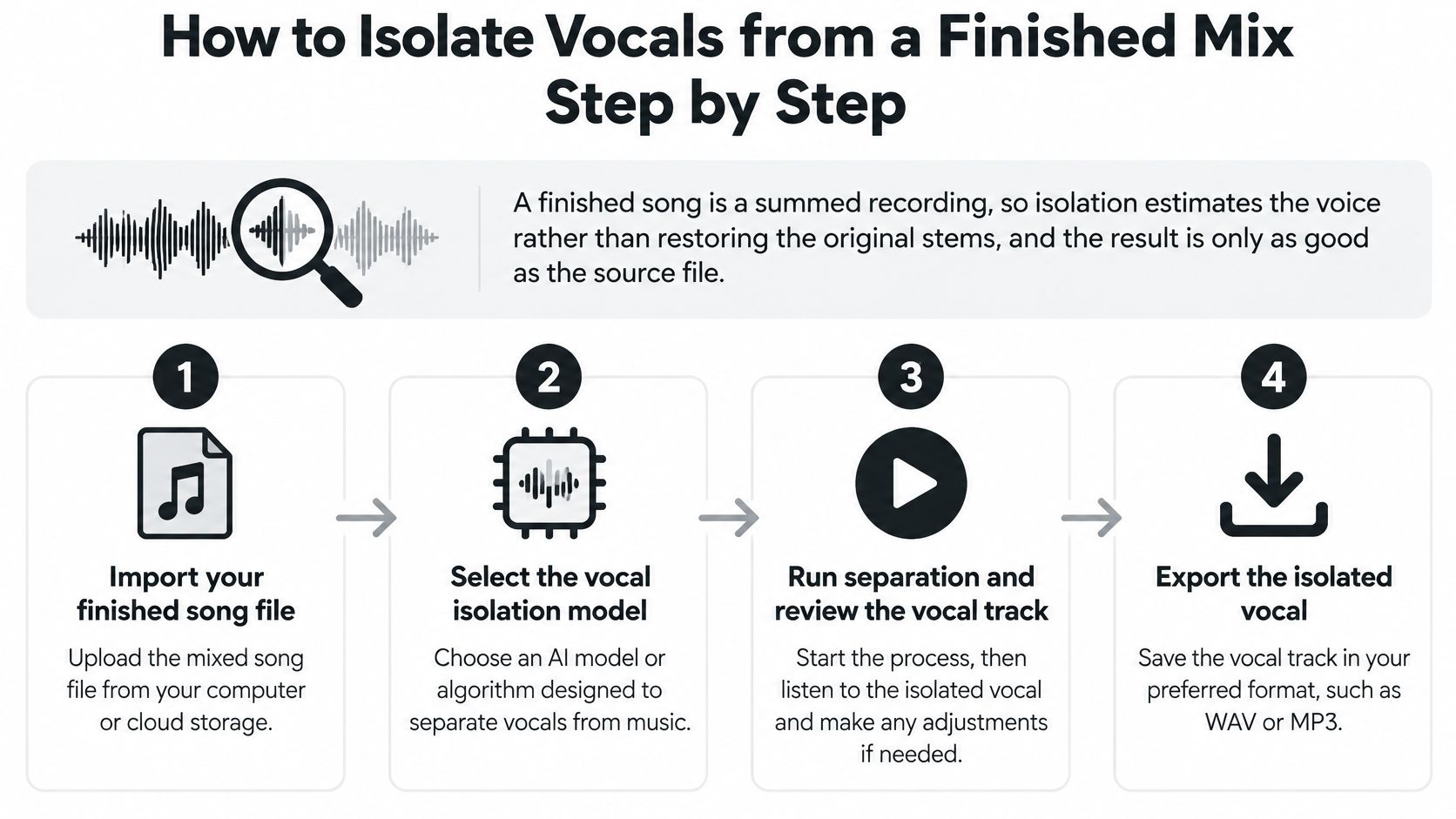
The process below assumes one pass, one target, one honest listening check.
- Pick the best copy of the song you own. A lossless WAV or FLAC beats a 128 kbps stream, and a 128 kbps stream beats a phone recording of a speaker. Each step inherits the quality of this file, so don't spend effort on precision settings and then feed the model a compressed preview.
- Upload it. You drag and drop any audio or video file into Isolate Audio, so a screen-recorded MP4 works as readily as an album track. No install, no export chain.
- Describe the target in plain English. Something like "lead singer with no backing vocals" or "female vocal with harmonies" is specific enough to steer the result, because vocals alone could mean lead, backing or all of it. The tool takes descriptions such as "Piano melody" or "crowd noise" the same way.
- Choose a quality setting that matches the mix. A solo voice over an acoustic guitar doesn't need the same treatment as a wall of synths. The next section maps conditions to settings.
- Run the separation and collect both files. Each pass returns two: the isolated element and the remainder. Keep both, even if you think you only need one, because the remainder is your quality control instrument.
- Listen to the remainder before you listen to the vocal. If you can clearly hear the lead voice still sitting in the remainder, the separation under-picked and needs another pass, possibly at a higher setting.
- Export and name by output type. Something like
lead-vocal-dry-92bpm.wavtells future you what's inside without opening it. A folder of files calledvocal1,vocal2,vocal3is a folder you'll rebuild from scratch.
The quickest quality test: solo the remainder. Any ghost of the lead vocal in there is bleed you'll hear later in the isolated file, usually on quiet phrases where nothing masks it.
If you want to see how different engines handle the same song before you commit to a workflow, you can find an AI vocal separator in a directory that lists the available options and what each one specialises in.
Here's the same sequence running end to end, which is easier to follow than a written list if you're about to do it for the first time.
A good result has three signatures. Words stay clear from the first syllable to the last, breaths feel continuous rather than stitched, and no instrument shows through on a held note. If the singer takes a long vowel and you hear a cymbal shimmering inside it, you're not finished.
Picking the Right Setting for Your Mix
Quality presets buy fidelity with time, and the honest way to choose is to look at what's competing with the voice. A dedicated singing-voice model retains measurable interference even at its best: a U-Net segmentation experiment using short-time Fourier transform spectrograms on MUSDB18 reported a best Source-to-Distortion Ratio of 7.1 dB, as set out in this arXiv study of singing voice separation. That's a working result, not a clean studio stem, and it means artifacts get exposed the moment nothing masks them.
| Mix condition | Setting to start with | Trade-off |
|---|---|---|
| Solo voice over light acoustic backing | Balanced | Clear result with reasonable processing time |
| Dense mix with backing vocals and overlapping instruments | Best, then Precision Mode if bleed remains | Slower, but less leakage |
| Sustained vocal over pads or strings | Precision Mode | Slower, but protects harmonic detail |
| Rough check of a practice track | Fast | Artifacts likely; judge only the rough balance |
| Dialogue with background noise | Balanced, then test Best | Test two settings and compare the speech |
Two habits make those settings work harder. The first is treating a dense mix as a two-pass job rather than one heroic pass: run Best, listen to the remainder, and only escalate to Precision Mode if the voice is still audible under the instruments. Precision Mode exists for exactly the situation where sources overlap and a single sweep can't resolve them.
The second habit is judging the output on the right criteria. Loudness is not quality. Average pitch accuracy is not quality. Play the vocal and listen for musical transients, for whether breaths continue naturally between phrases, for consonant clarity at word starts, and for any residue of the accompaniment. A file can sound loud and confident and still be unusable in a bare arrangement.
If bleed survives on a sustained note, re-run before you reach for EQ. A cut at 1 kHz shaves the instrument and the vowel together. A pass in Precision Mode attacks the cause instead of the symptom.
Diagnosing Artifacts in an Isolated Vocal
The first symptom is a vowel that sounds dull or slightly synthetic, even though the words are perfectly intelligible. That combination confuses people, because intelligibility feels like success. It isn't. Vowel identity and timbre live in the formants, so a separation that smears those regions can leave consonants crisp while hollowing out the voice itself.
The numbers explain the sensitivity. In professional lyrical singing, the fundamental frequency sits at roughly 260 to 1,000 Hz, while the first formant occupies about 250 to 1,400 Hz and the second about 800 to 2,500 Hz, according to an acoustics review of the singing voice on PubMed Central. Because F1 and F2 carry vowel identity, separation and EQ decisions should be judged across time-frequency regions rather than by pitch alone, especially on sustained vowels where harmonics line up with formants and stack into strong energy peaks.
| Symptom | Where to listen | Likely cause | Fix |
|---|---|---|---|
| Dull or synthetic vowels | Sustained notes | Formant region smeared or removed | Re-run at higher quality and avoid heavy EQ cuts in the 800 to 2,500 Hz band |
| Instrument bleed | Quiet phrases and breaths | Accompaniment sharing the vocal frequencies | Use Precision Mode, or accept the bleed for practice use only |
| Watery or chirping artifacts | Fast passages and s or t sounds | Time-frequency artifacts from separation | Try a higher-quality setting or a cleaner source file |
| Missing consonants | Word starts and endings | Consonants removed by aggressive processing | Lower processing intensity and re-check diction |
| Cut-off reverb | Tail after each phrase | Reverb treated as accompaniment | Choose the vocal-with-ambience output if realism matters |
The listening test that catches most problems
Play the isolated vocal twice at normal level and once at a low level, first on headphones and then on a small speaker. Low volume exposes problems loud monitoring hides, because your ear stops filling in what the model missed.
Then listen to three specific moments: one long sustained note, one audible breath, and one word beginning with a hard consonant like a t or a k. Those three cover formant damage, continuity and transient loss respectively, and they take under a minute.
Which fixes need a re-run and which don't matters for your schedule. Formant dullness, chirping and heavy bleed are separation problems, so they need another pass at a higher setting. A slightly short reverb tail or a touch too much sibilance is a finishing problem that a level move or a gentle shelf can handle. Don't burn an hour of re-processing to fix something a two-second decision caused.
Confirming Rights Before You Use an Extracted Vocal
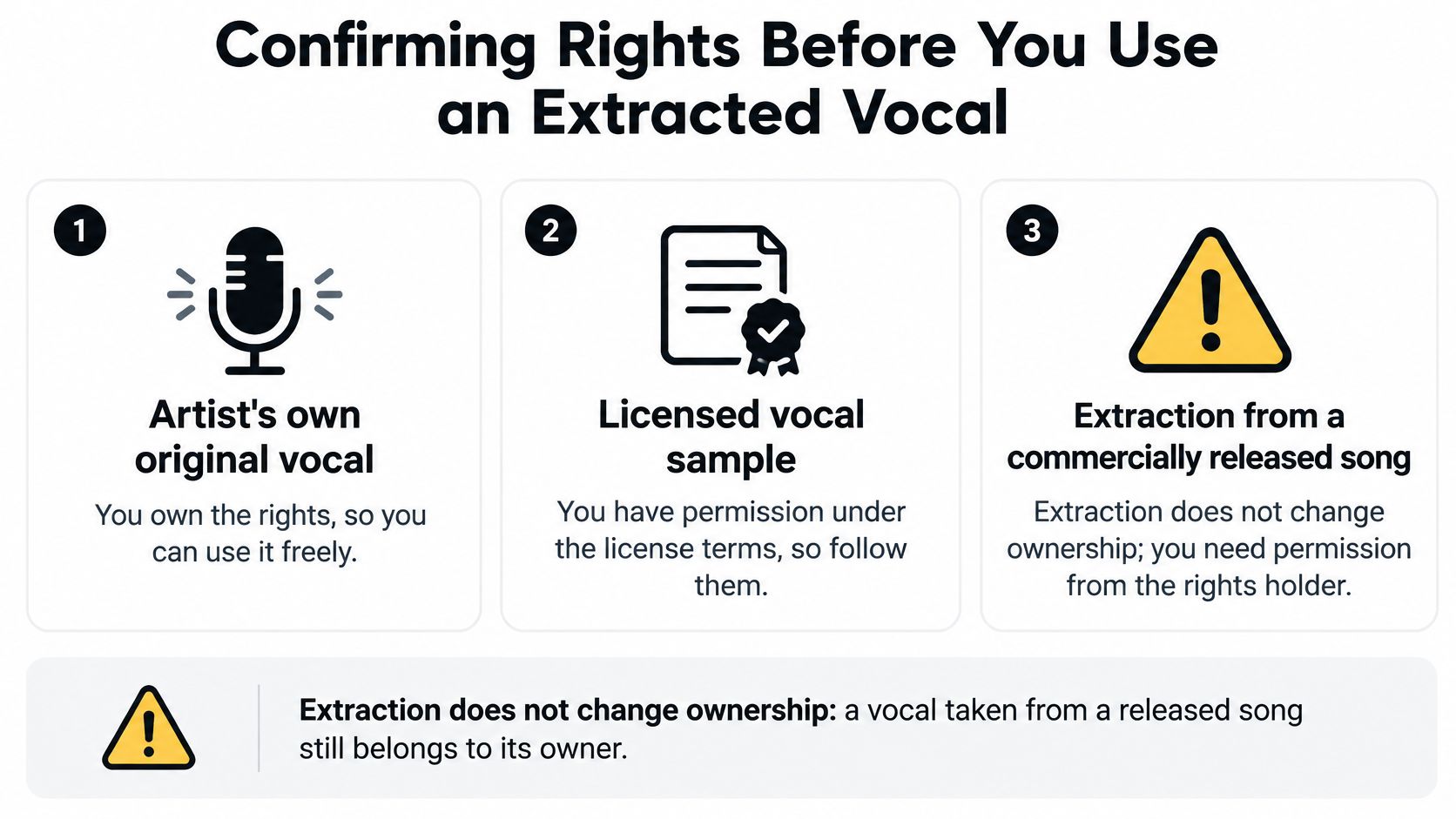
A clean-sounding vocal is not a usable vocal. Those are two separate approvals, and the second one costs nothing to check before you spend an evening on the first.
There are three cases, and they behave differently. An artist's own original vocal belongs to them, so they can do as they like. A licensed vocal sample comes with terms that state what you may do with it. An extraction from a commercially released song belongs to its owner, and the extraction method changes nothing about that, as a producer guide to acapellas, sampling and copyright makes clear.
The two rights inside one recording
A vocal lifted from a finished recording can implicate both the master recording and the underlying composition, and public release or monetisation generally requires permission from the relevant rights holders. That's why "can I use this acapella?" has no single answer. Private practice, an educational exercise, a remix contest submission, a client deliverable, a DJ pool upload and a monetised YouTube video are six different situations with six different answers.
A checklist you can finish before the kettle boils
- Identify the source recording. Title, artist, release. Not the file name someone gave you.
- Establish ownership. Do you own the master and the composition, or have you licensed both? One without the other is usually not enough.
- Get permissions in writing. A DM saying "sure, go ahead" is not a licence, and it won't help you in six months when the video performs well.
- Separate experimentation from publication. Working on a file at home and distributing it are different acts with different risk.
- Check platform rules before uploading. Spotify, YouTube, TikTok, a DJ pool and a client's brand channel each apply their own policies on top of the underlying rights.
The uncomfortable part: better isolation doesn't create better clearance. A cleaner vocal makes an unauthorised derivative easier to publish confidently, because nothing in the file warns you.
This is general information, not legal advice. If money is involved, ask someone qualified. For a deeper walk through licensing terms and cleared sampling, the guide on how to sample music legally covers the paperwork side.
Test One Separation and Confirm Permission Before Release
Three decisions, in this order. Pick the output from the first table, set quality by your mix condition, then confirm permission before anything leaves your machine. Most wasted effort comes from doing those in the wrong sequence, usually with a full-length render that turns out to be the wrong kind of vocal.
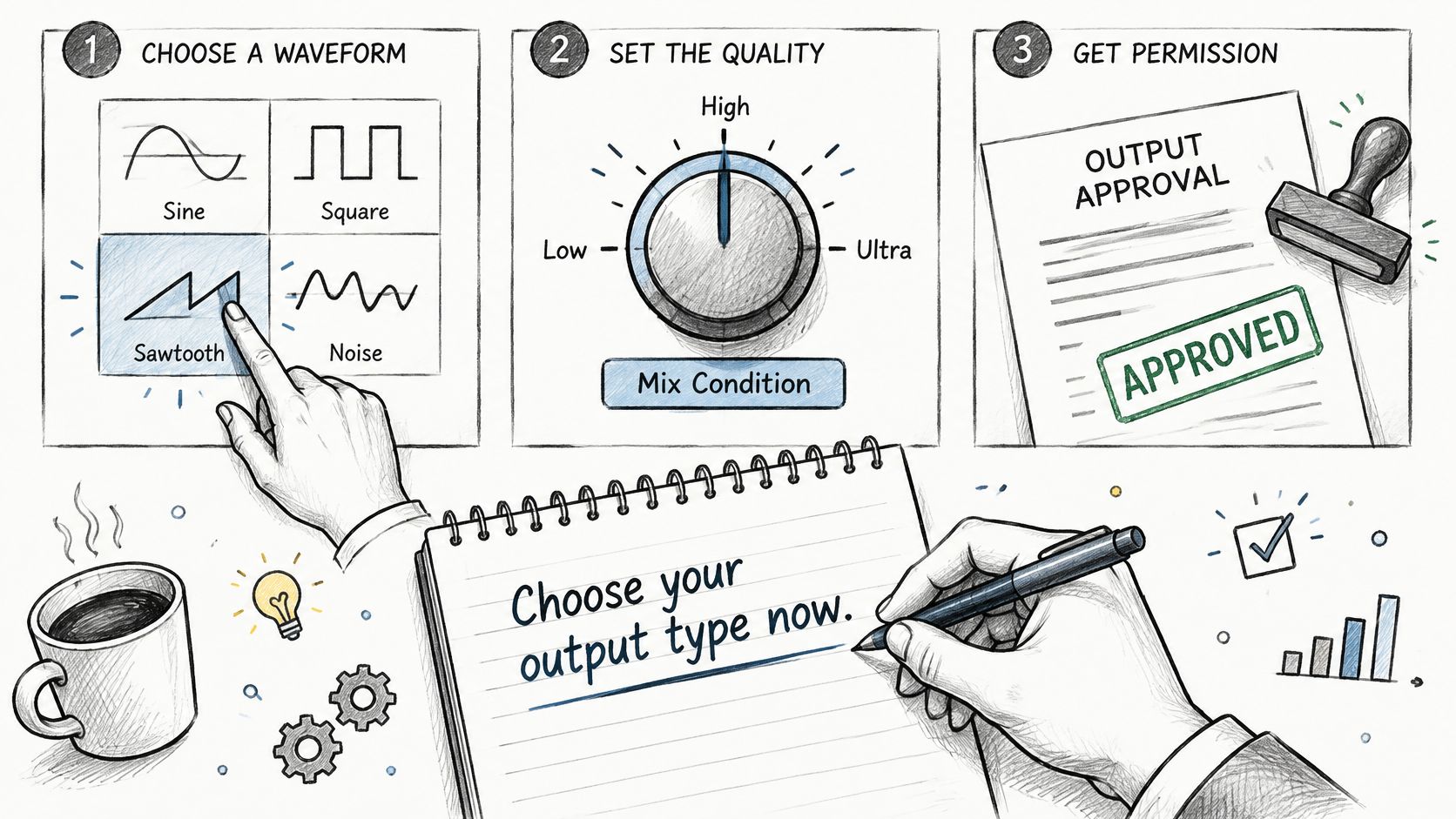
Here's the action worth taking today. Choose the output you need for one song, then run a single test separation on a 30-second excerpt rather than the whole track. Listen to the isolated vocal for bleed on the quiet phrases, clipped consonants at word starts, and a tail that stops dead after each phrase. Those three checks catch the failures that a full render would take ten times longer to reveal.
Only when the excerpt passes should you process the full song. A failed test costs half a minute. A failed full run costs the render, the export, the naming, and the part where you convince yourself the artifact is acceptable.
If you want to try that test yourself, Isolate Audio is an AI-powered audio separation tool where you describe the sound in plain English rather than choosing from a fixed list of categories. You can start for free with easy signup, and the Free plan costs $0 forever with 5 audio separations per month, which is enough for several excerpt tests before you commit to anything. Check the current plan details on the site before you plan a large project around it.
A vocal that passes the listening test and has written permission is the one ready to use.
Finding Ready-Made Vocal-Only Versions
Before you separate anything, check whether someone already did the work properly. An official a cappella release from the artist or label is the cleanest source you'll find, because it was mixed, not estimated.
Demand for that format is measurable. Spotify's newsroom reported that a cappella music generated more than 150 million streams in a three-month period in 2019, with Pentatonix alone accounting for 60 million streams in a single three-month period, and that a cappella streaming rose 72.9% after the release of Pitch Perfect 2 in May 2015. Where there's an audience, there's usually a release.
Work through the options in this order.
- Search for an official acapella version. Check deluxe editions, single B-sides, game and film soundtracks, and the artist's own channels.
- Confirm the licence covers your use. A vocal sample from a library is only usable within its stated terms, which may exclude commercial release or require credit.
- Request stems from the rights holder. If you need a specific part for a legitimate project, ask. Labels and managers say yes more often than people expect when the request is specific and the use is clear.
- Extract only when nothing licensed exists. And clear the rights before publication, not after.
A vocal you find online without a licence carries exactly the same risk as one you extracted yourself. The source matters as much as the sound, so keep a note of where each file came from. If you'd rather start from a curated set of free, legitimate acapellas, this collection of free a cappella downloads is a sensible first stop.
When you're ready to pull a vocal yourself, Isolate Audio lets you upload a song, describe what you want in plain English, and download the isolated vocal alongside the remainder, so you can check one against the other before you commit to a full render. Start with a 30-second excerpt on the free plan, run the three listening checks, and confirm your rights before anything goes public. Head to Isolate Audio to run that first test pass.