
Ai music mixing: Transform Tracks with ai music mixing Tools
AI music mixing is all about using smart algorithms to pull apart, balance, and process the individual sounds in a track. Think of it as having a microscopic scalpel for audio—you can dive into a finished song and surgically pull out just the lead vocal or the snare drum. What used to be a messy, often impossible task is now a flexible, creative part of the workflow.
How AI Is Reshaping Music Production
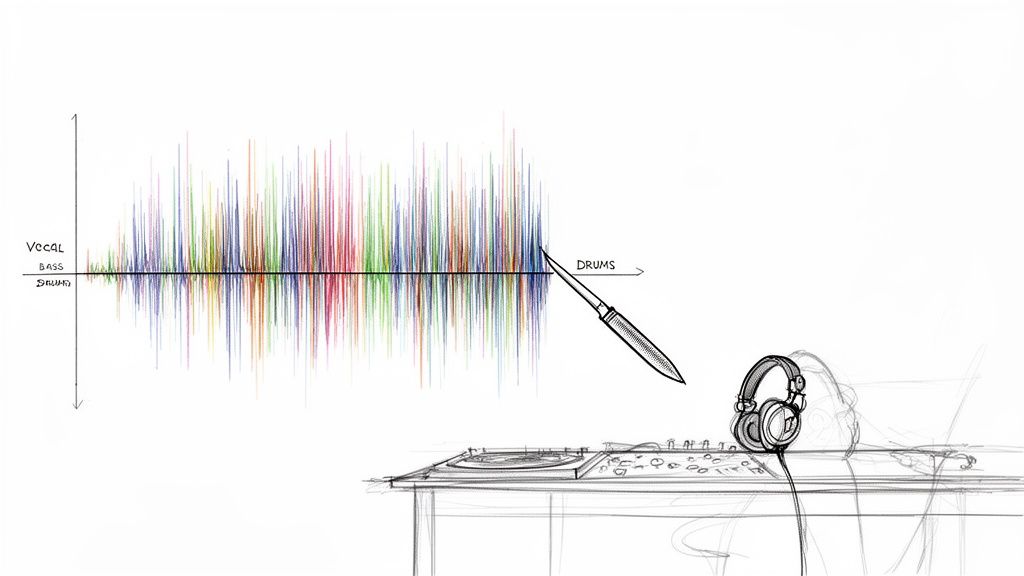
The days of wrestling with complex EQ and fighting phase issues just to isolate one instrument are numbered. Modern AI tools have seriously upgraded the producer's toolkit, moving way beyond basic stem separation and into a world of precise, descriptive audio editing.
Forget being stuck with generic categories like "vocals" or "drums." Now, you can use plain English to tell the AI exactly what you need. Imagine just typing "breathy female harmony" or "gritty distorted bassline" and getting back a clean, isolated track. This is the new reality of audio production.
A Fresh Creative Workflow
This isn't just a time-saver; it’s a game-changer that unlocks creative avenues that were either impractical or flat-out impossible for most of us before. Being able to deconstruct a finished song opens up so many doors.
Here are a few scenarios where this really shines:
- Fixing Problem Recordings: You can finally isolate a great lead vocal from a noisy live recording or get rid of nasty microphone bleed on a drum track long after the session has wrapped.
- Supercharged Remixing: Pulling studio-quality acapellas and instrumentals from any song lets you build remixes from scratch, even without access to the original project files.
- Next-Level Sound Design: Extract specific textures, like the "metallic ring of a cymbal," and flip them into unique one-shot samples or layers for your synths.
This whole approach shifts mixing from a technical cleanup chore into a much more fluid, exploratory process. It encourages you to experiment because it tears down the tedious walls that used to stand between a cool idea and actually making it happen.
The Bigger Picture
This isn't just a niche trend happening in a few studios. The move toward AI-powered tools is a massive industry-wide shift. The market for generative AI in music was valued at USD 440.0 million in 2023 and is expected to skyrocket to USD 2,794.7 million by 2030. You can find more insights on the AI music market on Grand View Research. That kind of explosive growth tells you everything you need to know about how deeply these tools are becoming part of professional workflows.
At the end of the day, AI music mixing helps creators focus more on the art and less on the frustrating technical stuff. It gives you incredible control over your sound, helping you get more professional results faster, whether you're mixing, remixing, or designing sounds from the ground up.
Getting Your Audio Ready for AI Separation
The results you get from any AI mixing tool are a direct reflection of what you put in. It's the classic "garbage in, garbage out" scenario. If you feed the algorithm a crunched, low-quality MP3, you can expect muddy, artifact-riddled stems in return.
To give the AI the best possible shot at working its magic, you absolutely have to start with high-resolution audio. This isn’t just a recommendation; it's the foundation of a clean separation.
Start with High-Fidelity Audio
Always bounce your source audio from your Digital Audio Workstation (DAW) as a WAV or FLAC file. These are lossless formats, meaning they preserve all the original audio data. Compressed formats like MP3, on the other hand, throw away bits of information to save space, and it's precisely that "thrown away" information that the AI needs.
An AI model isn't just listening; it's analyzing microscopic patterns in the waveform—the subtle harmonic overtones, the shape of a transient, the tiny timbral details that tell a hi-hat apart from a snare's ghost notes. MP3 compression essentially starves the AI of this crucial data.
- Resolution: Stick to a minimum of 24-bit depth and a 44.1 kHz sample rate. This is professional audio standard for a reason—it provides a rich, detailed canvas for the AI to work on.
- Headroom: Never export a file that's clipping or slammed into a limiter. Leaving 3-6 dB of headroom gives the algorithm some breathing room and ensures digital distortion isn't baked into your source file.
Think of it this way: giving the AI a high-resolution WAV file is like handing a surgeon a scalpel. An MP3 is like giving them a butter knife. The cleaner your source, the cleaner the final separation will be.
Writing Prompts That Actually Work
Once you've got a pristine audio file, your next job is to tell the AI exactly what you want. This is where tools that use natural-language prompts, like Isolate Audio, have a massive advantage over older 4-stem separators. Your prompt is a direct line to the algorithm.
A lazy prompt gets lazy results. Just typing "guitar" might work if it's the only instrument in the track, but in a dense mix, you're forcing the AI to guess. Which one? The chunky rhythm part? The soaring lead? That almost-inaudible acoustic layer in the background?
To get surgical, you have to get descriptive. Give it some context.
- Instead of
vocals, trybreathy female lead vocal. - Instead of
bass, trydeep sub bass synth. - Instead of
electric guitar, trycrunchy rhythm guitar panned left.
Think about what makes the sound unique and weave those details into your prompt. This helps the AI lock onto the exact sonic signature you're after, which dramatically improves the quality of the isolated track.
The Isolate Audio interface makes this incredibly straightforward—just upload your file and describe what you want to pull out.
The clean layout keeps the focus right where it should be: on providing a great audio file and writing a clear, descriptive prompt.
Choosing the Right Quality Mode for the Job
Even with a perfect file and a killer prompt, some audio is just plain tricky. A quiet acoustic guitar buried under a wall of drums, or two washy synth pads playing similar chords—these are tough for any algorithm to untangle. This is where quality settings become your best friend.
Most advanced AI separation tools offer different processing modes that let you balance speed against accuracy. Knowing when to use each one will make your workflow much more efficient. For a deeper dive into this, our guide on the best stem separation software is a great resource.
Here’s a look at how Isolate Audio's presets can help you decide which mode is best for your specific mixing task, balancing processing speed against final audio quality.
Choosing the Right Isolate Audio Quality Mode
| Mode | Best For | Processing Speed | Key Feature |
|---|---|---|---|
| Best | Final mixdowns, critical isolations, and complex sources where audio fidelity is the top priority. | Slower | Delivers the highest-quality separation with the fewest artifacts by using the most intensive processing. |
| Balanced | General-purpose use, creating demos, or when you need a good compromise between speed and quality. | Medium | Offers excellent results for most common scenarios, providing a solid mix of performance and fidelity. |
| Fast | Quick previews, brainstorming ideas, or non-critical tasks where speed is more important than perfection. | Fastest | Ideal for rapidly testing different isolation ideas before committing to a higher-quality render. |
For those truly "impossible" mixes, you might also find a Precision Mode. This setting throws even more computational power at the problem, helping to differentiate between sonically similar or heavily overlapping instruments. It’s the tool you pull out when a standard separation just isn't clean enough.
Alright, you’ve used an AI tool to split your track into new audio files. Now the real fun begins: bringing those fresh stems into your DAW and making them work for your mix. This is where the magic of AI meets the art of hands-on production. The process itself is pretty simple, but a few smart moves will make all the difference.
It doesn’t matter if you’re a die-hard Ableton Live user, a Logic Pro veteran, or an FL Studio producer—the core idea is the same. For every separation, you're going to import at least two new files: the element you wanted to isolate (like the lead vocal) and the "remainder" track (literally everything else).
Think of this as building a hybrid mixing setup. By dropping the isolated part and the remainder onto their own tracks, you suddenly have a level of control that was impossible before unless you had the original multitrack session.
This workflow is the heart of the process: you export your source audio, tell the AI exactly what you want with a clear prompt, and it does the heavy lifting for you.
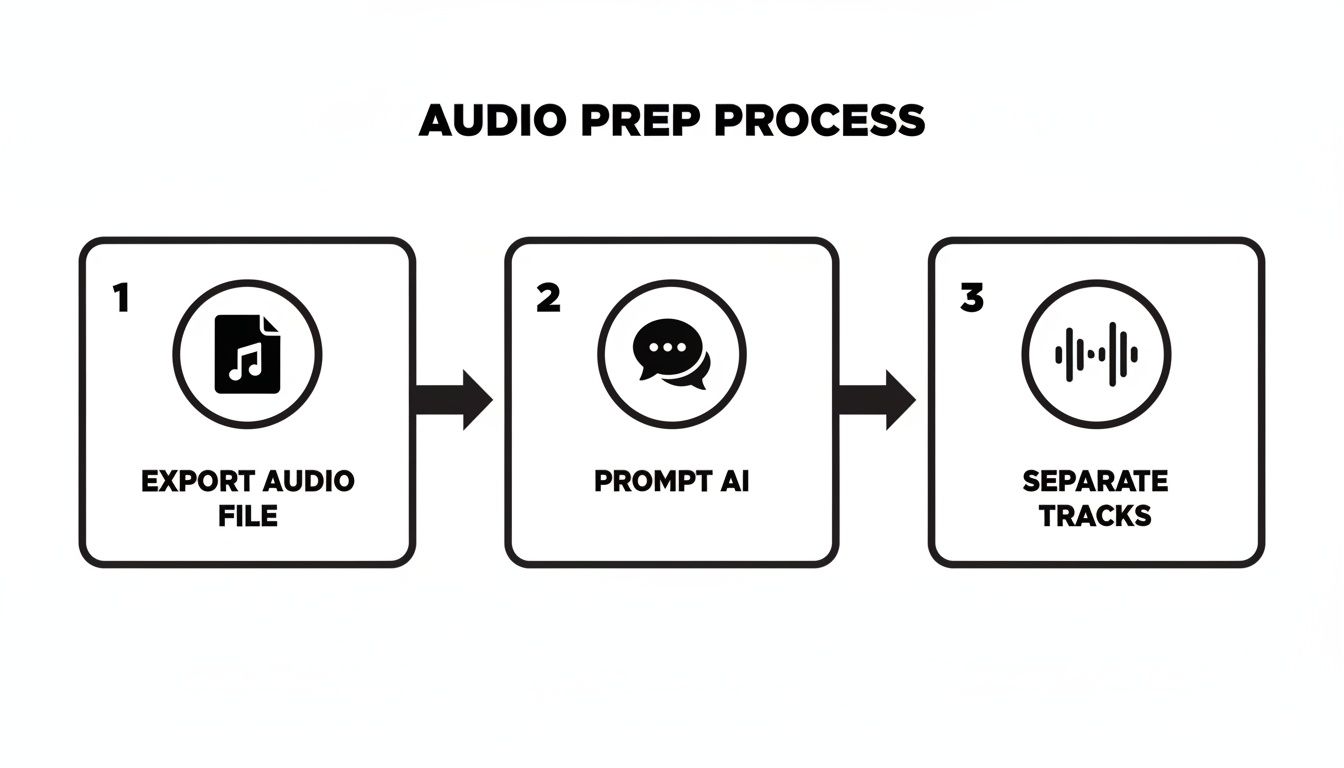
Just remember, the quality of what you get out is directly tied to the clarity you put in—from the initial export all the way to how well you write your prompt.
Nailing the Alignment and Keeping Things Tidy
First things first: when you drag those new stems into your session, they absolutely must be perfectly aligned with the original file. Line them up on new tracks, sample for sample.
Here’s a classic trick to check your work: flip the phase (or polarity) on one of the new stems. If the isolated element and the remainder are perfectly synced, playing them together with one’s phase flipped should create a near-total cancellation. It should sound almost exactly like the original track, but very quiet.
My Two Cents: Get organized from the get-go. Seriously. Color-code your new tracks and name them something obvious, like "VOCAL (AI Isolate)" and "INST (AI Remainder)." This tiny habit will save you from a world of confusion later when your project balloons.
Once you’ve confirmed everything is lined up, you can mute or deactivate the original track. You won’t need it anymore. Now you have a much more flexible pair of tracks to work with, ready for processing.
Building Your Processing Chains
Mixing AI-separated audio isn't quite the same as working with raw multitracks. Since these stems were created by an algorithm, they can sometimes have little digital quirks or a slightly different texture than a pristine, close-mic'd recording. Your processing chain should be all about enhancing the good stuff while making sure the stem blends right back into the mix.
Let's say you've isolated a vocal. Here's a solid starting point for a processing chain:
- Subtractive EQ: I always start by cleaning things up. A gentle high-pass filter to roll off any rumble below 80-100Hz is a must. Then, I'll sweep around with a narrow EQ band to find and notch out any weird, resonant frequencies that sound unnatural.
- Smooth Compression: You don't want to crush it. A compressor with a slower attack can smooth out the vocal's dynamics and add some consistency. Something like an LA-2A-style optical compressor is often perfect for adding character without being too aggressive.
- A Touch of Saturation: A little bit of tape or tube saturation can add back some of that analog warmth and harmonic richness. This is my secret weapon for helping an AI-isolated vocal feel less "cut out" and more "glued" to the instrumental.
- Space It Out: Always use send/return tracks for reverb and delay. This gives you way more control and helps the vocal sit inside the mix instead of just floating on top of it.
If you want to dive deeper into what stems are and how they fit into modern production, you can check out our guide on the topic.
Genre-Specific Recipes for Your Mix
The real power of AI music mixing is what you do with it. Your whole approach will shift depending on the genre and what you’re trying to accomplish.
Here are a few scenarios I run into all the time:
- EDM Remixing: I’ll often isolate the kick drum and the sub-bass from a full track. This lets me sidechain the new sub to the new kick with pinpoint accuracy for that modern, pumping feel. It's also great for cleaning up a muddy low end or even swapping out the original kick entirely.
- Cleaning Up Podcast Dialogue: Got an interview recorded in a noisy cafe? I'll use a prompt like "male speaker's voice" to pull the dialogue out. The remainder track is now just background noise—clinking cups, chatter, and street hum. I can then hit that noise track with aggressive reduction tools without ever touching the voice's clarity.
- Creative Hip-Hop Sampling: This is a game-changer. I can pull a "clean trumpet melody" or "soulful electric piano chords" right out of an old funk record. From there, I can chop, flip, and process that isolated sample to build a whole new beat around it, all without a muddy bassline or crunchy drums getting in the way.
These aren't just hypotheticals; techniques like these are quickly becoming standard practice. The music world is catching on fast. Between 2022 and 2024, the U.S. Copyright Office registered over 25,000 works that involved AI. Even more telling, industry data from 2023 showed that over 18% of all new tracks released used AI tools at some point in their creation.
By getting hands-on and thoughtfully integrating AI-generated stems into your DAW, you’re not just fixing audio problems—you’re opening up a whole new playbook for creative mixing.
Advanced Creative Mixing Techniques
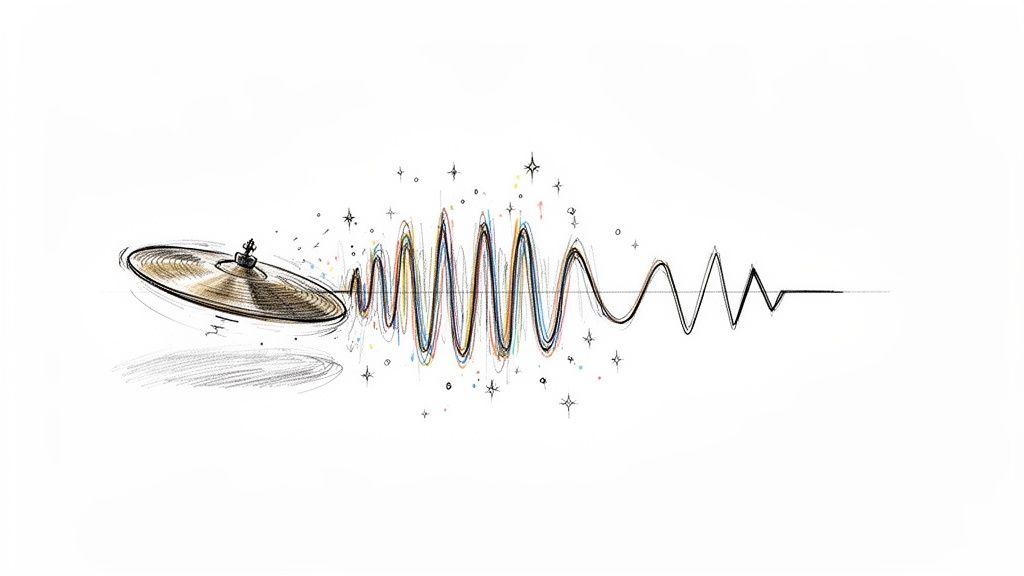
Once you get the hang of using AI for basic track cleanup, the real fun begins. This is where AI separation moves beyond being a simple repair tool and becomes a powerful creative partner for sound design, remixing, and building entire sonic worlds. It’s all about asking "what if?" and now having the tools to instantly find out.
Forget just removing a vocal. What if you could pull out just the metallic overtone from a cymbal crash? With a super-specific prompt like, "shimmering metallic decay of crash cymbal," you can grab that exact texture. Now, drop it into a sampler, pitch it, loop it, and suddenly you’ve built a completely unique synth pad from a purely acoustic source.
This changes the game for sound sourcing. Instead of endlessly scrolling through sample packs, you can start mining your own audio for hidden gems. That little squeak from a guitar string, the breath a singer takes between lines, the resonant ring of a snare drum—every sound is now a potential ingredient for something new.
Unlocking Remix and Post-Production Potential
For any remixer or DJ, the ability to generate a studio-quality acapella or instrumental from a final master is huge. The days of hunting for official stems or fighting with phasey, EQ-based vocal isolations are over. You can now pull apart and reimagine pretty much any track out there. If you're looking for some practical workflows, our guide on how to remix a song is a fantastic place to start.
This tech gives you the power to deconstruct a song and rebuild it in your own vision. You could isolate the vocal for a classic acapella-driven house track or grab the instrumental to lay your own vocals over it. But you can get even more granular:
- Isolate the bassline: Write entirely new chords around the original bass groove to re-harmonize the track.
- Extract a drum loop: Chop and re-sequence the beat to give it a completely different feel.
- Grab a synth melody: Use it as the main hook for a new arrangement in a totally different genre.
This level of access really opens up the world of remixing. It puts a universe of creative material directly into the hands of producers, whether they have connections to the original artist or not.
This creative power isn't just for music. In post-production for film or podcasts, AI separation is a secret weapon for building immersive soundscapes. Say you've got a recording of a bustling city street, but a loud car horn blasts right in the middle. Instead of trashing the take, you can isolate the specific ambient elements you actually want.
Using prompts like "distant city traffic rumble" or "footsteps on wet pavement" lets you surgically extract the background textures you need, allowing you to build a believable sonic environment from scratch.
Troubleshooting and Handling Audio Artifacts
As incredible as this technology is, it’s not always perfect. You might run into some subtle audio artifacts, especially if you’re working with a really dense or poorly recorded track. Sometimes you'll hear a slight phasing, a bit of digital "wateriness," or fragments of other instruments bleeding into your isolated stem.
First off, don't panic. A lot of these artifacts are only noticeable in solo and will disappear completely once you put the track back into the full mix. Always listen in context before you start doing major surgery.
If an artifact is truly distracting, you’ve got a few solid options:
- Re-process the File: Your first move should be to run the separation again. Try a higher quality setting like "Best" mode, or turn on "Precision Mode" if it’s available. Sometimes, just making your prompt more descriptive can give you a cleaner result.
- Use Spectral Editing: For those stubborn little sounds, a spectral editor is your best friend. Tools like iZotope RX let you visually see the audio and literally "paint out" unwanted noise—like a stray hi-hat in a vocal track—without messing up the core sound.
- Get Creative with Gating: A well-placed noise gate can be surprisingly effective. Use it to silence any low-level bleed or artifacts that pop up in the quiet spaces between musical phrases.
Here’s a quick table to spark some ideas on how you can apply these techniques across different disciplines.
Creative AI Mixing Workflow Ideas
| Discipline | Creative Application | Example AI Prompt |
|---|---|---|
| Sound Design | Create a unique percussive sample | "Woody knock of a drumstick side hit" |
| Remixing | Produce a clean acapella | "Female lead vocal without reverb" |
| Post-Production | Build an ambient bed for a scene | "Gentle wind rustling through leaves" |
Ultimately, advanced AI music mixing is an invitation to experiment. Treat the AI like a creative collaborator in your studio. Push its limits, feed it unusual prompts, and see what kind of unexpected sonic textures you can uncover. The real goal is to move past the technical and into a space of pure musical expression.
Balancing AI Precision with Human Artistry
AI tools can pull audio apart with a surgical precision that was honestly the stuff of science fiction just a few years ago. But a mix that connects with a listener is never just about technical perfection. It's about the feel, the emotion, and all the little human imperfections that make a song breathe. This is where your role as a producer is more crucial than ever.
When it comes down to it, your ears have the final say. An AI can hand you a technically perfect separation, but you have to ask the important question: does it actually serve the song? This is the bridge between the machine's accuracy and your own musical artistry.
A mix can be technically perfect but emotionally sterile, and that's a failure. Your taste and intuition are the most powerful tools in your studio. AI is just there to help you execute your vision more effectively.
Trust Your Ears, Not Just the Algorithm
Always, always A/B test your AI-processed tracks against the original mix. Isolate the part you're working on and ask yourself some tough questions. Did boosting that AI-isolated guitar really make the chorus explode, or did it just make it louder? Does that separated vocal feel glued to the track, or does it sound weirdly disconnected, like it was just pasted on top?
This constant reality check is what will keep your mixes from sounding sterile and robotic. The whole point of AI music mixing isn't to let a machine make decisions for you; it’s to give you a powerful new way to make your own creative choices happen.
Keep an Eye on Phase Coherence
Here’s a technical gremlin that often needs a human touch: phase coherence. When you split a single source into multiple stems, you can sometimes introduce microscopic timing differences between them. When you combine them back together, this can result in a thin, hollow, or "phasey" sound.
Here’s a quick way to check for it in your DAW:
- Drag the isolated stem and its corresponding "remainder" track onto two separate channels.
- Line them up perfectly at the start.
- Flip the polarity (often labeled with a "ø" symbol) on just one of the tracks.
If the separation was clean, playing them together should result in near-total silence. The two tracks will cancel each other out. If you hear a significant amount of audio—a sort of "ghost" track of what's left over—it’s a red flag that the phase relationship has been messed with. You might need to nudge the timing of one of the tracks to get them back in sync.
Knowing When to Leave AI on the Sidelines
Maybe the most important skill of all is knowing when not to reach for an AI tool. If you have the original multitrack session files, you'll almost always get a better, more natural result using traditional mixing techniques. Think of AI separation as a problem-solver, a lifesaver for those times when you simply don't have access to the individual source files.
There's no denying how fast this technology is growing. The global AI music and audio market was valued at USD 5.40 billion in 2022 and is expected to reach USD 22.89 billion by 2030. You can read more about the growth of the AI audio market to see just how deeply these tools are becoming part of our daily work.
Even with all this innovation, the core principle holds true. Use AI to fix the impossible—to clean up a vocal recorded in a noisy room or to pull apart a stereo master for a remix. But for everyday mixing tasks where you have all the tracks, stick to the fundamentals. True artistry is about knowing which tool to grab for the job, and the final mix should always be a product of your vision, just enhanced by technology, not replaced by it.
Common Questions About AI Music Mixing
Any time a new piece of tech lands in the studio, it’s met with a mix of excitement and a whole lot of skepticism. It’s only natural. Engineers and producers are right to ask the hard questions about how AI tools actually hold up in a real-world session. Let's dig into some of the questions I hear most often.
Will Using AI for Audio Separation Degrade My Audio Quality?
This is the million-dollar question, and the honest answer is: it depends, but mostly no. Professional-grade AI tools are built from the ground up to preserve audio fidelity. Of course, any digital process has the potential to leave a footprint, but the algorithms have gotten incredibly good.
The real key to a clean result is what you feed the machine in the first place. Always start with a high-resolution file like a WAV or FLAC. This gives the AI the maximum amount of information to analyze. From there, selecting a "Best" or "Precision" mode tells the model to take its time and do a deeper, more careful separation. In almost every case, the benefit of getting a clean, isolated element far outweighs any minuscule, and usually inaudible, artifacts.
My Two Cents: Don't just solo the separated stem and hunt for flaws. Drop it back into the mix and A/B it. A tiny bit of phasing you might notice on its own can completely vanish once it's playing with everything else. The song is always the final judge, not the solo button.
Can AI Really Separate Instruments with Similar Frequencies?
You bet it can. This is where modern AI really flexes its muscles and leaves old-school tools in the dust. A traditional EQ is blind—it only sees frequencies. If a bass guitar and a fuzzy synth lead are fighting for space at 200 Hz, an EQ can only cut or boost that entire region.
An AI, on the other hand, listens. It analyzes the whole sonic picture, not just a frequency slice.
- It understands timbre—the unique character that makes a sax sound different from a guitar.
- It hears the harmonic content and overtones that define an instrument.
- It recognizes the transient shape—the sharp crack of a snare versus the gentle swell of a string pad.
Because it's analyzing all these characteristics at once, it can intelligently untangle two sounds that are sitting right on top of each other in the frequency spectrum. For those really messy, overlapping sources, that’s when a dedicated Precision Mode is your best friend, giving the AI the extra horsepower it needs for the toughest jobs.
How Is a Natural Language Tool Better Than a 4-Stem Separator?
Think of a standard 4-stem separator (vocals, bass, drums, other) as a set of socket wrenches. It’s useful for big, general tasks, but it’s clumsy. You get what you’re given. A natural language tool is more like a neurosurgeon's toolkit—it gives you the ability to be incredibly specific.
Instead of just getting "drums," you can ask for "just the kick drum" or "the ghost notes on the snare." I've used it to pull out things like "the hi-hat bleed in the overheads" or even "the sound of the room reverb" on a vocal track. This completely changes the game. It’s not just a utility for fixing problems anymore; it becomes a powerful sound design partner.
What Is the Best Way to Handle Minor Artifacts in a Stem?
Sooner or later, you'll run into a few little digital gremlins, even with the best AI. Before you start reaching for a bunch of other plugins, your first move should be to refine your separation. Try running the file again on a higher quality setting. Or, rephrase your text prompt to be more direct and descriptive about what you want to isolate.
If you still have some tiny artifacts, remember they're often only audible in solo. If they're still poking through the mix, you’ve got options. A light touch with a noise gate can work wonders on quiet sections. For surgical work, a spectral repair tool like iZotope RX lets you literally paint out the problem. Sometimes, a quick, sharp EQ notch is all it takes. You can even get creative and use the artifact—tuck it into a delay or reverb tail and turn a tiny flaw into an interesting texture.
Ready to see what this actually feels like in a session? With Isolate Audio, you can use plain English to pull apart your mix with a level of control that was unthinkable just a few years ago.