The Best Vocal Removal Software for Flawless Audio Tracks
If you're a creator on the hunt for the best vocal removal software, you’ve probably noticed that AI-powered tools like Isolate Audio, LALAL.AI, and Moises are the new industry benchmarks. These platforms use sophisticated algorithms to achieve a level of clean, precise audio separation that older methods simply can't match, making them indispensable for musicians, podcasters, and DJs.
Your Guide to Modern Vocal Removal
Ever spent hours trying to find a clean instrumental or acapella for a project? You're not alone. For a long time, the go-to methods were clumsy workarounds like phase inversion or heavy-handed EQ filtering. The results were often disappointing—muffled tracks riddled with artifacts and leftover vocal echoes.
Thankfully, those days are pretty much over. Artificial intelligence has completely changed the game, turning a once-frustrating technical headache into a straightforward process that anyone can master. This leap forward has opened up a world of creative possibilities.
This shift has also fueled a booming market. The AI vocal remover space was valued at a cool USD 180 million and is expected to surge to USD 880.1 million by 2034. That incredible growth is all about creators like you demanding better, more precise audio tools. You can dig deeper into these market trends and their industry impact to see where things are headed.
What This Guide Covers
Think of this guide as your map to this new terrain. We’ll break down the tech, explain what separates a great vocal remover from a mediocre one, and put the top tools head-to-head so you can make the right choice for your work.
Here’s what we’ll get into:
- Understanding the Technology: We’ll look at how AI models actually hear and separate different sounds in a mix.
- Evaluating Your Options: You'll learn the key things to look for, from sheer audio quality to how intuitive the software feels to use.
- Comparing Top Tools: We’ll see how the leading platforms stack up in real-world situations for musicians, podcasters, and editors.
- Achieving Professional Results: I’ll share practical tips and workflows to help you pull the cleanest possible audio from any track.
Who Benefits from Vocal Removal Software?
High-quality audio separation isn't just a niche tool; it's empowering creators across all kinds of fields to do things they couldn't before.
| User Type | Primary Goal | Common Use Case |
|---|---|---|
| Musicians | Practice and Performance | Creating custom backing tracks by removing vocals or isolating a specific instrument like guitar or bass to play along with. |
| DJs & Producers | Remixing and Sampling | Pulling a clean acapella or instrumental stem to build brand new remixes, mashups, and dynamic live sets. |
| Podcasters | Audio Cleanup | Removing background music from an interview recording to make sure the dialogue is front and center. |
| Video Editors | Sound Design | Isolating dialogue from a noisy scene or stripping unwanted vocals from a background track to match the mood. |
By the time you finish this guide, you’ll have everything you need to pick the right tool and start producing professional-sounding audio for whatever project you’re dreaming up. Let's get started.
How AI Changed the Game for Audio Separation
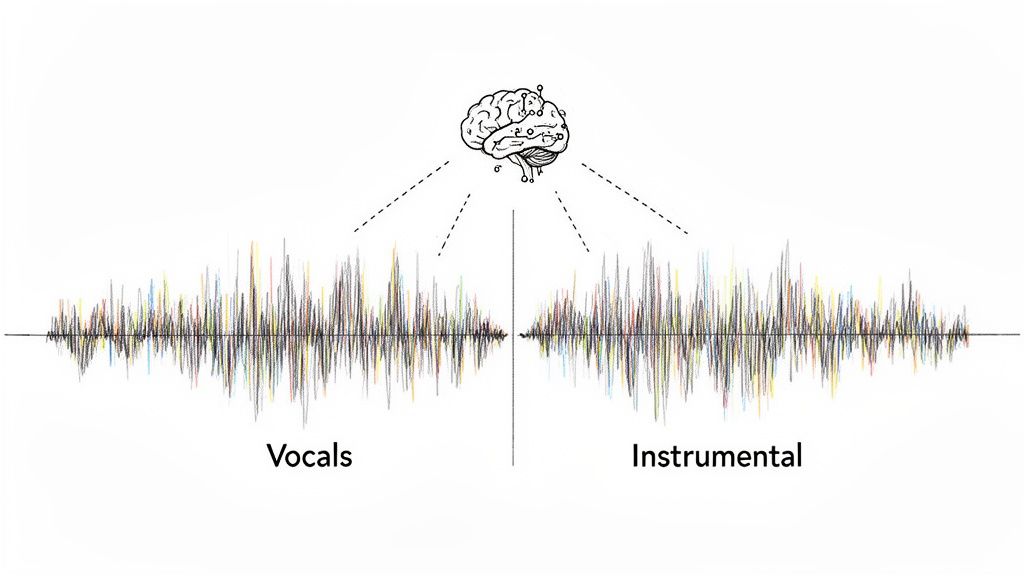
Before AI came along, trying to remove vocals from a track was a messy, compromise-filled process. The go-to methods were phase inversion and some heavy-handed EQ filtering, but both came with big trade-offs. You never got a truly clean separation, and there were always audible artifacts left behind.
Phase inversion, for instance, involves flipping one stereo channel's waveform and blending it with the other. The theory is that since vocals are usually panned to the center, they’ll cancel each other out. The problem? So will everything else in the center, like your kick drum and bass guitar. You’d often end up with an instrumental that sounded thin and hollow.
The other common approach was using an equalizer to carve out the frequencies where the human voice typically sits—somewhere between 300 Hz and 3 kHz. This was like using a sledgehammer for a delicate task. Sure, it would reduce the vocals, but it would also gut any instruments that lived in that same frequency range, leaving you with muffled guitars and lifeless pianos.
The Shift to AI-Powered Source Separation
AI completely flipped the script. Instead of crudely manipulating stereo fields or frequencies, AI models learn to recognize the distinct sonic signatures of different instruments and voices. This is a much smarter and more nuanced technique called source separation.
These AI systems are trained on massive libraries of isolated audio tracks—we’re talking thousands of hours of vocals, drums, basslines, and every other instrument imaginable. By crunching all that data, the model learns the unique textures and patterns that make a voice sound like a voice and a guitar sound like a guitar.
When you run a song through a modern AI tool, it’s not just applying a filter. It’s actively listening, identifying, and reconstructing the track based on its training. It can hear the difference between a singer and a saxophone, even if they're playing the exact same note.
This ability to recognize and rebuild is why the best vocal removal software today can produce such incredibly clean results. The AI isn't just cutting a hole where the vocal was; it's intelligently filling in the gaps to create a complete instrumental track. For a more detailed look at the technology, check out our guide on stem separation software.
Fixed Stems vs. Flexible Sound Isolation
As AI has gotten better, it's created two main types of tools, each with its own strengths.
Fixed Stem Separators: These are the most common tools you'll find. They split a track into a few predefined categories, or "stems"—usually vocals, drums, bass, and an "other" category for everything else. They're straightforward and perfect for standard tasks like creating karaoke tracks or remixes.
Flexible Source Separators: This is where things get really interesting. Newer, more powerful models can isolate pretty much any sound you can describe. Instead of being stuck with pre-set stems, you can give it a text prompt like "isolate the saxophone" or "remove the crowd noise."
This new generation of flexible tools gives audio creators a level of control that was unthinkable just a few years ago. You can now pull a specific foley sound from a film scene, lift a single horn line from a dense big-band recording, or clean up dialogue by removing a distracting background sound. It’s a huge leap from just removing vocals to having total creative freedom over any audio source.
Evaluating the Best Vocal Removal Software
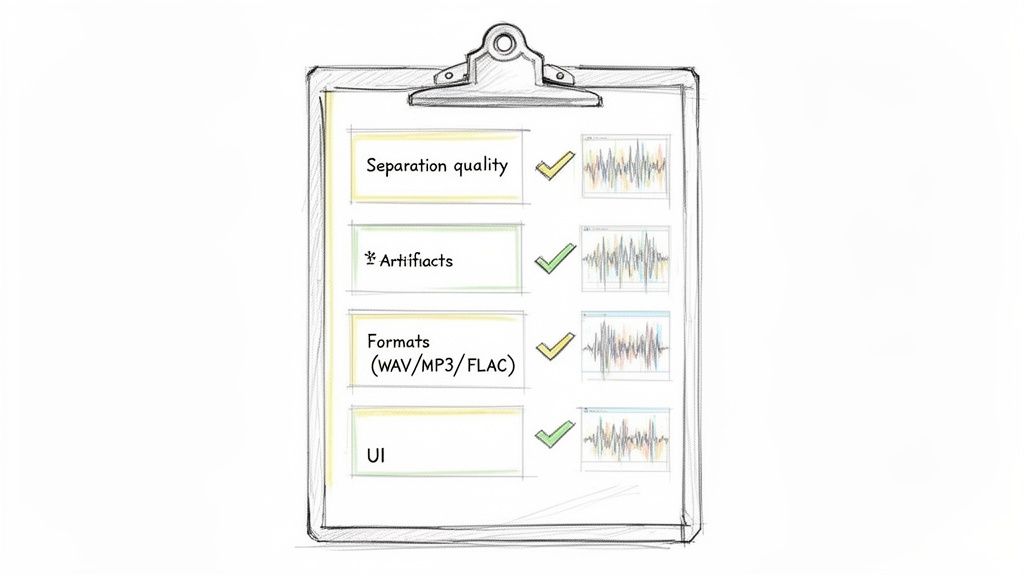
Choosing the best vocal removal software isn't about ticking off features from a list. With so many AI-powered options on the market, the real difference is in the subtle details—how a tool performs in the real world and how seamlessly it fits into your creative process. To pick the right one, you need a solid game plan for evaluation.
This means you have to cut through the marketing fluff and focus on what actually comes out of the speakers. A tool can promise flawless separation, but what happens when you throw a complex mix at it, one drenched in reverb or packed with layers of instrumentation? Let’s get into the nitty-gritty of what to look for when you put these tools to the test.
Core Performance Metrics
At the end of the day, a vocal remover has one critical job to do. The quality of its output is everything, and you can measure it by zeroing in on a few key performance indicators.
Separation Quality: This is the make-or-break test. A truly great tool will lift the vocal out cleanly, leaving behind an instrumental track that sounds natural, not hollowed out or phasey. Listen for any vocal "ghosts" or residue left behind.
Artifact Management: Pay close attention to any strange, unwanted sounds the AI might introduce. You're listening for digital "wateriness," a metallic sheen, or weird flanging effects. The best software keeps these artifacts to an absolute minimum, preserving the soul of the original recording.
Processing Speed: How long are you waiting for your stems? While you should never sacrifice quality for speed, a tool that takes forever to process can grind your workflow to a halt. Cloud-based services often have an advantage here, since they do the heavy lifting on their servers, not your computer.
User Experience and Workflow Integration
A powerful algorithm is useless if the software is a nightmare to operate. How a tool feels to use and how well it plays with your existing setup are just as important as the quality of the separation.
This need for intuitive, powerful tools is massive, especially in creative hubs. North America, for instance, leads the pack, holding 34.2% of the global AI vocal remover market, which is valued at USD 61.56 million. This is fueled by the sheer number of musicians, podcasters, and video editors in the U.S. who depend on this tech daily. They're doing everything from making karaoke backings to cleaning up dialogue for broadcast. You can dig into more of this data on regional market dynamics and creator trends.
Beyond the numbers, though, it comes down to practical usability. When you're comparing options, a checklist can help you stay focused on what truly counts for your projects.
Vocal Removal Software Evaluation Checklist
Before committing to a tool, run it through this checklist. Think about how each criterion applies to the kind of work you do.
| Evaluation Criterion | What to Look For | Why It Matters for Your Project |
|---|---|---|
| User Interface (UI) | A clean, intuitive layout with clear controls and minimal clutter. | A straightforward UI gets you from A to B faster. You should be creating, not fighting with the software. |
| File Format Support | Must handle common formats like WAV, MP3, and FLAC. | You need to work with both high-quality lossless files and compressed audio without extra conversion steps. |
| Output Options | Ability to export stems in different formats and bitrates. | Flexibility is crucial. You might need a high-res WAV for a studio mix and a smaller MP3 for a quick demo. |
This table serves as a solid starting point for a hands-on comparison.
A truly great vocal remover balances raw algorithmic power with a user-centric design. It should feel less like a complex scientific instrument and more like a natural extension of your creative process.
Ultimately, you're searching for software that not only spits out clean audio but also makes your life easier. For example, if your work involves cleaning up noisy interview recordings, you'll find that some of these same principles apply to other tools. In fact, we put together a whole guide on the best audio repair software that digs into tools built specifically for that task.
By keeping both performance and usability at the top of your mind, you’ll find a vocal remover that becomes an indispensable part of your toolkit.
Comparing Top Vocal Removal Tools for Specific Tasks
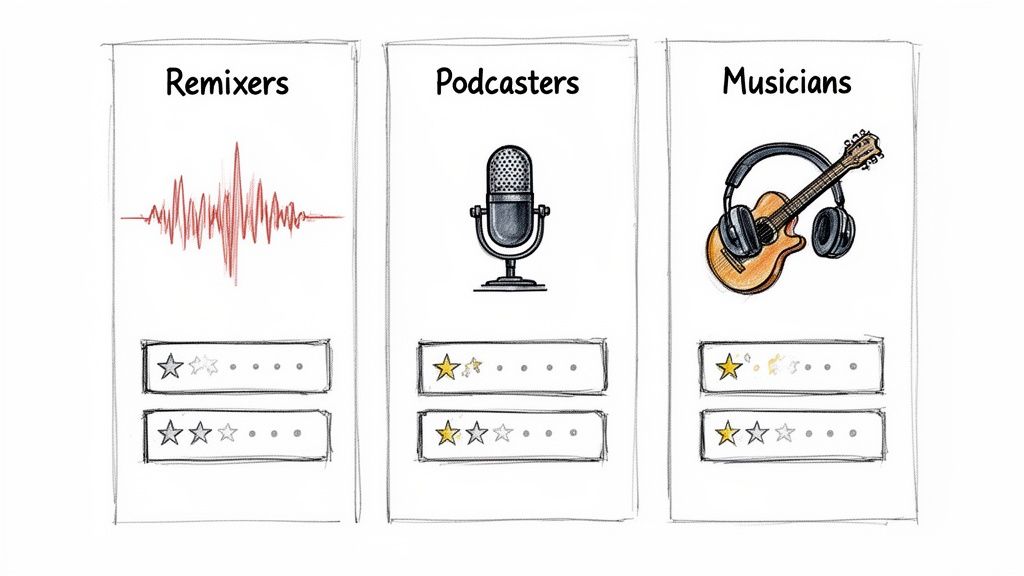
The real measure of any vocal removal software isn’t a feature checklist; it's how it performs in the real world. A tool that’s a lifesaver for a DJ might be a dud for a podcaster, and what a musician needs is a completely different beast.
So, instead of a generic rundown, we're going to dive into specific scenarios. We’ll see how the leading tools actually stack up when you put them to work. This isn't about crowning a single winner, but about finding the right tool for your project.
For Remixers Needing Flawless Acapellas
For any DJ or music producer, the holy grail is a pristine, studio-quality acapella pulled from a dense, professionally mixed track. This job demands an algorithm that can untangle complex layers of reverb, delay, and backing vocals without leaving behind digital artifacts or instrumental "bleed."
This is where AI models have really changed the game. They learn to analyze harmonic content and textures to tell the difference between a lead vocal and everything else. Tools like LALAL.AI have built their reputation on delivering clean vocal stems, using algorithms trained for this exact purpose. Their strength is preserving the natural character of the vocal, which is absolutely crucial for any serious remix.
The real challenge, though, is in those subtle, overlapping frequencies. A synth pad might share a similar harmonic space as a breathy vocal, causing a lesser model to get confused. The result? A washed-out, phasey sound in the instrumental track—a classic sign that separates the good tools from the great ones.
The gold standard for remixers is an acapella that sounds like it came straight from the original studio multitracks. It has to be clean enough to take EQ, compression, and effects without revealing the artifacts of the separation process.
Isolate Audio tackles this head-on with its Precision Mode. This setting is designed specifically for these kinds of complex, layered mixes. It runs a much deeper analysis, trading a bit more processing time for a much cleaner distinction between the vocal and any instruments crowding its space. For a producer, that tradeoff is a no-brainer. It can mean the difference between a genuinely usable acapella and one that’s only good enough for a rough demo.
Another big player, Moises, offers a solid balance of speed and quality, which is why it's a favorite for DJs prepping multiple tracks for a live set. Its stem separation is dependable, but on the most challenging tracks, you might still find yourself doing some manual cleanup to get rid of minor artifacts.
For Podcasters Isolating Dialogue
A podcaster's world is entirely different. You're not trying to craft a musical masterpiece; you're trying to rescue dialogue from a noisy room. Your enemy isn't a synth pad—it's background music, cafe chatter, wind, or a nasty echo.
For this kind of work, traditional fixed-stem separators can feel like using a sledgehammer to crack a nut. Sure, if an interview was recorded with music playing, a standard "vocals/instrumental" split might do the trick. But what about a persistent air conditioner hum or a dog barking? This is where a more flexible source separation tool like Isolate Audio really pulls ahead.
Instead of being locked into predefined stems, you can just tell it what to do. A simple prompt like "isolate the spoken voice" or, even better, "remove the air conditioner hum" gets the job done. The AI is trained on a huge library of environmental sounds, not just music, allowing it to target and remove specific noises with surgical precision. Fixed-stem tools just can't offer that level of control.
Picture a common podcasting nightmare: you're recording an interview and a phone starts ringing in the background.
- A fixed-stem tool is pretty much useless. It has no "phone ringing" stem to separate.
- With Isolate Audio, you can specifically target and "remove phone ringing," saving the dialogue without degrading the speakers' voices.
This capability makes it an indispensable tool for audio repair and post-production. While platforms like Moises and LALAL.AI are primarily music-focused, their algorithms can still do a decent job at general voice isolation. But for cleaning up complex, unpredictable audio, the flexibility of a natural language model gives you a much more powerful and targeted solution.
For Musicians Creating Backing Tracks
Musicians often turn to vocal removers for practice and performance. Their main goal is a clean instrumental track that they can play or sing along to. Here, the priority is getting a balanced, natural-sounding instrumental that feels complete even after the lead vocal is gone.
This is a scenario where most modern AI tools perform incredibly well. Both LALAL.AI and Moises are excellent for creating karaoke-style or practice tracks. Their algorithms are finely tuned to separate the core elements of a song—vocals, drums, bass, and other instruments—cleanly and quickly. Moises even throws in handy features like a metronome and chord detection, making it a fantastic all-in-one practice tool.
But a musician's needs can get more granular. What if a guitarist wants to learn a tricky solo but needs to hear the bass and drums for context? They don't just want to remove vocals; they want to isolate or remove a specific instrument.
This is another area where flexible separation technology proves its worth. With Isolate Audio, a musician could:
- Isolate the guitar solo to study every single note.
- Remove the lead guitar from the whole song to create a perfect backing track to play over.
- Isolate only the bass and drums to create a tight rhythm section to practice with.
This level of control goes way beyond simple vocal removal and into full-on song deconstruction. It lets musicians create custom practice loops tailored exactly to what they're working on—something much harder to do with tools limited to four or five fixed stems. The ability to pull out a "piano melody" or "saxophone part" is a huge advantage for any instrumentalist looking to sharpen their skills.
Feature Showdown: Vocal Removal Tools for Specific Use Cases
To make the decision clearer, let's break down how these tools stack up across our three main scenarios. This table highlights where each platform really shines, helping you match the right software to your specific needs.
| Use Case | Isolate Audio | Competitor A (e.g., LALAL.AI) | Competitor B (e.g., Moises) | Best For... |
|---|---|---|---|---|
| Flawless Acapellas | Excellent, especially with Precision Mode for complex mixes with reverb and overlapping sounds. | Very strong. Known for high-quality vocal separation with minimal artifacts on most tracks. | Good. Offers a fast and reliable option, but may struggle with extremely dense mixes. | Producers needing the absolute cleanest vocal stem for serious remixing and production. |
| Dialogue Isolation | Superior. Natural language prompts can remove specific background noises (e.g., "sirens," "hum"). | Good for separating voice from music, but not designed for targeted noise reduction. | Good for general voice isolation, but lacks the flexibility for complex audio cleanup. | Podcasters & Editors who need to rescue dialogue from unpredictable, noisy environments. |
| Custom Backing Tracks | Excellent. Can isolate or remove any specific instrument, offering maximum flexibility for practice. | Good for standard stem separation (vocals, drums, etc.) but cannot target specific instruments. | Very Good. Includes musician-focused features like chord detection and a metronome. | Musicians who want to deconstruct songs and create highly specific practice tracks. |
At the end of the day, the best vocal removal software is the one that solves your problem most effectively. If you need straightforward, high-quality stem separation for music, LALAL.AI and Moises are powerful and dependable choices. But for creators who demand surgical precision, unmatched flexibility, and the power to tackle audio challenges far beyond simple vocal removal, the natural language approach of a tool like Isolate Audio offers a clear advantage.
Putting Your Vocal Remover to Work
Knowing what a tool can do is one thing, but getting it to perform at its peak is something else entirely. This is where we move from theory to practice—the place you unlock the true power of your vocal removal software. A great result hinges on a thoughtful workflow, from prepping your audio file to picking the right settings for the job.
The process isn't just about dragging a file in and hitting "export." Tiny adjustments you make at the start can have a huge impact on the final quality of your separated stems. Think of it like a chef prepping ingredients before cooking; a little effort upfront makes for a much better meal. I'll walk you through a professional workflow to get clean, crisp audio separations every time.
Prepare Your Audio for a Cleaner Separation
Before you even think about uploading your track, take a second to check its quality. AI models are smart, but they work best when they have a clean, clear source to analyze. A low-quality, heavily compressed MP3 file has already thrown away a ton of audio information, which makes it much harder for an algorithm to tell the difference between a vocal and a cymbal crash.
If you can, always start with the highest-quality audio file you have, preferably a WAV or FLAC file. These lossless formats contain all the original audio data, giving the AI its best shot at producing artifact-free stems. If a compressed file is all you've got, that's fine—just know that the separation quality might not be as pristine. Our guide on how to isolate vocals dives deeper into sourcing high-quality audio for this exact purpose.
Another critical step is to listen for obvious problems like clipping or excessive noise. While some tools can help with these issues, it's always better to start clean. If a track is clipping (distorting because the signal is too hot), just turning down its overall volume before processing can help the AI get a much more accurate read on the audio.
Choosing the Right Quality Preset for Your Goal
Most modern vocal removers, including Isolate Audio, give you a few different processing modes. These presets are all about balancing the trade-off between processing speed and separation quality. Understanding when to use each one is the key to an efficient workflow.
Let's break down the options you'll typically find:
- Fast: Perfect for quick previews or when you're on a tight deadline and just need a rough separation to test an idea. It gets the job done quickly but might leave behind more noticeable artifacts or vocal bleed. Use this for initial drafts, never for final exports.
- Balanced: Just like the name says, this is your solid middle ground. It gives you a huge quality jump from the "Fast" setting without the long wait of the highest-quality mode. This is my go-to choice for making practice tracks or decent-quality stems for less critical projects.
- Best: When audio quality is the top priority, this is the one you need. It uses the most intense analysis to deliver the cleanest possible separation with the fewest artifacts. This is a must for professional remixers pulling acapellas or podcasters cleaning up dialogue for broadcast.
Think of these presets like different image resolutions. "Fast" is a low-res thumbnail, "Balanced" is your standard-quality JPG, and "Best" is the full, high-resolution print. Match the preset to how important the final product is.
For especially tricky mixes—where the vocals and instruments are tangled up or drowning in reverb—a Precision Mode can be a real lifesaver. This advanced setting goes even deeper, meticulously untangling overlapping frequencies to rescue audio that might otherwise be unusable. It takes more time, but the results are almost always worth the wait.
Advanced Tips for Complex Audio Mixes
Sometimes, even with the best settings, a track just doesn't want to cooperate. Songs with heavy reverb, dense backing vocals, or weird stereo panning can give any AI a run for its money.
In these cases, a little post-processing can go a long way. After you export your stems, pull them into your digital audio workstation (DAW). You can use a gentle EQ to clean up any leftover frequency bleed. For instance, if you still hear a faint vocal echo in your instrumental track, a subtle cut in the mid-range frequencies (around 1-3 kHz) can often clear it up without making the instruments sound thin.
And don't be afraid to experiment. Run the same track through the software using different presets to see which one handles that song's specific challenges best. You might be surprised to find that "Balanced" mode handles a certain kind of reverb better than "Best" mode, simply due to the quirks of the algorithm. Every song is a unique puzzle, and testing different approaches is all part of the creative process.
How to Choose the Right Vocal Removal Tool for You
Choosing the best vocal removal software isn't about finding a single "best" tool for everyone. It really boils down to what you're trying to accomplish. The perfect software for a podcaster cleaning up interview audio is going to be worlds apart from what a DJ needs to pull a clean acapella for a remix.
So, where do you start? First, figure out your main goal. Are you a musician who needs a quick way to create backing tracks for practice, or a producer who needs studio-quality stems for a commercial release? Knowing your primary use case will immediately point you in the right direction and save you from getting bogged down in options that aren't a good fit.
Making Your Final Decision
It's easy to get distracted by long feature lists, but the most important thing is how the tool actually performs in a real-world scenario. A piece of software with a hundred bells and whistles is worthless if its core vocal separation sounds muddy or the workflow is a nightmare.
- For Music Production and Remixing: Your top priority is audio quality. You need clean separation with as few artifacts as possible. Look for tools that offer high-fidelity processing, like the precision modes found in Isolate Audio, which are designed to handle tricky mixes full of reverb and complex layers.
- For Podcasting and Audio Repair: Here, flexibility is king. You’re not just removing music; you’re often dealing with unpredictable background noise. A tool that can isolate dialogue and reduce specific unwanted sounds is far more useful for salvaging a recording made in a noisy cafe or a windy park.
- For Practice and Performance: You're looking for a good balance. The software should deliver solid quality without taking forever to process a file. Features that let you isolate individual instruments, not just the vocals, are a huge plus for musicians trying to learn a specific part.
This decision-making process is a lot like following a map. You have to take the right steps in the right order to get to your destination.
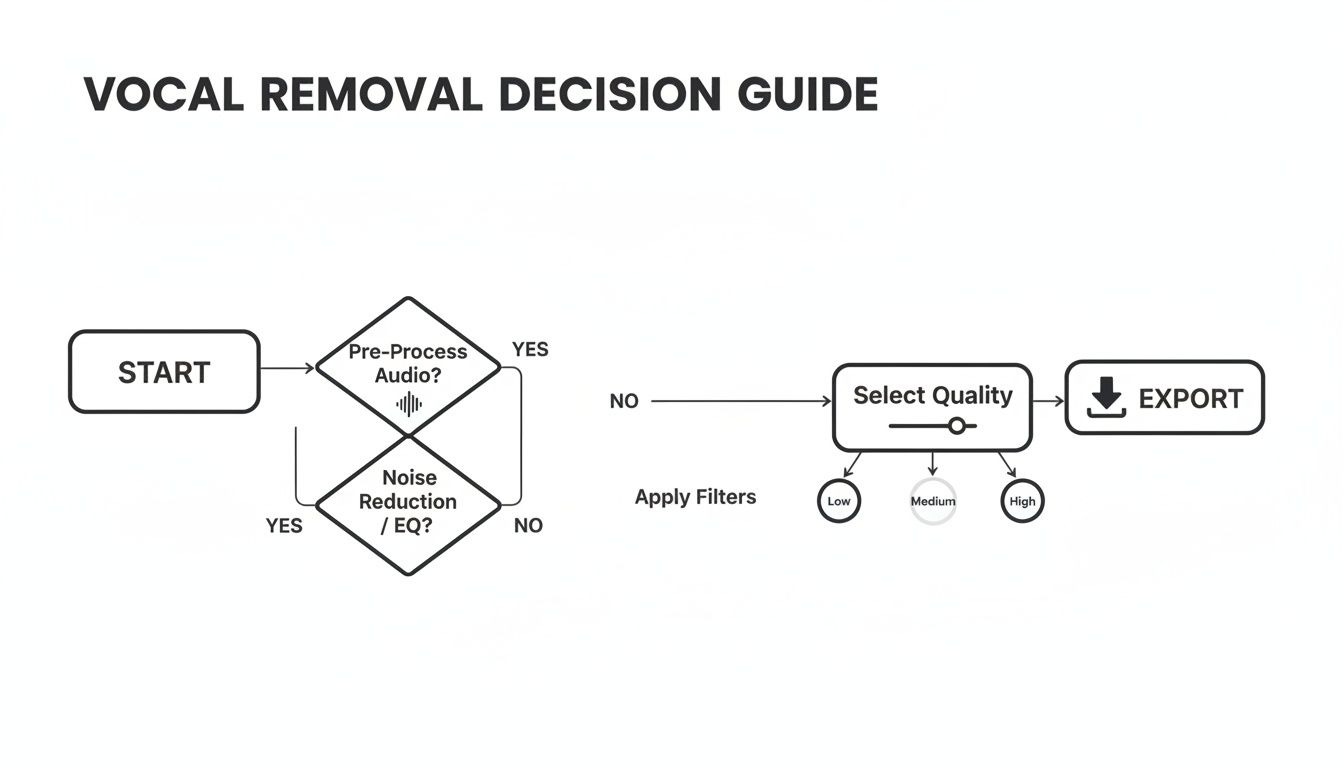
As the chart shows, simple choices made early on—like the quality setting you select—have a massive impact on the final result. It's a critical step that you can't afford to overlook.
At the end of the day, the right tool should feel like an extension of your own creative process. It should empower you to get the clean audio you need without fighting a complicated interface or dealing with technical glitches.
By thinking through these points, you can pick the software that will not only do the job but will genuinely improve the quality of your work.
Got Questions About Vocal Removers? We've Got Answers.
We get a lot of the same questions about vocal removers, so let's clear a few things up. Here are some straight answers on the practical and legal side of using this tech.
Can AI Really Deliver Studio-Quality Acapellas?
Yes, but it's not magic. The best vocal removal software today can pull out acapellas that sound incredibly clean—often so good you'd think they came from the original studio multitracks. The key, however, is what you feed it.
A clean, well-produced track with a centered vocal and minimal effects will give you a stunning result almost every time. But if you throw a song at it that’s drenched in reverb, has lots of layered harmonies, or wild stereo panning, the AI has a much tougher job. You might get some faint sonic "ghosts" or artifacts left behind. For professional work, always start with the best audio file you can find, like a WAV or FLAC, to give the algorithm the most information to work with.
AI has come a long way, but remember that its output is still a reconstruction, not the original recording. Think of it as a tool that gets you 95% of the way there. For top-tier professional projects, a little manual cleanup might be needed to get that final touch of perfection.
Online Tools vs. Desktop Software: Which Is Better?
This really boils down to your workflow, how much you care about privacy, and the power you need. Neither is better; they just serve different needs.
- Online Services: These are all about convenience. You don't have to install anything, and their powerful cloud servers do all the heavy lifting, so your computer doesn't slow to a crawl. They’re perfect for quick jobs or for anyone who wants a simple, no-fuss experience.
- Downloadable Software: Desktop apps are for users who want total control and privacy. You can work completely offline, which is a huge bonus. They also tend to offer more detailed settings and can integrate better into a larger audio production setup, though they do rely on your own computer’s processing power.
Is It Legal to Use Vocal Removers?
Absolutely. The software itself is perfectly legal. The important part is what you do with the tracks you create.
If you're just making a karaoke track to practice with at home, you have nothing to worry about. But if you use an acapella or instrumental from a copyrighted song for anything commercial, you're entering risky territory. That includes releasing a remix, using it on a monetized YouTube channel, or performing with it live. Using that material without getting the right licenses from the copyright owners is illegal. Always get permission before you share or make money from someone else's work.
Ready to create pristine audio separations with ease? Isolate Audio gives you the power to remove vocals, isolate instruments, or clean up dialogue using simple text commands. Try Isolate Audio for free and hear the difference for yourself.