The Ultimate Guide to Stem Separation Software
Stem separation software is a bit like a magic trick for audio. It takes a finished song—that single, mixed-down file—and uses artificial intelligence to pull it apart, isolating individual elements like the vocals, drums, bass, or guitar. Think of it as digitally "unmixing" a track to get your hands on the raw ingredients.
This process gives you the power to reverse-engineer a recording, something that was once thought to be completely impossible.
What Is Stem Separation and How Does It Actually Work?
For the longest time in audio production, once a song was mixed, that was it. The individual tracks were baked together into a single stereo file, and there was no going back. Imagine trying to un-bake a cake to get the flour, eggs, and sugar back out. That’s what it was like.
Stem separation software shatters that old limitation. It breaks a single audio file into its core components, known as stems. A stem is just an isolated track or a small group of related instruments. (If you want to go deeper, we have a whole guide explaining what stems are in audio production.) This capability opens up a whole new world of creative control.
The Magic Behind the Curtain: AI and Machine Learning
So, how does this digital deconstruction actually happen? The secret sauce is artificial intelligence, specifically deep learning neural networks. These AI models are fed enormous libraries of music, thousands upon thousands of hours of individual instrument tracks. By analyzing this massive dataset, the AI learns to identify the unique sonic signature of each instrument.
It's a bit like how a seasoned musician can listen to a complex piece of music and mentally zero in on just the bassline, tuning everything else out. The AI does the same thing, but with incredible precision. It recognizes the specific frequencies, harmonics, and timing that make a vocal sound like a vocal, then digitally lifts that "fingerprint" right out of the mixed track, leaving you with a clean, isolated stem.
The real breakthrough with modern stem separation isn't just basic filtering. It's about contextual recognition. The AI has learned what a snare drum sounds like across countless genres and mixes, allowing it to extract that specific sound with an accuracy that was pure science fiction just a few years ago.
From Clunky Tools to Intelligent Solutions
The technology behind stem separation has come an incredibly long way. Early attempts were pretty crude, often relying on basic tricks like phase cancellation that left you with muffled, artifact-ridden results. They were messy and often unusable for professional work.
Today's AI-powered tools are in a completely different league. They’re cleaner, smarter, and far more intuitive.
The Evolution of Stem Separation Capabilities
This table really highlights the massive leap forward from older methods to the sophisticated AI tools we have now.
| Feature | Traditional Stem Separators | Modern AI Tools (e.g., Isolate Audio) |
|---|---|---|
| Separation Method | Phase cancellation & EQ filtering | AI & deep neural networks |
| Output Quality | Often low-quality with audible artifacts | High-fidelity with minimal bleed or artifacts |
| Flexibility | Limited to predefined categories (vocals, drums) | Can isolate almost any sound described by the user |
| Ease of Use | Complex and required technical knowledge | Intuitive, often with simple drag-and-drop interfaces |
What was once a clunky, technical process that produced questionable results has become an accessible, powerful tool for almost any creator. The focus has shifted from just "getting something" out of a mix to getting high-quality, usable stems with minimal effort.
The AI Revolution in Audio Separation
Not so long ago, trying to separate audio tracks was more like demolition than surgery. The old-school methods, like phase cancellation or heavy-handed EQ, were incredibly crude. Imagine trying to lift a single thread out of a woven tapestry—you’d inevitably pull and ruin everything around it.
That’s what it felt like. You could try to carve out a vocal, but you’d be left with a hollow, artifact-ridden mess that was practically useless for any serious work. For most professionals, high-quality stem separation was a pipe dream.
The Shift to Intelligent Listening
Everything changed when machine learning came into the picture. Instead of just blindly filtering frequencies, modern AI models are trained to do something far more sophisticated: they learn to listen. They can recognize the unique sonic signature of a voice, a drum, or a bass guitar, much like how you can pick out a friend's voice in a noisy café.
This learning process is intense. A neural network is fed countless hours of isolated tracks—just vocals, just drums, just bass. Over time, it learns to identify the distinct fingerprints of each instrument: the sharp crack of a snare, the warm decay of a piano note, the subtle nuances of a singer's vibrato.
Here’s a simple look at how this process works from start to finish.

As you can see, a fully mixed track goes in, the AI works its magic, and clean, individual stems come out. It’s a complete departure from the destructive methods of the past.
How Neural Networks Unmix a Song
When you feed a song into modern stem separation software, it doesn’t just apply a generic filter. The AI’s neural network scans the entire audio file, looking for the patterns it was trained to recognize. This is how it can tell the difference between a bass guitar and a low-frequency synth pad, even if they occupy the exact same frequency range. It's not just about pitch; it's about character.
The AI essentially builds a sonic map of the song, tagging every sound it recognizes. Once everything is identified, it can digitally lift each element out of the mix and reconstruct it as a brand-new, isolated audio file. It’s not just removing what you don’t want; it’s intelligently rebuilding what you do.
A key distinction is that AI doesn't hear in frequencies alone; it hears in context and texture. It understands that the sharp transient of a hi-hat is fundamentally different from the smooth sustain of a violin, even if they momentarily share a similar frequency space.
This is what makes the results so much cleaner. It's the difference between using a sledgehammer and a scalpel. This same kind of technology has applications beyond music, too. Similar principles are used in advanced audio repair software to do things like remove background noise from dialogue or clean up field recordings.
The outcome is a set of remarkably usable stems, often clean enough for professional remixing, sampling, or post-production work. The AI revolution has effectively made "unbaking the cake" a real, practical tool for creators everywhere.
What to Look For When Choosing Stem Separation Software
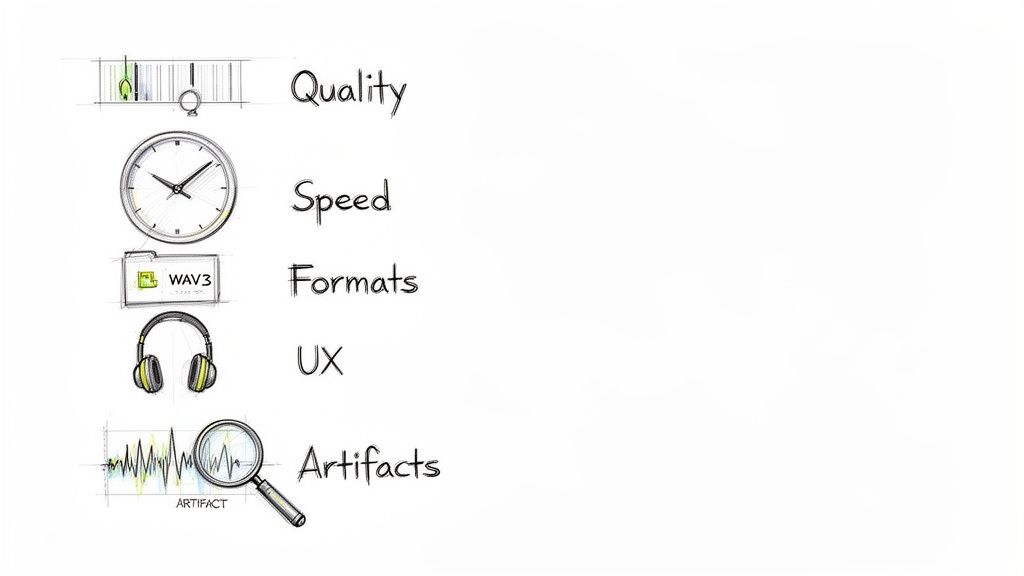
With so many tools out there, picking the right one can feel like a shot in the dark. But it really boils down to a handful of core features that separate the genuinely useful platforms from the ones that just cause headaches. If you know what to look for, you can find a tool that actually fits your workflow instead of fighting it.
The demand for this tech is exploding, with producers, DJs, and creators all jumping on board. It’s part of a much bigger shift in music production—the whole digital audio workstation market is expected to reach USD 8,851.3 million by 2033. You only have to look at the charts to see how common remixed stems have become in hit songs. You can get a better sense of this growing market and its industry impact to see where things are headed.
The Litmus Test: Separation Quality
At the end of the day, a tool is only as good as the stems it spits out. This is the single most important factor. When you're listening back, you’re really hunting for two main problems:
- Artifacts: These are the weird, glitchy sounds the AI adds during processing. Think "watery" textures, metallic hisses, or phasey weirdness that can make a stem completely unusable.
- Bleed: This is when bits of other instruments sneak into the stem you're trying to isolate. Hearing the ghost of a cymbal in your vocal track? That's bleed.
The best software keeps both to an absolute minimum, giving you stems that sound clean and natural—almost as if they were recorded that way from the start.
A truly great stem separator doesn’t just remove unwanted sounds; it preserves the character and integrity of the sound you want to keep. The goal is an isolated track that is musically intact, not just technically present.
Flexibility and Stem Types
The first generation of these tools was pretty rigid. You usually got four options: vocals, drums, bass, and everything else lumped into "other." Thankfully, modern software gives you a lot more control. Some platforms, like Isolate Audio, are even moving past fixed categories altogether.
This lets you pull out specific sounds just by describing them, like "that acoustic guitar" or "the police siren in the background." For sound designers, video editors, and producers dealing with messy audio, that kind of precision is a game-changer.
Speed and How It Fits Your Workflow
No one wants to kill their creative momentum by waiting an hour for a file to process. Speed matters. A lot. This is where cloud-based platforms often shine, as they do all the heavy lifting on their powerful servers, which keeps your own computer from grinding to a halt.
Think about how a tool will actually slot into your process. Does it handle the file types you always use? Is the interface intuitive, or will you need to read a manual just to get started? A smooth user experience means less time fighting the software and more time creating.
- File Format Support: Make sure the tool can handle your go-to audio and video formats, whether that's WAV, MP3, FLAC, or MP4.
- User Interface (UI): A clean, drag-and-drop workflow is almost always faster than a cluttered one with a steep learning curve.
- Cloud vs. Local: Cloud processing is fast and accessible from anywhere. A local plugin might offer tighter integration with a specific DAW, but often at the cost of processing power.
Ultimately, the best stem separation software is a balancing act between incredible audio quality and a design that makes your life easier. If you keep these key features in mind, you'll be able to confidently pick a tool that actually helps you get your work done.
Practical Workflows for Music Producers and Creators
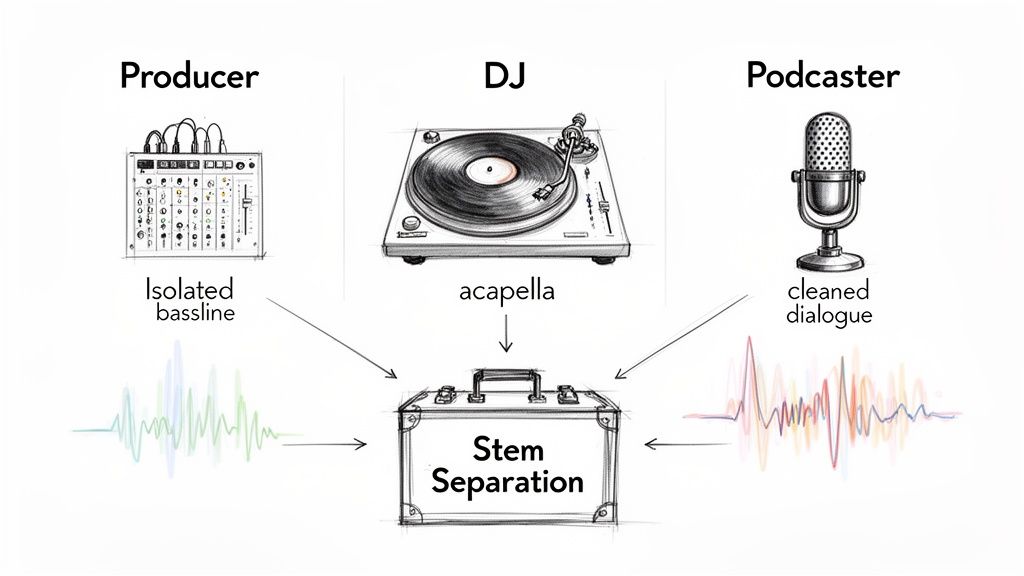
Understanding the tech behind stem separation is one thing, but seeing what it can actually do is where it gets exciting. This isn't just some clever studio trick; it’s a tool that solves real-world problems and opens up brand-new creative doors for anyone working with audio.
Let's dig into a few hands-on scenarios to see how people are using this technology in their everyday work. These aren't just abstract ideas—they're practical workflows you can start using today.
For the Music Producer Learning and Creating
Producers spend their lives dissecting music to figure out what makes it tick. Say you’re hooked on the bassline from a classic funk track, but it’s buried so deep in the mix you can’t quite make out the notes.
With stem separation, you can pull that bass part right out. Suddenly, you have a clean, isolated track to study, transcribe, or even jam along with. It’s the difference between just listening and truly learning from the masters.
It’s also a game-changer for creating custom backing tracks. Need a drum-less version of a song to practice your fills? Or a track without bass so you can lay down your own groove? It’s simple:
- Upload the Song: Grab a high-quality audio file of the track you want to break down.
- Isolate the Target: Use the software to pull out the instrument you want to remove, like the drums or bass.
- Download the Remainder: The software gives you everything else as a new stem, creating your perfect practice track in seconds.
For the DJ Crafting the Perfect Set
For DJs, clean acapellas and instrumentals are gold. They’re the secret sauce for crafting unique live mixes, mashups, and bootlegs. For years, you had to hunt for rare official instrumental releases—if they even existed.
Stem separation completely flips the script. Now, a DJ can create a studio-quality acapella from pretty much any song in their library. This means you can layer vocals over entirely different beats, creating those unforgettable, one-of-a-kind moments in a set that nobody else has.
This technology empowers DJs to move beyond simple track-to-track mixing and become true live remixers. The ability to grab a vocal on the fly and drop it into a completely different track opens up a level of spontaneity and creativity that was previously impossible.
The same logic works in reverse. By isolating an instrumental, you can create custom edits or use a killer beat as the foundation for a live mashup. If you want to dive deeper, our guide on how to create a high-quality remix is a great place to start.
For the Podcaster and Video Editor Rescuing Audio
Anyone working in post-production knows the pain of bad audio. Maybe an important line of dialogue is drowned out by background music, street noise, or a rowdy crowd. Re-shooting is rarely an option.
This is where stem separation becomes an essential audio rescue tool.
- Scenario: A video editor has footage from an outdoor event where the speaker’s voice is competing with loud music bleeding from a nearby stage.
- Workflow: They can upload the video’s audio into a tool like Isolate Audio. Using a simple prompt like "isolate the speaker's voice," the AI cleanly separates the dialogue from the music.
- Result: The editor gets a pristine dialogue track they can mix back into the video at a perfectly clear level, saving an otherwise unusable clip.
This isn't just about music. It’s about removing any unwanted sound, whether it’s a dog barking during a podcast interview or the hum of an air conditioner in a film scene. That kind of surgical control makes post-production faster and far more effective.
Stem Separation Use Cases by Creator Type
To pull it all together, here’s a quick look at how different creative professionals are putting stem separation to work.
| Creator Type | Primary Use Case | Key Benefit |
|---|---|---|
| Music Producer | Isolating instruments for sampling and analysis. | Unlocks new creative material and deepens musical understanding. |
| DJ | Creating custom acapellas and instrumentals. | Enables unique live remixes and signature mashups. |
| Podcaster | Removing background noise and music from dialogue. | Achieves professional-grade audio clarity and saves recordings. |
| Filmmaker | Cleaning up on-location dialogue. | Enhances storytelling by ensuring every word is heard clearly. |
| Musician | Generating backing tracks for practice. | Creates a perfect, customized environment for skill development. |
As you can see, the applications are incredibly diverse, offering tangible benefits that streamline workflows and push creative boundaries for everyone involved.
How Isolate Audio Offers a Smarter Approach
Most stem separation tools can handle the basics—pulling out vocals, drums, and bass. But what happens when you need something more specific? What if you need to lift just the acoustic guitar from a busy mix, or get rid of a distracting siren in a field recording? That’s where traditional, fixed-category software hits a brick wall. You’re either stuck with a messy separation or you have to give up entirely.
This is exactly the problem a new generation of stem separation software is built to solve. Instead of locking you into predefined boxes, tools like Isolate Audio work more like a conversation. You don't just click a button for "vocals"; you actually describe the sound you want to hear.
It’s a fundamental shift from rigid presets to flexible, descriptive commands, and it opens up a world of possibilities that used to be out of reach for most creators. Think of it as a more intuitive, powerful way to work with your audio.
Go Beyond Vocals and Drums with Natural Language
The real magic of Isolate Audio is its ability to understand plain English. You can simply type what you want to isolate, and the AI gets to work. This simple idea completely frees you from the classic four-stem prison (vocals, drums, bass, other) and lets you target almost any sound you can imagine.
This screenshot shows just how straightforward the text-based interface is.
As you can see, the whole process boils down to uploading a file and writing a prompt. That’s it. Suddenly, advanced audio editing feels accessible to everyone.
This approach is incredibly useful for complex, real-world projects.
- For Music Producers: Instead of getting a generic "other" stem cluttered with piano, synths, and guitars, you can ask to "isolate the lead synth melody" or "remove the rhythm guitar." You get exactly what you need, nothing you don't.
- For Video Editors: This is a lifesaver for cleaning up dialogue. You can target specific background noises directly, like "isolate the sound of footsteps" or "remove the hum of the air conditioner."
- For Sound Designers: The creative potential is massive. You can hunt for unique sonic textures inside existing recordings by prompting for things like "distant bell toll" or "gentle rain sounds."
This method turns audio separation from a technical chore into a creative exploration. If you can hear it and describe it, you can probably isolate it.
Precision Mode for Complex Audio Challenges
Let's be honest: sometimes, sounds are just hopelessly tangled together. A singer's voice might blend perfectly with a piano melody, or a snare hit might land at the exact same time as a guitar chord. These situations are notorious for causing "bleed," where bits of one sound leak into another's stem.
To tackle these tough cases, Isolate Audio has a Precision Mode. When you flip it on, you’re engaging a more intensive, meticulous AI model. It takes a much deeper, more granular pass at the audio, carefully analyzing overlapping frequencies and textures to draw a cleaner line between the competing sounds.
Think of it like the difference between a quick sketch and a detailed oil painting. Standard mode is fast and gets the job done for most things. Precision Mode brings in the fine brushes to capture the tiny details and clean edges you need for a flawless result.
This is especially helpful when you’re wrestling with a muddy mix, a mono recording, or any track where instruments are fighting for the same sonic space. It’s the surgical tool you need for those moments when "good enough" just won't cut it.
Balancing Speed and Quality for Your Workflow
Creative work moves fast, and nothing kills momentum like waiting for a progress bar to finish. Isolate Audio gets this, which is why it offers flexible quality presets. You get to decide what’s more important in the moment: speed or absolute fidelity.
You can pick from options that prioritize either lightning-fast results or maximum quality, making sure the tool fits your needs, not the other way around.
- Best Quality: This is what you’ll use for final exports. It delivers the cleanest possible stems with the fewest artifacts, making it perfect for professional remixing or mastering.
- Balanced: Your everyday workhorse. It offers a great mix of speed and quality, ideal for general tasks like making backing tracks or just figuring out a song’s structure.
- Fast: When you just need to audition an idea or quickly check a part, this mode gets you a separation in a fraction of the time.
Putting you in control of this trade-off makes the software a much more versatile part of your toolkit. And since all the processing happens in the cloud, your own computer’s resources are never tied up. You can keep working while the AI does the heavy lifting, making professional-grade stem separation software a practical tool for creators at any level.
Common Problems and How to Fix Them
Let's be real: even the best stem separation software isn't magic. While the technology has come a ridiculously long way, you’re still going to hit some bumps in the road that can mess with the quality of your stems. Knowing what these common problems are—and how to sidestep them—is what separates a messy result from a professional one.
Most of the headaches fall into a couple of predictable buckets, like weird digital sounds or the faint echo of an instrument that shouldn't be there. The good news? You can usually fix them with the right technique.
Dealing with Artifacts and Bleed
The two biggest complaints you'll hear about stem separation are artifacts and bleed. Artifacts are those weird, watery, or metallic sounds the AI sometimes leaves behind. Bleed is when you can still hear a ghost of another instrument, like a faint hi-hat that’s snuck into your vocal stem.
So, why does this happen? It usually comes down to a few key culprits:
- Low-Quality Source Files: Trying to separate a heavily compressed MP3 is like asking an artist to restore a masterpiece from a blurry photo. There just isn't enough information for the AI to do its job well.
- "Busy" or Dense Mixes: When you have a wall of sound where guitars, synths, and vocals are all fighting for the same sonic space, it's incredibly tough for any algorithm to neatly untangle them.
- Mono Recordings: A mono track smashes everything into one channel. This makes it exponentially harder to separate instruments compared to a stereo file, where the AI can use spatial cues to tell things apart.
A simple rule to live by: garbage in, garbage out. The cleaner and higher-resolution your original audio file is, the better your separated stems will sound. Always, always start with the best version of the track you can get your hands on.
How to Get Cleaner Stems in Practice
Luckily, you're not powerless here. The single most effective thing you can do is start with a high-quality, lossless audio file, like a WAV or FLAC. This one change alone can make a night-and-day difference in your results.
But what if you're working with a particularly tricky mix? That’s when you need to bring out the bigger guns. This is where the specialized features in newer tools really shine. For instance, a feature like Isolate Audio’s Precision Mode uses a more powerful AI model that’s built for these tough jobs. It takes a bit longer to process, but it digs deep to carefully pull apart overlapping sounds, cutting down on both bleed and artifacts.
Another great strategy is to just get more specific with your instructions. If a simple prompt like "isolate guitar" gives you a messy result, try guiding the AI with more detail. A prompt like "isolate the clean electric guitar melody playing on the right side" gives the model more context to work with, helping it lock onto the exact sound you're after. By pairing great source audio with smarter tools and clearer instructions, you can conquer just about any separation challenge.
Got Questions About Stem Separation? We've Got Answers.
We get a lot of the same questions from producers, DJs, and audio pros dipping their toes into stem separation for the first time. Let's clear up some of the most common ones.
So, Is This Stuff Actually Legal to Use?
The software itself? Absolutely. Owning and using a tool like Isolate Audio is 100% legal. The real question is what you do with the audio after you’ve separated it.
If you’re just practicing, creating a mashup for a DJ set, or studying how a track was put together, you’re in the clear. But if you plan to release a remix or sample publicly—say, on Spotify or YouTube—you absolutely need permission from whoever owns the original song's copyright. Don't skip that step.
Can I Really Separate Any Sound I Want?
The latest AI tools are getting incredibly good at this. You can try to isolate just about anything you can hear and describe. But how clean the result is? That depends on a few things.
The quality of your source file is huge. A well-mixed, uncompressed WAV file will give you much better stems than a low-quality, heavily compressed MP3. Also, think about how busy the track is. Pulling a clean vocal from a sparse acoustic track is way easier than lifting it from a wall of distorted guitars.
Here’s a good rule of thumb to live by: The cleaner and clearer your source audio, the cleaner and more accurate your separated stems will be. Garbage in, garbage out, as they say.
Do I Need a Super-Powerful Computer for This?
Not anymore. It used to be that you needed a beast of a machine with tons of processing power to run stem separation plugins locally. Your computer’s fan would scream, and you’d go make a coffee while it worked.
Thankfully, many modern tools are cloud-based. Platforms like Isolate Audio do all the heavy lifting on their own powerful servers. This means you can get incredibly fast and high-quality results from a basic laptop, or even a tablet, as long as you have an internet connection. It really opens up professional-grade stem separation software to everyone, no expensive hardware needed.
Ready to stop wondering and start creating? Give Isolate Audio a try and see what's possible when you can separate any sound just by describing it. Start separating for free at https://isolate.audio.