How to extract vocals from audio and create clean tracks
If you need to pull a vocal track out of a finished song, your best bet is to use AI-powered software designed specifically for the job. This approach is worlds away from the old-school methods, giving you a clean, high-quality acapella in minutes, even from a dense, complex mix.
How AI Changed the Game for Vocal Extraction
Remember the days of wrestling with phase inversion or trying to carve out vocals with surgical EQ? If you do, you know the frustration. Those manual techniques almost always left the vocals sounding thin, hollow, and riddled with weird audio artifacts. It was a painstaking process that only dedicated audio engineers with a ton of patience could even attempt.
Thankfully, AI has completely flipped the script.
Modern tools like Isolate Audio don't just crudely filter out frequency ranges. Instead, they analyze the unique sonic characteristics of the audio itself. The AI models have been trained on thousands of hours of music and speech, learning to tell the difference between the signature of a human voice and that of a guitar, a piano, or a snare drum. This allows the software to intelligently "un-mix" a track with an accuracy that was once unimaginable.
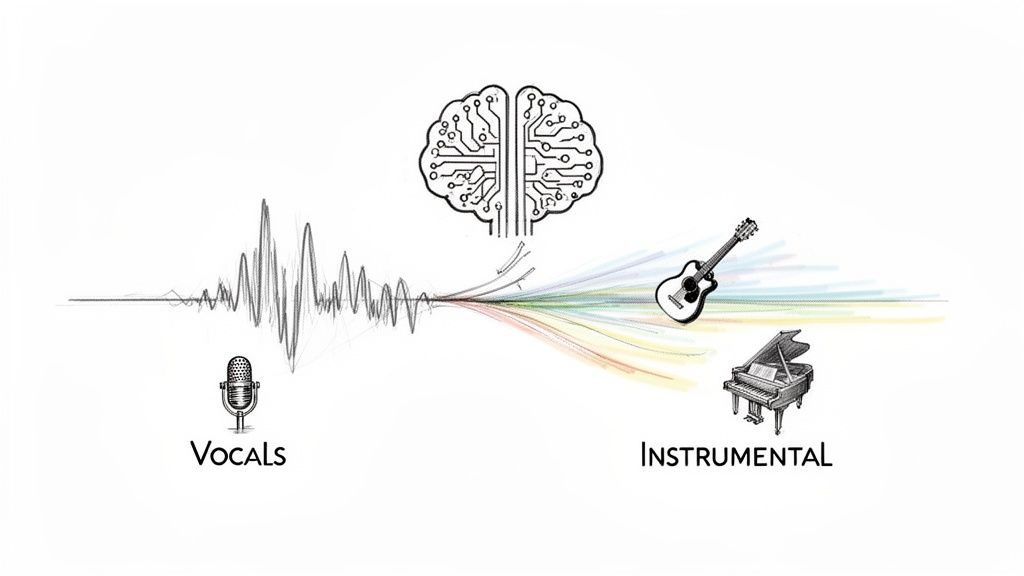
This shift from a technical chore to a creative tool opens up a world of possibilities for everyone:
- DJs and producers can now create intricate remixes and mashups without needing the original studio stems.
- Podcasters can rescue interviews recorded in noisy environments by cleaning up the dialogue.
- Musicians can study the vocal harmonies of their favorite artists by isolating them from the full track.
- Content creators can easily whip up custom karaoke versions or backing tracks for their videos.
A Quick Look at the Old vs. New
To really appreciate the leap forward, it helps to see the different methods side-by-side. The traditional ways had their place, but they simply can't compete with the speed and quality of modern AI.
Vocal Extraction Methods At-a-Glance
| Method | Process | Typical Quality | Time Required |
|---|---|---|---|
| Manual (Phase Inversion, EQ) | Requires an instrumental version. Involves inverting polarity or meticulously carving out frequencies. | Low to Moderate. Often results in artifacts, "phasiness," and a thin sound. | Hours, with lots of tweaking. |
| AI-Powered (Isolate Audio) | Upload the audio file. The AI analyzes and separates the vocal and instrumental stems automatically. | High to Professional. Clean separation with minimal artifacts. | Seconds to minutes. |
As you can see, the difference is night and day. What used to be a technical headache is now a simple, fast, and highly effective process.
The Technology That Makes It Possible
At the heart of all this is a field called audio source separation, which is exploding in popularity. In fact, the market was valued at $1.37 billion and is projected to skyrocket to $5.02 billion by 2029. This growth is fueled by the massive demand from music producers and content creators who need tools that are both powerful and fast.
By training on massive datasets, these AI models can pull off feats once thought impossible—like cleanly isolating a single voice from a crowded room or a specific instrument from a full orchestra.
This incredible precision is why AI-driven tools are quickly becoming the industry standard. It’s no longer about clumsy filtering; it’s about intelligent, surgical separation. If you want to dive deeper into the different options out there, our guide on stem separation software is a great place to start.
Setting Your Audio Up for a Flawless Separation
Let's be real for a moment. The quality of your vocal extraction is only as good as the audio you start with. While modern AI can feel like magic, giving it a clean, high-quality source file is the single most important thing you can do to get a professional result. I always think of it like cooking; even the best chef in the world can't make a five-star meal with spoiled ingredients.
So, before you even think about uploading your track to a service to extract vocals from audio, taking just a minute to check your file can make a world of difference. When you start with the right format, you're giving the AI all the sonic information it needs to do its job properly.
Choose the Right Audio File Format
Here’s a rule I live by: avoid heavily compressed files whenever you can. Sure, an MP3 is convenient for listening, but the compression process literally throws away audio data to shrink the file size. When it comes to vocal separation, that discarded data might contain the exact subtle details the AI needs to tell a voice apart from a guitar lick or a cymbal crash.
Here’s a quick rundown of what to look for:
- The Best: Lossless formats like WAV or FLAC are the gold standard. They're a perfect, bit-for-bit copy of the original recording, with nothing lost.
- A Good Fallback: If you can't get your hands on a lossless file, a high-bitrate MP3 (320 kbps) is a very solid alternative. It keeps enough quality for most separation tasks.
- What to Avoid: Definitely steer clear of low-bitrate MP3s (128 kbps or lower) or any file that’s been downloaded, converted, and re-compressed over and over. That’s a surefire recipe for muffled vocals and weird digital artifacts.
The principle here is simple: the more data you give the AI, the better it can work. Starting with a clean source is how you avoid the classic "garbage in, garbage out" problem.
Spotting Potential Audio Problems
Beyond the file format, the way the track was originally mixed can throw a wrench in the works. Some production choices essentially "bake" sounds together, making them incredibly difficult for even the most sophisticated AI to untangle.
Keep an ear out for these common culprits:
- Heavy Reverb or Delay: When vocals are swimming in effects, the AI can get confused. It might struggle to separate the "dry" voice from its "wet" echo, often leaving ghostly remnants of the effect on the instrumental track.
- Clipping and Distortion: If the original track was recorded too hot (too loud), the audio signal clips, creating distortion. This digital noise smears frequencies together, which can easily fool the separation algorithm.
- Extreme Compression: Tracks that have been squashed with too much compression lose their dynamic range. This makes it tough for the AI to pick out the distinct attack and release of individual instruments and the vocal line.
Taking a moment to find your best possible source file really does set the stage for a clean, professional-sounding separation.
Alright, let's get down to the fun part—actually turning that mixed audio file into a clean, isolated acapella. Using an AI tool like Isolate Audio makes this process feel almost like magic, but a few smart choices on your end can make a world of difference in the final result. This isn't just about blindly clicking a button; it's about steering the AI to get exactly what you need.
The beauty of this whole workflow is its simplicity. You just need to upload your file, tell the AI what you want it to find, and then let it do the heavy lifting. Modern AI tools are built to be intuitive, finally breaking down the technical walls that used to make this kind of work so tedious.
The diagram below recaps those crucial prep steps we just talked about.
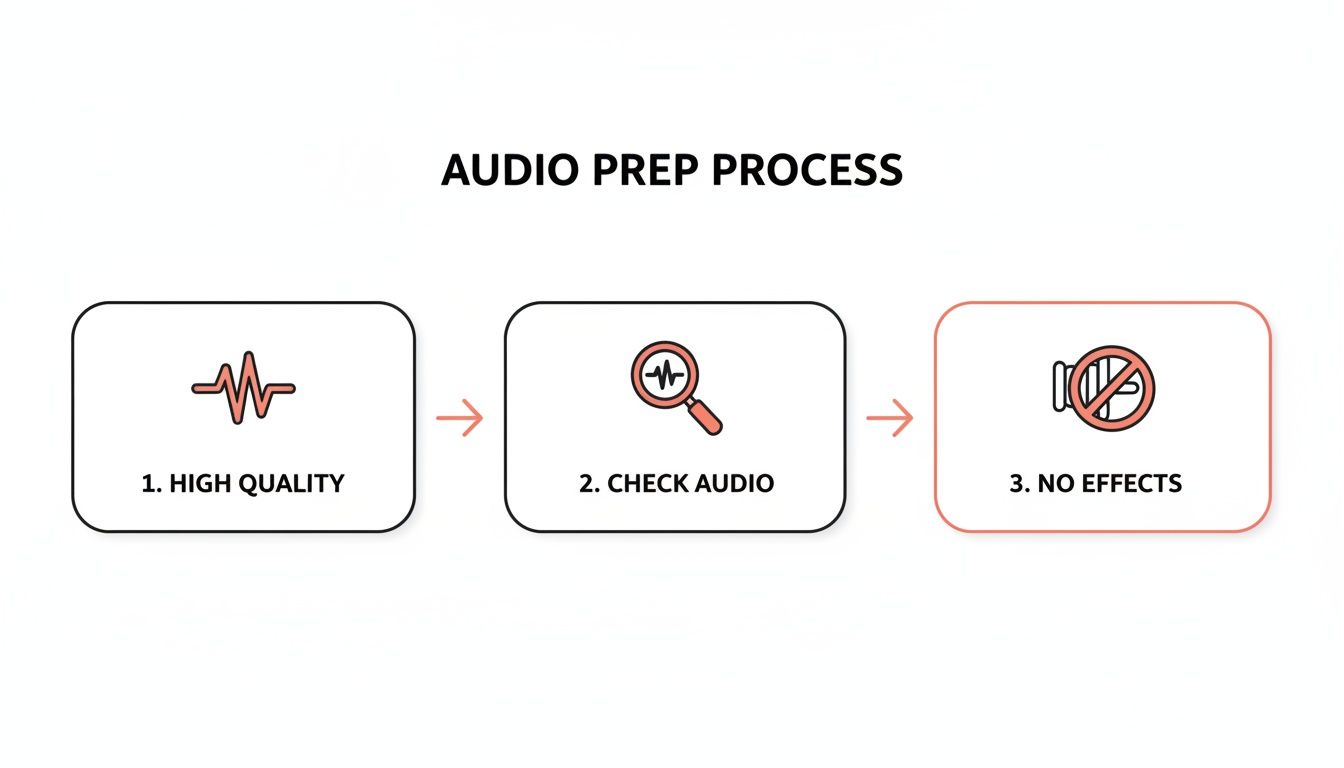
Honestly, starting with a clean, high-quality track without a ton of effects is half the battle won.
Mastering Natural Language Prompts
This is where a tool like Isolate Audio really starts to pull away from the pack. Instead of being stuck with generic presets like "Vocals" or "Drums," you can just tell the AI what you want in plain English. That specificity is your secret weapon for getting a perfect extraction on the first try. The more precise you are, the better the AI can focus its efforts and deliver clean results.
Don't just be generic. Think about what you're actually trying to pull out of the mix.
- Instead of just "vocals," try "lead female vocal" to help it ignore any male backing harmonies.
- Working with dialogue? Use "spoken male dialogue" to distinguish it from any background music.
- If you're after those rich background layers, a prompt like "choir harmonies" is incredibly effective.
The more detail you feed the AI, the better it understands your goal and isolates the right sound source. This is a huge step up from older software that would often get confused by busy or complex arrangements. If you want to explore how different tools stack up, our guide on the best vocal removal software is a great resource.
Think of your prompt as a direct line to the AI's brain. A clear, descriptive prompt is like giving it a precise set of instructions, ensuring it isolates exactly what you're hearing in your head.
Choosing Your Quality Settings
After you've uploaded your audio and typed in your prompt, you'll usually see an option to choose the processing quality. This is basically a trade-off between speed and audio fidelity. There isn't one "best" setting for everything; the right choice really depends on what you're working on.
Here’s how I think about it in practice:
- Fast: This is my go-to for quick previews or when I'm just messing around with an idea. You get the results in seconds, which is fantastic for checking if the AI can even isolate the part you want before you commit more time.
- Balanced: For most everyday tasks, this is the sweet spot. It delivers a great combination of speed and high-quality sound, making it perfect for creating karaoke tracks or doing quick remixes.
- Best: When every little detail counts, this is the only option. It takes longer, for sure, but the fidelity is unmatched. This is what you'll want for professional music production, cleaning up mission-critical dialogue, or prepping a vocal for its final mix.
A little tip from my own workflow: for any important project, I always run a Fast separation first to make sure the AI is on the right track. If that quick preview sounds good, then I’ll run it again on the Best quality setting for the final export. This two-step approach has saved me a ton of time over the years and guarantees I'm only waiting for the highest quality when I know it's going to be worth it.
So, You've Got an Isolated Vocal Track. Now What?
Alright, you’ve run your audio through the isolator, and now you have two pristine files: a clean acapella and a rich instrumental. The real fun is just getting started. Think of these separated tracks as raw ingredients, ready for you to cook up something entirely new. Let's dive into a few real-world situations where these stems become absolute game-changers.
For anyone serious about music, getting your hands on an isolated vocal is like finding a hidden treasure map. It lets you hear every little detail—the phrasing, the harmony stacks, even the subtle breaths—of your favorite singers without the full band in the way. It’s the closest thing to getting a one-on-one lesson from a world-class vocalist.
Taking that kind of deep dive is one of the fastest ways to level up your own skills.
Remixes and DJ Sets
Probably the most common home for a freshly pulled acapella is in a bootleg remix or a creative mashup. When a DJ layers a well-known vocal over a completely different beat, it creates a "wow" moment on the dance floor that's completely unique. This is how you build a signature sound and keep your sets feeling fresh and unpredictable.
A killer acapella can be the perfect glue between two tracks that don't quite mix. It can smooth over a tricky key change or a big tempo jump, turning a clunky transition into a seamless, professional-sounding blend.
Beyond live sets, these vocals are an incredible practice tool for producers. Got a professionally recorded vocal track? Now you can really put your mixing chops to the test. Experiment with EQ, compression, and reverb and hear how your processing sounds on a studio-quality source. It’s an invaluable way to sharpen your skills. With the digital audio workstation market valued at $4,394.1 million and growing fast, it's clear more and more creators are diving into this world. You can read more about the DAW market's impressive growth to see just how big this space is getting.
Dialogue Cleanup and Audio Restoration
If you work with spoken word—as a filmmaker, podcaster, or video editor—vocal isolation is nothing short of a lifesaver. Picture this: you just nailed a fantastic on-location interview, but back in the studio, you realize a humming air conditioner or passing traffic is all over the recording. Years ago, that audio might have been unusable.
Not anymore. Now, you can simply lift the dialogue right out of the mix, leaving the distracting background noise behind. This kind of audio restoration can genuinely save a project, making sure your audience hangs on every word. It's incredibly useful for:
- Cleaning up field recordings for documentaries and news packages.
- Salvaging podcast interviews recorded over a less-than-perfect internet connection.
- Boosting dialogue clarity in indie films where the set wasn't soundproofed.
Creating High-Quality Backing Tracks
Don't forget about the other file! That instrumental track left behind after you've pulled the vocals is pure gold. For singers and musicians, this is the ultimate backing track for practice or performance.
Forget about those cheesy, MIDI-sounding karaoke files. Here, you get to sing along with the actual, professionally produced music from the original recording. It makes your practice sessions more inspiring and gives any live performance a polished, studio-grade feel. Load it onto your laptop for a gig, use it to record a cover for your YouTube channel, or just use it to rehearse without the original vocalist in your ear. It’s a simple move that makes a huge difference.
Taking Your Extracted Vocals From Raw to Radio-Ready
Pulling a clean vocal track using an AI tool is a huge win, but that's not the finish line. Think of that raw acapella as a perfectly prepped canvas—it’s ready for the final touches that will make it shine. A little post-processing work in your Digital Audio Workstation (DAW) can make all the difference, helping the vocal blend perfectly into your project and sound like it was professionally recorded from the start.
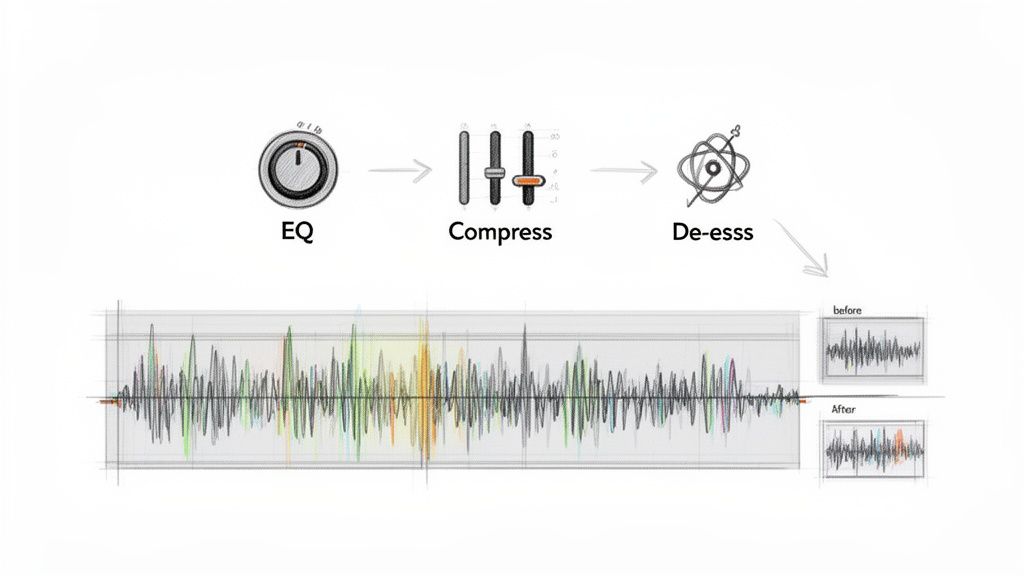
This is where your own ear and creativity come into play. Even the best AI can leave behind subtle artifacts or create a dynamic range that feels a bit unnatural. The good news is that these are typically quick fixes that add that final professional sheen.
Start with a Cleaner Extraction: Precision Mode
Before you even open your DAW, take a moment to think about the original track. Was it a complex, layered mix with tons of reverb or instruments competing with the vocals? If you're dealing with a "wall of sound," you can save yourself a lot of cleanup time by using a feature like Isolate Audio’s Precision Mode from the get-go.
This setting pushes the AI to perform a much deeper, more detailed analysis. It’s a lifesaver for those really dense arrangements where frequencies are constantly overlapping, giving you a much cleaner separation right out of the gate.
Essential Polishing in Your DAW
With your high-quality acapella ready, it's time to bring it into your DAW. You don’t need an arsenal of expensive plugins to get a pro sound. A few fundamental tools, used thoughtfully, will get you 90% of the way there.
Here are the three main things I almost always do:
- Gentle EQ: The first move is usually a high-pass filter to get rid of any low-end mud that might have snuck in, typically rolling off everything below 80-100 Hz. You might also use a more precise, "surgical" EQ to find and dip any weird resonant frequencies from the original instruments that are still faintly audible.
- Light Compression: AI-extracted vocals can sometimes feel a bit dynamically jumpy. A touch of light compression—think slow attack, fast release—can even out the volume levels. The goal is to make the performance feel more consistent and glued together, not to crush the life out of it.
- De-Essing: The extraction process can sometimes exaggerate harsh "s" and "t" sounds, a problem known as sibilance. A simple de-esser plugin is designed to find and turn down only those specific frequencies, making the vocal much smoother and easier on the ears.
Your goal here isn't to re-engineer the vocal performance. It's about cleaning up the edges and making small, targeted tweaks. These subtle moves have a massive impact on the final result, making it sound polished and intentional.
Mastering these skills puts you ahead of the curve. The global market for audio AI tools, currently valued at $1,046 million, is on track to more than double to $2,260 million by 2034. It’s clear that these tools are becoming an indispensable part of the modern creator's toolkit. For more on this trend, you can check out some fascinating data on the expanding audio AI market on intelmarketresearch.com.
Ultimately, knowing how to refine an extracted vocal is a true superpower. It gives you the ability to take a raw AI output and transform it into something that sounds clean, professional, and ready for any project you can dream up. If you want to go deeper on fixing audio imperfections, our guide on essential audio repair software is a great next step.
Got Questions About Vocal Extraction?
Even with AI doing the heavy lifting, a few questions tend to pop up time and time again. It’s totally normal to wonder about the legal stuff or what to do when you hit a technical snag. Let's walk through some of the most common issues I see people run into.
Is This… Legal?
This is the big one, and for good reason. Using vocals you've pulled from a copyrighted song in your own commercial release without permission is a clear-cut case of copyright infringement. Don't do it.
But what about for practice? Or a non-monetized DJ mix? That's more of a gray area. My rule of thumb is simple: if you plan to make money from whatever you're creating, you absolutely must get the rights cleared with the original copyright holders. When in doubt, play it safe.
Why Can I Still Hear Faint Instruments in My Vocal Track?
Ah, the classic "vocal bleed" or "artifacting" issue. You’re not alone. This happens when the original mix is really dense, or when instruments and vocals are fighting for the same sonic space. Think of a bright synth pad sitting right behind a singer, or a crunchy, distorted guitar. They have similar frequencies, and even the smartest AI can sometimes get confused.
The quality of your source file plays a huge role here, too. A low-quality 128 kbps MP3 has way less audio information for the AI to work with compared to a crisp, lossless WAV file. Less data means a less accurate split.
Here’s what you can do about it:
- Try Precision Mode: If your tool has it, running the file through a more intensive analysis mode often clears up those stubborn leftover sounds.
- Grab an EQ: Pull the isolated vocal into your DAW. Use a surgical equalizer to hunt down the specific frequencies where you hear the instrumental bleed and gently notch them out.
The goal isn't always 100% pristine isolation. It's about getting a vocal that's clean enough to work in your new project. A tiny bit of bleed might be completely buried and unnoticeable once you place it in a busy mix.
What's the Best Audio Format to Use for This?
For the cleanest possible extraction, always, always start with a lossless file format like WAV or FLAC. These files are the whole enchilada—they contain all the original audio data, giving the AI the best possible chance to do its job right.
If you can't get your hands on a lossless version, a high-bitrate MP3 (320 kbps) is your next best bet. I’d strongly advise against using heavily compressed files or audio you've ripped from a streaming video. The quality hit is just too significant and will directly impact your final result.
Can the AI Separate Backing Vocals From the Lead?
Now we're getting to the fun stuff. A few years ago, the answer would have been a firm "no." You'd get one track with all the vocals lumped together. But today's AI is a different beast entirely.
Tools that use natural language prompts give you incredible control. Instead of just telling it to find "vocals," you can get specific. Try prompts like:
- "lead female vocal"
- "male backing harmonies"
- "ad-lib vocal track"
How well it works depends on the original mix. If the backing vocals are panned wide and the lead is dead center, your chances of getting a clean separation are excellent. This kind of detailed control is a game-changer for producers and remixers who want to truly deconstruct a song's vocal arrangement. It turns a simple utility into a powerful creative tool.
Ready to stop wrestling with tricky audio and start creating with clean, isolated tracks? With Isolate Audio, you can extract any sound using simple text prompts. Upload your file, describe what you want, and let our AI handle the rest. Try Isolate Audio for free and hear the difference for yourself.