How to Isolate Vocals Online Free in 2026
You've got a demo bounce, a video deadline, and no separate vocal recording. You need the singer on their own tonight, but the only file on your laptop already has guitars, drums, and reverb mixed together. A free browser pass can help, provided you judge the download as audio to audition, not a studio stem you've automatically recovered.
The useful workflow is simple: upload a good source, describe the voice you want, download both outputs, and accept or reject a representative excerpt with headphones. If you want to isolate vocals online free, that listening decision matters more than how quickly you reach the download button.
What a Free Vocal Pass Can Deliver
A finished stereo bounce doesn't contain a hidden, separate vocal channel. The singer and instruments share the same audio signals, so a separation tool estimates which parts belong to the voice. The MERL review of audio source separation identifies overlapping sources, unwanted artifacts, and fidelity to the original recording as recurring challenges.
Say you're a singer with only a demo bounce and you need an acapella for a video tonight. An exposed lead might come back clearly enough to rehearse with or place in a rough edit. The same singer in the chorus may sound less natural because doubled voices, cymbals, and distorted guitars overlap.
What a free vocal isolation usually returns
| Source | Typical free result | Sensible use |
|---|---|---|
| Dry centered lead vocal | Usable lead with light leakage | Practice track or video draft |
| Doubled or heavily reverbed lead | Watery tone or chopped tails | Preview only |
| Dense chorus with guitars and cymbals | Bleed on sustained notes | Scratch remix, not a master |
| Stacked harmonies or choir | Lead and backs stay partly glued | Do not expect separate harmony stems |
| Speech over music | Dialogue when a speech-targeted prompt succeeds | Edit preview, not a measurement |
| Live room or phone video | Room tone and phasey artifacts remain | Reference, not a release stem |
Match the result to tonight's job
Start with the dry lead row. A voice that's distinct from its accompaniment gives you a sensible candidate for a practice file, but light leakage still needs checking during exposed gaps. Don't mistake a louder singer for a cleaner extraction.
Doubled and reverberant leads need a different expectation. The processor may preserve the direct voice while damaging its surrounding texture, which can make a vocal feel strangely narrow or watery. In a dense chorus, the unwanted sound may instead follow the singer's sustained notes.
Stacked harmonies are another task again: extracting the vocal group doesn't mean separating every singer within it. Dialogue and live recordings also need their own targets and acceptance criteria, rather than an assumption that any vocals button will return clean speech.
Practical rule: Name the deliverable before uploading. A practice track, a rough video acapella, and a release master require different decisions.
If the demo supports a booking pitch, present the recording rather than letting an artificial-sounding extraction represent your singing. The electronic press kit builder epks has a practical guide to secure gigs as a solo artist that can help you organize the wider pitch.
A practice file or video draft is a fair target for a free pass. A release master needs further scrutiny, and sometimes the right answer is to request the original vocal recording.
Isolate Vocals Online Free Step by Step
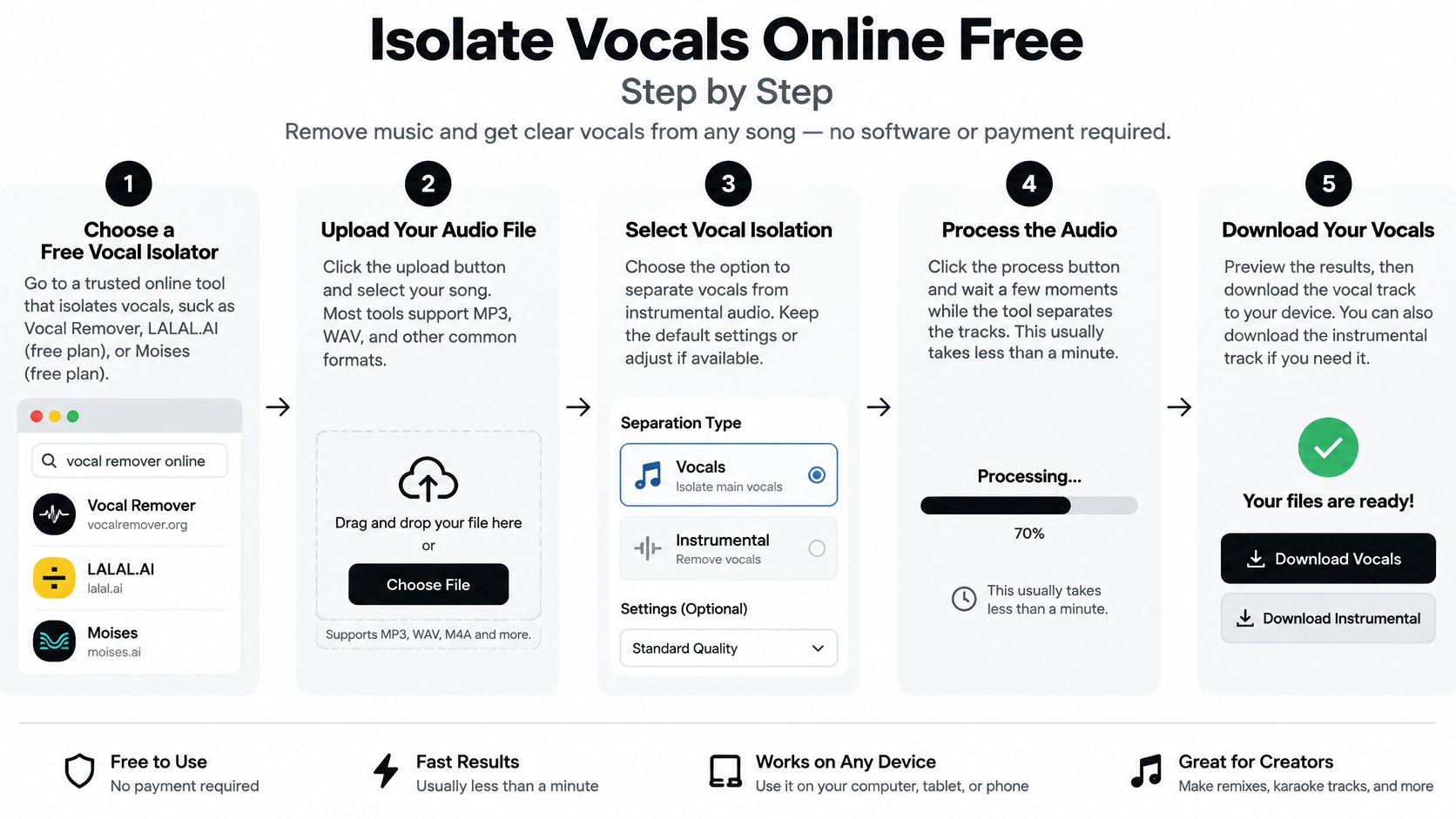
Prepare the source before you spend a separation. The browser workflow below uses Isolate Audio as the worked example: upload your audio, describe the sound you want, then download your tracks. Keep your original mix untouched throughout.
This process graphic summarizes the route from upload to review.
Prepare a source that hasn't been unnecessarily altered
Find the best original copy. Prefer a lossless file when you have one, and make a WAV working copy while preserving its original sample rate and stereo channels. Changing those settings doesn't reveal more vocal detail, and unnecessary conversion adds another variable to the job.
Leave a compressed source alone. If your only copy is MP3 or another compressed format, use the best available version rather than repeatedly converting it. Saving an MP3 as WAV won't reconstruct information already removed by compression.
Skip aggressive cleanup before separation. Don't apply a karaoke center-cancel effect, heavy equalization, or strong de-essing as a routine preparation step. You may remove parts of the voice or alter the mixture before the separator gets a chance to interpret it.
Prepare a representative test file. For example, make a twenty-to-thirty-second test excerpt if you can fit an exposed line, a difficult chorus passage, and a short music-only gap into it. That's a practical starting length, not a requirement or a guarantee that every song's difficult moments will fit.
Use an audio editor such as Audacity to trim a copy without overwriting the master. Keep the beginning and end away from the middle of a sung consonant, and leave enough context to hear the transition into accompaniment.
If your source comes from a video you're authorized to use, Podmuse's guide to safe workflows for YouTube audio conversion is useful preparation. Prefer an original video or audio export when you can obtain it instead of building your workflow around another compressed copy.
Upload and describe the actual target
Create your free account and open the upload workflow. Keep the untouched master in its original folder and give the test copy a clear filename. That makes it easier to rerun the same material without accidentally uploading a processed result.
Drag and drop the audio or video file into Isolate Audio. Upload the complete mixture for the excerpt, not an attempted vocal you've already made with center cancellation. If the recording lives inside a video, you can upload that file directly.
Describe the wanted sound in plain English. Start with a concise description such as lead vocals or the singer. You're naming an audible source, not asking for an abstract improvement such as better sound.
Run the test before committing the full recording. Use the standard processing available to your account for the initial attempt. Keep the source and wording consistent so that any later comparison tells you something useful.
A description should identify what you want to keep. If you want the singer, asking for no drums doesn't define that target as clearly as naming the lead singing voice. Likewise, singing and spoken dialogue aren't interchangeable targets just because both come from a human voice.
Use this video as a companion to the upload-and-description workflow.
Keep both downloads and choose the right editing format
Download the isolated voice and the remainder. Give them matching filenames, such as demo-vocal-test and demo-remainder-test. The remainder is useful for checking what was removed and for trying a backing-bed edit.
Audition before trimming and exporting. Check on headphones, then remove unnecessary silent lead-in and lead-out without clipping breaths or reverb tails. Only process the full recording after the test is useful for your intended job.
For editing, 24-bit WAV is the recommended working export when lossless output is available, while the music-separation study and associated workflow guidance support preserving the source, checking representative passages, and avoiding unnecessary lossy encoding. A free MP3 download can still be evaluated and edited, but converting it afterward doesn't make it a lossless extraction.
Prep and export settings for a free vocal isolation
| Stage | Setting | Why it matters |
|---|---|---|
| Source when lossless exists | WAV, original sample rate, stereo | Avoids feeding a newly compressed copy to the model |
| Already compressed source | Upload the best copy you have | Extra conversion won't restore missing high-frequency detail |
| Before upload | No aggressive EQ or center cancellation | Those edits can remove separation cues |
| Test length | For example, twenty to thirty seconds containing an exposed line, chorus passage, and break | Tests difficult material before a full run |
| Edit export | Lossless WAV when available, unnecessary silence trimmed | Avoids another lossy generation during editing |
| Final delivery | MP3 when the delivery needs it | Keeps unnecessary lossy encoding until the end |
Don't confuse an editing format with an improvement algorithm. A WAV container won't repair metallic consonants, and a larger file won't undo a weak extraction. Keep the original download alongside your editing session so you can distinguish separation problems from changes introduced later.
A Listening Test for Free Vocal Results
Laboratory scores describe different kinds of error, not a universal percentage of success. The source-separation evaluation guidance characterizes SDR above 6 dB as good and above 8 dB as excellent, while SIR above 10 dB indicates satisfactory interference suppression and above 15 dB indicates stronger suppression.
SDR concerns overall distortion relative to a reference; SIR concerns unwanted sources remaining in the estimate. Those distinctions are useful, but you normally don't have the original isolated vocal needed to make a meaningful reference comparison at home.
Translate quality claims into headphone checks
Start by matching the apparent loudness of the renders you're comparing. A louder download can seem more detailed even when it contains worse artifacts, so turn it down before choosing a favorite.
Solo the vocal and listen through words, long notes, breaths, and transitions. Don't stop after the clean opening line. The difficult moments are where you learn whether the file is usable.
Pass and fail signs on a free vocal
| Check | Pass | Fail |
|---|---|---|
| Consonants | Words stay clear on headphones | Clipped t, k, or p sounds |
| Sibilance | Natural ess, no extra hiss | Metallic ringing on s sounds |
| Sustained notes | Accompaniment stays steady | Guitars or cymbals pulse with the note |
| Breaths | Soft breaths remain | Bubbly or deleted breaths |
| Stereo image | Vocal stays stable | Phasey drift or a hollow center |
| Recombined mix | No distracting new artifact at song level | Warble or bleed becomes audible against the remainder |
Pay particular attention to the end of phrases. A result can preserve the main vowel but abruptly remove the breath or reverb that makes the performance sound continuous. Also listen during musical gaps: unwanted fragments there may become obvious when you move the acapella into another arrangement.
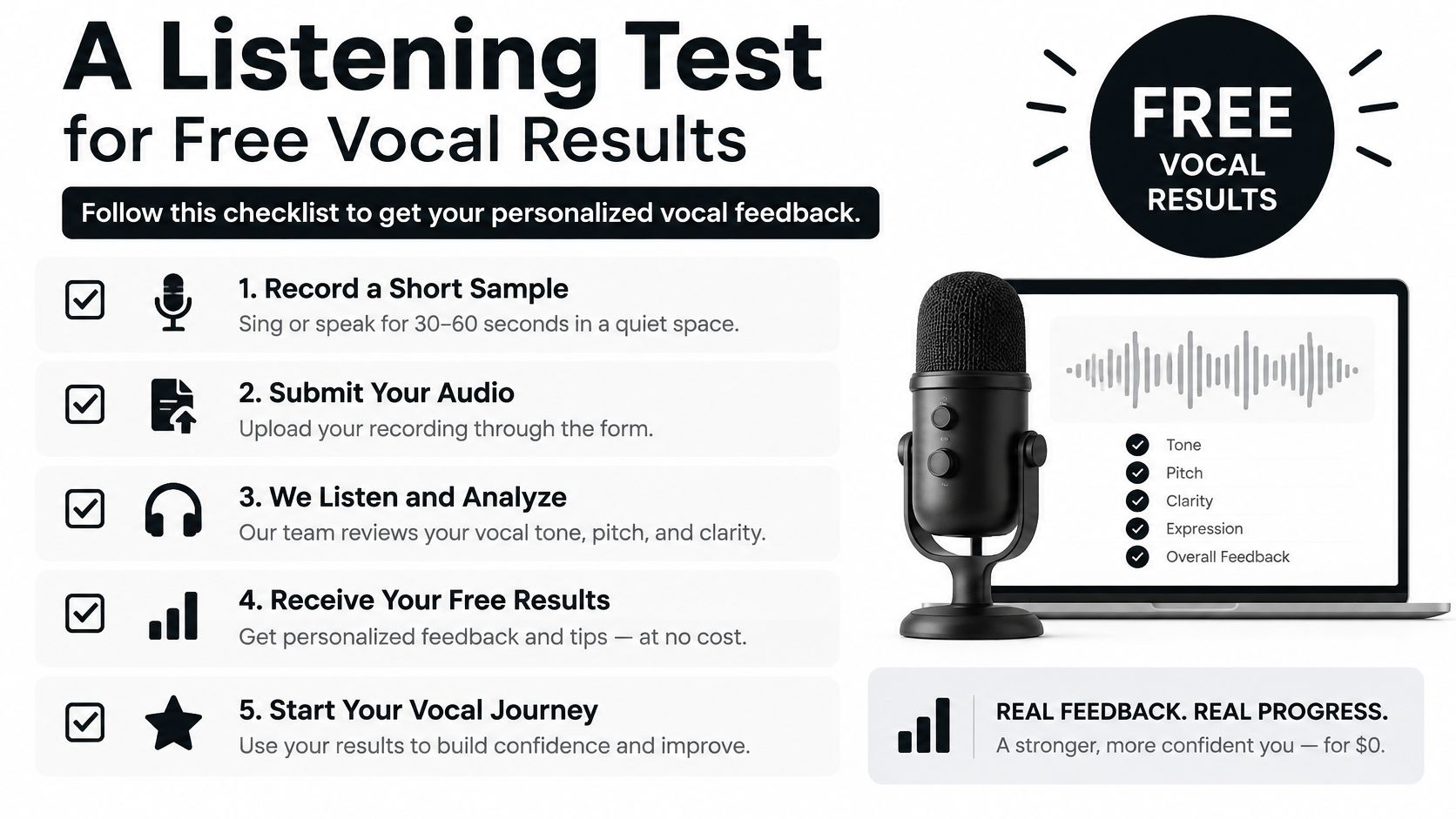
Use the checklist graphic as a reminder to listen critically rather than accepting a download on appearance alone.
Compare alternatives without endlessly rerunning
Make the standard render your baseline. If the target is right but an overlap is damaged, compare a higher-quality attempt on the same material; the explanation of precision-processing benefits helps distinguish that situation from choosing the wrong sound.
A cleanup rerun only makes sense when you can identify a source problem, such as unnecessary digital silence or an avoidably clipped export. Turning down an already clipped recording won't reconstruct the missing waveform.
A cleaner-sounding voice isn't automatically a more faithful voice. Reject a render that removes the singer's articulation to suppress the band.
Finally, place the vocal and remainder at their original timing and sensible relative levels. Listen to transitions, stereo stability, and whether the parts remain useful in context; don't assume they must reconstruct the original perfectly.
Listener judgments don't always agree with objective scores. For a fuller example, a large-scale listening study found that objective metrics can diverge from perceived quality, reinforcing why your actual deliverable needs an ear test.
If the output fails in the arrangement where you intend to use it, stop. Mastering won't turn a damaged consonant or watery double into the original performance.
Overlaps Speech and Sounds Beyond Singing
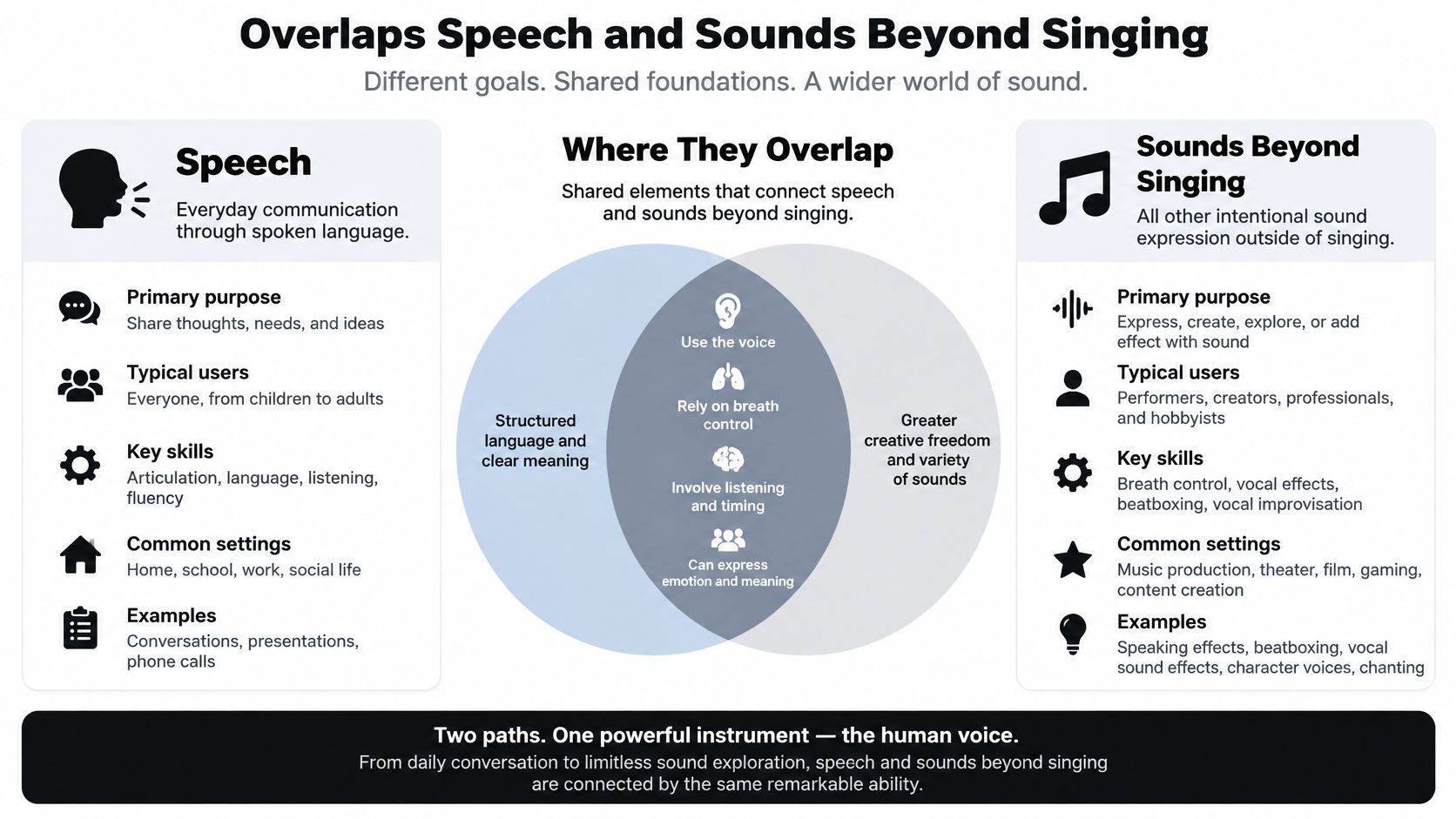
A voiceover under music, a choir behind a lead singer, and crowd noise each call for a different target description. Isolate Audio uses plain-English descriptions rather than preset categories, so name the sound you want, such as “spoken dialogue,” “lower backing voice,” or “crowd cheering.” Its voice isolation guide explains the broader idea: separating a chosen voice or sound from the rest of a recording.
Choose a target you can actually identify
- Lead singing voice: Describe the lead singer if you need that performance, rather than every human sound. An exposed passage makes it easier to judge whether the result follows the intended voice.
- Backing vocals or a second singer: Describe an audible distinction, such as “lower backing voice.” If both singers share pitch, timing, and effects, the mix may not contain enough separation cues for a clean split.
- Dialogue under music: Describe the target as spoken dialogue or a speaking voice. Listen for whether words remain intelligible, and treat the output as an editing preview if music artifacts make it unsuitable as replacement audio.
- Crowd noise, an animal, or an instrument: Name the sound directly, such as “crowd cheering,” “dog barking,” or “piano melody.” These are different targets from singing or speech.
Let the intended use determine the next move
Room reverberation can blend a voice with the recording around it, and simultaneous speakers can mask one another. If the target is unclear, make the description more specific and try a passage where that sound is easier to hear. If the wrong sound is being selected, stronger EQ will not fix the selection.
A podcaster might need only to locate a likely edit point. For that task, find transcripts with YouTube's built-in tool rather than separating audio just to locate words. A DJ can judge a vocal preview in the remix context where it will be used. Research or analysis calls for a stricter standard: a plausible isolated call or speech segment is still processed audio, not an untouched recording.
Use boundary: Keep the original recording for analysis, attribution, and comparison. Treat a separated track as an estimate of the requested sound, not a recovery of an untouched source.
Accept the result only if listening confirms that it contains the intended target and suits its use. A planning preview is not automatically publication-ready audio.
Stay Free or Move Up for This File
Our Free plan costs $0 forever and includes 5 audio separations per month, standard-quality processing, MP3 output, audio files up to 5 minutes, and community support. That's a practical starting point for a short practice track or video draft.
Our Pro plan costs $19 per month and includes unlimited separations, best-quality processing, WAV and FLAC output, audio files up to 30 minutes, a priority queue, Precision Mode, and email support. Our quality presets are Fast for quick results, Balanced for everyday use, and Best for studio-quality processing; that preset description isn't a guarantee that a difficult recording will become a release stem.
Pay for a requirement, not a hope
Use the test excerpt to separate a delivery limitation from an audio failure. A good extraction that needs lossless delivery is a different situation from a choir extraction that never identified the desired singer.
- Stay free for a useful draft. If the words are clear, the artifacts are acceptable in context, and the output fits the job, there's no reason to pay just because an upgrade exists.
- Move up for a specific constraint. Longer recordings, lossless delivery, or more processing attempts can justify a paid workflow when the target already behaves sensibly.
- Consider precision processing for a defined overlap. Identify the troublesome line and know what improvement you're listening for. Our explanation of what Precision Mode does helps frame that decision.
- Stop when the premise is wrong. Paying more isn't a substitute for an identifiable target, an intact recording, or access to the original session.
For a difficult live recording, the better purchase may not be separation processing at all. Requesting an existing vocal export, choosing another take, or changing the edit can solve a problem that repeated renders won't.
Keep the test source, both downloaded outputs, and a brief note about what passed or failed. Spend another separation only when you can name the change you're testing. That gives you a repeatable editing decision rather than a folder full of almost-identical files.
Isolate Audio lets you upload audio or video, describe the sound you want, and download the isolated element plus the remainder. Visit Isolate Audio, try a representative vocal excerpt for free, and keep both outputs so you can judge the result before processing the full recording.